

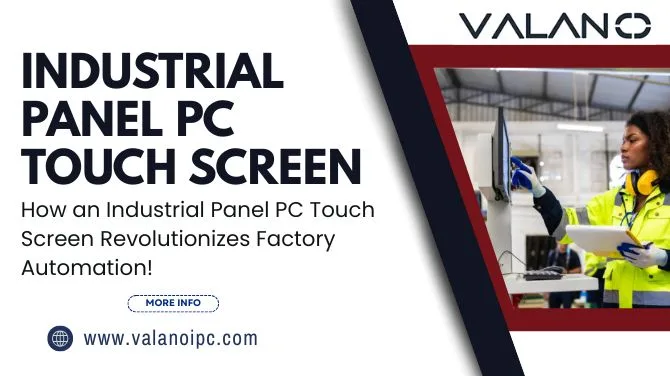
In the competitive world of modern manufacturing, staying ahead in efficiency, safety, and adaptability is crucial for success. Industry 4.0, the fourth industrial revolution, has brought tremendous digital transformation to the shop floor. At the heart of this transformation is the industrial panel PC touch screen—a technology rapidly replacing conventional control panels because of its reliability, connectivity, and intuitive user experience.
At ValanoIPC, we have seen how a thoughtfully implemented industrial panel PC touch screen does much more than streamline processes; it empowers operators, optimizes data flow, increases productivity, and turns ordinary factories into agile, intelligent enterprises.
What Is an Industrial Panel PC Touch Screen?
The term industrial panel PC touch screen might sound like an off-the-shelf industrial tablet, but there’s much more beneath the sturdy exterior. This technology consists of a high-performance, sealed computer with an integrated touch-enabled display, designed specifically for use in challenging industrial environments.
Key Components and Features:
- Industrial-Grade Touchscreen Display: Available in various sizes and touch technologies (resistive, capacitive), these screens offer high resolution and readability—even with gloves or in bright lighting.
- Rugged Construction: Housed in robust casings (often aluminum or stainless steel), these systems boast high ingress protection ratings (IP65+), making them resistant to dust, water, oil, and chemicals.
- Embedded Computer: Unlike standard monitors, an industrial panel PC features internal computing hardware (CPU, RAM, SSD), ensuring all-in-one operation without external dependency.
- Rich I/O Options: Multiple ports (USB, RS232/422/485, LAN, GPIO, expansion slots) support connectivity to sensors, PLCs, cameras, and legacy equipment.
- Extended Operating Range: Designed to operate reliably in temperature extremes, vibrations, and electromagnetic interference (EMI) environments.
While consumer tablets and laptops can offer some portability, they lack the necessary durability, lifecycle management, and certification required for continuous operation on the factory floor. In contrast, an industrial panel PC touch screen is purpose-built for integration into machinery, production lines, kiosks, control rooms, and more.
Benefits Over Traditional ControlsThe leap from traditional control panels filled with physical buttons, switches, and indicator lights to an industrial panel PC touch screen brings a plethora of advantages.
1. Simplified User Interface
Touchscreen panels offer interactive, visually intuitive HMI (human-machine interface) design. Operators easily navigate between screens, zoom in on data, and use color-coded indicators—reducing the risk of error.
2. Enhanced Operator Efficiency
Traditional interfaces require memorizing locations of various switches and dials, leading to time-consuming operations and costly mistakes. With an industrial panel PC touch screen, tasks like machine setup, diagnostics, and maintenance are streamlined for maximum productivity.
3. Real-Time Data Visualization
Display live process data, alarms, trending graphs, and analytics dashboards directly on the touch screen. This immediate feedback enables timely interventions and facilitates proactive decision-making.
4. Space and Wiring Reduction
Forget bulky cabinets and endless wires—an industrial panel PC touch screen consolidates controls, reducing footprint and simplifying installation. This not only saves valuable floor space but also lowers infrastructure expenses.
5. Flexible and Adaptable
Unlike hardwired switches, touchscreens allow quick interface updates, meaning new features, workflows, or language options can be rolled out via software—eliminating hardware rework and reducing downtime.
6. Safety and Compliance
Visual warnings, digital lockouts, and electronic record keeping help you meet regulatory requirements and ensure worker safety, all seamlessly integrated into the operator panel.
Integration and Connectivity
Modern manufacturing relies on seamless data sharing across the whole production ecosystem. The industrial panel PC touch screen acts as the connective nerve center for factory automation.
PLC, SCADA, and ERP Integration
- Programmable Logic Controller (PLC) Interfacing: Panel PCs connect directly to PLCs via standard industrial protocols (Modbus, Siemens S7, Allen-Bradley, Profibus), offering real-time display and control of process variables.
- SCADA Software Compatibility: Since panel PCs can run Windows or Linux operating systems, they’re compatible with leading SCADA packages (like Wonderware, Ignition, WinCC), providing advanced supervisory control.
- ERP System Communication: Automatically collect production metrics and quality data for reporting and inventory management, ensuring a truly digitized production workflow.
IoT and Industry 4.0
- Sensor and Machine Data: Panel PCs aggregate information from IoT devices, enabling predictive maintenance, energy management, and efficiency optimization.
- Cloud Connectivity: Securely upload data to the cloud for enterprise analytics, remote troubleshooting, and multi-site dashboards.
- Edge Computing: Process data locally to minimize latency and bandwidth needs, allowing fast decisions without waiting for cloud confirmation.
Remote Access and Management
Industrial panel PC touch screens support VPN, remote desktop, and browser-based monitoring, allowing engineers and managers to troubleshoot and optimize operations from anywhere in the world.
Durability and Industrial-Grade Features
A factory environment is harsh—heat, humidity, dust, vibration, oil splashes, and power surges are everyday realities. That’s why a standard office PC is bound to fail quickly in such tough conditions. Here's where the industrial panel PC touch screen excels.
Robust Materials and Sealed Enclosures
- IP/NEMA Ratings: High ingress protection prevents contaminants from reaching electronics.
- Corrosion and Chemical Resistance: Special coatings and materials withstand exposure to cleaning agents, oils, and industrial chemicals.
- Shock and Vibration Protection: Vibration-dampening mounting, solid-state drives, and rugged connectors ensure uninterrupted operation on moving vehicles, robots, and heavy machinery.
Extended Temperature Operation
Many panel PCs feature wide temperature operation (-20°C to +60°C or more), ensuring reliability even in cold storage or near high-heat equipment.
Maintenance Advantages
- Fanless Cooling: Fanless designs reduce dust ingress, minimize moving parts, and extend life expectancy.
- Tool-Free Access: Some models allow easy panel removal and component swaps for rapid repairs.
- Long Lifecycle: Industrial panel PCs often come with extended product availability and service support (5-10+ years), avoiding frequent redesigns and replacements.
Applications Across Industries
The benefits of industrial panel PC touch screens can be seen in a variety of industries and environments. Here are some compelling examples:
Manufacturing Lines
- Assembly control: Operators monitor line status, manage workflow, and respond instantly to alarm conditions.
- Quality inspection: Machine vision systems integrated with touch screens enable rapid inspection and data entry.
- Packaging: Changeover settings (recipes, sizes) are quickly adjusted for different products.
Food and Beverage Processing
- Hygienic operation: Sealed, easy-to-clean touch screens prevent contamination in food-safe environments.
- Recipe management: Operators select, load, and adjust production recipes with minimal training.
- Traceability: Paperless batch records and instant access to lot tracking data streamline compliance reporting.
Logistics and Warehousing
- Automated storage and retrieval: Touch screens control cranes, conveyors, and sorting systems.
- Inventory management: Real-time visualization of inventory levels, order picking, and shipment status.
- Vehicle-mounted computing: Rugged panel PCs on forklifts guide drivers safely and efficiently.
Pharmaceutical and Chemical Production
- Batch processing: Electronic signatures and digital batch records meet regulatory requirements.
- Remote monitoring: Secure access to critical process data off-site for compliance and safety.
- Alarm management: Visual and audible alerts ensure compliance with strict process controls.
Energy and Utilities
- Power plant control: Reliable interfaces withstand high-vibration environments.
- Substation automation: Remote diagnostics and data logging for improved uptime.
- Water treatment: Weatherproof outdoor models monitor pumps, tanks, and filtration systems.
Transportation
- Rail and shipping: On-board, shock-resistant touch screens for navigation and diagnostics.
- Airport automation: Baggage handling, check-in kiosks, and security checkpoints depend on reliable HMI touch interfaces.
Case after case, the industrial panel PC touch screen provides a flexible solution for environments where reliability, hygiene, and rapid operator response matter most.
Customization and Interface DesignNo two factories are the same—and that’s why customization is a key strength of the modern industrial panel PC touch screen.
- Tailored Workflows
With graphical HMI software, you can design interfaces to fit your unique equipment, processes, and operator preferences. Buttons, displays, charts, and languages can be arranged for maximum usability. - Role-Based Access
Multi-user systems allow different permissions for operators, supervisors, and maintenance staff. This prevents accidental changes and ensures only qualified staff handle critical adjustments. - Multilingual Support
Language barriers are common on the global shop floor. Industrial panel PCs can support multiple languages, symbols, or regional settings—enhancing clarity and minimizing errors. - Rapid Updates and Scalability
Changes in product lines or compliance requirements can be implemented via software updates—remotely or on-site—avoiding costly hardware rework or retraining.
Selecting the ideal model for your factory is crucial. Here’s what industry experts at ValanoIPC recommend considering:
1. Environmental Requirements
Assess whether your environment requires food-safe, explosion-proof, waterproof, or EMI-shielded enclosures. Temperature, humidity, and dust levels are critical.
2. Display Size and Touch Technology
Panel PCs range from compact 7-inch models to large 21-inch screens. Choose based on workspace constraints and required data visibility. Capacitive touch offers high precision, while resistive technology works with gloves or styluses.
3. Performance Specifications
Match CPU, memory, and storage to your application’s needs. Data-intensive applications may demand a higher-end processor.
4. Connectivity and Expansion
Make sure your panel PC has enough serial, USB, Ethernet, and wireless interfaces for current and future devices. Expansion slots can provide flexibility as your factory grows.
5. Software Compatibility
Check if your panel PC supports your automation software (Windows, Linux, SCADA systems) and offers the drivers needed for devices and PLCs in your system.
6. Mounting and Ergonomics
Options include panel, wall, VESA, arm, or desk mounting. Consider clearance, operator reach, and cable management.
7. Vendor Support and Product Lifecycle
Select a vendor, like ValanoIPC, that guarantees long-term availability of spare parts, technical support, and firmware/software updates for several years.
Expert consultation with a reliable manufacturer ensures you get an industrial panel PC touch screen tailored to your environment, needs, and budget.
Future Trends in Factory AutomationThe evolution of the industrial panel PC touch screen is closely linked with broader trends in automation and digital manufacturing.
1. AI at the Edge
Modern panel PCs are increasingly deployed with edge AI capabilities—running vision analytics, anomaly detection, and predictive maintenance models without round-trip latency to the cloud.
2. Cybersecurity
As connectivity expands, so does the attack surface. Next-generation panel PCs are shipping with advanced encryption, secure boot, and role-based security to safeguard critical infrastructure.
3. Wireless and 5G Communication
More devices are connecting wirelessly, reducing cabling costs and enabling flexible, reconfigurable production lines.
4. Web-Based HMIs and Remote Collaboration
HTML5-based interfaces enable any operator or engineer—on-site or remote—to securely interact with production systems using laptops, tablets, or phones.
5. Sustainability Initiatives
Panel PCs help optimize energy use across the factory, integrating with building management and energy tracking systems for greener operations.
As technology continues to advance, ValanoIPC will keep developing solutions that are not only robust and reliable but also at the forefront of automation trends.
As we have explored, integrating an industrial panel PC touch screen into factory automation is more than just a technology upgrade—it’s a foundational change that impacts every aspect of your production environment. From streamlined controls and comprehensive data visibility to rugged, reliable operation, these units are at the core of future-ready, competitive manufacturing facilities.
FAQ: Industrial Panel PC Touch ScreenQ1: What’s the difference between an industrial panel PC touch screen and a regular tablet?
A1: Unlike regular tablets, industrial panel PCs are built for 24/7 operation in harsh environments. They feature rugged enclosures, support for multiple industrial communication protocols, long-life components, and extensive mounting options—all essential for industrial automation.
Q2: Can I use industrial panel PC touch screens with my existing PLCs?
A2: Yes. Most panel PCs support a wide range of industrial protocols (Modbus, OPC UA, Profibus, Ethernet/IP, etc.) and can communicate directly with legacy or modern PLCs and controllers.
Q3: Are touch screens reliable in dusty or wet areas?
A3: Absolutely. Industrial panel PC touch screens from ValanoIPC are rated for IP65 or higher, which means they are dust-tight and protected against water jets, making them ideal for washdown and outdoor environments.
Q4: How does a touch screen improve operator productivity and reduce errors?
A4: Touch screens provide intuitive navigation, graphical alarms, and detailed instructions at the point of use. This reduces training requirements, helps prevent mistakes, and allows rapid response to process changes or issues.
Q5: What maintenance do these panels require?
A5: Thanks to fanless designs and sealed enclosures, maintenance is minimal. Regular cleaning of the screen and infrequent check-ups suffice. Their solid-state design eliminates many failure points common to standard PCs.
Q6: Can the interface be customized for different shifts or languages?
A6: Yes. HMIs on industrial panel PCs are fully customizable for user roles, shifts, process steps, and multiple languages—maximizing flexibility and compliance.
Q7: How secure are industrial panel PC touch screens?
A7: Security is paramount. ValanoIPC touch screens provide user authentication, access logs, secure network settings, encrypted communications, and support for IT security policies, keeping your data and operations safe.
Q8: Are software updates or changes easy to deploy?
A8: Deploying software updates is typically fast and can often be performed remotely, reducing downtime and enabling your factory to rapidly adapt to new production needs.
Q9: How long do industrial panel PC touch screens last?
A9: With proper care, these devices offer lifespans of 5-10+ years, with ongoing vendor support and parts availability—far exceeding typical consumer-grade hardware.
Q10: Is it worth investing in industrial panel PC touch screens now?
A10: Absolutely. The productivity gains, compatibility with automation systems, and future-proofing benefits far outweigh the initial investment, often resulting in rapid ROI through efficiency, reduced errors, and minimized downtime.


