

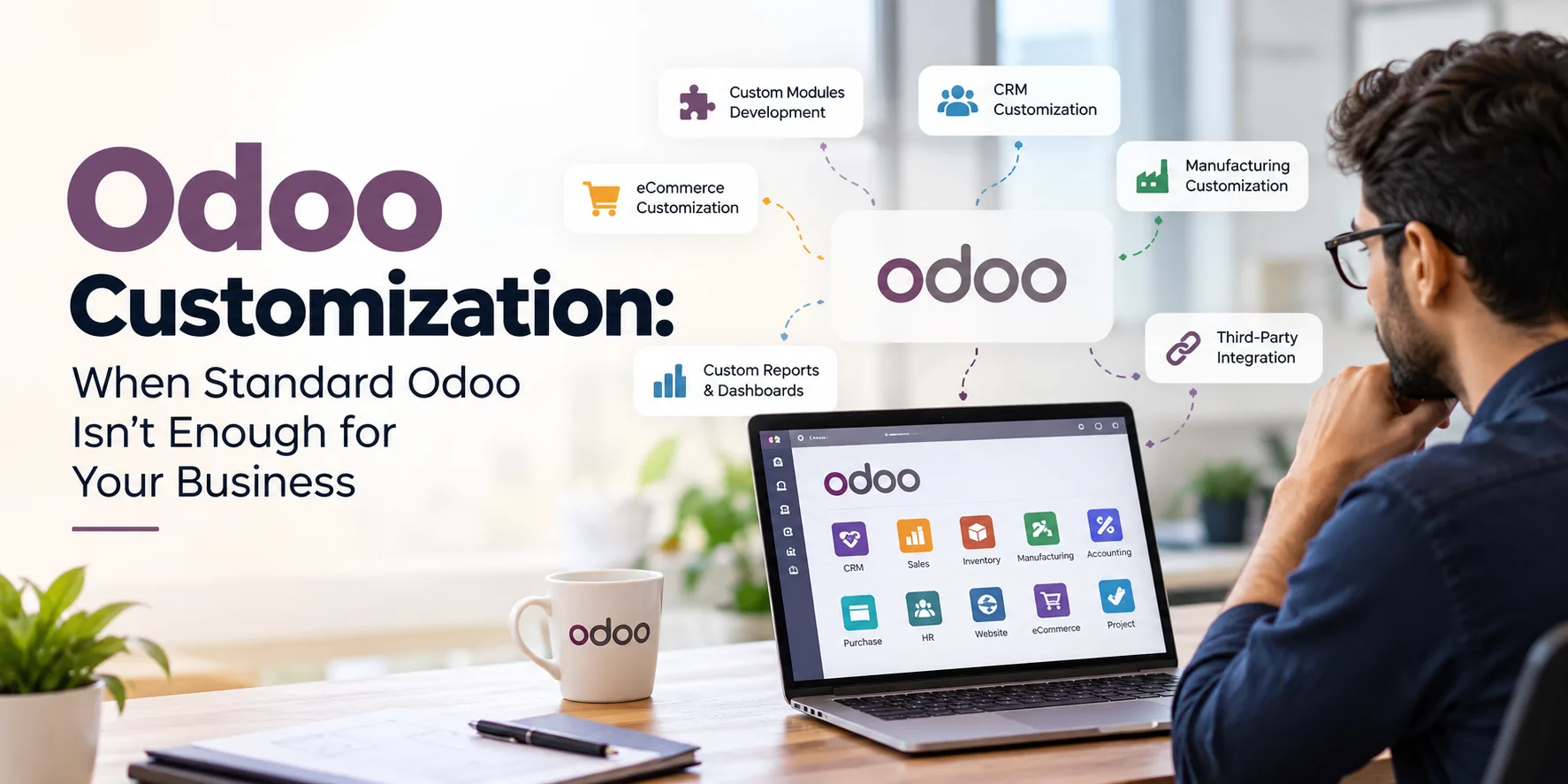
Odoo Customization: When Standard Odoo Isn’t Enough for Your Business
Odoo has become a popular ERP choice for businesses that want to bring sales, CRM, inventory, accounting, manufacturing, purchasing, website, and other operations onto a single platform.
One of Odoo’s biggest strengths is its flexibility. Businesses can start with standard Odoo applications and gradually expand their ERP environment as their needs grow.
But there is a point where simply configuring existing settings may no longer be enough.
Your sales team may need a workflow that Odoo does not provide out of the box. Your manufacturing team may require a production process specific to your industry. Management may need a dashboard built around internal KPIs. Or you may need Odoo to exchange data automatically with another business application.
This is where Odoo customization becomes important.
Customization allows businesses to adapt Odoo to their actual processes instead of forcing employees to change everything just to fit the standard ERP workflow.
But customization should not mean changing Odoo simply because you can. The real objective should be to solve a genuine business problem, improve efficiency, and create a scalable ERP environment.
What Is Odoo Customization?
Odoo customization is the process of modifying or extending the standard Odoo ERP functionality to meet specific business requirements.
Standard Odoo already provides a wide range of features across modules such as:
- CRM
- Sales
- Purchase
- Inventory
- Manufacturing
- Accounting
- Project Management
- HR
- eCommerce
- Website
- Marketing Automation
However, every business has its own workflows, approval structures, calculations, reports, integrations, and operational requirements.
For example, a manufacturing company may require a customized production workflow based on its manufacturing process. A distributor may need a special pricing and approval mechanism. A service company may require a customized project billing workflow.
Instead of working around these limitations manually, Odoo can be customized to support the required process.
Customization may include modifying existing functionality, developing custom modules, creating new fields and workflows, building dashboards and reports, or integrating Odoo with external systems.
Why Doesn't Standard Odoo Always Fit Every Business?
Odoo is designed to support a broad range of industries and business models. That makes it powerful, but it also means that its standard functionality cannot perfectly represent every company's internal process.
Consider two manufacturing companies.
Both may use manufacturing, inventory, purchase, and sales modules. But their actual processes can be very different.
One company may manufacture products against confirmed sales orders, while another may manufacture based on forecasts and minimum stock levels.
One may require multiple quality inspections, while another may have a simple production approval process.
One may calculate product costs using a specific internal formula, while another may use standard costing methods.
The ERP needs to support these differences.
This is why businesses sometimes require customization after implementing standard Odoo.
10 Signs Your Business May Need Odoo Customization
Customization isn't automatically necessary for every Odoo implementation. In many cases, configuration and standard functionality can solve the requirement.
However, the following situations can indicate that customization should be considered.
1. Employees Are Using Spreadsheets to Fill ERP Gaps
One of the clearest warning signs is when employees continuously export information from Odoo into Excel or Google Sheets because the ERP does not support a required process.
For example, your team may use spreadsheets for:
- Production planning
- Special pricing calculations
- Management reporting
- Commission calculations
- Inventory analysis
- Approval tracking
If an important business process depends heavily on spreadsheets outside the ERP, it may be worth evaluating whether Odoo can be customized to handle it directly.
2. Your Approval Process Is More Complex Than the Standard Workflow
Businesses often have multiple approval levels.
A purchase order, discount, expense, quotation, or credit limit may require approval from different people depending on the amount, department, customer, or product.
If employees have to manage these approvals manually through emails, messages, or spreadsheets, a customized Odoo approval workflow can bring the process into the ERP.
This can make responsibilities clearer and create a better audit trail.
3. Your Industry Has Specialized Processes
Different industries have different operational requirements.
For example:
Manufacturing:
Production planning, quality checks, subcontracting, batch tracking, wastage calculations, and production costing.
Trading and Distribution:
Customer-specific pricing, credit limits, sales approvals, delivery rules, and distributor management.
Textile:
Fabric variants, GSM, color, size, lot management, production stages, and material consumption.
Pharmaceuticals:
Batch tracking, expiry management, quality processes, and regulatory requirements.
Packaging:
Material calculations, job-specific costing, production planning, wastage, and customer-specific specifications.
When standard workflows do not adequately represent these processes, customization can help bridge the gap.
4. Management Needs Specialized Reports
Standard Odoo reports can cover many common requirements, but management teams often need information specific to their business.
For example, a management dashboard may need to show:
- Sales performance
- Production efficiency
- Inventory turnover
- Outstanding payments
- Purchase trends
- Gross margins
- Department performance
- Order fulfillment
- Customer profitability
Instead of manually combining data from multiple reports, businesses can create customized reports and dashboards around their most important KPIs.
5. You Need Integration With Another Business System
Businesses rarely operate with just one software system.
You may already use:
- Payment gateways
- E-commerce platforms
- Shipping systems
- CRM tools
- HR platforms
- Banking software
- Warehouse systems
- Marketplace platforms
- Business intelligence tools
If these systems need to exchange data with Odoo, an integration may be required.
For example, an eCommerce order could automatically enter Odoo, update inventory, create the relevant customer record, and trigger fulfillment workflows.
This reduces repetitive data entry and minimizes the risk of human error.
6. Your Pricing Logic Is Highly Specific
Pricing can become complicated when businesses offer different prices based on:
- Customer category
- Quantity
- Region
- Product variant
- Contract
- Distributor level
- Promotional terms
- Sales channel
If standard pricing rules cannot adequately represent the business logic, custom functionality may be required.
7. You Have Repetitive Manual Tasks
Another important sign is excessive manual work.
Imagine your employees repeatedly:
- Download information from Odoo.
- Modify it in Excel.
- Send it to another department.
- Wait for approval.
- Upload the updated information again.
This is not just inconvenient. It consumes employee time and creates opportunities for errors.
A customized workflow can sometimes automate several of these steps.
8. Your Existing Software Must Continue Working With Odoo
Businesses do not always have the option of replacing every existing application.
If an organization already has a specialized system that it needs to retain, integrating that system with Odoo may be more practical than replacing it.
Customization and integration can help create a connected technology environment.
9. Your Business Has Unique Data Requirements
Sometimes the information a company needs to capture is different from the standard fields available in Odoo.
A business may need additional information related to:
- Products
- Customers
- Vendors
- Production
- Projects
- Sales orders
- Quality checks
- Delivery
- Service requests
Custom fields and forms can make this information part of the normal ERP workflow.
10. Your Business Is Growing and Existing Workarounds Are Becoming Expensive
A workaround that works for a small team may become a serious operational problem as the business grows.
For example, manually tracking 50 orders in a spreadsheet may be manageable.
Tracking 5,000 orders through disconnected spreadsheets, emails, and messages is a different story.
As transaction volume increases, businesses often need more structured workflows, automation, visibility, and control.
Odoo Configuration vs Odoo Customization
One of the most important questions businesses should ask is:
Do we actually need customization?
Not every requirement needs custom development.
Odoo Configuration
Configuration means using the functionality that already exists in Odoo and adjusting settings to match the business.
Examples include:
- Setting user permissions
- Configuring warehouses
- Creating product categories
- Setting approval rules
- Creating standard reports
- Configuring taxes
- Setting up automated actions
- Creating email templates
- Configuring sales and purchase workflows
Configuration should generally be considered before custom development.
Odoo Customization
Customization becomes relevant when the standard functionality cannot reasonably support the required business process.
Examples include:
- Custom modules
- Custom workflows
- Custom reports
- Custom dashboards
- Custom fields
- Custom business logic
- Specialized calculations
- New approval mechanisms
- Third-party integrations
- Industry-specific functionality
The goal should not be to customize everything.
The goal should be to customize what genuinely needs to be different.
Common Types of Odoo Customization
Odoo customization can take many forms depending on the business requirement.
Custom Module Development
A custom module can introduce functionality that isn't available in the standard Odoo installation.
For example, a business may need a specialized application for a unique operational process.
Odoo CRM Customization
Sales teams may need customized lead qualification, customer workflows, follow-ups, approval processes, or sales dashboards.
CRM customization can help align Odoo with the company's actual sales methodology.
Inventory Customization
Businesses with complex inventory requirements may need customized stock movements, product tracking, warehouse workflows, or inventory reports.
This can be especially useful for businesses managing large product catalogs or specialized inventory processes.
Manufacturing Customization
Manufacturing organizations may require specialized production workflows, costing logic, material consumption calculations, quality processes, or production reports.
Customization can connect these processes more closely with sales, purchasing, inventory, and accounting.
Custom Reports and Dashboards
Decision-makers often need information presented differently from standard ERP reports.
Custom dashboards can bring important KPIs into one place and help management understand business performance more efficiently.
Odoo eCommerce Customization
Businesses operating online stores may require customized product displays, pricing logic, checkout workflows, customer experiences, or integration with external platforms.
Third-Party Integration
Odoo can be integrated with other business applications where data needs to move between systems.
The objective is to reduce duplicate data entry and create a more connected business environment.
How Odoo Customization Can Improve Business Operations
When implemented for the right reasons, customization can have an impact beyond simply adding new features.
Better Process Alignment
Employees can follow workflows that reflect how the business actually operates.
Less Manual Data Entry
Automated processes can reduce repetitive work and the need to move information between different systems.
Improved Data Visibility
Customized dashboards and reports can make important business information easier to access.
Better Operational Control
Approval workflows, permissions, and automated processes can create more consistency across departments.
Improved User Experience
When Odoo reflects familiar business processes, employees may find it easier to use the system as part of their daily work.
Scalability
A well-designed customization can support new business requirements as the company grows.
However, scalability depends heavily on how the customization is designed and maintained.
The Risk of Over-Customizing Odoo
Customization has benefits, but more customization does not automatically mean a better ERP.
Over-customization can create problems.
For example, excessive modifications may:
- Increase implementation costs
- Make future upgrades more complicated
- Increase maintenance requirements
- Create dependency on custom code
- Make troubleshooting more difficult
- Complicate user training
- Create unnecessary technical complexity
This is why experienced Odoo implementation teams generally need to evaluate the requirement before developing a custom solution.
A good question is not:
“Can we customize Odoo?”
The better question is:
“Should we customize Odoo to solve this particular problem?”
A Practical Approach to Odoo Customization
A structured approach can help businesses avoid unnecessary development.
Step 1: Identify the Business Problem
Start with the problem, not the feature.
Instead of saying:
“We need a custom module.”
Define what is actually happening.
For example:
“Our sales team spends three hours every day manually preparing a pricing report.”
That gives the implementation team a measurable problem to solve.
Step 2: Check Standard Odoo Functionality
Before developing anything, check whether the requirement can be handled through existing Odoo functionality or configuration.
Sometimes a business may believe it needs customization when a standard feature already exists.
Step 3: Define the Functional Requirement
If customization is genuinely required, document:
- Required workflow
- Users involved
- Business rules
- Data fields
- Approval levels
- Reports
- Notifications
- Integrations
- Expected outcome
Clear requirements reduce confusion during development.
Step 4: Build With Future Growth in Mind
The customization should not only solve today's problem.
Consider how the business may change over the next few years.
Will the number of users increase?
Will additional warehouses be added?
Will new products or business units be introduced?
Will Odoo be upgraded?
These questions matter when designing custom functionality.
Step 5: Test Before Going Live
Customization should be tested with realistic business scenarios.
Testing should include:
- Normal workflows
- Exception cases
- User permissions
- Data accuracy
- Integration behavior
- Reports
- Performance
User acceptance testing is particularly important because employees are the people who will actually use the customized system.
How to Choose an Odoo Customization Partner
The technical capability of the implementation partner can significantly affect the long-term quality of the customization.
Before choosing a partner, consider:
Understanding of Your Business
The partner should understand your business process rather than simply translating a feature request into code.
Odoo Experience
Look for experience with the relevant Odoo modules and business processes.
Custom Development Capability
If your requirements involve custom modules or complex workflows, make sure the partner has appropriate development expertise.
Integration Experience
If Odoo needs to connect with external applications, ask about previous integration projects.
Upgrade and Maintenance Support
Customization doesn't end when the project goes live.
Future Odoo upgrades, bug fixes, security updates, and business changes may require ongoing support.
Documentation
Good technical and functional documentation can make future maintenance much easier.
Odoo Customization Should Solve a Business Problem, Not Create One
The most successful Odoo customization projects usually begin with a simple principle:
Customize where customization creates measurable business value.
If a standard Odoo workflow already works, there may be no reason to change it.
But if employees are spending hours on manual work, management lacks important visibility, a critical process cannot be represented in the ERP, or multiple systems need to exchange information, customization may provide a practical solution.
The objective is not to make Odoo look different.
The objective is to make the ERP work better for the business.
When Should You Consider Odoo Customization?
You may want to evaluate Odoo customization when:
- Standard Odoo cannot support an important business process.
- Employees rely heavily on external spreadsheets.
- Your approval workflows are complex.
- Your industry requires specialized functionality.
- Management needs customized KPIs or dashboards.
- You need integration with another business application.
- Your pricing or costing logic is highly specific.
- Repetitive manual tasks are consuming significant employee time.
- Your business is growing and existing workarounds are becoming inefficient.
The right approach is to evaluate each requirement individually rather than assuming customization is always necessary.
Final Thoughts
Odoo provides a strong foundation for managing business operations, but no ERP can perfectly match every organization's processes out of the box.
As businesses grow, their requirements often become more specific. What worked during the early stages may no longer be sufficient when transaction volumes, users, departments, products, and operational complexity increase.
That's where thoughtful Odoo customization can make a difference.
From custom modules and CRM workflows to manufacturing processes, inventory management, dashboards, reports, eCommerce functionality, and third-party integrations, customization can help businesses adapt Odoo to the way they actually operate.
The key is balance.
Use standard Odoo wherever possible. Customize where necessary. And build every customization around a clear business objective.
If your business has processes that standard Odoo cannot adequately support, Cloudmonte Technologies can help evaluate the requirement and design an Odoo customization approach around your specific business needs.
Explore Cloudmonte's Odoo Customization Services to understand how customized Odoo solutions can be aligned with your business processes.


