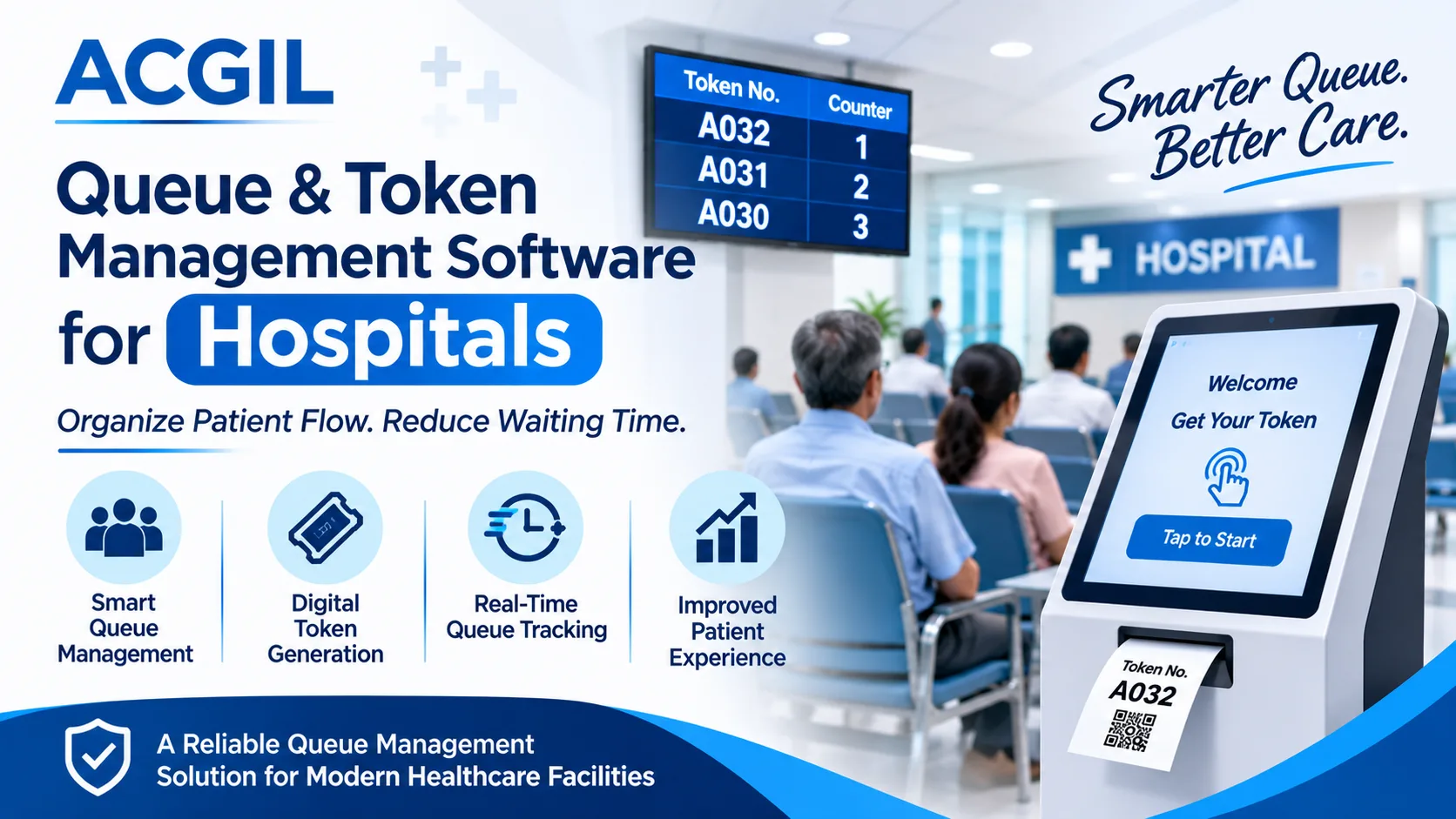
Managing patient flow is an important part of hospital operations. Every day, hospitals handle multiple patients visiting OPD departments, consultation rooms, diagnostic centres, pharmacies, billing counters, and other healthcare facilities. Without an organised process, patients may experience long waiting times, crowded reception areas, confusion about consultation order, and delays in accessing medical services.
A Queue Management System provides a structured approach to handling patient queues and organising service counters. It allows hospitals to generate digital tokens, assign patients to specific departments, display queue status, and coordinate patient movement through different service points.
Traditional queue handling often depends on manual registers, verbal announcements, and physical waiting lines. These methods can become difficult to maintain when patient volumes increase. Digital Queue Management Software replaces these manual processes with an organised system that provides better queue visibility and supports hospital staff in handling patient traffic.
For healthcare organisations, a dedicated Queue Management System for Hospitals can improve patient coordination, support reception teams, and create a more organised outpatient experience. ACG Infotech Limited (ACGIL) provides technology solutions designed to support healthcare digitisation and hospital operations.
This guide explains how queue management software works, its features, benefits, applications, and the role of token management in modern hospitals.
1. What Is a Queue Management System?
A Queue Management System is a digital solution that manages the order in which customers or patients receive services. It controls queue formation, token allocation, service-counter assignments, and waiting status through a centralised platform.
In hospitals, the system helps organise patient visits from registration to consultation and other service counters. Instead of asking patients to stand in physical lines or repeatedly check with reception staff, hospitals can use digital tokens and display screens to communicate service order.
A typical hospital queue management process includes:
- Patient registration at the reception counter.
- Digital token generation based on the selected department.
- Assignment of tokens to the appropriate service counter.
- Display of currently serving and upcoming token numbers.
- Calling patients through display screens or audio announcements.
- Updating token status after consultation or service completion.
Monitoring queue activity through an administrative dashboard.
A digital queue system provides a clear service sequence and helps hospital employees coordinate patient movement across departments.
2. What Is Queue Management Software?
Queue Management Software is an application that automates the process of creating, organising, monitoring, and controlling queues. It replaces manual queue registers and conventional waiting-line arrangements with digital workflows.
The software allows authorised hospital employees to create patient tokens, assign service priorities, monitor waiting lists, and call patients according to their service requirements.
For example, when a patient visits a hospital for an OPD consultation, the reception team can register the patient and generate a token for the selected doctor or department. The token number can appear on a display screen when the consultation room is ready.
Depending on the software configuration, queue management solutions can support:
- Multiple departments and service counters.
- Digital token generation.
- Doctor-wise and department-wise queues.
- Real-time queue status.
- Patient calling and announcements.
- Priority-based patient handling.
- Waiting-time monitoring.
- Queue performance reports.
Integration with hospital information systems.
These capabilities help hospitals establish a consistent process for handling patient traffic.
3. What Is Queue Management System Software for Hospitals?
Queue Management System Software for hospitals is specifically designed to manage patient queues across healthcare departments and service locations.
Unlike general queue solutions used in banks, retail outlets, or customer service centres, hospital queue management must consider different patient requirements, medical departments, consultation schedules, and service priorities.
For instance, a multispecialty hospital may receive patients for cardiology, orthopaedics, dermatology, paediatrics, general medicine, and diagnostic services. Each department may have different doctors, consultation timings, and patient volumes.
Hospital queue management software helps coordinate these activities through a centralised digital system.
How Does It Work in a Hospital?
The process generally follows these steps:
Step 1: Patient Registration
The patient provides basic details at the hospital reception. Staff members register the visit and select the required department or consultation service.
Step 2: Token Generation
The system generates a unique token number for the patient. This token represents the patient's position in the selected queue.
Step 3: Queue Assignment
The token is assigned to the relevant department, doctor, or service counter according to the configured workflow.
Step 4: Patient Calling
When the service counter becomes available, staff members call the next patient. The token number can appear on an electronic display screen with an audio announcement.
Step 5: Service Completion
After the patient receives the service, the token status is updated. The next eligible patient can then be called.
Step 6: Queue Monitoring
Hospital administrators can monitor queue activity, pending tokens, counter performance, and patient flow through available reports and dashboards.
This process creates a more organised approach to patient handling.
4. Why Do Hospitals Need a Queue Management System?
Patient waiting time and poor queue coordination can affect the overall hospital experience. When several patients arrive simultaneously, reception staff may struggle to maintain the correct service sequence.
A hospital queue management solution addresses these operational challenges.
1. Long Patient Waiting Times
Patients may spend considerable time waiting for registration, doctor consultations, billing, and diagnostic services. A digital queue system provides an organised calling sequence and helps staff coordinate patient flow.
2. Overcrowded Waiting Areas
Unstructured queues can result in crowded reception areas and consultation zones. Digital token displays allow patients to wait in designated areas instead of gathering around service counters.
3. Manual Token Management
Paper slips, registers, and verbal token announcements can create confusion. Digital token generation provides a consistent method of assigning and tracking patient positions.
4. Poor Queue Visibility
Without a centralised system, patients may not know which token is currently being served. Display screens provide updated queue information and improve communication.
5. Doctor Schedule Coordination
Different doctors may have different consultation timings and patient loads. Department-wise queue management helps reception teams assign patients according to the available service arrangements.
6. Difficulty Monitoring Patient Flow
Hospital administrators need information about queue volumes, waiting patterns, and counter activity. Digital reports provide useful operational data for identifying areas that require attention.
5. Key Features of Queue Management Software for Hospitals
An effective Queue Management Software for Hospitals should support different patient-handling requirements and provide practical tools for hospital employees.
The following features are important when evaluating a hospital queue solution.
Digital Token Generation
The software generates unique token numbers for patients during registration. Tokens can be assigned to specific doctors, departments, or service counters.
Department-Wise Queue Management
Hospitals can maintain separate queues for OPD, diagnostics, pharmacy, billing, and other service areas. This helps prevent confusion between different service requirements.
Real-Time Queue Display
Electronic display screens show current token numbers, upcoming patients, and assigned counters. This allows patients to follow queue progress without repeatedly contacting reception staff.
Audio Announcements
Audio announcements can call patients when their token number is ready. This feature is particularly useful in large hospitals with multiple waiting areas.
Doctor and Counter Assignment
Authorised staff can assign patients to specific doctors, consultation rooms, or counters based on the hospital's operational requirements.
Priority-Based Queue Handling
Hospitals may configure priority categories for emergency cases, senior citizens, or other eligible patients according to their policies. Medical emergencies should always follow clinical triage and emergency protocols rather than ordinary token order.
Queue Status Tracking
The system can maintain different token statuses, such as waiting, called, in service, completed, or cancelled.
Administrative Dashboard
Hospital administrators can access queue information and monitor department-wise activities through a centralised dashboard.
Reporting and Analytics
Queue reports can help administrators review token volumes, service activity, waiting patterns, and department performance.
Integration with Hospital Management Software
Integration with Hospital Management Information System (HMIS) or Hospital Management ERP Software can connect queue operations with patient registration and other hospital workflows, depending on the available integration capabilities.
6. What Is Token Management Software for Hospitals?
Token Management Software for Hospitals is a digital solution that generates and manages patient tokens to maintain an organised service sequence. It helps hospital reception teams assign token numbers and enables patients to identify when their turn is approaching.
In a traditional hospital environment, patients may receive handwritten slips or wait for verbal instructions from reception staff. This approach can become difficult when multiple departments operate simultaneously.
A digital token management solution provides a more structured process.
Important Components of Hospital Token Management
- Token Generation: Creates unique numbers for registered patients.
- Token Display: Shows currently serving and upcoming token numbers.
- Counter Allocation: Assigns patients to the relevant service counter.
- Patient Calling: Notifies patients when their turn arrives.
- Queue Monitoring: Tracks pending, active, and completed tokens.
- Token History: Maintains service-related records for operational reference.
Example of a Hospital Token System
Consider a hospital with three OPD departments:
DepartmentToken SeriesService CounterGeneral MedicineG001, G002, G003Counter 1CardiologyC001, C002, C003Counter 2OrthopaedicsO001, O002, O003Counter 3Each department maintains its own patient queue. Reception staff can generate tokens according to the selected department, while patients can view their token status on the display screen.
This arrangement helps patients identify their service sequence and allows staff to coordinate departmental activities.
7. Benefits of Queue Management System for Hospitals
Implementing a digital queue management solution can support hospitals in improving service coordination, patient communication, and administrative efficiency.
1. Better Patient Experience
Patients receive a clear token number and can check their position through display screens. This reduces uncertainty about the service sequence and provides a more organised waiting experience.
2. Improved Reception Efficiency
Reception employees can generate and assign tokens through a digital interface instead of maintaining manual registers. This supports a consistent registration and queue-handling process.
3. Reduced Manual Errors
Manual token allocation and verbal communication can result in duplicate numbers, incorrect calling sequences, or missed patients. Automated token management helps minimise these operational issues.
4. Organised Department Operations
Separate queues for different departments help hospital teams manage patient traffic according to service requirements.
5. Better Queue Visibility
Digital screens and administrative dashboards provide information about current tokens and pending patients. Staff can use this information to coordinate service counters.
6. Improved Staff Coordination
Receptionists, doctors, and other authorised employees can work with a common queue status, supporting better coordination between departments.
7. Useful Operational Reports
Queue activity reports help management understand patient volumes, service patterns, and department-level workload.
8. Support for Hospital Digitisation
Digital queue handling can become part of a broader hospital technology environment when connected with patient registration, billing, and hospital management applications.
8. Applications of Queue Management Software in Hospitals
A hospital may have several service points where patients need to wait for their turn. Queue management software can be configured for different departments depending on hospital requirements.
Hospital Waiting Room Digital Signage | Pickcel
Outpatient Department (OPD)
OPD departments receive patients for doctor consultations throughout the day. Digital token systems help maintain separate queues for different doctors and specialities.
Inpatient Department (IPD)
Queue management can support selected admission-related service counters, registration desks, and administrative processes associated with inpatient services.
Diagnostic and Laboratory Services
Patients visiting pathology laboratories, radiology departments, and diagnostic centres can receive tokens for sample collection and diagnostic services.
Hospital Pharmacy
Pharmacy counters can use token-based queues to organise prescription submissions and medicine collection.
Billing and Insurance Counters
Digital queues can help coordinate patients visiting billing, cashless insurance, and TPA-related service counters.
Patient Registration
Registration counters can use token generation to organise incoming patients and distribute service requests.
Multispecialty Hospitals
Hospitals with multiple specialities can configure department-wise queues to handle different consultation and service requirements.
9. Queue Management System vs Traditional Queue Management
Traditional queue handling and digital queue management differ in how patient information, service sequences, and waiting processes are maintained.
ComparisonTraditional QueueDigital Queue SystemToken generationManual slipsDigital tokensQueue trackingRegisters or verbal updatesCentralised queue statusPatient callingManual announcementsDisplay and audio callingDepartment handlingManual coordinationDepartment-wise queuesQueue visibilityLimitedDigital displayReportingManual recordsDigital reportsStatus updatesManualSystem-based updatesMonitoringStaff-dependentDashboard-basedA digital solution provides better visibility into queue operations and reduces dependence on manual coordination. However, its effectiveness also depends on staff training, correct configuration, and integration with hospital workflows.
10. How to Choose the Right Queue Management Software for Hospitals?
Selecting the right hospital queue solution requires an understanding of patient volume, departmental structure, service counters, and existing hospital applications.
Before choosing a solution, hospital administrators should evaluate the following factors.
Understand Hospital Requirements
Identify the departments that need queue management, including OPD, pharmacy, diagnostics, registration, and billing.
Check Token Configuration
The software should support flexible token generation based on departments, doctors, service counters, and hospital workflows.
Evaluate Display and Calling Features
Check whether the solution supports electronic display screens, audio announcements, and real-time token updates.
Review Reporting Capabilities
Queue reports should provide useful information about patient volumes, pending tokens, service activity, and operational performance.
Check Integration Options
If the hospital already uses HMIS or ERP software, evaluate whether the queue solution can integrate with existing applications.
Consider Scalability
The software should support additional departments, counters, and service locations as hospital requirements grow.
Evaluate Data Security
Hospitals should assess access controls, authentication, audit capabilities, and data protection practices, particularly where queue systems exchange patient information with other hospital applications.
Check Technical Support
Implementation support, staff training, maintenance, and technical assistance are important considerations for long-term usage.
11. Role of Queue Management in Hospital Digital Transformation
Hospital digital transformation involves connecting different operational activities through technology. Patient registration, appointments, billing, pharmacy, laboratory, inventory, and reporting are all important parts of this process.
Queue management contributes to this environment by organising patient movement between service locations.
For example, a patient visiting a hospital may follow this sequence:
- Patient registration.
- OPD token generation.
- Doctor consultation.
- Diagnostic test registration.
- Laboratory service.
- Billing and payment.
Pharmacy service.
When these activities operate through disconnected manual processes, staff may need to coordinate information repeatedly.
An integrated hospital technology environment can connect selected workflows and provide better visibility into patient service activities.
Queue management software can therefore support broader hospital digitisation initiatives, especially when combined with Hospital Information System and Hospital Management ERP capabilities.
12. Common Challenges in Hospital Queue Management and Their Solutions
Even with digital technology, hospitals may face operational challenges while managing patient queues. Identifying these issues helps administrators implement appropriate processes.
Hospital ChallengeRecommended SolutionLong waiting queuesDigital token allocation and queue monitoringConfusion between departmentsDepartment-wise queue configurationMissed token announcementsAudio and visual patient callingHigh patient volumesMultiple service countersManual registration delaysDigital registration workflowsPoor queue visibilityReal-time display screensDifficulty tracking performanceQueue reports and dashboardsDisconnected hospital applicationsIntegration with HMIS or ERPThe right combination of technology and operational procedures can help hospitals establish a more organised patient service environment.
13. Future of Queue Management Systems in Healthcare
Healthcare technology continues to evolve, and patient queue management is becoming an important part of connected hospital operations.
Modern queue management solutions can incorporate technologies such as:
AI-Based Queue Analytics: Artificial intelligence can help analyse historical queue data, identify patient arrival patterns, and support workload forecasting.
Online Token Booking: Patients may be able to request tokens through online portals or mobile applications before arriving at the hospital, depending on system capabilities.
Appointment Integration: Connecting appointments with queue management can help hospitals coordinate scheduled consultations and walk-in patients.
Mobile Notifications: SMS or mobile notifications can inform patients about token status and consultation progress when supported by the solution.
Cloud-Based Access: Cloud-enabled solutions can provide authorised users with access to queue information across supported locations.
Advanced Reporting: Data analytics can help hospital administrators evaluate department-level workload and service trends.
These developments can support more connected healthcare operations while keeping patient convenience and service quality at the centre.
14. How ACG Infotech Limited Supports Hospital Digitisation
ACG Infotech Limited (ACGIL) provides ERP and healthcare software solutions designed to support business and healthcare operations.
Its healthcare solution, Electra-HIS, focuses on Hospital Information Management and healthcare digitisation. The platform addresses important hospital operational areas, including patient records, OPD, IPD, billing, pharmacy, inventory, and other hospital workflows.
For hospitals looking to improve patient coordination and digital service management, queue management is an important area to consider within the broader healthcare technology environment.
A hospital evaluating a Queue Management System should consider how token generation, department-wise queues, patient calling, and service monitoring can work alongside its existing hospital applications.
ACGIL focuses on providing technology solutions aligned with organisational requirements and hospital operational needs.
For information about Electra-HIS and healthcare software solutions, visit:
ACG Infotech Limited – Official Website
Electra-HIS – Hospital Management Information Software
15. Frequently Asked Questions (FAQs)
1. What is a Queue Management System in a hospital?
A Queue Management System is a digital solution that organises patient waiting lines through token generation, department-wise queue allocation, patient calling, and real-time queue monitoring.
2. How does Queue Management Software work?
The software generates unique tokens, assigns patients to relevant departments or counters, displays token numbers, and updates queue status as patients receive services.
3. What are the benefits of Queue Management System Software?
It helps hospitals organise patient flow, reduce manual queue-handling tasks, improve service visibility, coordinate departments, and monitor patient waiting patterns.
4. Why is a Queue Management System for Hospitals important?
Hospitals handle patients across multiple departments and service counters. A digital queue system helps maintain an organised service sequence and improves communication between patients and hospital staff.
5. What features should Queue Management Software for Hospitals include?
Important features include digital token generation, department-wise queues, electronic display screens, audio announcements, counter assignment, queue tracking, administrative dashboards, and reporting.
6. What is Token Management Software for Hospitals?
Token Management Software for Hospitals generates unique patient token numbers and tracks their service sequence. It helps reception teams assign tokens and allows patients to check their turn through digital displays.
7. Can queue management software integrate with hospital management software?
Yes, queue management software can integrate with HMIS or Hospital Management ERP Software when compatible APIs and integration facilities are available. Integration can connect selected patient registration and service workflows.
8. Can hospitals manage multiple departments through one queue management system?
Yes. A suitable system can support separate queues for OPD, diagnostics, pharmacy, billing, and other departments through a centralised administrative interface.
9. Is digital token management suitable for multispecialty hospitals?
Yes. Digital token management can support multiple doctors, specialities, counters, and service locations. Hospitals can configure queues according to their operational requirements.
10. How does a digital queue system improve patient experience?
It provides patients with token numbers, queue status information, and visual or audio calling. This reduces uncertainty about service order and supports a more organised waiting process.
Conclusion
A Queue Management System is an important technology solution for hospitals that want to establish organised patient service processes. From digital token generation to department-wise queue management, the software supports reception teams, improves queue visibility, and helps administrators monitor patient movement.
Implementing the right Queue Management Software can reduce reliance on manual queue handling and improve coordination across OPD, diagnostics, pharmacy, billing, and other hospital departments.
With digital healthcare solutions such as Electra-HIS from ACG Infotech Limited, hospitals can move toward connected operations and better patient service management.