Key takeaways
- Contact center automation architecture connects voice systems, AI models, business APIs, and agent tools so customer requests are resolved automatically, or handed to a human with full context.
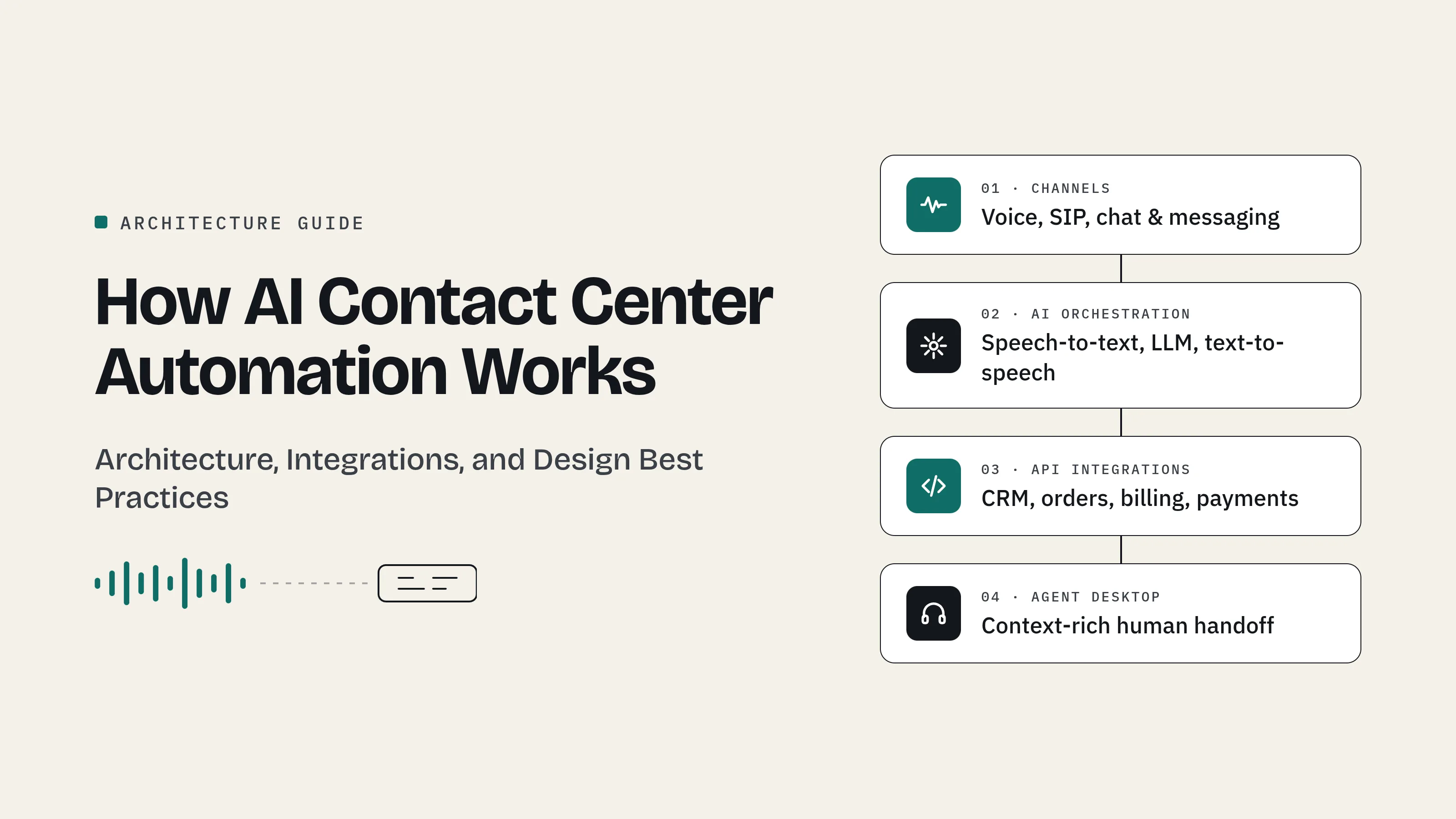
- A typical architecture has four layers: channels, AI orchestration, API integration, and the agent desktop.
- Reliability depends less on the AI model and more on real-time audio streaming, shared conversation context, API fallbacks, and context-rich handoffs.
- Organizations usually move through four maturity stages, from manual operations to AI-led service, and skipping stages increases risk.
What is contact center automation architecture?
Contact center automation architecture is the technical framework that links telephony, artificial intelligence, and business systems so customer interactions can be understood, resolved, or routed without manual effort. It defines how a customer's voice or message travels from the first contact to a final resolution.
In a manual contact center, agents do all of this work themselves: they identify the caller, search several systems, answer the question, and type up notes afterward. In an automated contact center, the architecture handles the routine parts, and agents step in when judgment, empathy, or an exception is required.
The architecture is what makes the difference between a chatbot that answers FAQs and a system that completes real tasks, such as checking an order, rescheduling an appointment, or updating account details.
What problem does contact center automation solve?
Contact centers face a predictable set of pressures. The same few questions make up a large part of incoming volume. Customers get frustrated by long hold times and by repeating their details. Agents spend much of their day on repetitive lookups and after-call paperwork.
Automation addresses these pressures in three ways:
- Self-service resolution handles routine requests instantly, on any channel, at any hour.
- Agent assistance gives human agents context, suggested answers, and automatic call summaries.
- Intelligent routing sends complex requests to the right person the first time.
Each of these depends on the underlying architecture. A self-service bot is only useful if it can access customer data, and agent assistance only works if context flows from one system to the next.
What are the main components of an AI contact center?
An AI-powered contact center is built from several distinct components, each with a specific job.
Telephony and channel infrastructure
The channel infrastructure receives customer conversations from phone calls, web chat, SMS, messaging apps, and email. For voice, this includes SIP trunks, which carry calls over the internet, and a PBX or media server, which manages the calls.
In automated setups, the media server streams live caller audio to the AI and plays its responses back.
Speech and language AI
Speech-to-text converts spoken words into text, a language model interprets the request, and text-to-speech converts the response into natural speech.
Voice activity detection tells the system when a caller starts or stops speaking, which allows it to pause when interrupted, a behavior called barge-in.
The orchestration engine
The orchestration engine manages the conversation, keeps track of context, and decides the next action. It chooses whether to answer directly, call a business system, ask a follow-up question, or transfer the conversation to a human agent.
Business system integrations
API integrations connect the AI to the CRM, order management, billing, payment, and scheduling systems. These connections turn a conversation into completed work.
Knowledge base retrieval
Knowledge retrieval lets the AI answer policy and product questions using the organization's own documentation. Many systems use retrieval-augmented generation (RAG), where relevant documents are fetched and given to the language model before it answers, which helps keep responses grounded in approved information.
Agent desktop and CTI
Computer telephony integration (CTI) connects the phone system to the agent's desktop, so transferred calls arrive with the caller's details and conversation history on screen. This layer often includes an AI copilot for live suggestions and automatic call summaries.
How does data flow through a contact center automation system?
Every automated interaction follows three phases: understand, act, and hand off.
Phase 1: Understand
The customer's voice or message reaches the channel layer. For voice, audio streams to the AI in real time. The system identifies the customer, often by matching their phone number to a CRM record, and determines what they want.
Phase 2: Act
The orchestration engine turns the request into action. It calls the relevant business API, such as order status or account balance, and responds to the customer. If a system responds slowly, a well-designed architecture uses a fallback, such as a brief holding message, a retry, or a transfer, rather than leaving the caller in silence.
Phase 3: Hand off or close
If the request is resolved, the conversation ends and a summary is written to the CRM automatically. If it needs a human, the system saves the full context and transfers the conversation. The agent sees who the customer is, what they asked, and what the AI already did, so the customer doesn't repeat themselves.
Which integration patterns work best?
Real-time for the customer, background for everything elseOnly the tasks the customer is waiting for should run during the live conversation. CRM notes, analytics, quality scoring, and reporting can run in the background, triggered by events like "conversation ended" or "call transferred." This keeps conversations fast and makes it easier to add new capabilities later.
Shared conversation context
Conversation context should live in a shared store tied to each interaction, rather than inside one server or application. Every component, from the AI to the agent desktop, then reads from the same source of truth, and context survives transfers and system restarts.
Narrow, well-defined API actions
AI systems should access business data through specific, limited actions, such as "get order status" or "update delivery address," rather than broad database access. Narrow actions are easier to secure, test, and audit. Actions that change data should be designed so a repeated request doesn't process twice.
How do you keep an automated contact center secure and compliant?
Security and compliance need to be designed into the architecture from the start.
- Payment data: Card details should never enter transcripts, logs, or AI prompts. A PCI DSS–compliant payment flow, with recording paused during capture, keeps payment data out of the automation path.
- Personal data: Decide what conversation data is stored, for how long, and who can access it. Transcripts often contain personal information and should be treated accordingly.
- Recording and AI disclosure: Rules on call recording consent and on disclosing AI use differ by country and region. Check the regulations that apply to your operations and customers.
- Access control: AI actions should run with the minimum permissions needed, just like any other application.
How do you make contact center automation reliable at scale?
Contact center traffic is uneven. Outages, promotions, and seasonal events can multiply demand quickly. A reliable architecture accounts for this in three ways.
Plan for backend delays. The AI's speed is limited by the slowest system it depends on. Load-test CRMs and APIs before automating, and give every request a time limit and a fallback.
Make every interaction traceable. Tag every log, event, and API call with the same interaction ID. When something goes wrong, teams can follow a single conversation across every system instead of guessing.
Always keep a human path open. Customers should be able to reach a person easily. Hiding that option can make automation numbers look better, but it tends to reduce satisfaction and trust.
What are the stages of contact center automation maturity?
Most organizations move through four stages:
- Manual operations: Agents handle identification, lookups, answers, and notes by hand.
- Rule-based automation: Traditional IVR menus and scripted chatbots route contacts and answer simple questions.
- AI-assisted operations: AI supports agents with live suggestions, automatic summaries, and self-service on digital channels.
- AI-led operations: Conversational AI resolves routine requests across voice and digital channels, with seamless handoffs to agents for complex cases.
Moving directly from stage one or two to stage four is risky. Stage three builds the integrations, data quality, and team trust that AI-led service depends on.
What should you look for in a contact center automation platform?
Before choosing a platform, ask these questions:
- Does it support real-time audio streaming to external AI services?
- Can it pass custom context data during call transfers?
- Does it send event notifications (webhooks) to other systems?
- Can it connect to your existing CRM and business systems through APIs?
- Does it support PCI-compliant payment handling and configurable data retention?
- Can you switch AI models without rebuilding your workflows?
The answers determine how far your automation can go, and how easily it can change as AI technology improves.
For a detailed look at high-ROI use cases and a phased rollout plan, see this guide to contact center automation.
Frequently asked questions
How does AI contact center automation work?AI contact center automation receives customer calls or messages, converts speech to text, understands the request, and retrieves information from business systems through APIs. It then responds automatically or transfers the conversation to a human agent with full context.
What technologies are used in contact center automation?
Common technologies include SIP telephony, media servers, speech-to-text, large language models, text-to-speech, CRM and business APIs, knowledge retrieval systems, and computer telephony integration for agent desktops.
What is the difference between IVR and AI contact center automation?
IVR uses fixed keypad menus to route calls along predefined paths. AI contact center automation understands natural language, accesses customer data in real time, and can resolve requests instead of only routing them.
How long does it take to implement contact center automation?
Timelines vary widely depending on existing systems, data quality, integration complexity, and scope. A phased approach, starting with agent assistance and digital channels before voice automation, typically reduces risk.
Does contact center automation replace human agents?
Automation handles routine, repetitive requests well. Complex, sensitive, or emotional conversations still benefit from human agents, and good architecture connects the two so customers move between them seamlessly.