Your help desk ticket queue is growing faster than your staff. Parents want answers at 9 p.m., not 9 a.m. And every new app you approve is one more system that could expose student data if it isn't managed carefully.
If that sounds familiar, you're not alone. A growing number of K-12 IT directors are turning to AI chatbots to close the gap between what families and staff expect and what a lean IT team can realistically deliver without adding headcount or new security risk.
This guide walks through what an AI chatbot for a school district actually does, the problems it solves, how to implement one step by step, and how to keep it compliant with FERPA and other student data privacy rules.
What Is an AI Chatbot for a School District?
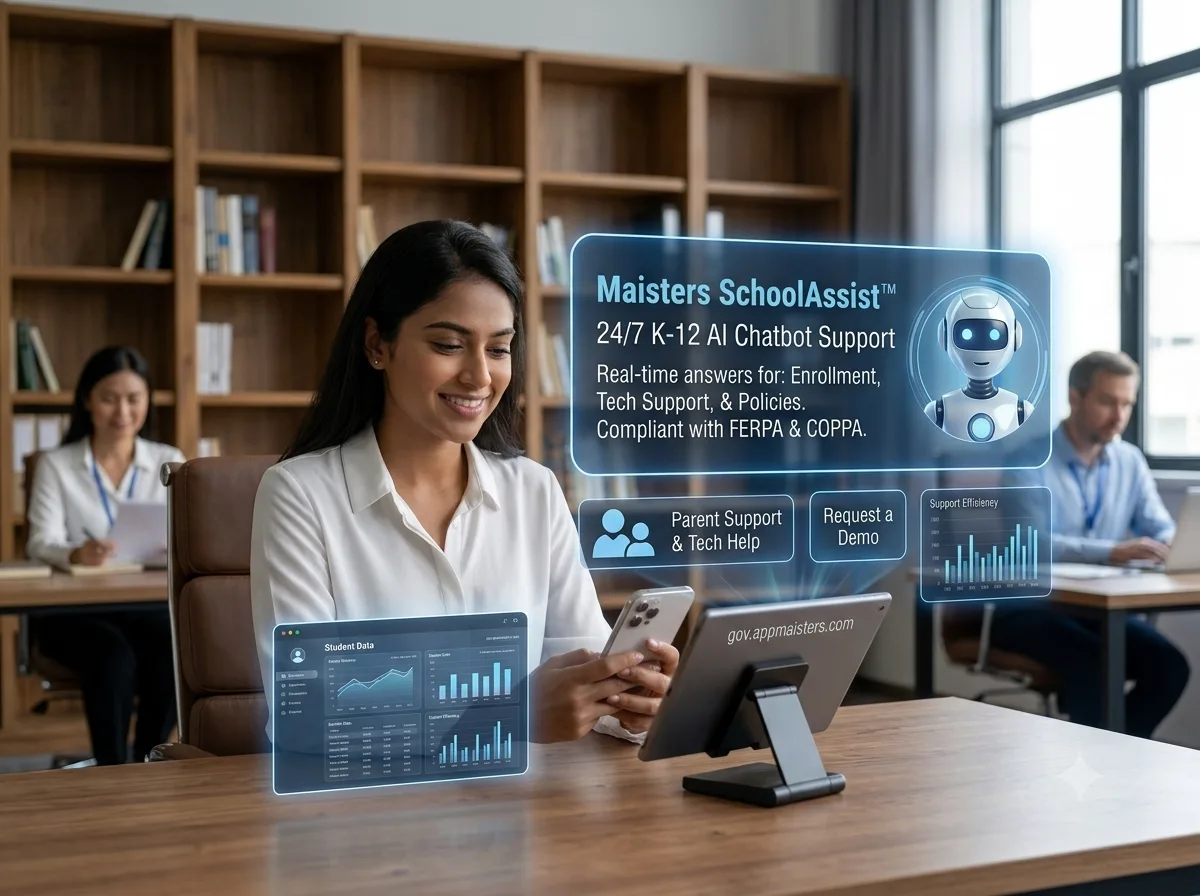
An AI chatbot for a school district is a conversational software tool that uses artificial intelligence to answer questions, route requests, and provide around-the-clock support to students, parents, and staff typically for IT help, enrollment, front-office questions, and general district information while operating within FERPA and other student data privacy requirements.
Unlike a generic consumer chatbot, a district-focused chatbot is built for education-specific workflows: registration, transportation, IEP-related questions, technology troubleshooting, and district policy lookups all inside a governed, auditable system.
The Problem: Why Districts Are Stretched Thin
K-12 IT teams face rising support demand, thin staffing, and growing cybersecurity exposure. Between July 2023 and December 2024, 82% of U.S. K-12 schools experienced a cybersecurity incident, and edtech app sprawl has made oversight harder. This combination is driving interest in district-level chatbots.
Most districts weren't built to answer questions around the clock. A small IT team may support thousands of devices, dozens of apps, and constant questions from students, teachers, and parents often with the same staffing levels they had five years ago.
At the same time, the risk landscape has gotten harder to manage. According to K12 SIX, 82% of K-12 schools experienced a cybersecurity incident between July 2023 and December 2024, and 55% of school cyberattacks originate from third-party vendors a real concern when districts are also being asked to adopt more AI tools quickly. Meanwhile, adoption of generative AI has outpaced governance: as of spring 2025, only 35% of district leaders reported providing students with formal AI training, even though a majority of students and teachers already use AI tools.
The result is a widening gap: high demand for support and AI-related guidance, low staff capacity, and real compliance stakes if new tools aren't vetted carefully.
Who This Affects Most
IT Directors: fielding repetitive tickets that pull focus from strategic infrastructure work
Data Privacy Officers: evaluating whether new AI tools meet FERPA, COPPA, and state privacy laws
Superintendents: balancing community expectations for modern service with budget and risk constraints
How to Implement an AI Chatbot in a School District
Implementing an AI chatbot for a school district involves defining use cases, vetting vendors for FERPA compliance, integrating with existing systems (SIS, help desk), piloting with one department, training staff, and monitoring performance before scaling district-wide.
A successful rollout isn't about picking the flashiest tool it's about matching the chatbot to real workflows and rolling it out carefully.
Step-by-Step Implementation Process
- Define your top 3–5 use cases. Start narrow: IT help desk questions, enrollment FAQs, or transportation lookups are common starting points.
- Vet vendors for FERPA and data privacy compliance. Confirm data residency, retention policies, and whether student data is used to train external AI models.
- Review the vendor's security documentation. Ask for SOC 2 reports, data processing agreements, and incident response plans.
- Integrate with existing systems. Connect the chatbot to your SIS, help desk ticketing tool, and knowledge base so answers stay accurate.
- Pilot with one school or department. Test with a single building's help desk or front office before a district-wide launch.
- Train staff and communicate to families. Explain what the chatbot can and can't do, and how student data is protected.
- Monitor, measure, and refine. Track ticket deflection, response accuracy, and satisfaction, then expand based on results.
Implementation Checklist
- Use cases documented and prioritized
- Vendor security and compliance review completed
- Data Processing Agreement (DPA) signed
- Pilot group selected
- Staff training scheduled
- Escalation path to a human defined
- Success metrics defined (ticket deflection, response time, satisfaction)
- Community communication plan in place
FERPA and Data Privacy Requirements
Before signing any contract, confirm the vendor can answer these questions clearly:
- Where is student data stored, and for how long?
- Is student data ever used to train third-party AI models? (It shouldn't be.)
- Does the vendor sign a Data Processing Agreement (DPA) aligned with FERPA and applicable state student privacy laws?
- Is there a clear audit trail for every chatbot interaction involving student or family data?
- Can a human staff member intervene when the chatbot reaches its limits?
A FERPA-compliant chatbot for schools should treat student data with the same protections as your student information system not as an afterthought.
What Districts Gain
Districts that implement an AI chatbot for K-12 typically see reduced IT ticket volume, faster response times for families, and better use of limited staff time, since routine questions are handled automatically and escalated only when needed.
- Time savings: Routine, repetitive questions (password resets, enrollment status, bus routes) get answered instantly, freeing staff for higher-value work.
- 24/7 access: Parents and students get answers outside the school day, when many actually reach out.
- Consistent, accurate answers: A chatbot pulls from an approved knowledge base, reducing the risk of outdated or conflicting information.
- Better staff capacity planning: IT teams can redirect time from ticket triage to security, infrastructure, and instructional technology support.
- Stronger data governance: A properly vetted chatbot creates an auditable, centralized record instead of answers scattered across email, chat, and phone calls.
Real-World and Hypothetical Examples
Nationally, generative AI use jumped sharply among K-12 educators teacher use of generative AI tools rose from roughly 51% to 83% between the 2022–23 and 2023–24 school years (Center for Democracy & Technology, via GovSpend, 2025). This surge shows how quickly AI has entered daily school operations often ahead of formal district policy which is exactly why a governed, district-managed chatbot is safer than a patchwork of individual staff tools.
Hypothetical example (illustrative): Imagine a mid-size district with 12,000 students and a three-person IT help desk team. During the first week of school, ticket volume typically triples with password resets and device questions. With a chatbot handling the top 10 recurring questions automatically, the IT team could redirect a significant share of their week toward network readiness instead of repetitive tickets while every unresolved question still routes to a human.
Best Practices
- Start with a narrow, high-volume use case instead of trying to automate everything at once.
- Keep a visible "talk to a human" option in every conversation.
- Review chatbot conversation logs regularly for accuracy and tone.
- Update the knowledge base every time a policy or procedure changes.
- Involve your data privacy officer before contract signing, not after.
- Communicate transparently with parents about how student data is handled.
Common Mistakes to Avoid
- Skipping the compliance review. Deploying a chatbot before confirming FERPA/COPPA alignment creates unnecessary risk.
- Automating everything at once. A district-wide, all-use-case launch is harder to support and troubleshoot than a phased rollout.
- No escalation path. Chatbots that can't hand off to a human frustrate users and erode trust.
- Ignoring staff input. Front-office and help desk staff know the real, recurring questions involve them early.
- Treating it as "set and forget." Chatbots need ongoing content updates and performance review.
Key Takeaways
- An AI chatbot for school districts helps close the gap between rising support demand and limited IT staff.
- 82% of K-12 schools experienced a cybersecurity incident in an 18-month period, making vendor vetting essential.
- A phased rollout pilot, train, measure, expand reduces risk and builds trust.
- FERPA compliance, data residency, and human escalation paths are non-negotiable requirements, not nice-to-haves.
- The right chatbot frees IT staff for higher-value work instead of replacing the human touch families still need.
Conclusion
Rising expectations, thin IT staffing, and growing data privacy stakes aren't going away but districts don't have to face them without support. A well-implemented AI chatbot gives IT leaders a practical way to handle routine questions at scale while keeping student data protected and staff focused on higher-impact work.