Short-form video has become one of the most practical ways for startups, educators, creators, and small teams to explain an idea. The format is direct, mobile-friendly, and easy to share. Producing it consistently, however, is rarely simple. A short video may require a hook, a structured script, several visual scenes, narration, captions, background music, pacing decisions, and a final quality check. When those pieces are spread across unrelated tools, even a thirty-second reel can become a fragmented production project.
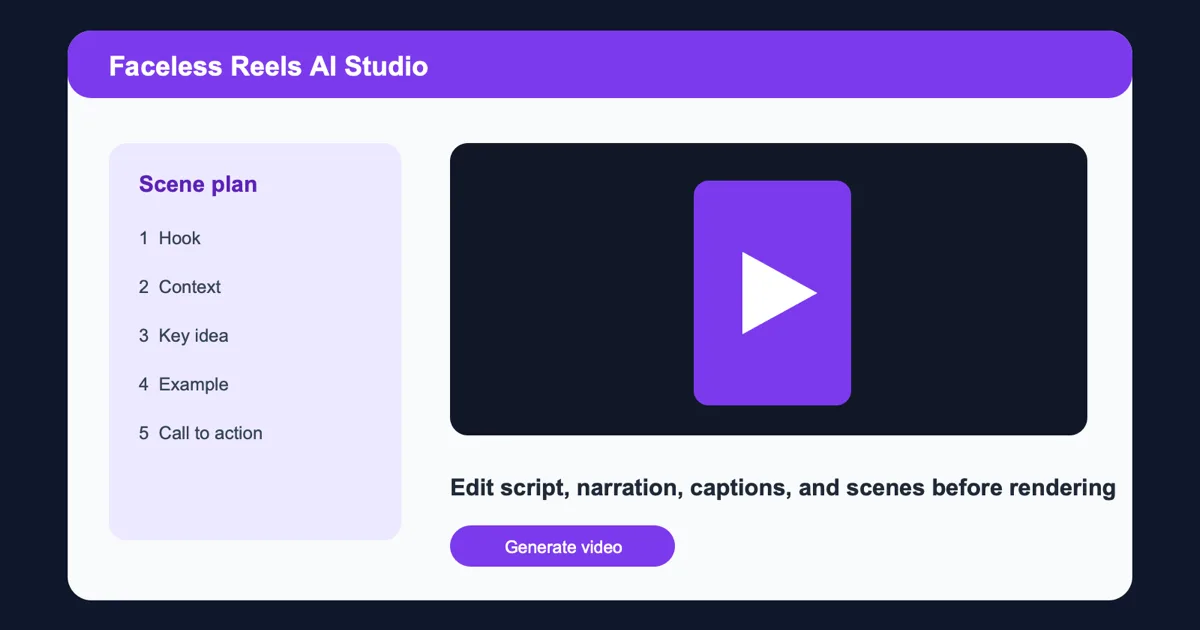
Faceless Reels AI is a browser-based workspace designed to make that process more coherent. It helps users plan and create vertical videos without requiring an on-camera presenter. Its central idea is a review-first workflow: users can examine and adjust the important creative decisions before the final render instead of discovering problems only after a video has been generated.
Connecting the Creative Decisions
The workflow begins with the subject and intended message. A user can develop a script organized for short-form viewing, where the opening seconds matter and every scene needs a clear purpose. The workspace then connects that script with scene planning, narration, captions, timing, voice, and music. Keeping these elements together makes it easier to see whether the story is coherent from beginning to end.
This approach is useful because the individual parts of a reel influence one another. A script that looks concise on the page may take too long when narrated. A visual scene may need more screen time for the viewer to understand it. Captions may be accurate but too dense for comfortable reading on a phone. Background music can support the tone, but it should not compete with the voice. A review-first workspace gives the creator an opportunity to examine these relationships before committing to a final output.
Who Can Use a Faceless Workflow?
The product is especially relevant for people who want to publish useful video content without building a traditional recording setup. A founder can turn a product concept into an explainer. A marketer can draft a campaign idea. An educator can outline a compact lesson. A creator can test different hooks and scene orders. None of these cases requires the person to appear on camera, arrange lighting, or repeat multiple takes simply to revise a sentence.
Human review remains an important part of the process. AI can help create a first draft quickly, but speed alone does not guarantee a good result. Names, product claims, statistics, pronunciation, tone, and calls to action still deserve deliberate inspection. The review-first model encourages users to treat generated material as an editable production draft rather than a finished answer. That makes the workflow more practical for brand-sensitive and information-rich content.
Captions and Vertical Output
Accessibility is another reason to connect the script and publishing assets. Captions improve the experience for viewers who watch without sound and for people who rely on text. The workspace supports caption planning and SRT export, allowing creators to carry structured subtitle data into the rest of their publishing workflow. Reviewing line length, timing, and wording before rendering can make the final reel easier to follow.
The output is designed around the 9:16 vertical format used by modern short-video platforms. Preparing the project in its intended aspect ratio helps creators make better decisions about text placement, visual focus, and scene composition. Instead of adapting a horizontal concept at the end, the content can be planned for a phone screen from the beginning.
A Practical Production Routine
For small teams, the main benefit is not simply automation. It is reducing the coordination cost between many creative steps. A compact workspace can help a team move from idea to script, from script to scenes, and from scenes to a reviewed render without repeatedly rebuilding the same context. That can shorten the feedback loop while still preserving editorial control.
A sensible routine can be straightforward. First, define one clear viewer takeaway. Second, write a hook that earns attention without making an exaggerated promise. Third, map each sentence to a visual scene. Fourth, listen to the narration and check the pacing. Fifth, review captions on a mobile-sized layout. Sixth, balance music against the voice. Finally, verify names, links, claims, and the call to action before rendering and publishing.
The workspace is built for users who value both efficiency and oversight. It does not remove the need for judgment; it organizes the work so that judgment can be applied at the right time. By combining script development, scene planning, narration, captions, timing, voice, music, and vertical output in a review-first browser experience, it offers a focused way to produce consistent faceless reels.