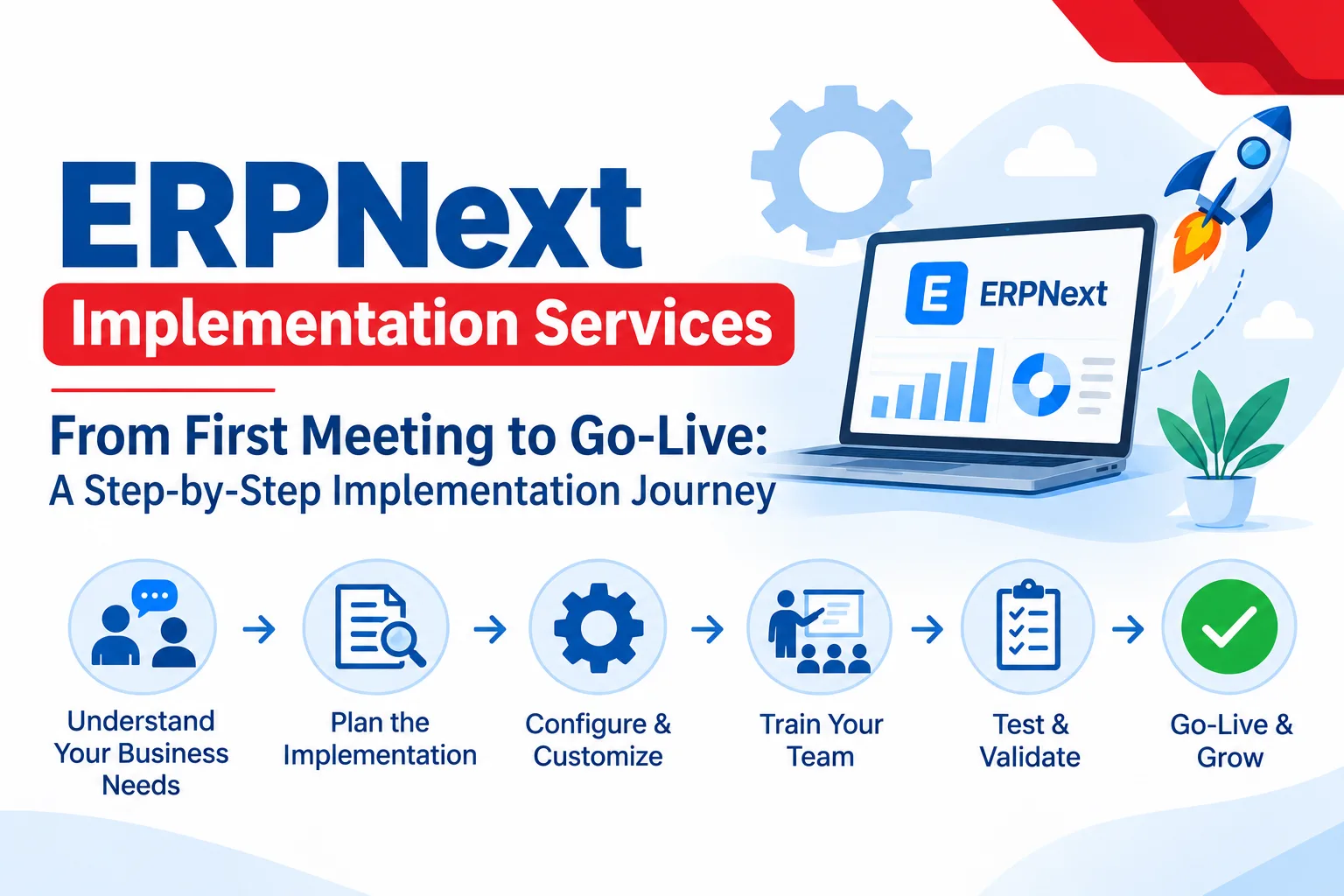
𝗘𝗥𝗣𝗡𝗲𝘅𝘁 𝗜𝗺𝗽𝗹𝗲𝗺𝗲𝗻𝘁𝗮𝘁𝗶𝗼𝗻 𝗦𝗲𝗿𝘃𝗶𝗰𝗲𝘀: 𝗙𝗿𝗼𝗺 𝗙𝗶𝗿𝘀𝘁 𝗠𝗲𝗲𝘁𝗶𝗻𝗴 𝘁𝗼 𝗚𝗼-𝗟𝗶𝘃𝗲, 𝗦𝘁𝗲𝗽 𝗯𝘆 𝗦𝘁𝗲𝗽
Most business owners know why they want an ERP. Fewer know what the journey actually looks like. That gap can cause a lot of stress because people imagine a vague "setup" process and then get surprised by the questions, meetings, and decisions that follow.
So, let's make it clear. This post walks you through how ERPNext implementation services work, stage by stage, so you know what to expect and how to prepare. Whether you run a trading company, a small factory, or a service business, the basic implementation process is similar.
Stage 1: The First Conversation
The implementation journey begins with an initial discussion to understand your business and its current operations.
Some important questions include:
- What processes does your company currently have in place?
- How do you manage stock and inventory?
- What approvals are required for purchases?
- What challenges do you face during daily operations?
Common issues identified during this phase include delayed invoicing, incorrect stock records, and slow reporting. Understanding these challenges helps identify where ERPNext can improve your business processes.
Stage 2: Planning
Once the initial information has been gathered, an implementation plan is prepared. This plan should be documented clearly so that everyone understands the project requirements.
It should cover:
- Required ERPNext modules
- Number of users
- Implementation timeline
- Project scope
- Estimated costs
Think about the features you would like in your system, but keep your initial requirements focused. We recommend prioritizing core business processes during this phase. Additional features can be introduced later as your business needs grow.
Stage 3: Process Mapping
During this stage, the implementation partner studies and documents your existing business processes.
To understand how things work in practice, it is important to speak with the employees who handle these activities every day. For example, warehouse staff may have more detailed knowledge of inventory operations than business owners.
Detailed process mapping helps identify gaps and potential issues early, making them easier and less expensive to resolve before implementation.
Stage 4: System Setup
Once the processes are mapped, the ERPNext system is configured according to your business requirements.
This stage includes setting up:
- Chart of Accounts
- Taxation settings
- Items and product details
- Warehouses
- Price Lists
- User Roles and Permissions
- Approval workflows
Print formats and templates can also be customized to match your company's branding.
Custom fields and reports may be added where necessary. However, a good implementation partner should recommend keeping customizations to a minimum. This helps make future upgrades and system maintenance easier.
Stage 5: Data Transfer
In this phase, your existing business data is transferred into ERPNext.
The migration process may include:
- Customer and supplier details
- Item and product lists
- Initial stock quantities
- Opening account balances
Data migration often reveals issues such as duplicate records, missing tax numbers, and incorrect or outdated item details.
Tip: Clean and organize your data before transferring it to ERPNext. Doing so can save significant time and prevent problems after go-live.
Stage 6: Testing and Training
Before launching ERPNext, the system should be tested thoroughly to ensure that all business processes work correctly.
For example, try completing the following activities:
- Process a sales order, delivery, and payment.
- Create purchase orders and receive stock.
- Check inventory quantities and stock movements.
- Verify accounting entries and reports.
- Test user permissions and approval workflows.
Any issues identified during testing should be resolved before the system goes live. Fixing problems at this stage is generally easier and less expensive than addressing them after launch.
Training is equally important. Employees should receive training based on their roles and responsibilities. For example, finance teams need different training from sales or warehouse teams.
Short, practical training sessions are often more effective than lengthy presentations because employees can learn by performing their actual daily tasks.
Stage 7: Go-Live
This is the stage where your business officially starts using ERPNext for its daily operations.
During the first few weeks after go-live, your implementation partner should remain available to answer questions, resolve minor issues, and help improve workflows based on real business activities.
Even when everything appears to be working well, employees need time to adjust to the new system. Small improvements or configuration changes may still be required as your team becomes more familiar with ERPNext.
The goal is to ensure that everyone can use the system confidently and that business operations continue smoothly.
Key Roles in Your Team
Although your implementation partner understands ERPNext, your knowledge of the business is equally important for a successful implementation.
Your team should take responsibility for the following:
- Assign project ownership: One person should take responsibility for coordinating the implementation.
- Respond to queries quickly: Try to answer project-related questions within one or two working days.
- Make timely decisions: Avoid unnecessary delays when finalising business processes.
- Allocate time for training: Ensure employees have enough time to learn the new system.
- Communicate issues openly: Report problems as soon as they arise.
Many ERP implementation projects experience delays because the client does not have clear project ownership or delays important decisions.
How to Choose the Right ERPNext Implementation Partner
Choosing the right implementation partner is just as important as selecting the software.
Look for a partner who:
- Asks detailed questions: They should understand your business before recommending a solution.
- Provides a clear project scope: Requirements, timelines, and costs should be documented.
- Avoids unnecessary customizations: They should recommend practical solutions instead of adding features you do not need.
- Offers training and support: Your employees should receive proper guidance before and after go-live.
- Has relevant experience: They should be able to share examples of implementations for businesses similar to yours.
A reliable partner will focus on understanding your requirements and helping you achieve long-term business improvements rather than simply completing the software setup.
Frequently Asked Questions (FAQs)
1. How much do ERPNext implementation services cost?
The cost depends on several factors, including the modules required, number of users, level of customization, data migration, and training requirements.
Simple implementations may cost less, while businesses with complex manufacturing processes or specialized workflows may require a larger budget.
Always request a detailed cost breakdown before starting the project.
2. How long does ERPNext implementation take?
The implementation timeline depends on the size and complexity of your business.
- Small businesses: Approximately 3–6 weeks.
- Medium-sized businesses: Approximately 2–4 months.
- Complex or highly customized projects: May take longer.
These are general estimates, and the actual timeline depends on project requirements and business readiness.
3. Do I need customization in ERPNext?
Not necessarily. Many businesses can use ERPNext with standard features and minimal customization.
Customizations should only be introduced when your business has specific requirements that cannot be handled effectively through standard functionality.
4. Can I migrate my existing business data to ERPNext?
Yes. You can migrate important business information, including customer and supplier details, item records, stock quantities, and opening balances.
However, it is important to clean and validate your existing data before migration to avoid errors.
5. What support will I receive after ERPNext implementation?
A good implementation partner should provide post-implementation support, including technical assistance, issue resolution, bug fixes, and guidance for additional requirements.
Before selecting a partner, confirm what support services are included in the agreement.
Conclusion
A successful ERPNext implementation service gives your business a clear understanding of its processes, a properly configured system, and a team that feels confident using it.
When the implementation follows a structured approach, the entire journey becomes easier to manage. From the first discussion and process mapping to data migration, testing, training, and go-live, every stage plays an important role.
If you are planning to move to an ERP solution, start by identifying your key business challenges and organizing your existing data. Then choose an implementation partner who asks the right questions and takes the time to understand your business.
Looking to implement ERPNext in your business?
Contact us for a FREE consultation and get a clear implementation plan based on your business requirements.