Images are part of almost everything we do online. They appear on websites, blogs, social media posts, product pages, presentations, ads, newsletters, portfolios, and online stores. Whether someone is a creator, marketer, designer, student, business owner, or blogger, image quality can directly affect how professional their content looks.
But image files are not always easy to manage.
A photo may be too large to upload. A screenshot may be in the wrong format. A design file may need to be converted before it can be shared. A website may need lighter images for faster loading. A social media post may require a specific format or resolution.
This is why online image conversion tools have become so useful.
The Problem With Image Formats
There are many image formats, and each one has a different purpose.
JPG is common for photos because it keeps file sizes relatively small. PNG is useful when transparency or sharper details are needed. WebP is popular for websites because it can reduce file size while keeping good visual quality. Other formats may be used for specific apps, workflows, or platforms.
The problem is that not every platform accepts every format.
A website builder may prefer WebP. A client may request PNG. A social platform may compress JPGs. An online form may reject large files. A designer may need to convert images before using them in another tool.
For people who work with images regularly, format problems can slow down the workflow.
Why HD Quality Still Matters
Speed is important, but quality still matters.
A blurry image can make a website look unprofessional. A compressed product photo can reduce buyer trust. A low-quality blog image may make an article feel less polished. A poor thumbnail can lower click-through rates on videos or social media posts.
High-quality visuals help communicate credibility.
This is especially true for:
- E-commerce product photos
- Blog feature images
- Social media graphics
- Portfolio images
- Marketing banners
- Website hero images
- Presentation visuals
- Digital downloads
When images look clear and sharp, the entire page or campaign feels more trustworthy.
Why Online Image Converters Are Useful
Traditional image editing software can be powerful, but it is often more than people need for simple conversion tasks.
If someone only wants to change an image from one format to another, reduce file size, or prepare an image for upload, opening a large editing program can feel unnecessary.
Online converters solve this problem.
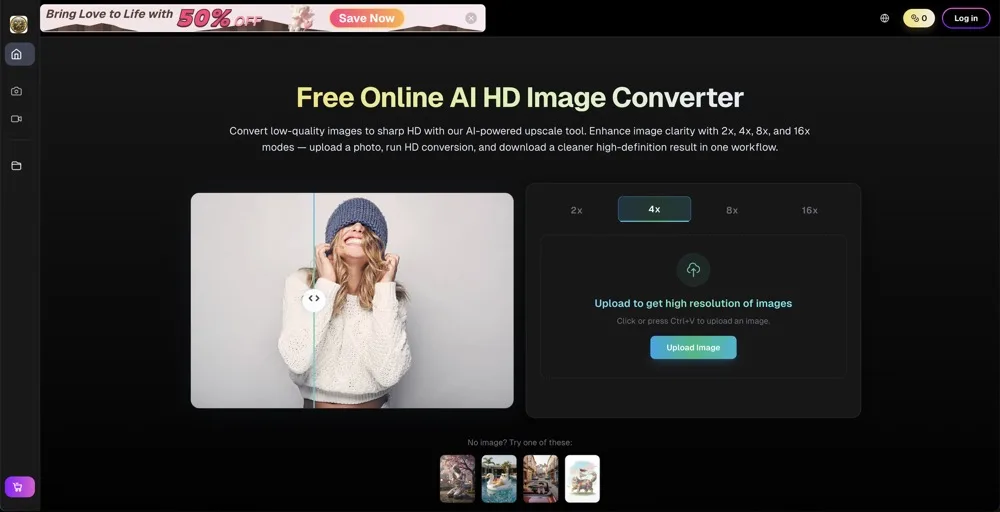
A browser-based tool like hd image converter can help users convert images online while keeping the process simple and accessible. Instead of installing software, users can open the site, upload an image, choose the output format, and download the result.
This is useful for people who want a fast workflow without complex editing steps.
Practical Use Cases
Image conversion is useful in many everyday situations.
1. Website Optimization
Website owners often need images that load quickly without looking blurry. Large image files can slow down pages, which may hurt user experience and search performance.
Converting images into web-friendly formats can help reduce file size and improve loading speed.
2. Social Media Content
Different platforms have different image requirements. Creators may need to convert or adjust images before uploading them to Instagram, Facebook, X, Pinterest, LinkedIn, or YouTube.
A quick converter helps prepare images faster.
3. E-Commerce Product Images
Online stores depend on clear product visuals. Images need to look sharp, load quickly, and fit marketplace requirements.
An image converter can help sellers prepare product photos for different platforms and formats.
4. Blog and Content Marketing
Bloggers and marketers often need feature images, graphics, screenshots, and illustrations for articles.
Converting images into the right format makes publishing smoother and helps maintain consistent visual quality.
5. School and Work Projects
Students and professionals often need to include images in reports, documents, slides, or assignments. If an image is in the wrong format, conversion makes it easier to use.
Image Conversion Saves Time
The biggest benefit of a simple online converter is speed.
Instead of searching for software, installing apps, or learning complicated menus, users can complete a basic image task in seconds. This is especially helpful when someone is working under a deadline.
For creators and small teams, these small time savings add up.
A blogger may convert several images for an article. A marketer may prepare ad graphics. A shop owner may process product photos. A student may convert images for a presentation.
A faster workflow means more time can be spent on the actual content.
Balancing Quality and File Size
Good image conversion is not only about changing formats. It is also about finding the right balance between quality and file size.
A very high-quality image may look great but take too long to load. A heavily compressed image may load quickly but look poor. The right choice depends on the use case.
For example, a portfolio image may need maximum visual quality. A blog image may need a balance between clarity and loading speed. A thumbnail may need to be small but still eye-catching.
Understanding this balance helps creators make better decisions.
Why Browser-Based Tools Are Growing
Browser-based tools are becoming more popular because they are easy to access.
Users do not need a specific device or operating system. They do not need to download a heavy program. They can use the tool from a laptop, tablet, or phone as long as they have a modern browser.
This flexibility is important for modern workflows.
People often work across different devices and platforms. A simple web tool makes it easier to complete image tasks wherever they are.
Image Quality Affects Trust
Visual quality has a direct effect on how people judge online content.
A clean, sharp image can make a website feel more professional. A poor-quality image can make users hesitate, even if the actual product or content is good.
This is especially important for small businesses and independent creators. They may not have large design teams, so every visual detail matters.
Using the right image format and quality can help improve the overall impression of a brand or project.
Tips for Better Image Conversion
For better results, users should start with the highest-quality source image available. Converting a blurry or low-resolution image will not magically make it perfect.
It also helps to choose the right output format. JPG works well for photos. PNG is useful for transparency and sharp graphics. WebP is often a good choice for websites. The best format depends on where the image will be used.
Users should also preview the result before publishing it. A quick check can prevent problems with quality, size, transparency, or color.
Final Thoughts
Image conversion may seem like a small task, but it plays an important role in modern digital work.
Creators, marketers, students, website owners, and small businesses all need images that are clear, compatible, and easy to use. The right format can improve website speed, publishing workflows, social media content, and overall visual quality.
Online tools make this process simpler by removing the need for complicated software.
As visual content continues to grow across the web, high-quality image conversion will remain an essential part of everyday content creation.