
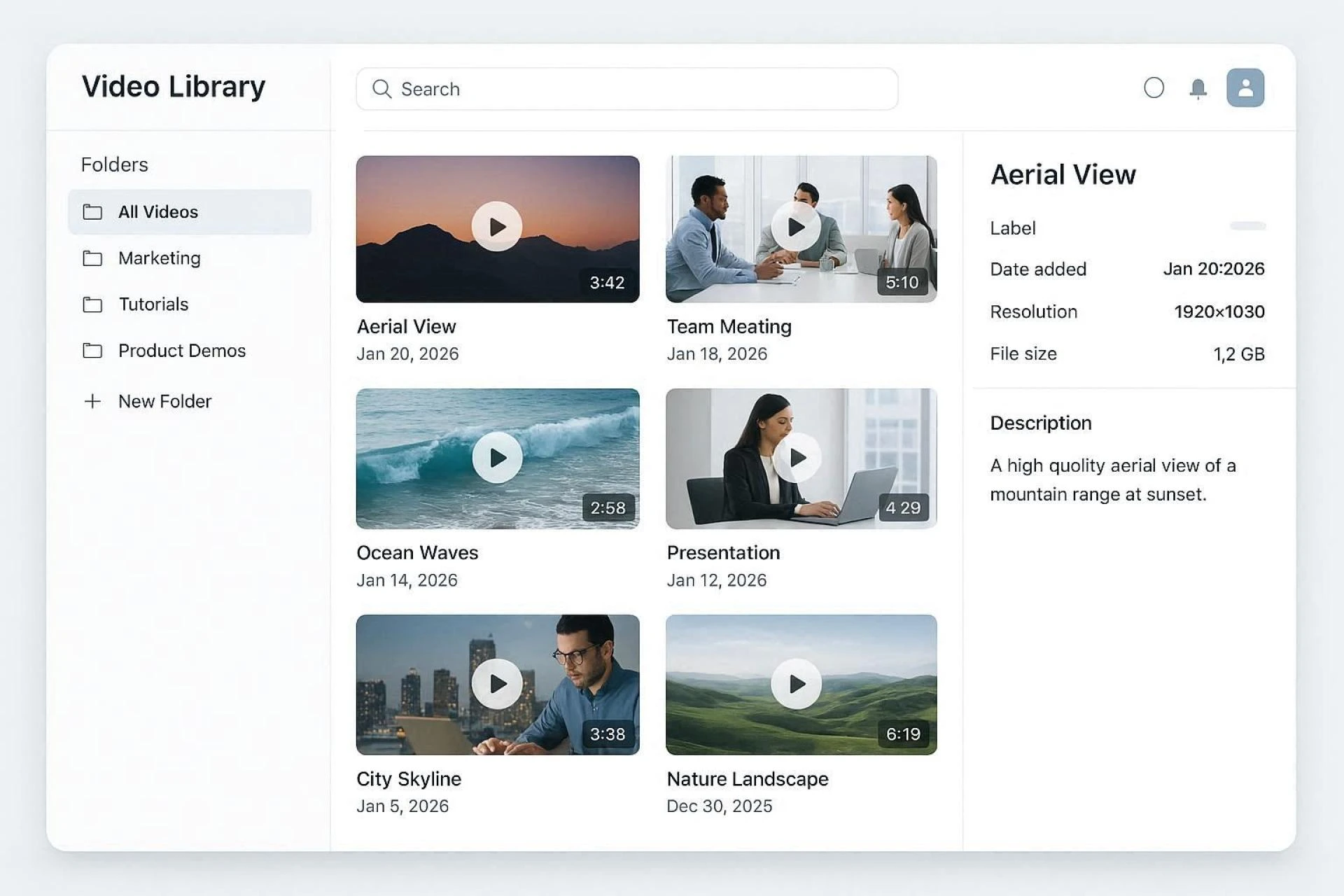
Introduction: The Hidden Chaos Behind Growing Video Libraries
Your video library started small. A few recordings here. Some promotional clips there.
Now? Hundreds of files scattered across folders. Multiple versions of the same content. Metadata incomplete or missing entirely. Finding anything takes forever.
Sound familiar?
This chaos sneaks up on every organization creating video content. One day you're managing a handful of assets. The next, you're drowning in an unorganized mess that slows everything down.
As 2026 progresses, video production volumes continue accelerating. Businesses create more content than ever before—marketing videos, training materials, customer testimonials, webinars, product demonstrations. The list grows endlessly.
Without proper systems, this abundance becomes a burden rather than an asset.
Let's explore how smart organization transforms video operations from chaotic to efficient.
The Real Cost of Disorganized Video Assets
Most teams underestimate how much disorganization actually costs.
Consider these scenarios:
Your marketing team needs a product demo clip for an urgent campaign. Nobody remembers where it lives. Three people spend an hour searching. The deadline passes.
A customer requests a specific training video. Support staff can't locate it quickly. The customer grows frustrated. Confidence erodes.
Legal needs to verify content rights for a video scheduled for publication. Licensing information wasn't attached to the file. Publication gets delayed. Opportunities missed.
These aren't hypothetical situations. They happen daily across organizations lacking proper content infrastructure.
A robust video content management solution eliminates these headaches entirely. Centralized storage, comprehensive metadata, intuitive search, and organized workflows transform how teams interact with video assets.
Time saved. Frustration avoided. Opportunities captured.
What Proper Video Organization Actually Looks Like
Effective content management extends far beyond basic file storage. Here's what comprehensive systems provide:
Centralized Asset Repository
Every video lives in one accessible location. No more hunting through email attachments, cloud drives, and local folders. One source of truth for all content.
Rich Metadata Capabilities
Tags, descriptions, categories, creation dates, rights information, contributor details—all attached directly to each asset. Finding specific content takes seconds rather than hours.
Version Control
Multiple edits of the same video? No problem. Systems track revisions, maintain history, and prevent confusion about which version is current and approved.
Access Permissions
Not everyone needs access to everything. Role-based permissions ensure sensitive content stays protected while collaborative work continues smoothly.
Transcoding and Format Management
Original files, compressed versions, mobile-optimized variants—all managed automatically. Deliver appropriate formats without manual conversion headaches.
Live Content Creates Unique Challenges
Recorded video presents one set of organizational demands. Live broadcasting introduces additional complexity.
When teams use webcam live stream capabilities for webinars, virtual events, or real-time training sessions, the content pipeline expands dramatically.
Each broadcast potentially becomes an archived recording. These recordings need organization, metadata, and integration with existing libraries.
Questions multiply quickly:
- Where do live recordings get stored automatically?
- How do they inherit consistent metadata?
- Who approves them for public access?
- How do viewers discover archived streams?
Smart content management systems answer these questions through automated workflows. Live content flows seamlessly into organized libraries without manual intervention.
The result? Live broadcasts become lasting assets rather than forgotten files buried in random folders.
Building Workflows That Scale
Organization alone isn't enough. Workflows determine whether systems actually work in practice.
Consider the complete content lifecycle:
Creation → Upload → Processing → Metadata → Review → Approval → Publication → Analytics → Archive
Each stage benefits from automation and clear processes.
Upload triggers automatic transcoding. Metadata templates ensure consistency. Review notifications reach appropriate stakeholders. Approval workflows prevent unauthorized publication. Analytics track performance after release.
Manual processes break down at scale. Automated workflows maintain quality regardless of volume.
Choosing Solutions That Fit Your Reality
Several factors deserve evaluation when selecting management platforms:
Current Library Size
How many assets exist today? How quickly is that number growing? Ensure chosen solutions handle both current and anticipated volumes.
Team Structure
Who needs access? How do collaboration patterns work? Match permission systems to organizational reality.
Integration Requirements
Does video content need connecting to marketing platforms, learning management systems, or customer portals? API capabilities matter.
Budget Constraints
Pricing models vary significantly—storage-based, user-based, feature-tiered. Understand total cost at projected scale.
Technical Resources
Some platforms require significant technical expertise. Others offer intuitive interfaces anyone can navigate. Match complexity to available skills.
The Competitive Advantage of Organization
Here's what often gets overlooked.
Well-organized video libraries don't just save time internally. They create better external experiences.
Viewers find content faster. Related videos surface appropriately. Navigation feels intuitive. Engagement deepens.
Disorganized libraries frustrate users. Broken links, missing content, and confusing structures drive audiences away.
The internal work of organization directly impacts external perception of your brand.
Looking Forward: 2026 Management Trends
Several developments are shaping content management evolution:
AI-powered tagging automatically generates metadata from video content—identifying speakers, topics, objects, and scenes without manual input.
Advanced search capabilities understand natural language queries, finding content based on conversational requests rather than exact keyword matches.
Cloud-native architectures enable global team collaboration without infrastructure headaches.
Integrated analytics connect content performance directly to asset management, revealing which videos deserve promotion and which need retirement.
Final Thoughts
Your video content represents significant investment—creative energy, production resources, strategic thinking.
Poor organization wastes that investment. Great organization multiplies it.
As libraries grow and video becomes increasingly central to business communication, management infrastructure matters more than ever.
Build systems that scale. Your future self will thank you.