Blog 387 - Almoe Qatar
Reducing Meeting Room Complexity with Dedicated Touchscreen Controls
Modern meeting rooms are designed to support collaboration, presentations, video conferencing, and hybrid work. However, managing all these functions can sometimes become complicated. Employees may need to switch between devices, adjust audio settings, connect laptops, select video sources, and navigate conferencing software before a meeting can even begin.
These small technical challenges can waste valuable time and interrupt the flow of discussions. Dedicated touchscreen controls offer a simpler way to manage meeting room technology by bringing essential functions together in one accessible interface.
As businesses continue to adopt hybrid working practices, making meeting rooms easier to operate is becoming an important part of creating a productive workplace.
Why Are Modern Meeting Rooms Becoming More Complex?
Meeting rooms today often include multiple technologies working together. A typical conference room may have a display, camera, microphone, speaker system, computer, and video conferencing platform. Each device serves a purpose, but managing them separately can create unnecessary complications.
For example, an employee joining a scheduled meeting might need to turn on the display, select the correct input source, connect to a conferencing platform, and check whether the microphone and camera are working. If the controls are unfamiliar, even a simple task can take several minutes.
Common challenges include:
- Multiple control systems: Different devices may require separate remotes, applications, or control interfaces.
- Technical confusion: Employees who are unfamiliar with the equipment may struggle to find the correct settings.
- Delayed meetings: Time spent troubleshooting basic controls can delay discussions and presentations.
- Inconsistent experiences: Meeting rooms with different setups can make it difficult for employees to move between spaces confidently.
- Increased IT support requests: Small operational issues can lead to repeated requests for technical assistance.
The solution is not necessarily to add more technology. Instead, businesses can focus on making existing meeting room systems easier to manage.
How Dedicated Touchscreen Controls Simplify Meeting Rooms
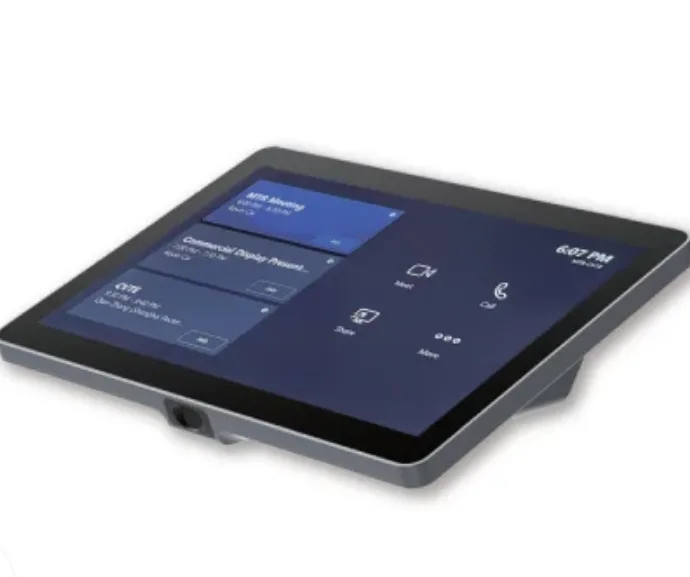
Depending on the system configuration, a touchscreen console for meeting room arrangement can help users manage meeting participation, access conferencing controls, and operate compatible room functions.
Depending on the system configuration, a touchscreen console can help users manage meeting participation, access conferencing controls, and operate compatible room functions.
Here are some of the main ways touchscreen controls can simplify everyday meetings.
1. Centralised Access to Meeting Controls
One of the biggest advantages of a dedicated touchscreen console is that it gives users a more straightforward way to access meeting functions. Instead of searching for different remotes or applications, employees can use a single interface for supported controls.
For example, the MAXHUB TCP20T is designed as a touch console for Microsoft Teams Rooms. It can be used with compatible meeting room systems to access conferencing functions and, when appropriately integrated, additional audiovisual controls.
XT Series
+1
This approach can help employees spend less time learning how to operate equipment and more time focusing on the meeting itself.
2. Faster Meeting Starts and Easier Participation
Meetings often begin with small delays. Someone may need to locate a meeting link, check the audio, or work out how to share a presentation. When these steps become routine obstacles, they affect the overall meeting experience.
A dedicated touch console can make meeting participation more straightforward by providing an accessible interface for supported Microsoft Teams Rooms functions.
Employees can use the available controls to join meetings, manage calls, and access relevant meeting options without navigating multiple interfaces. The exact functions depend on the room configuration and software setup.
For businesses that hold frequent internal meetings, client presentations, or remote discussions, reducing these small delays can make daily collaboration more efficient.
3. Easier Content Sharing for Presentations
Sharing presentations, reports, and other visual materials is an essential part of business communication. However, connecting a laptop or switching between presentation sources can sometimes interrupt a discussion.
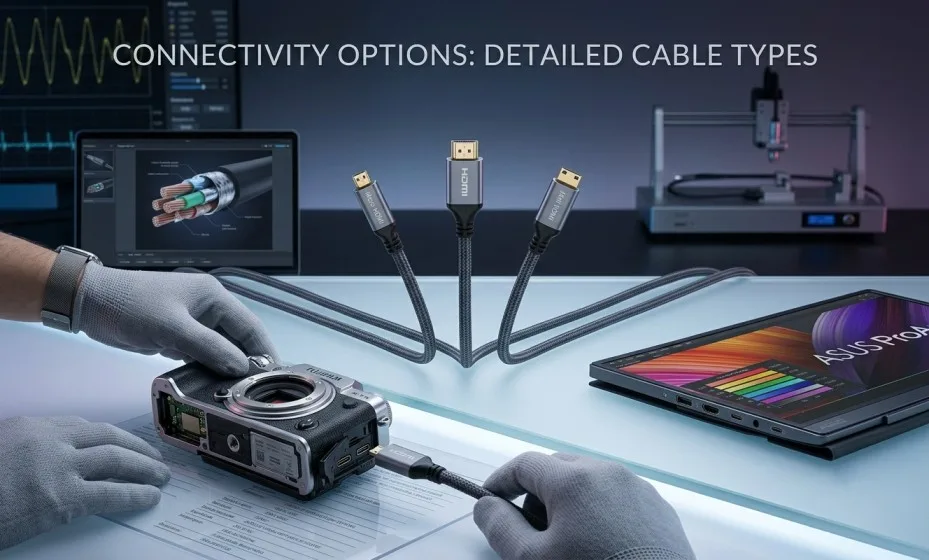
The MAXHUB TCP20T includes an HDMI input for content sharing, providing a connection option for compatible devices.
XT10-VB Kit
+1
With a suitable setup, presenters can connect supported devices and share content with meeting participants. This is useful for teams reviewing sales reports, discussing project updates, presenting proposals, or conducting training sessions.
A simpler content-sharing process can help presenters move between discussion and visual explanation with fewer interruptions.
4. A More Consistent Experience Across Meeting Rooms
In larger offices, employees may use different meeting rooms throughout the day. If every room has a different control system, users must repeatedly learn how to operate the equipment.
A consistent touchscreen interface can help reduce this learning curve. Once employees become familiar with the controls, they can apply that knowledge when entering other suitably configured rooms.
Businesses can improve consistency by standardising their conferencing platforms, room equipment, and user interfaces wherever practical.
This is particularly helpful for organisations with multiple meeting spaces, shared conference rooms, and teams that frequently collaborate across departments.
5. Reduced Dependence on Technical Support
IT teams often receive requests for assistance with routine meeting room problems. These may include difficulty connecting a device, locating the correct meeting controls, or switching presentation sources.
While touchscreen controls cannot eliminate every technical issue, a clear and familiar interface can reduce confusion around everyday operations.
A well-planned meeting room setup should include:
- Clearly organised and easy-to-understand controls.
- Reliable connections between compatible devices.
- Standardised equipment across similar meeting spaces.
- Simple instructions for employees using the rooms for the first time.
- Appropriate technical support for more complex issues.
By addressing these areas, organisations can make meeting rooms easier to use while allowing IT teams to focus on more demanding technical tasks.
What Should Businesses Consider When Choosing a Touchscreen Console?
Selecting a touchscreen console requires more than looking at the screen size or appearance. Businesses should consider how the device fits into their existing collaboration environment.
Compatibility: Confirm that the console supports the intended conferencing platform and works with the required room computing system.
Ease of use: Look for an interface that employees can understand quickly, including those who do not regularly use advanced meeting room equipment.
Content-sharing requirements: Check which connection options are available and whether they support the organisation's presentation needs.
Integration capabilities: If the room requires control of lighting, displays, cameras, or other audiovisual equipment, verify whether additional hardware, software, or integration is necessary.
Room requirements: Consider the size of the meeting space, the number of participants, and the types of meetings held there.
Taking these factors into account helps businesses choose a solution that addresses actual operational challenges rather than adding unnecessary complexity.
The Role of Touchscreen Controls in Hybrid Workplaces
Hybrid meetings require people in the office and remote participants to communicate effectively. Poor audio, delayed presentations, and complicated room controls can make these meetings frustrating.
A dedicated touchscreen console supports a more organised approach to meeting management by giving in-room participants a clear interface for supported conferencing functions.
When combined with suitable cameras, microphones, displays, and conferencing software, it can contribute to a more consistent meeting experience. The goal is to make technology feel like a natural part of the conversation rather than an obstacle that participants must overcome.
For organisations expanding their hybrid work infrastructure, user-friendly controls should be considered alongside video quality, audio performance, network reliability, and room design.
Conclusion
Meeting room technology should make collaboration easier, not create additional steps before every discussion. Multiple remotes, confusing interfaces, and complicated connection processes can waste time and reduce productivity.
Dedicated touchscreen controls offer a practical way to simplify supported meeting functions, streamline content sharing, and make conferencing systems more approachable for everyday users.
The MAXHUB TCP20T is one option for organisations building Microsoft Teams Rooms environments. By evaluating its capabilities alongside their room requirements and integration needs, businesses can work towards a meeting experience that is more intuitive, consistent, and efficient.
Ultimately, reducing meeting room complexity is not about adding more technology. It is about making the technology already in place easier for everyone to use.