Not long ago, image editing was something most people associated with professional software. If you wanted to change a background, improve a portrait, create a product visual, or generate a new design concept, you usually needed editing experience, expensive tools, and plenty of time.
Today, that is changing quickly.
AI image tools are making creative editing easier for ordinary users, creators, marketers, small businesses, and independent makers. Instead of learning complicated design software, people can now describe what they want, upload an image, and generate visual results much faster.
This shift is not only about convenience. It is changing who gets to create.
The Old Image Editing Workflow Was Too Slow
Traditional image editing often requires skill and patience.
Even simple changes can become time-consuming. Removing an object, changing a background, adjusting lighting, creating a new visual style, or combining different elements may require layers, masks, brushes, selections, blending, and manual corrections.
For designers, this is part of the craft. But for non-designers, it can feel overwhelming.
A small business owner may only need a clean product image. A creator may need a thumbnail. A blogger may need a visual for an article. A founder may need quick concept images for a landing page.
In these cases, the goal is not always perfect professional design. The goal is speed, clarity, and usability.
AI tools help reduce the friction.
AI Turns Editing Into a More Natural Process
One of the biggest advantages of AI creative tools is that they make editing feel more like communication.
Instead of manually adjusting every detail, users can describe the result they want. They can ask for a different style, a new background, a cleaner composition, or a more polished version of an existing image.
This makes creative work more accessible.
A person who does not understand advanced editing tools can still create useful visuals. A marketer can test different ad images. A creator can generate social media graphics. A small business can improve product presentation. A blogger can create supporting visuals for content.
AI does not remove the need for taste or judgment. But it makes the first draft much easier to create.
Why Browser-Based AI Tools Are Popular
Many users prefer browser-based tools because they are simple.
There is no need to install large software. There is no need to set up a complex workflow. A user can open a website, upload an image or enter a prompt, and start experimenting.
This is especially useful for people who only need occasional visual editing.
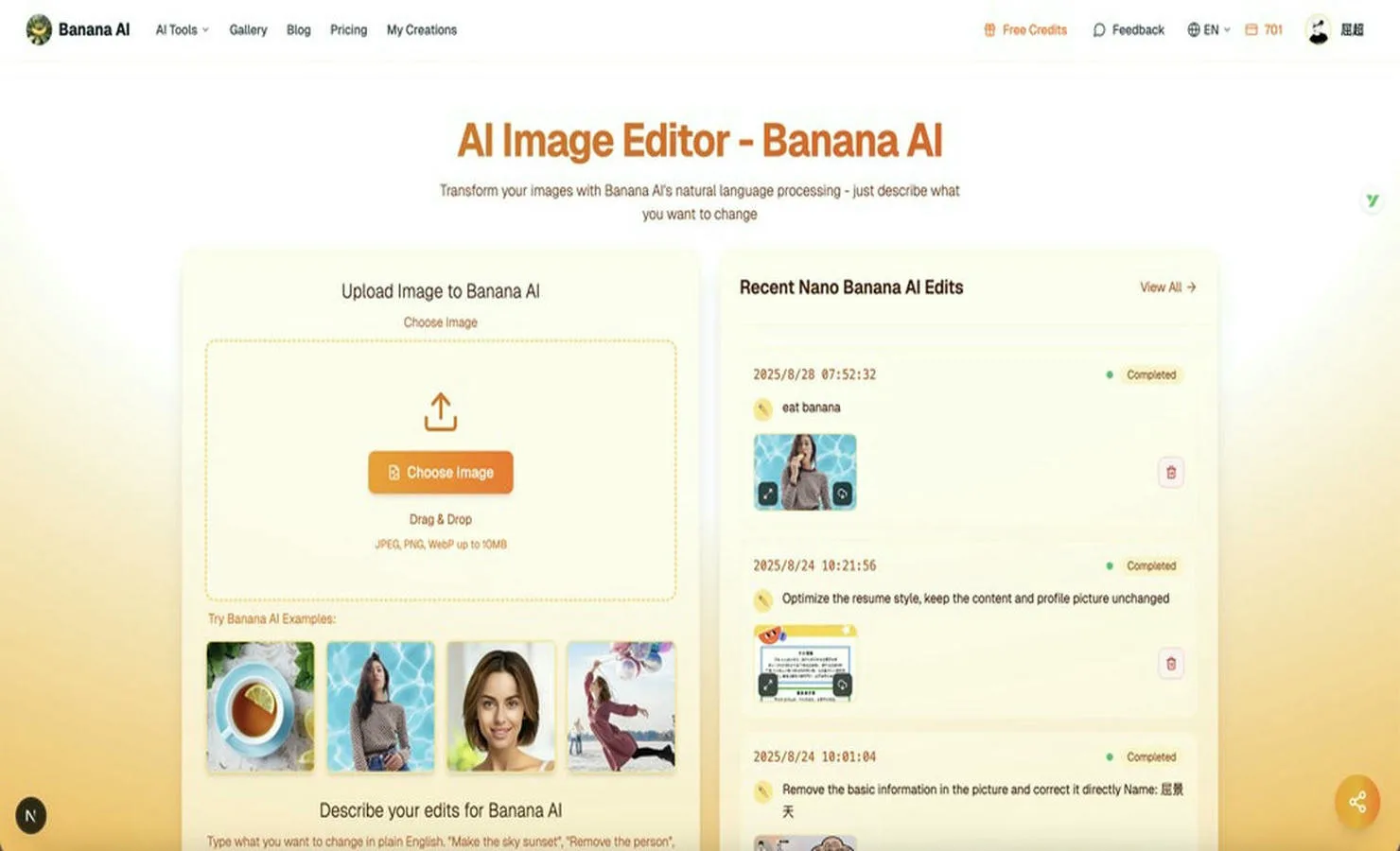
A tool like ai banana fits into this trend by giving users an easy way to explore AI-powered image creation and editing directly online. For creators and small teams, this kind of workflow can save time and make visual experimentation more flexible.
The easier the tool is to access, the more likely people are to use it creatively.
Practical Use Cases for AI Image Tools
AI image tools can be useful in many everyday situations.
1. Social Media Content
Social media moves fast. Creators often need fresh visuals for posts, reels, thumbnails, profile updates, and promotional content.
AI tools make it easier to test different ideas without starting from scratch every time. A creator can quickly generate several versions of a visual and choose the one that fits best.
This helps with consistency and speed.
2. Blog and Website Images
Writers and website owners often need images to support their articles, landing pages, and product pages.
Stock photos can feel generic. Custom photography can be expensive. AI-generated images provide another option, especially when the goal is to communicate an idea visually.
For blogs, tutorials, and product explainers, AI images can help make content more engaging.
3. Product and E-Commerce Visuals
Small e-commerce teams often need clean product photos, lifestyle images, banners, and ad creatives.
AI tools can help create different backgrounds, test product presentation styles, or generate supporting visuals for campaigns. This can be especially helpful for small teams without a dedicated design department.
4. Creative Concept Testing
Before investing in a full design project, teams often need to explore different directions.
AI image tools are useful for early-stage concept testing. A founder can test landing page hero visuals. A designer can explore mood board ideas. A marketer can compare visual angles for an ad campaign.
The output may not always be final, but it can help people make faster decisions.
5. Personal Creativity
AI image tools are not only for business.
People use them for profile pictures, wallpapers, digital gifts, event visuals, invitations, personal projects, and fun experiments. The appeal is simple: anyone can turn an idea into an image more easily than before.
AI Helps Small Teams Move Faster
Large companies may have designers, photographers, editors, and creative teams. Small teams usually do not.
For small businesses, indie hackers, creators, and solo founders, speed matters. They need to create landing pages, ads, social posts, product visuals, and blog images without slowing down.
AI tools help small teams produce more visual variations with fewer resources.
This does not mean every AI-generated image is ready to publish immediately. But it does mean teams can move from idea to draft much faster.
That speed can be valuable when testing new campaigns, launching products, or creating content regularly.
The Human Role Still Matters
Even with powerful AI tools, human judgment is still essential.
AI can generate options, but people decide what looks good, what fits the brand, what feels appropriate, and what communicates the right message. A visual should not only be impressive. It should serve a purpose.
Users should review AI outputs carefully. Sometimes images may include strange details, unrealistic textures, incorrect text, or awkward compositions. The best results often come from refining prompts, testing variations, and choosing the strongest output.
AI is a creative assistant, not a replacement for taste.
Responsible Use of AI Images
As AI image tools become more common, responsible use becomes important.
Users should avoid creating misleading images, impersonating real people without consent, or using generated visuals in ways that could confuse viewers. For commercial use, it is also important to understand the tool’s terms and usage rights.
AI creativity works best when it is transparent, respectful, and practical.
For everyday content creation, AI can be a powerful tool. But it should be used with care.
Why AI Image Editing Will Keep Growing
The demand for visual content is only increasing.
Businesses need more ads. Creators need more posts. Bloggers need more graphics. Product teams need more mockups. Social media platforms reward frequent publishing and fresh visuals.
At the same time, not everyone has the time or budget for traditional design workflows.
This is why AI image tools will continue to grow. They offer a faster, more accessible way to create and edit visuals. As the technology improves, the results will become more realistic, controllable, and useful.
The future of visual creation will likely combine human direction with AI-powered speed.
Final Thoughts
AI image tools are changing the way people create visual content.
They make image editing more accessible, reduce the need for complex software, and help creators, marketers, small businesses, and everyday users turn ideas into visuals more quickly.
The most important benefit is not only automation. It is creative access.
More people can now experiment with images, test ideas, improve content, and create useful visuals without needing professional design skills from the start.
As AI tools continue to improve, visual creation will become faster, more flexible, and more open to everyone.