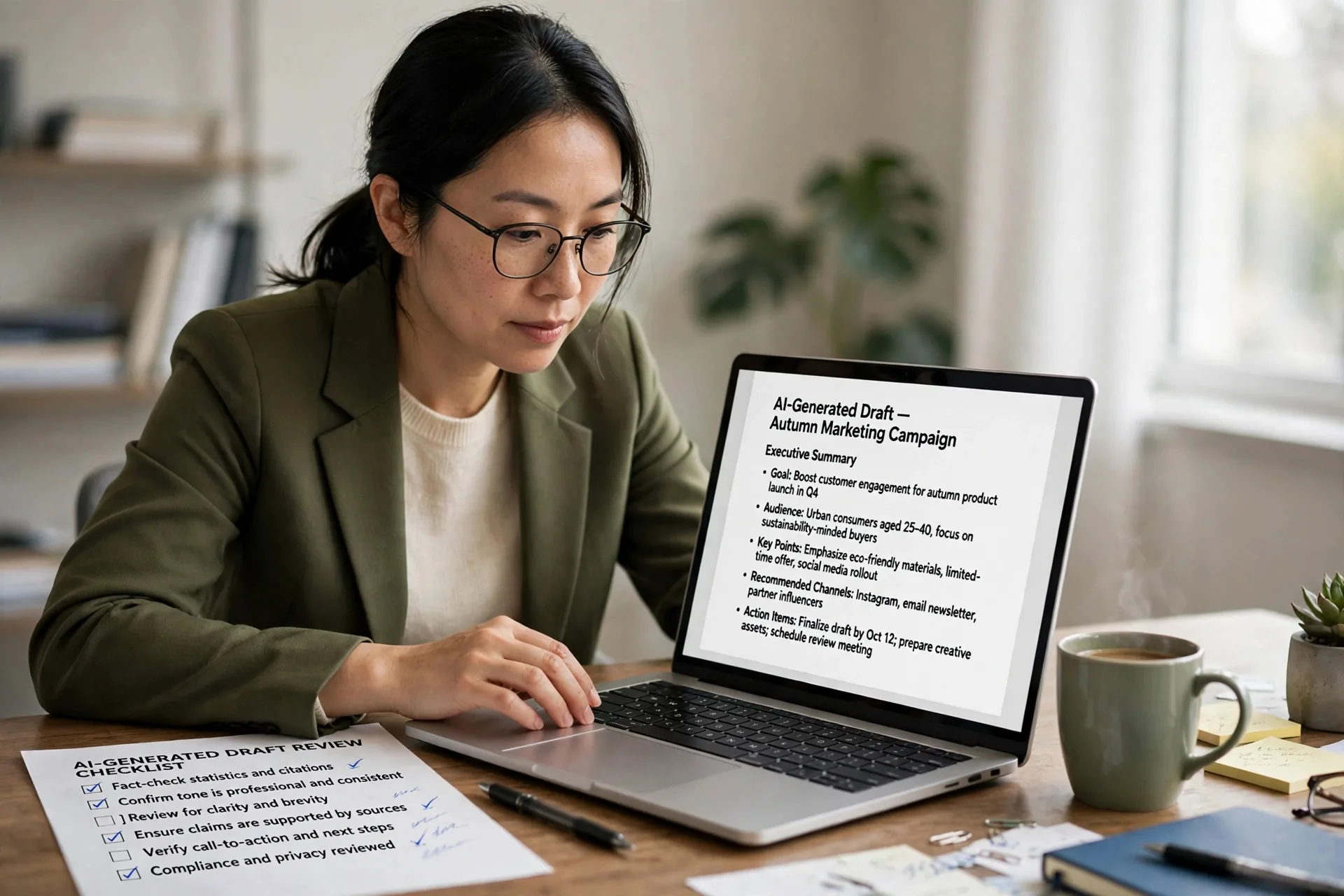
An appropriate task for generative AI is any task where the model produces a draft that a person can check quickly. The work is slow to start but fast to review, the cost of a mistake is low or reversible, and a human keeps the final decision.
That one sentence explains most of the confusion about generative AI at work. Teams ask which jobs the technology can take, and the honest answer is narrower than the marketing suggests and wider than the skeptics admit. The model is a fast drafter, not a reliable decider. When a task fits that shape, the gains are real and measured. When it does not, the same tool can make good people produce worse work.
This article explains how to tell the difference. It covers the Fast Check Test, a three-question filter you can run in under a minute, and the seven workplace tasks that pass it almost every time. It also covers what the workplace studies actually measured, which tasks to avoid, and how real projects keep a human in charge.
What Is the Fast Check Test for Generative AI Tasks?
The Fast Check Test is a three-question filter that tells you whether a task suits generative AI before you open a chat window. Answer yes to all three questions before you start.
First, can a person verify the output faster than writing it? A meeting summary checked against the transcript passes this question. A 40-step financial model that you would have to rebuild to trust does not, because checking takes as long as producing, and the model gives you no real advantage.
Second, is a mistake low-stakes or reversible? A weak social media caption costs a minute to rewrite. A sent legal notice, a payment instruction or a published medical claim cannot be taken back, so those tasks fail the test no matter how fluent the draft looks.
Third, does a human make the final call? The output should inform a person's decision on anything that leaves the team. This third question reflects a risk the United States government has named directly. The National Institute of Standards and Technology (NIST) published its Generative AI Profile in July 2024 as NIST AI 600-1, and it lists human-AI configuration among twelve generative AI risks. That risk covers automation bias and over-reliance, where people stop checking output that sounds confident. A task that passes all three questions keeps that risk small.
The test is deliberately strict. A task that fails even one question is not a good candidate, and the rest of this article shows why that strictness pays off.
How Does Generative AI Actually Work in a Task?
Generative AI is a type of artificial intelligence that creates new text, images, code or audio by predicting likely output from patterns in its training data. To judge a task fairly, it helps to know what the model is doing when it answers, and our guide to what is generative AI explains the models and their limits in detail.
The key point for task selection is simple. These models are pattern learners. They write fluent output, yet they never check it against reality on their own. A model aims for plausible output, not verified output, so accuracy stays the reviewer's job.
That is why the shape of the task matters more than the size of the model. A task with a reliable source document, a clear pattern and a quick human check plays to the model's strength. A task that needs fresh facts, careful judgment or an irreversible decision exposes its weakness. Data decides much of this. A task backed by your own documents suits generative AI far better than a task that relies on the model's memory alone, because the model works from the text you supply and a reader can compare the result against the original.
Why Does the Quiz Answer Matter for Everyday Work?
Workplace training quizzes often ask what would be an appropriate task for using generative AI, and they usually offer four options. The correct answer is creating a brief executive summary of a business report. Only the summary fits, since the model works from text you supply and a reader can compare the result against the original in minutes.
The wrong options usually describe a final decision rather than a draft, and they carry legal, financial or safety consequences. An error there reaches a real person before anyone checks it. That contrast between a checkable draft and an unchecked decision is the rule behind every example in this guide.
The quiz matters because it mirrors real work. Most workplace tasks that people consider handing to a model fall into one of two buckets. The first bucket holds drafts a person can review in minutes: summaries, first versions, lists of options, cleaned-up data. The second bucket holds decisions that take effect the moment they are made: approvals, payments, diagnoses, legal filings. The first bucket is where generative AI earns its keep. The second bucket is where it causes harm.
Four traits mark a task as appropriate. It produces new content, it follows familiar patterns, it is quick to verify, and its mistakes are cheap to fix. Keep those four traits beside the Fast Check Test, and most task decisions become straightforward.
What Are the 7 Appropriate Tasks for Generative AI?
Seven workplace tasks pass the Fast Check Test in almost every setting. They are summarizing, drafting, brainstorming, coding, formatting, translating and personalizing messages. Each one follows the same logic: the model does the slow first half, and a person does the fast second half.
1. Summarizing Documents
Document summarizing is the safest place to start, since the model works only from the text you provide. Meeting transcripts, research papers, customer reviews and long email threads all turn into a short brief that you can compare against the source. Teams use summarization to draft compliance summaries, summarize legal contracts for an internal first read and synthesize user feedback from hundreds of survey responses. One check never goes away: confirm the summary did not drop the single point a reader needed.
2. Drafting First Versions of Content
Content drafting is one of the most widespread uses of generative AI at work. Marketing emails, product descriptions, blog outlines, job posts, training manuals and help-center articles start faster from a model's draft than from a blank page. The writer then adds facts the model cannot know, fixes the tone and cuts generic lines. Treat every content draft as raw material, since fresh claims carry a higher risk of invented details than a summary does.
3. Brainstorming and Outlining
Brainstorming works well when quantity improves quality. Ask for twenty headline options, ten campaign angles or three structures for a presentation, then keep the two that work. Teams that generate story ideas, product names or interview questions follow the same logic. Since picking the best option was always the human job, the model only removes the slow part.
4. Writing Code Boilerplate and Refactoring
Code generation suits repetitive, well-documented patterns: API handlers, form validation, test scaffolding, data-fetching hooks and conversions from one language to another. Developers generate code snippets for regular expressions, SQL queries and unit tests with the same review habit. Generated code still needs the same review as a junior developer's pull request, plus tests that run before merge. Complex business logic and security-sensitive code deserve the most scrutiny.
5. Formatting, Cleaning and Extracting Data
Formatting tasks restructure information that already exists, which keeps error rates low. Turning messy meeting notes into action items, converting a table into JSON, pulling dates and amounts from unstructured emails or standardizing product attributes all fit. Teams use extraction to automate data entry and report generation from structured inputs, with spot checks on a sample of records. Extraction is a common first step in business process automation, since clean structured data feeds every later workflow.
6. Translating and Localizing Text
Translation of internal documents, support macros and product copy is a strong fit for teams that need to produce multilingual documentation quickly. A fluent speaker should review anything customer-facing, since idioms, legal terms and brand voice need human judgment, while low-risk internal translation can run with lighter review.
7. Personalizing Customer Messages
Generative AI can personalize marketing content and craft email responses at a scale no team can match by hand. A support assistant can draft a reply from the order history and help-center articles, then an agent edits and sends it. The same approach can simulate customer interactions for training new support staff. Messages that promise refunds, discounts or legal outcomes still need a person to approve them before they go out.
Which Tasks Should Each Department Hand to Generative AI?
The same seven tasks look different in each department, because each team gets a different outcome from the same technology.
Marketing teams get faster campaign production through draft ad copy, product descriptions, email variants and social captions, with a marketer approving every published line. Software development teams get shorter delivery cycles as they generate test scenarios, boilerplate, code comments and documentation, with every change reviewed and tested before release. Healthcare administration teams spend less time on paperwork such as prior-authorization letters and patient notices, with clinical decisions left to clinicians. Education teams get personalized learning paths, practice questions and lesson outlines that teachers adapt to their own class, without grading or final assessment by the model. Customer support teams get shorter queues and faster handovers through conversation summaries and sentiment trend reports, with agents deciding what reaches the customer.
The pattern holds in every case: the model drafts, and a named person decides. Productivity gains only count when you can measure them, so track time saved and quality per task rather than counting how many prompts the team ran.
How Do Real Projects Keep the Human in Charge?
Real projects that use generative AI follow one design rule: the model generates, while a system or a person checks before anything becomes final. Three project patterns show that rule in different industries, and each one pairs the model with business rules, data access and review steps.
The first pattern is an eCommerce shopping assistant. It answers product questions, compares items and suggests matches based on a shopper's stated needs, drawing product facts from the retailer's own catalog through retrieval, so prices and stock come from live data rather than from the model's memory. Checkout, refunds and order changes stay with the store's existing systems.
The second pattern is a voice assistant for connected vehicles. Drivers ask natural questions about routes, vehicle settings or the owner's manual, and the model turns speech into a structured request. The vehicle's software then decides which commands are safe to run. Braking, steering and other safety-critical functions never take instructions from a generative model.
The third pattern is revenue cycle management for medical billing. The model drafts appeal letters for denied claims, summarizes payer correspondence and suggests billing codes from clinical notes, while certified coders review every suggestion before a claim goes out. This split speeds up the billing work while accountability for each claim stays with qualified staff.
Teams that move from one-off prompts to repeatable workflows usually need connections to their own data and systems, and that is where AI agent development comes in, since an agent ties the model to the tools and checks a business already runs.
What Do the Workplace Studies Actually Show?
The evidence for generative AI at work comes from a small set of controlled studies, and the numbers deserve careful reading rather than slogans.
MIT economists Shakked Noy and Whitney Zhang studied 453 college-educated professionals in 2023 and found that ChatGPT cut their writing time by 40 percent while independent graders rated quality 18 percent higher. The National Bureau of Economic Research published "Generative AI at Work", which tracked 5,179 support agents and found they resolved 14 percent more issues per hour, with a 34 percent gain for new and lower-skilled staff. A Harvard Business School working paper on 758 Boston Consulting Group consultants found 12.2 percent more tasks done and 25.1 percent faster work inside the AI's capability frontier, while on a task outside that frontier, AI users were 19 percent less likely to reach a correct answer. In a controlled experiment reported by Peng and colleagues, developers with an AI pair programmer finished an HTTP server task 55.8 percent faster.
Read together, the studies point the same way as the Fast Check Test. The gains appear on tasks inside the model's capability frontier, and the same tool makes people worse at unsuitable work. That is why task choice decides the outcome, not the tool itself.
Which Tasks Should You Never Give to Generative AI?
Some tasks fail the Fast Check Test so clearly that they should never be handed to a model. Final decisions with legal, financial or safety consequences belong in this group, because an error reaches a real person before anyone checks it. Medical diagnosis, legal advice given as fact, financial approvals and safety-critical commands all fail on the second and third questions at once.
Tasks that need facts the model cannot see are also poor candidates. A model cannot verify a price, a stock level, a regulation or a person's record from its training data alone, so any task that depends on current facts needs a live source connected to the model, plus a human check. The same applies to tasks where verification takes as long as production: if you must rebuild a financial model to trust the model's version of it, you have saved nothing.
What Risks Appear When the Test Is Skipped?
Skipping the test does not just waste time. It creates three risks that show up in real teams. The first is automation bias, the habit of accepting confident-sounding output without checking it, which NIST named in its July 2024 Generative AI Profile as part of the human-AI configuration risk. The second is quiet error spread: a wrong summary or a wrong code suggestion copied into many places before anyone notices. The third is skill loss, where a team that stops drafting altogether slowly loses the judgment needed to review well.
All three risks shrink when the Fast Check Test is applied honestly. Keep the human review step visible, keep mistakes cheap, and keep the final decision with a named person.
How Can a Team Start Using Generative AI This Week?
A team can start with one task, one document type and one reviewer. Pick summarizing, since it is the safest of the seven tasks, and run it on a real document the team already produces, such as meeting notes or customer feedback. Have the reviewer compare the summary against the source and note anything dropped or added. Measure the time saved over a week, then add a second task only if the first one holds up.
Set two rules from day one. First, nothing the model writes leaves the team without a human reading it. Second, the person who reviews owns the result, including its mistakes. With those rules in place, the team can expand from one task to several without losing control of quality.
Conclusion
Appropriate tasks for generative AI share one shape: the model produces a draft, a person checks it quickly, mistakes cost little, and a human keeps the final decision. The Fast Check Test turns that shape into three questions you can ask in under a minute, and the seven tasks in this article pass those questions in almost every workplace. The studies back the pattern, with measured gains on suitable tasks and measured losses outside the capability frontier. Start with one task, keep the review step visible, and let the results decide how far the team goes.
What Do People Ask About Appropriate Tasks for Generative AI?
What is the fastest way to test whether a task suits generative AI?
Run the Fast Check Test: ask whether a person can verify the output faster than writing it, whether a mistake is low-stakes or reversible, and whether a human makes the final call. A yes to all three means the task is worth trying.
Is summarizing the safest generative AI task?
Yes. Summarizing works only from the text you provide, so a reader can compare the result against the original in minutes. It is the best first task for a team that is starting out.
Can generative AI write code for production use?
It can write boilerplate, tests and well-documented patterns, and a controlled experiment found developers finished a server task 55.8 percent faster with an AI pair programmer. Generated code still needs the same review as a junior developer's pull request, plus tests that run before merge.
Why do some teams get worse results with generative AI?
Because they use it outside its capability frontier. A study of 758 consultants found AI users were 19 percent less likely to reach a correct answer on a task outside the frontier, even though the same tool made them faster inside it. Task choice decides the outcome.