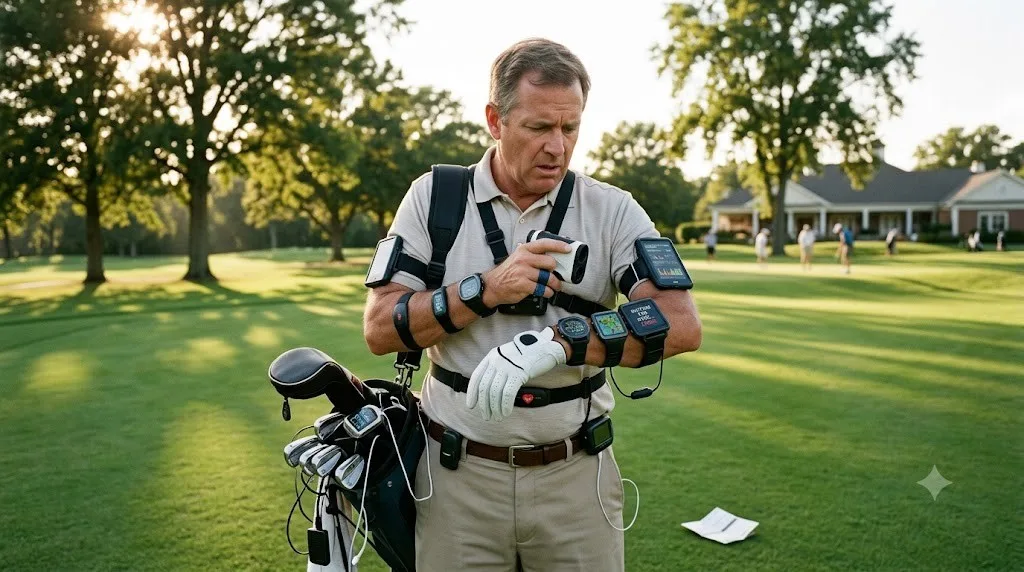
A golf GPS can tell you the distance to the green in seconds. Wonderful. But modern devices can also track shots, record scores, sync with smartphones, measure fitness data, display maps, recognize holes automatically and connect to Bluetooth.
That sounds impressive—until you're standing on the fairway trying to figure out why your "simple" golf GPS now wants to behave like a smartwatch, rangefinder, fitness tracker and miniature computer.
The useful question is not how many features a device has. It is which features actually make a round of golf easier?
For golfers comparing Golf Gps Devices online in Canada, understanding the practical value of each feature can help separate genuinely useful technology from specification-sheet decoration.
Which Golf GPS Features Actually Matter?
The most useful golf GPS features are usually the ones that answer a question quickly without interrupting play. Hazard distances, layup distances, green information and automatic hole recognition can directly support club selection and course management. Features such as shot tracking, smartphone synchronization and fitness metrics can be valuable, but their usefulness depends heavily on how much technology the golfer actually wants during a round.
A GPS device should reduce uncertainty, not create another task.
Think about the questions golfers repeatedly ask:
- How far is the green?
- Where is the hazard?
- How much room is available before I need to lay up?
- What is the safest target?
- What hole am I playing?
- Do I really need to pull out my phone?
The best features address those questions with minimal interaction.
1. Hazard Distances: Useful Information Without the Guesswork
Hazard distances are among the most practical GPS features because they provide course information that is difficult to estimate accurately from a tee box or fairway. A device may show distances to bunkers, water, trees, doglegs or other mapped targets, helping golfers choose a club and target based on more than the distance to the flag.
A 170-yard shot is not simply a 170-yard shot if water sits 160 yards away.
Hazard information adds context to the number. Instead of asking only, "How far is the green?" a golfer can ask, "Where does trouble begin?"
That distinction matters for course management.
What makes it useful?
- Supports safer target selection.
- Helps identify hazards that may not be obvious from the golfer's position.
- Provides information for tee shots as well as approach shots.
- Can reduce unnecessary phone or course-map checking.
For recreational golfers, this is the kind of feature that tends to earn its place on the device because it solves an actual on-course problem.
2. Layup Distances: A Small Number That Can Change the Decision
Layup information tells golfers how far they need to hit—or how far they will have left—to position themselves before a hazard or difficult area. It is particularly useful on par 5s and holes where reaching the green in one shot is unrealistic or risky.
A layup number turns course management into a more deliberate decision. Instead of simply hitting as far as possible, a golfer can choose a landing area that leaves a comfortable approach.
For example, suppose a golfer cannot comfortably reach a green in two shots. Knowing the distance to a hazard and the remaining distance from a sensible layup position can make club selection much easier.
This feature is less about technology and more about decision quality.
3. Dynamic Green Views: Helpful, But Only If the Display Is Easy to Read
Dynamic green views can show the shape or orientation of the putting surface and help golfers understand where the pin sits relative to the green. This can be useful when the flag position is difficult to judge from the fairway, particularly on courses with unusual green shapes.
The catch is usability. A detailed graphic is not automatically better information.
If a golfer has to zoom, swipe, interpret tiny graphics or navigate several menus before understanding the green, the feature can become more distracting than helpful.
Look for a display that answers the question quickly:
Where should I aim?
Screen size, contrast, interface design and visibility in sunlight can therefore matter just as much as the existence of a dynamic green feature.
4. Shot Tracking: Fascinating for Some Golfers, Unnecessary for Others
Shot tracking can record shots, distances and other playing information, allowing golfers to review performance after a round. For golfers interested in practice and statistics, this can turn a GPS device into a lightweight performance-analysis tool.
But shot tracking also introduces another layer of interaction.
Depending on the device and tracking system, golfers may need to confirm shots, pair equipment, review data or synchronize information afterward. That is useful if the golfer genuinely wants performance data. It is unnecessary if the only objective is getting yardages.
This is an important buying distinction.
Choose shot tracking when: you enjoy reviewing performance and want more detailed playing data.
Think twice when: you prefer a simple device that provides distances and stays out of the way.
More data is not automatically more useful data.
5. Digital Scorecards: Convenient, But Not Essential
Digital scorecards replace a paper scorecard with an electronic version built into the device. They can keep scores organized and may make post-round record keeping easier.
For golfers who already carry a GPS device, having scoring available on the same screen can be convenient. It eliminates the need for a separate scorecard and can keep basic round information in one place.
However, this is generally a convenience feature rather than a core GPS function.
If your main reason for buying a GPS is accurate course distances, digital scoring should probably be considered an extra rather than the deciding factor.
What About Bluetooth, Automatic Hole Recognition and Smartphone Sync?
Bluetooth, automatic hole recognition and smartphone synchronization can improve convenience, especially when they work quietly in the background. Their practical value depends on whether they simplify setup and course updates or require frequent phone interaction, account management and charging.
Bluetooth Connectivity
Bluetooth can allow a GPS device to communicate wirelessly with a smartphone or companion application.
One particularly useful application is course-data synchronization. Instead of manually transferring information, compatible devices can update course data wirelessly.
That is a genuine convenience—provided the process remains simple.
Automatic Hole Recognition
Automatic hole recognition identifies the current hole without requiring the golfer to manually select it.
This sounds minor, but small reductions in interaction can make a noticeable difference during a round. When walking from one hole to another, the ideal GPS experience is almost invisible: the device knows where you are and presents the relevant information.
The fewer menus involved, the better.
Smartphone Synchronization
Smartphone synchronization can provide access to course updates, settings, statistics or additional information through an accompanying app.
But there is a trade-off. A device that depends heavily on a smartphone may not feel much different from simply using the phone itself.
For golfers who specifically want a dedicated GPS device, independence from constant phone use can be part of the appeal.
Which Golf GPS Features Use More Battery or Add Cognitive Load?
Features that keep screens active, use wireless communication, record GPS activity continuously or perform additional tracking can increase the demands placed on a device's battery and interface. The exact impact varies by model, software and settings, so battery life should be evaluated using the manufacturer's stated operating conditions rather than assuming every feature has the same effect.
This is where the feature list becomes less exciting and more practical.
A golfer does not experience a specification sheet. They experience:
screen → information → decision → shot.
Every extra menu, notification, synchronization step or statistic competes for attention.
That does not make advanced features bad. It means they should have a clear purpose.
FeatureOn-course usefulnessPossible drawbackHazard distancesHighLimited by course-map accuracyLayup distancesHighMost useful on strategic holesDynamic green viewsModerate to highCan be difficult on small screensShot trackingVariableAdds data and interactionDigital scorecardModerateNot essential for yardagesAutomatic hole recognitionHigh convenienceDepends on reliable course positioningBluetoothModerateRequires compatible devices/appsSmartphone synchronizationModerateAdds phone/app dependenceFitness metricsLow for many golfersCan distract from golf-specific dataTouchscreen controlsConvenient on suitable devicesCan be awkward in rain or with glovesAre Swing and Fitness Metrics Worth Paying For?
Swing and fitness metrics are most useful to golfers who specifically want training or activity data. They are not inherently necessary for accurate course management. If a golfer primarily wants yardages, hazards and green information, paying extra for extensive fitness or swing analytics may add complexity without improving the core experience.
This is perhaps the clearest example of technological garnish.
Fitness tracking can measure activity-related information. Swing-related features can provide additional performance data. Both can be interesting, particularly for golfers who enjoy analyzing their game beyond the scorecard.
But ask one simple question before paying more:
Will I actually use this information?
If the answer is no, the feature has little practical value regardless of how impressive it looks in a product description.
Does a Touchscreen Make a Golf GPS Better?
A touchscreen can make navigation intuitive and allow a GPS device to display maps and information interactively, but it is not automatically superior to physical buttons. Golfers should consider screen readability, responsiveness, glove use, rain, sunlight and how many taps are required to reach important information.
A touchscreen is excellent when the interface is designed well.
It can be frustrating when wet fingers, gloves or bright sunlight make interaction difficult.
For a golf GPS, usability should be judged in actual playing conditions rather than on a desk.
If you can quickly access yardages with minimal tapping, the touchscreen is doing its job.
How Should You Choose a Golf GPS Without Overpaying?
Start with the information you actually need during a round, then select features around those needs. Prioritize readable yardages, useful course mapping, hazard and layup information, reliable positioning, practical battery performance and simple controls before paying extra for advanced statistics or connected features.
A simple buying checklist can help:
- Identify your primary use. Do you mainly need yardages?
- Check course information. Look for the types of courses and mapped features you need.
- Consider readability. A brilliant feature is useless if you cannot comfortably see it.
- Check battery expectations. Compare stated operating time with your typical rounds.
- Evaluate interaction. Count how many steps are required to access common information.
- Separate essentials from extras. Do not pay for tracking or fitness functions you will never use.
- Consider connectivity. Decide whether Bluetooth and smartphone synchronization are genuinely useful to you.
- Think about playing conditions. Sunlight, rain and gloves can change the user experience.
When comparing Golf Gps Devices online in Canada, this approach shifts the focus from "How many features does it have?" to "How many problems does it solve?"
That is a much more useful question.
Where Can You Find Golf GPS Devices Online in Canada?
Golfers shopping online can compare dedicated GPS devices by examining their mapping functions, target information, connectivity, display design, battery specifications and intended use. Retailers such as Store 4 Golfers can be considered alongside other Canadian online golf-equipment sources when comparing available models, features and pricing.
The goal is not to find the device with the longest feature list.
It is to find one that gives you the right information at the right moment without making the round feel like you're operating a cockpit.
For many recreational golfers, the sweet spot is surprisingly straightforward: dependable distances, useful hazard information, sensible course management data and an interface that gets out of the way.
Frequently Asked Questions
What is the most useful feature on a golf GPS?
For many golfers, hazard and target distances are among the most useful features because they add context to basic yardage information. Knowing where trouble begins can influence club selection and target choice. Layup distances and green information can then provide additional support for course-management decisions.
Are golf GPS devices accurate?
Golf GPS devices rely on satellite positioning and mapped course data, so accuracy can vary with positioning conditions, device design and the quality or currency of course mapping. They should be treated as useful distance-reference tools rather than infallible measuring instruments. Checking how a particular device handles course updates is worthwhile before purchasing.
Do golf GPS devices need a smartphone?
Not necessarily. Some dedicated golf GPS devices can provide course distances independently, while others use smartphone applications for course updates, synchronization or additional functions. If reducing phone use during a round is important, check whether the device's core GPS functions work without maintaining a constant smartphone connection.
Does Bluetooth matter on a golf GPS?
Bluetooth can be useful for wireless course updates, smartphone synchronization and communication with compatible accessories. Its value depends on how you intend to use the device. If you want a straightforward GPS that provides distances without connected features, Bluetooth may be convenient rather than essential.
Are dynamic green views worth having?
Dynamic green views can be useful when they clearly show green shape, orientation or pin position. Their value depends heavily on readability and interface design. A simple, easily understood green graphic can be more useful during play than a highly detailed display that requires several interactions.
Is shot tracking useful for beginners?
Shot tracking can be useful for beginners who want to learn more about their playing patterns, but it is not required for basic GPS navigation. New golfers may benefit more from clear distances and simple course information first. Tracking becomes more valuable when a golfer is genuinely interested in reviewing performance data.
Do golf GPS features affect battery life?
They can, depending on the device and how its hardware and software operate. GPS activity, wireless connections, bright displays and continuous tracking can place different demands on a battery. Manufacturers' stated battery figures are therefore more useful than assuming that one particular feature always consumes a specific amount of power.
Is a touchscreen better than buttons on a golf GPS?
Neither control method is universally better. Touchscreens can make maps and menus intuitive, while physical buttons can be easier to operate with gloves or in wet conditions. The important considerations are responsiveness, screen visibility, menu simplicity and whether you can access common golf information without unnecessary interaction.
What should I look for when buying a golf GPS online in Canada?
Start with reliable course mapping, readable yardages, hazard information, useful layup data, practical battery life and an interface that is easy to operate outdoors. Then consider extras such as shot tracking, scorecards, Bluetooth and fitness functions. The right combination depends on whether you want simple distances or a broader golf-performance device.
Can a golf GPS replace a rangefinder?
A golf GPS and rangefinder approach distance measurement differently. GPS devices can provide mapped information such as hazards, layups and green views, while rangefinders typically measure the distance to a selected physical target. Some golfers prefer one approach; others use both depending on the situation.
Final Takeaway
The smartest golf GPS is not necessarily the one with the most technology. It is the one that delivers useful information quickly, clearly and consistently while you are actually playing.
Hazard distances, layup information and sensible green views can directly support decisions. Automatic hole recognition and wireless updates can make the experience smoother. Shot tracking, digital scorecards, fitness metrics and smartphone features can be valuable—but mainly when they match the golfer's habits.
So when comparing Golf Gps Devices online in Canada, look beyond the feature count.
Ask what each feature does between the tee box and the next shot.
If it helps you make a decision, keep it.
If it merely makes the specification sheet look impressive, you may be paying for technological garnish.