
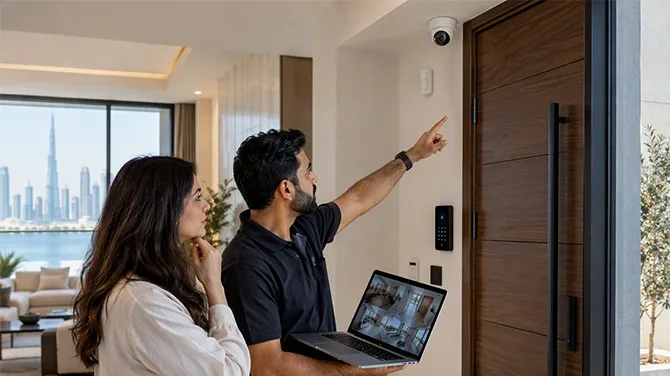
When choosing Home Automation Companies, it is important to understand what support they provide after installing the system. Smart home devices can control lights, air conditioning, curtains, security cameras, and other equipment. However, these devices may sometimes need repairs, updates, or changes to their settings. Good support helps homeowners use their systems properly and solve problems when they occur. Knowing what services are available can help you make a better decision before starting a home automation project.
1. Help With System Installation
Installation support is one of the first services to check. A home automation system may include different devices that need to work together. These can include smart lights, sensors, thermostats, door locks, cameras, and control panels.
The installation team should explain how the system will work in your home. They should also check the wiring, internet connection, device placement, and compatibility of the equipment.
For example, if you want to control lights and air conditioning from one application, the devices must be compatible with the chosen system. Proper installation helps reduce connection problems and makes daily use easier.
Homeowners should also ask whether installation includes testing all devices before the work is completed.
2. Guidance on Using Smart Home Devices
After installation, homeowners need to understand how to use their new system. Support should include clear instructions for controlling connected devices and changing basic settings.
For example, a homeowner may want to create a setting that turns off the lights and adjusts the air conditioning when leaving home. The support team should explain how to create and manage this type of automation.
It is also useful to learn how to control devices manually if the application or internet connection is unavailable. Simple instructions can help every family member use the system without confusion.
A short demonstration at the end of installation can make a big difference, especially for people who are using smart home technology for the first time.
3. Troubleshooting and Technical Assistance
Smart home systems may sometimes experience technical problems. A light may stop responding, a sensor may lose its connection, or an application may fail to communicate with a device.
Support should help homeowners identify the cause of these problems. Some issues may be fixed by restarting a device or checking the network. Other problems may require a technician to inspect the equipment.
Before choosing a service provider, ask how technical support works. Find out whether help is available by phone, email, or remote access. You should also ask whether an on-site visit is available when a problem cannot be solved remotely.
Clear troubleshooting procedures can help reduce confusion and avoid unnecessary delays.
4. Regular Maintenance and System Checks
Regular maintenance helps keep a home automation system working properly. Although many smart devices need little physical maintenance, they may still require software checks, connection testing, or adjustments.
For example, security sensors should be checked to make sure they respond correctly. Smart locks may need battery replacement, while cameras may require cleaning or adjustments to their viewing angle.
A maintenance plan may include checking device connections, testing automation routines, reviewing control settings, and identifying outdated equipment.
Ask whether maintenance is included in the original service or charged separately. It is also helpful to understand how often checks are recommended for your particular system.
5. Software Updates and Compatibility
Smart home devices often receive software or firmware updates. These updates may fix errors, improve performance, or address security issues.
Support should explain how updates are handled and whether homeowners need to install them manually. Some systems update automatically, while others may require user action or technical assistance.
Compatibility is another important point. If you purchase a new smart television, door lock, or lighting device, it may not work with your existing system.
Before adding new equipment, check whether it is supported by your current control platform. The service provider should explain any limitations and help you understand the available options.
6. Security and Privacy Guidance
Connected home devices can collect information or allow remote access to household equipment. For this reason, security and privacy should be part of customer support.
Homeowners should receive guidance on creating strong passwords, enabling available security features, and managing access for family members or visitors.
It is also important to know how to remove access when someone no longer needs to control the system. For example, temporary access given to a visitor should not remain active unnecessarily.
Ask how remote access is protected and what steps to take if you suspect that an account has been accessed without permission. Clear instructions can help homeowners manage their connected devices more safely.
7. Warranty and Repair Services
Before purchasing equipment, check the warranty terms for each major component. The warranty may cover manufacturing defects but exclude accidental damage, incorrect use, or normal battery replacement.
You should also ask who handles repairs when a device stops working. In some cases, the equipment manufacturer provides the warranty service, while the installer helps diagnose the problem.
Check whether labour, replacement parts, and technician visits are included. These details can affect the total cost of maintaining the system.
Written warranty information makes it easier to understand your rights and responsibilities if equipment develops a fault.
8. Support for Future Changes
Homeowners may want to expand their smart home system over time. They might add outdoor lighting, new cameras, smart curtains, or additional room controls.
Support should help you understand whether these changes are possible with your existing equipment. The provider should explain any extra hardware, wiring, software, or configuration that may be required.
It is also useful to keep records of installed devices, system settings, and connection details. These records can help a technician understand the setup when future changes are needed.
When comparing Home Automation Companies, check whether their support covers installation, troubleshooting, maintenance, updates, security guidance, and future system changes. Understanding these services before choosing a provider helps you know what assistance to expect and how to keep your home automation system working reliably over time.