What Should Businesses Look for in Modern ERP Software?
As a business grows, keeping track of sales, purchases, inventory and finances can become harder when information is spread across different tools and manual records. This is one reason businesses consider ERP software to manage their day-to-day operations more efficiently.
However, choosing ERP software should not be about selecting the platform with the longest feature list. The more useful approach is to look at the actual processes of the business and identify where better visibility, organization or automation is needed.
Start With Everyday Business Processes
A business should first consider which activities take the most time or require repeated manual work. Sales management, purchasing, inventory tracking and financial reporting are common areas to examine.
For example, a company handling a large number of products may need reliable inventory information, while a growing sales team may place greater importance on order management and sales reporting.
Inventory and Purchase Management
Inventory management is an important part of many businesses. Useful capabilities can include real-time stock tracking, low-stock monitoring, inventory reporting, batch and expiry tracking, and support for multiple warehouses where required.
Purchase management also deserves attention. Businesses can look for tools that help with purchase orders, supplier information, procurement workflows and purchase tracking.
The right features will depend on how the business operates. A small company may have different requirements from a business managing multiple locations or a larger product range.
Sales and Financial Management
Sales software should make it easier to manage activities such as quotations, orders, customer information and sales reports. Access to current sales information can also help managers review business activity without relying entirely on manually prepared reports.
Finance is another area that should be considered carefully. Depending on the platform, ERP software may provide accounting, financial reporting, budgeting, tax management and accounts payable or receivable features.
The important question is whether these capabilities match the company's actual requirements.
Automation and Cloud Access
Automation can be useful for repetitive activities such as invoicing, order processing, inventory updates and reporting. But businesses should first understand the process they want to automate. Automating an unclear or inefficient process does not necessarily solve the underlying problem.
Cloud ERP software can also provide access to business information through supported devices and interfaces. This can be useful for teams that need to review information beyond a single office computer.
One Example: Sitedecode Business Suite
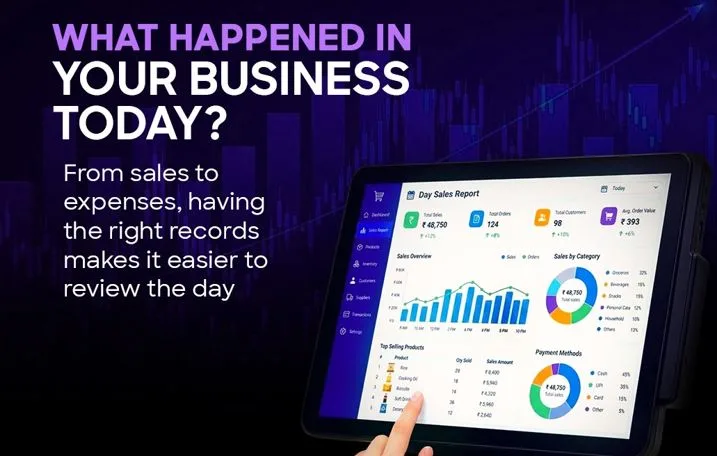
Sitedecode Business Suite is an example of cloud-based ERP software that brings together business functions including sales, purchasing, finance and inventory management. Its published features include real-time reporting and analytics, automated workflows, mobile access, purchase management, sales forecasting, financial management and inventory tracking.
Businesses considering the platform can review these capabilities against their own workflows and decide which features are relevant to their needs.
Choose for Business Fit
ERP software should ultimately be evaluated based on business requirements rather than marketing claims or the number of features available.
Before making a decision, businesses can ask simple questions: Which processes are currently manual? Where is information difficult to access? How is inventory tracked? How are purchases and sales managed? What financial reports are needed?
Answering these questions first can make it easier to compare ERP software and choose a platform that fits the way the business actually works.