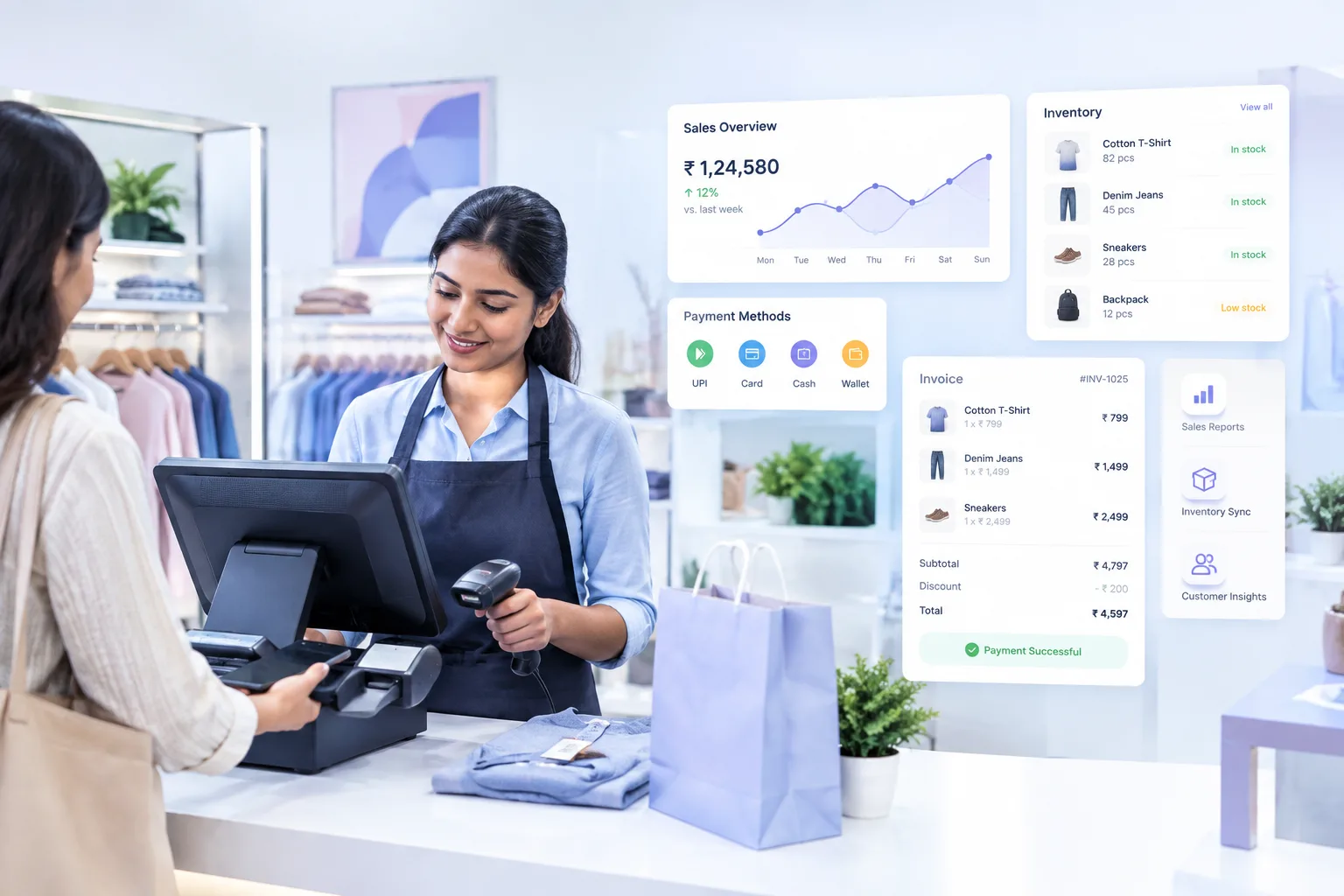
A retailer usually notices a POS problem at the busiest time of the day.
Customers are waiting at the counter, an employee is trying to find a product, and someone is checking whether an item is actually available in the stockroom. If billing, inventory, and payment information are being handled separately, even a simple sale can become unnecessarily complicated.
That is why choosing POS billing software for retail stores should involve more than asking whether it can generate an invoice. The better question is whether the system fits the way the store actually operates.
Start With the Billing Process
Billing is the part of a POS system that employees use constantly, so it needs to be straightforward.
A good retail setup should make it easy to search for products, apply applicable discounts, select a payment method, and generate an invoice without unnecessary steps.
This becomes particularly important for stores with hundreds or thousands of products. Searching through long product lists manually can slow down the checkout process and increase the chances of selecting the wrong item.
Before choosing software, retailers can ask employees to test the billing workflow themselves. A system that looks impressive in a product demonstration may feel very different when used during a busy checkout.
Inventory Should Connect With Sales
Billing and inventory are closely connected in retail.
If a store sells a product but updates its stock records later, there is always a possibility of a mismatch between the system and the actual stock. A connected POS system can update inventory as transactions are recorded, depending on the software's configuration and features.
Consider a clothing store with five sizes of the same shirt. Selling two medium-sized shirts should affect the stock for that particular variant, not simply reduce the total number of shirts in the catalogue.
For retailers with many product variations, this type of inventory visibility can be much more useful than maintaining separate spreadsheets or manual registers.
Check How the Software Handles Payments
Customers no longer expect to pay in only one way.
Depending on the store and its setup, a retailer may accept cash, cards, UPI, wallets, or other payment methods. The POS system should make it clear which payment method was used for each transaction.
This matters when employees reconcile the day's sales.
If the billing system records the invoice but payment information is tracked somewhere else, finding a discrepancy can take additional time. Keeping transaction and payment information connected can make end-of-day reconciliation easier.
Reports Should Answer Real Business Questions
A dashboard filled with charts is not necessarily useful.
Retailers should look at the questions the reporting system can actually answer.
For example:
- Which products are selling most frequently?
- Which items have slow movement?
- What stock needs attention?
- How much was sold during a particular period?
- Which payment methods are being used?
- How are different stores or counters performing?
The useful part of reporting is not the number of graphs. It is whether the information helps someone make a practical decision.
A store manager who notices that a particular product has consistently slow movement may decide to change its placement, promotion, or purchasing quantity.
Think About Multiple Stores Early
A POS system that works for one store may not be enough when the business expands.
Retailers planning to add another location should check whether the software supports multiple stores, centralized reporting, stock visibility, and appropriate user permissions.
This is worth considering even for a growing business that currently has only one location. Changing systems later can involve migrating product information, training employees again, and adjusting established workflows.
Scalability does not mean buying the most complicated system available. It means choosing software that can accommodate the business's realistic growth plans.
Don't Ignore the User Experience
The people using the POS system every day are usually store employees, not software specialists.
If a cashier needs several screens to complete an ordinary transaction, the system may create more work instead of reducing it.
Training requirements should therefore be part of the evaluation process.
Retailers can test common tasks such as:
- Finding a product.
- Adding or removing an item.
- Applying a discount.
- Selecting a payment method.
- Processing a return, if supported.
- Checking stock.
- Viewing a basic sales report.
Testing these everyday tasks gives a much clearer picture of usability than simply reading a feature list.
Consider the Cost Beyond the Subscription
Price is obviously important, but the cheapest option is not necessarily the least expensive in practice.
Retailers should look at the complete cost of using the system, including hardware, setup, training, integrations, support, upgrades, and any additional charges that apply to their particular plan.
It is also worth checking what happens when the business needs more users, additional stores, or more advanced features.
A transparent pricing structure makes it easier to understand whether the software will remain practical as the business changes.
Where a Retail POS Platform Fits
Retail businesses looking for an integrated system can compare different POS platforms based on their specific requirements.
For example, Vasy.ai's retail POS and billing solution can be considered alongside other options when a business is looking for capabilities around retail billing and sales management.
The important part is not choosing software because of a long feature list. Retailers should compare the actual workflow, inventory requirements, reporting needs, payment setup, number of locations, and future plans.
A Simple Checklist Before Choosing
Before making a decision, a retailer can use this checklist:
- Does billing feel quick and straightforward?
- Can the system handle the store's product catalogue?
- Does sales information connect with inventory?
- Are required payment methods supported?
- Can managers get useful sales reports?
- Does it support multiple stores if needed?
- Is the interface easy for employees to learn?
- Is customer and transaction data handled appropriately?
- What support is available when something goes wrong?
- What will the total cost be as the business grows?
A short practical test can reveal more than a long sales presentation.
Final Takeaway
POS software should solve everyday retail problems rather than simply add another screen to the checkout counter.
The right system can bring billing, inventory, payments, and reporting into a more connected workflow. But the most suitable choice will depend on the store's products, size, employees, locations, budget, and plans for growth.
For that reason, retailers should evaluate POS software by how well it fits their actual day-to-day operations, not by how many features appear on a product page.