Imagine if an engineering team wants to build a new product; the first question that comes to mind is: Can we build it on Android?
The answer is yes: if the team has AOSP, a development board, and the vendor’s Board Support Package (BSP), it can start developing the product within a few weeks. But just having an operating system like Android does not mean that our product is ready to run on the market.
Once Android is deployed as the foundation for product development, the real challenge begins when engineers move to hardware bring-up. They need to integrate various peripherals, power, and thermal limit management under the threshold, improve boot time and performance, and need to plan in a timely manner for software updates and post-launch support. This is where our Android engineering begins to take a shift toward deep engineering efforts.
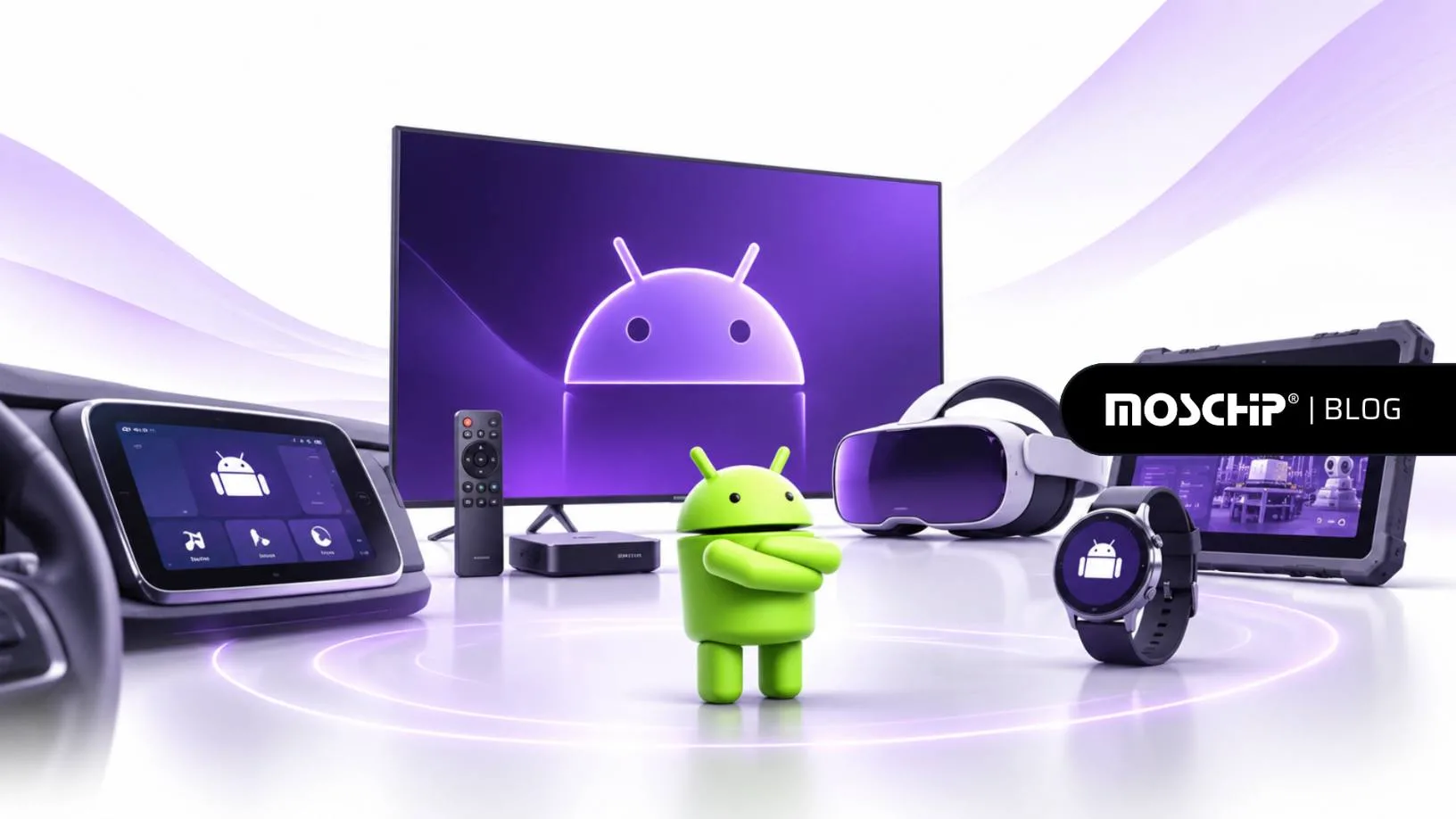
In recent years, Android has expanded its scope beyond just smartphones or tablets to support various products such as consumer electronics, wearables, XR devices, industrial and healthcare equipment, and automotive systems. Every product has its own hardware and operating requirements based on its environment.
Wearables need to operate under low battery power (power-saving mode), whereas industrial devices need to communicate with external peripheral equipment continuously.
Watch Webinar:Engineering the Tech Stack for Android Products - MosChip®
Engineering the Tech Stack for Android Products Engineering the Tech Stack for Android Products From...
In this webinar, our experts Parul Aggarwal, Director of System Software, and Vinod Kumar Galla, Director of Product Engineering Services points these engineering challenges with addressing how to adopt Android stack for various product requirements by keeping the software foundation maintainable and sustainable.
Also, we had a deep discussion in our latest blog, Is Your Android Product Development Built to Scale Beyond One Product?, where we covered the story of how various products can be built on Android for various market requirements, and based on changes in hardware, software, and product requirements.
Our core idea of the webinar and various engineering discussions is that the stack stays, but the constraint moves. Moving ahead, let us explore what kind of engineering questions should be asked before developing a new product.
Four Questions That Guide Android Product Engineering
We saw that the stack will remain the same throughout product development, but the constraints change,
so how can engineers decide what needs to be changed for each product?
During the webinar, Parul and Vinod came up with four practical questions as follows:
Budget: What kind of product limits based on power, memory, boot time, performance, and thermal conditions create hurdles to meet product requirements?
Layer: We have six Android stack layers spanning from the kernel and drivers to the HAL, framework, or application. Which layer should handle each part of the equipment based on the product’s nature?
Interface: Inside the Android product, how do the hardware and software components communicate with each other, whether it is reliably or not? Also, if any errors, timeouts, or failures occur, how does it behave?
Upgrade: Here we need to think about the post-product-launch phase. How can engineers sustain and maintain the product’s future Android releases, with security updates, hardware changes, and long-term support?
As we see the questions are very fundamental and answers will not remain the same for each product it will change according to the product categories. Let us understand this with an example: we have consumer and wearable devices; both need to save power, but the way of power management can be different. That’s why Android engineering should be chosen product by product.
Let us dive deep into how these requirements change when we switch to different product categories and how they are associated with Android Engineering.
How Android Customization Requirements Change Across Different Products
Now we need to understand the practical implementation of Android in various products, where we can customize the Android stack based on their requirements. During the webinar, we covered various fields such as consumer electronics, wearables, XR devices, industrial and healthcare systems, and automotive systems.
Each area possesses its own requirements, and the product’s intended uses are impacted by how product decisions are made.
Let us first glance at Consumer Electronics.
Consumer Electronics
Nowadays, everyone is using various consumer devices based on their daily usage from home to offices. So, devices are becoming smarter and more connected than ever. They include voice control, wireless connectivity, cameras, local AI processing, and various applications that can communicate with other compatible devices.
Here, Android plays a vital role in supporting necessary features while keeping the experience responsive. We know every additional feature, such as any new application, background services, or any connected components which adds a burden of workload on Android in terms of processing power, memory, and energy.
Let’s take an example: consider a voice-enabled device that needs to be ready for any kind of voice command without consuming much power and switching into standby.
If we want to achieve this, various audio hardware, ALSA drivers, the audio HAL, and the Android framework must be coordinated with each other. Just app optimization alone may not help if the audio system uses too much power.
Here, connectivity draws our attention to it. Where the engineers need to focus on wireless provisioning, network stability, device compatibility, and connection recovery when the connection is interrupted.
But the considerable challenge is to support the necessary features without putting unnecessary load on the hardware, which directly affects how the complete Android stack looks in terms of processing, connectivity, and power.
Wearables
Now let us consider the wearables. When we are talking about wearables, the power requirements and consumption become the central point to discuss when Android runs on them.
Majorly, wearables operate on smaller batteries, and everyone expects them to be long-lasting throughout a day.
But to keep this up, background activities play an important role here.
What kind of background activities?
There are various applications and system services that run continuously in the background on a wearable device, even when the user is not connected or interacting with the device. On the other hand, frequent wireless scans, unnecessary wakelocks, and jobs that run immediately on the wearable prevent the device from entering the low-power state.
Now the question arises: how do we keep a wearable responsive without allowing background activity to drain its battery?
Here the role Android comes. Android provides features like, Doze and Battery Saver to control and map the wearable’s power to limit if the wearable is not connected or in use. So, engineers can also review the wakelock usage pattern, adjust suspend behavior, and reduce unwanted Wi-Fi scans.
Here, one thing needs to be understood: the role of Android is not to stop all the background activities such as sensor run, connectivity, device functions, etc.; but the role is to decide which activities need to come first (priority set) and which can wait until the device activates again.
XR Devices
We saw that wearables are more focused on battery life and its management, whereas XR devices have their own other requirement: low-latency processing.
Majorly, these devices operate with cameras and sensors to fetch and provide information based on the user’s surroundings. When the user captures various information through the camera, it processes the images to display output that works as data for Android, and it moves through various stages.
Here, one thing needs to be underlined: the user experience is affected only if this path is hampered.
For XR devices, engineers should focus on camera output, image processing, and display in real-time synchronization, so it enhances user experience without any delays.
This synchronization requires proper optimization of the camera-to-ISP-to-display path, as well as coordination between hardware and Android software.
Industrial Systems
Now consider the next product segment, which is industrial and enterprise devices. These devices are mainly connected with external equipment such as barcode scanners, printers, GPIO interfaces, and programmable logic controllers (PLCs). Engineers raise the question here:
How does Android communicate with this arrangement in industrial facilities?
Android must communicate with all these components smoothly and reliably by keeping the user interface continuously responsive.
Inside the industrial systems, the data flow continuously streams between various devices, where each data typically moves from various peripherals/devices through its drivers and HAL, and after this, to the system services and, at last, the HMI (human-machine interface).
In this system, all parts communicate with each other through this narrated path to work appropriately in an industrial system.
Now we have two questions here:
What happens if a connected device stops responding or the network connection is interrupted?
Can the system recover without requiring a complete restart?
These questions make sense in that specific industrial environment where downtime affects daily operations. Also, industrial systems need to be run continuously for long periods, so engineers can consider communication failures, power interruptions, and recovery behaviors.
This platform must support communication within the enterprise systems and equipment; it also needs to log information and process it smoothly. This makes the industrial systems reliable across the complete Android stack.
Healthcare Devices
Healthcare devices are different in their operational behavior than we have seen in the rest of the categories. Why? Because they need to deal with various data types (first to collect à then process à display the right information), because here patients and caregivers are all dependent on the monitor data.
Healthcare systems handle a number of data inputs, display readings, and healthcare systems internal and external communication data, and after collecting and understanding this properly, they need to assist the right medical personnel with timely alerts.
So, how can Android deal with this?
Here, the Android interface must present the information properly without unnecessary delays or any kind of inconsistencies.
One of the important design choices is to define which functions of Android should be handled and which functions should remain independent of the application and framework.
In fact, Android can support the HMI, visualization, data presentation, and connectivity. However, safety-critical measurement and control components must remain on dedicated hardware and firmware.
This sets the crystal-clear boundary between the user experience and functions that require proper control from Android.
These categories of products show how the priorities of Android affect engineering. When we come to automotive systems, we see that they need to take into consideration the numerous requirements associated with vehicle networks, platforms, safety limits, and extended life of devices.
Taking Android into Automotive and Software-Defined Vehicles
Nowadays, Android is increasingly growing its role into an Automotive system, but here is the catch that we need to understand the difference between the Android Auto, Android Automotive OS (AAOS), and Software-Defined Vehicles (SDVs).
First, Android Auto runs the phone-based experience and display within the vehicle’s head unit. On the other hand, AAOS runs on Android as part of the vehicle’s operating system. It uses certain features like the Vehicle HAL (VHAL) and CarService to provide a connection with the vehicle’s Android applications and services.
With advancements in SDV, the area of application becomes broader. Software is no longer confined to infotainment only but is capable of penetrating instrument clusters, body systems, vehicle telematics, and many others.
This leads us to a crucial question: How to make sure that Android will interface with vehicle systems without interfering with the functions that have to remain safety-critical?
The following vehicle networks: CAN, CAN-FD, LIN, and Automotive Ethernet enable communications with electronic control units. Through VHAL and CarService, Android is able to receive relevant signals from those networks, which in turn allows for applications and services to be successfully implemented.
At the same time, some critical functions like ADAS, vehicle control, and safety indications need to be in a separate safety domain, such as an MCU or dedicated virtual machine.
Engineers also need to plan for resource isolation for CPU, memory, interrupts, and I/O. Also, engineers need to validate how the system is going to handle incorrect or delayed data, restarts, overload conditions, and failures.
Our webinar also covered headless Android that runs on VirtIO, a SOME/IP broker, and an Android 17 baseline as an internal part of the SDV architecture.
With multiple displays and connected vehicle features, Android has to arrange the display configurations, audio areas, vehicle instructions, and services to keep its work efficient and convenient for users.
Yet, vehicle software must perform not only efficiently at launch but also be easy to maintain and update throughout the life of the vehicle due to changes in hardware, safety requirements, and customers’ expectations.
Maintaining Android Products Through Updates, Porting and On-Device AI
Planning for Android Updates and Hardware Changes
When we plan to shift our existing Android version to a newer version, it is not as simple as building new source code. It requires changes to framework behavior, system services, HAL interfaces, and SELinux policies.
Engineers need to review these changes carefully to determine what to retain, adapt, replace, or remove from the existing Android platform. When they plan to move to a new SoC, the integration and validation can be completed by adapting the vendor BSP, kernel, device drivers, and HAL.
So, moving or shifting to the new SoC does not always require rebuilding the whole Android software stack, this thing must be clear by engineers to gain proper valid insights on this. Some existing components can be reused, whereas some need proper engineering changes (such as hardware-specific changes). To understand these properly, read our Android engineering featured article based on the same way SoC porting is done on the new hardware.
If we are talking about SDV platforms, some features require re-architecture to bifurcate the infotainment cluster and other vehicle functions. These changes need to be planned earlier to prevent platform upgrades from becoming a bigger engineering effort.
Making Software Updates Safer
Let us talk about the platform upgrades, which are only a part of long-term maintenance. In this webinar, we also covered that connected products require a reliable way to fetch security fixes and software updates once the product is delivered to market.
In the webinar, we also touched on how Android releases its updates with the security update cycle, including monthly high-risk security patches, quarterly security bulletins, and major platform releases based on Q2 and Q4, based on specific product features.
Updates need more than simply installation. Engineers can not simply leave the product in between (unusable) if something goes wrong.
So, engineers can plan this by signing update packages, using A/B or Virtual A/B updates, rolling out the changes in various stages, and performing a device health check once installation is done.
Failed updates need to be triggered automatically rollback, which is supported by diagnostics to detect issues. Also, partitioning and rollback are quite difficult to handle and change once deployment in the market is done, so they must be considered while platform design is ongoing.
Preparing Android Platforms for On-Device AI
As we saw, platform updates and maintenance are quite difficult to manage without the right approach, so, along with that, this webinar also explored another phase, which is shaping the connected product: On-Device AI.
We know that AI is increasingly becoming an integral part of connected products; the Android platforms must support local AI workloads without depending on any external devices. When these models run locally, they can reduce the dependencies on the cloud and improve response time, but it also increases the demand for memory, processing power, battery, and thermal performance.
So, how do we figure out whether an AI model is suitable for a device?
For this, engineers need to examine the first token time, tokens per second, peak memory use, and temperature. They also need to decide whether the AI model should run on the NPU, GPU, or CPU and, they need some plan regarding if the accelerator is not available in some cases, then how will it run.
With the usage of the model-neutral API, applications are able to work with various AI models and runtimes. In addition of that, performance monitoring, as well as accelerator management, ensure that resources are being properly utilized without requiring a complete rework of the Android ecosystem.
Wrap Up: Bringing the Android Engineering Journey Together
Ultimately, this webinar guides us through the behind-the-scenes approach of Android engineering before making a product ready for the market.
What is the key takeaway of this webinar?
From this webinar discussion, engineers can explore how to approach various challenges and how to resolve them with customization of the Android stack within product requirements, hardware integration, performance, AAOS, and long-term platform assistance.
At MosChip, we assist with this whole Android journey across AOSP, AAOS, and Android apps, with a custom Android stack from kernel, BSP, and HAL to system services, which helps teams to build various products in the categories of wearables, XR, consumer electronics, industrial, healthcare, and automotive products.
This webinar discussion implies the motive: the stack stays, but the constraint moves.
Read More: