Can I Use a US Gift Card in India? Region Lock Explained for PSN, Steam and Xbox
You find a US gift card at a good price. Or a relative abroad sends you one as a gift. You enter the code in the store, and it fails.
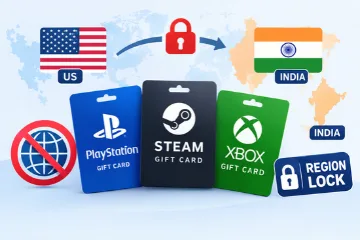
So, can you use a US gift card in India? In most cases, no. PlayStation, Steam and Xbox all lock gift cards to a specific region or currency. The card must match your account. This guide explains how each platform works, how to check your own account, and how to buy the right card the first time.
Quick Answer: Does a US Gift Card Work in India?
PlatformWorks on an India account?What must matchPlayStation (PSN)NoCard region and PSN account regionSteamNo, in most casesCard currency and Steam wallet currencyXboxNoCard region and Microsoft account regionThe rule is the same on every platform. Your account belongs to one region, and your gift card must belong to that region too.
Why Gift Cards Are Region Locked
Game prices are not the same in every country. A game that costs one amount in the United States may cost a different amount in India. Platforms do not want wallet balance to move freely between these markets.
Region locks also help prevent fraud. Scammers often try to cash out stolen cards across borders. Steam, for example, has tightened its rules on which codes can be redeemed on which accounts.
Account Region vs Card Region
Two things decide whether your code will work.
- Account region: This is set when you create your account. It controls your store, your prices and your wallet.
- Card region: This is built into the code when the card is issued.
If the two do not match, the code fails. Your physical location does not change this. Being in India does not turn a US card into an Indian card.
PSN Gift Card Region: Why a US Card Fails on an Indian Account
A PSN gift card is issued for one region. A card bought for India works on an Indian PlayStation account. A card bought for the US works on a US account.
There are two points to keep in mind.
- The region of an existing PSN account generally cannot be changed. Most people who want another region create a new account. That account has its own store and its own wallet.
- Payment methods must also match the account region.
Some Indian PSN vouchers state that they are for adult accounts registered in India. Always read the product description before you buy.
How to check your PSN account region: Open the PlayStation Store on the account you want to top up. If prices appear in rupees, it is an India account. You can also confirm the country in your account settings.
If you want a PSN India gift card, make sure the listing clearly says India and shows the value in rupees.
Steam Wallet Code Currency: US Dollar vs Indian Rupee
Steam focuses on currency more than country. Every Steam account is linked to one wallet currency. A US dollar code works on a US dollar wallet. An Indian rupee code works on an Indian rupee wallet.
If your wallet uses rupees and you try to redeem a dollar code, Steam may show an error. Steam has made this stricter over time to reduce wallet code scams. It also states that customers who buy codes in their local currency should not be affected.
Redeeming a foreign code will not change your store region. Steam expects your store country to match where you live. Trying to force a change with a gift card can cause problems with your account.
How to check your Steam wallet currency: Look at the top right of the Steam client or website, next to your username. Your balance shows the wallet currency. Buy a code in that same currency.
For a Steam gift card in India, choose the one issued in Indian rupees.
Xbox Gift Card Region: Match Your Microsoft Account
Xbox and Microsoft gift cards follow the same principle. The card is meant for an account set to the same country or region.
Some users try to change their account region to fix the problem. Microsoft recommends doing this only if you are moving to another country for a long time. There are good reasons for this advice.
- Your existing balance does not move to the new region.
- Some purchases and subscriptions, such as Game Pass, may not work the same way.
- There is a waiting period, so you cannot switch back and forth freely.
For an Xbox gift card in India, choose a card listed for the India region and confirm that it matches your Microsoft account.
Are Global Gift Cards Safe to Buy in India?
Many listings use the word "global." Sellers often use it loosely. For PSN, Steam and Xbox, the card must still match your account region or currency, whatever the title says.
A global gift card is worth trusting only when the listing clearly states the region, the currency and the platform. If any of these details are missing, do not buy it. Very cheap codes with no region information are a common cause of invalid region and already used code complaints.
Gift Card Not Redeeming? Here Is What to Do
Most failed codes come from a region or currency mismatch. Here are the common situations.
"This code cannot be redeemed in your region"
The card was issued for a different region than your account. Do not keep retrying. Compare the region on the listing with your account region.
PSN Gift Card Invalid Region
The card region and your PlayStation account region are different. The right fix is to buy a card for the correct region, not to change your account.
Steam Wallet Code Not Working Because of Currency Mismatch
Check the currency shown next to your balance. Then check the currency of your code. If they are different, Steam will not accept it.
If You Already Bought the Wrong Card
- Stop trying to redeem it.
- Contact the seller with your order details and ask for a refund or a replacement in the right region.
- Do not change your account region just to use one card. You may lose your balance, purchases or subscriptions.
- Avoid VPN methods. They go against platform rules and can lead to account restrictions.
Buying a Gift Card for Someone in Another Country
Most wrong region mistakes happen when people buy gifts. In this case, the region that matters is the receiver's account region, not yours.
- If your friend uses an India account, buy an India region card, even if you live abroad.
- If you are travelling, your account region stays the same. Buy the card for your home region.
- If you are unsure, ask the receiver to check their store currency first. It takes only a few seconds.
Common Mistakes to Avoid
- Choosing a card by price and ignoring the region label
- Assuming that "global" means the card works everywhere
- Changing account region to fit a card and losing balance
- Retrying the same failing code many times
- Buying from sellers who do not show the region, currency and platform
How to Buy the Right Gift Card for Your India Account
The process takes about two minutes.
- Check your account. Look at your PSN store prices, your Steam wallet currency or your Microsoft account region.
- Match the card. Choose a card issued for the same region and currency.
- Buy from a clear seller. The region, currency and platform should be visible before you pay.
At Reloadkart, gift cards are listed by region, so you can choose the one that fits your account. Codes are delivered instantly, and you can also pay with crypto through Cryptomus. To buy a gift card for your India account with confidence, start with the right category: PSN gift cards, Steam wallet codes and Xbox gift cards.
Final Thoughts
Region locks can be frustrating, but they are easy to plan for. Check your account first, choose a matching card, and your code will redeem on the first attempt. If you are wondering whether a US gift card in India is worth the risk, the safer choice is always a card made for your own region.