Discover how WhatsApp 24 hour window charges work. Learn about WhatsApp Business API pricing India and smart ways to reduce your messaging costs today.
Managing customer communications efficiently requires clear budget planning. Many businesses use the official API to connect with buyers. However, you must understand WhatsApp 24 hour window charges to avoid surprise costs. Meta calculates these fees based on specific rules and message types. In addition, learning about WhatsApp Business API pricing India helps local companies save money while growing their reach.
This guide breaks down every detail in simple terms. Therefore, you can plan your messaging strategy with confidence.
What Is the WhatsApp 24 Hour Customer Service Window?
When a customer sends a message to your business, a special timer begins. This continuous period lasts exactly 24 hours from the exact moment the customer contacts you. During this active session, your support team or automated bots can reply directly to resolve inquiries.
Furthermore, every new incoming message from the user resets this timer. Therefore, active continuous chats keep the session open longer without interruption.
Understanding how WhatsApp 24 hour window charges apply within this period allows you to deliver fast support while controlling expenses.
How Meta Calculates WhatsApp 24 Hour Window Charges
Meta organizes messages into distinct categories. Each category follows specific pricing rules inside and outside the service timeframe.
1. Service Messages (Customer-Initiated)
Customers initiate service chats whenever they ask questions, request help, or send feedback.
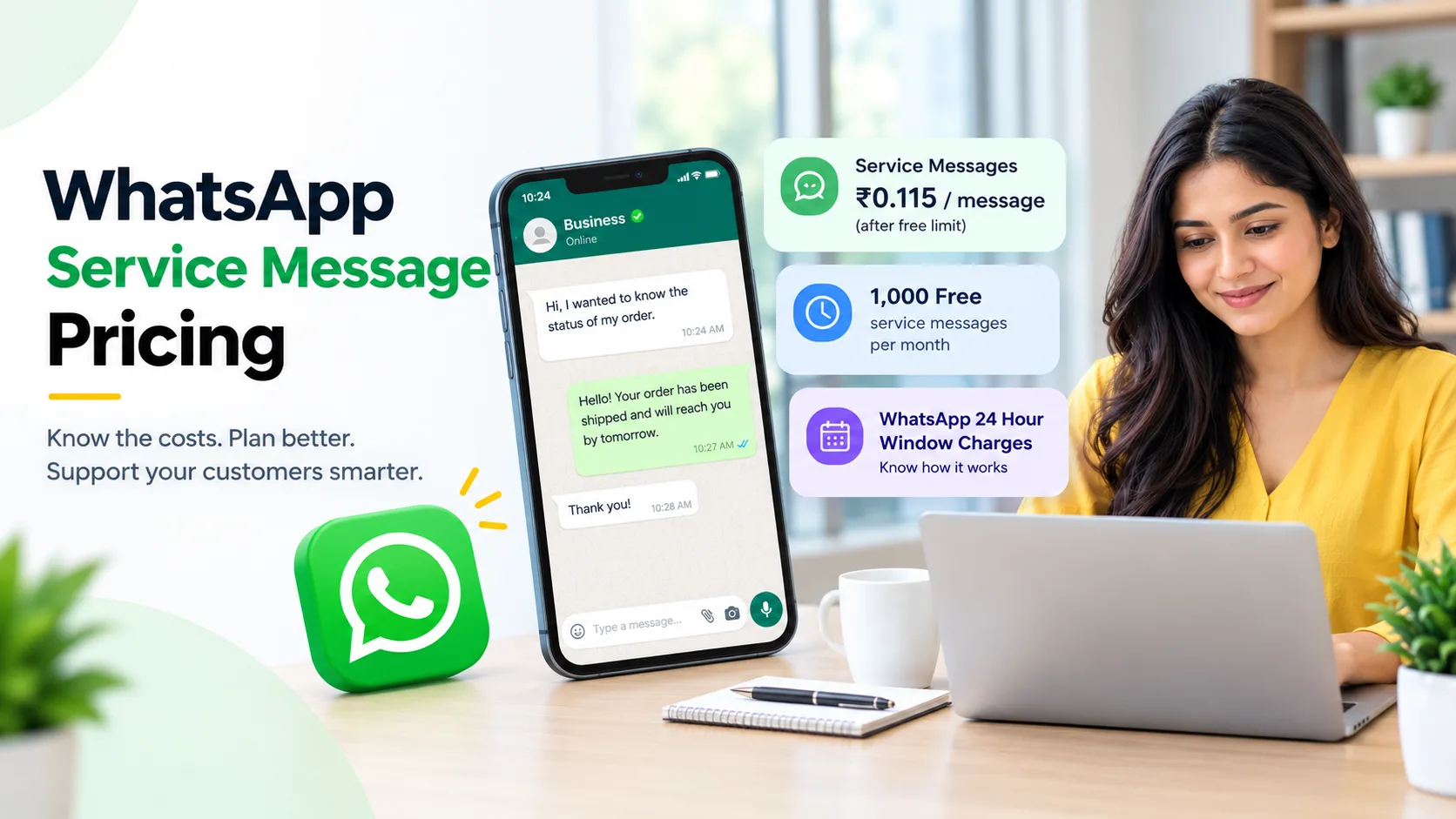
- Meta grants 1,000 free service sessions per month to every business account.
- Free responses allow agents to converse easily inside the active timeframe.
- Extra support messages after the free tier cost a small standard fee.
2. Utility Messages
Utility templates share important transactional updates with users. These messages include order tracking details, delivery alerts, appointment reminders, and billing receipts.
- Sending utility updates inside an open support session incurs zero extra fee.
- Outbound utility updates sent outside the active window carry small fixed costs.
3. Marketing Messages
Marketing messages contain promotional offers, product announcements, festive sales blasts, or abandoned cart reminders.
- Marketers always pay standard charges for promotional messages regardless of open sessions.
- Promotional campaigns always incur direct fees to prevent spam.
4. Authentication Messages
Authentication templates deliver security codes and One-Time Passwords (OTPs) for account logins.
- These security alerts carry fixed per-message delivery costs.
- Standard fees apply whether the service session is active or closed.
Breakdown of WhatsApp Business API Pricing India
Local businesses must review national rate cards to estimate overall monthly costs accurately. Rates in the domestic market remain very affordable for fast-growing companies.
Here is a clear look at standard delivery rates for WhatsApp Business API pricing India:
Message CategoryAverage Cost per Delivery (INR)Primary PurposeMarketing~₹0.86Sales promos, discount offers, catalog blastsUtility~₹0.115Order receipts, tracking links, booking alertsAuthentication~₹0.115One-time passwords (OTPs) and account verificationService (Support)First 1,000 Free / ~₹0.115Direct customer support repliesIn addition, overall expenses depend on your chosen Business Solution Provider (BSP). Some platforms add small markup charges on top of Meta fees. Meanwhile, other software providers offer flat subscription fees with direct Meta rates. Therefore, selecting the right partner lowers total spend significantly.
4 Effective Strategies to Lower Your Messaging Costs
You can easily manage WhatsApp 24 hour window charges by applying smart marketing tactics. Follow these actionable tips to optimize your budget:
Leverage Click-to-WhatsApp Ads
Meta provides an extended 72-hour free window whenever customers message you through Click-to-WhatsApp ads on Facebook or Instagram. Therefore, you can talk, share catalogs, and qualify leads over three full days without delivery fees.
Resolve Queries Promptly
Train your support team to answer customer questions quickly before the active timeframe closes. Fast responses prevent the need for expensive follow-up templates later.
Combine Updates into Single Messages
Avoid sending multiple short utility messages back to back. Instead, combine tracking details, item descriptions, and invoices into one comprehensive notification.
Encourage User-Initiated Conversations
Place website chat widgets, QR codes, and social media buttons across your digital profiles. Customers who message you first unlock free or low-cost support windows naturally.
Key Benefits of Understanding WhatsApp 24 Hour Window Charges
Clear knowledge of WhatsApp 24 hour window charges provides key advantages for growing brands:
- Accurate Budget Planning: You eliminate unexpected monthly bills by tracking broadcast counts accurately.
- Higher Customer Satisfaction: Fast replies inside the active session boost user trust and retention.
- Better Return on Ad Spend: Combining ads with free communication windows increases conversion rates.
Consequently, keeping track of WhatsApp Business API pricing India helps you scale marketing campaigns safely.
Conclusion
Mastering WhatsApp 24 hour window charges helps you build stronger customer relationships while controlling overall communication costs. By tracking messaging categories, taking advantage of free allowances, and picking the right software partner, you maximize your ROI effortlessly.
Start reviewing your campaign strategy today to make the most of WhatsApp Business API pricing India for your business!