
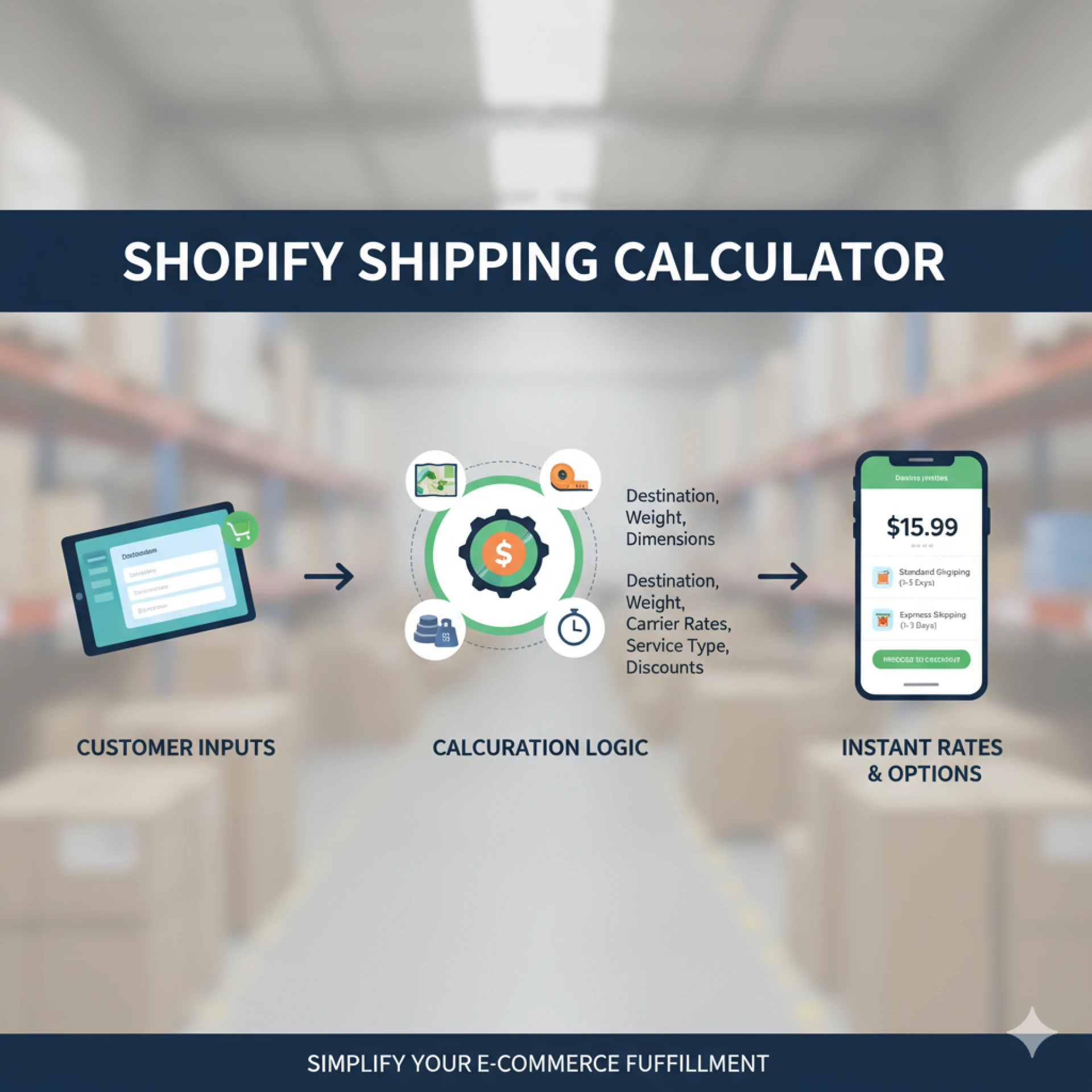
Shipping can make or break an online sale. If rates look inflated at checkout shoppers abandon carts. If rates are too low your profit melts away in transit fees. That tension grows in 2025 as carriers tweak surcharges more often and customers demand greener delivery options. The built-in Shopify Shipping Calculator remains one of the most powerful yet underused tools for solving the puzzle. It helps you surface real-time carrier prices automate label creation and set shopper expectations before they click buy now. This guide unpacks how to leverage the calculator for razor-sharp estimates every time.
What Exactly Is the Shopify Shipping Calculator
Inside every Shopify store a shipping engine connects to major carriers such as UPS FedEx DHL and regional couriers. When a buyer enters a zip code the platform queries live carrier servers for current rates based on package details and service level. Those numbers flow back to checkout in seconds so shoppers see transparent costs. Store owners can mark rates up, mark them down, or hide certain services entirely. The entire process is branded as the Shopify Shipping Calculator and it requires almost no coding to activate.
Why Precision Matters More in 2025
• Carriers now review fuel surcharges monthly, not quarterly, causing wider price swings
• Cross-border eCommerce is booming, making duties and taxes harder to estimate manually
• Sustainable packaging incentives reward right-size boxes but penalize wasted space
• Same-day and two-hour delivery options have spread to suburban areas, adding complexity
Accurate estimates keep your margins predictable and your customers happy. Relying on flat fees or outdated tables risks both overcharging and undercharging.
Key Factors That Drive Shipping Costs
1 Package Weight and Dimensions
Carriers charge by billable weight, which means the greater of actual scale weight or dimensional weight. Even half an inch of extra height can bump a parcel into a pricier tier.
2 Origin and Destination
Distance, rural fees, and international borders all affect the bottom line. Domestic zones remain cheaper, but local same-day couriers sometimes beat national players on short hops.
3 Service Level
Standard ground, two-day air, and overnight all carry unique base fees plus surcharges for weekend delivery, signature capture, or insurance.
4 Packaging Type
Using carrier-supplied flat-rate boxes may simplify costs, but custom packaging often lowers dimensional weight. The best choice depends on your product mix.
5 Duties and Taxes
For cross-border orders, duties, Goods and Services Tax, and customs brokerage fees appear at checkout if you enable Shopify’s international settings.
6 Insurance and Add-Ons
Declared value coverage, adult signature, and carbon offsets all influence the final price customers see.
Setting Up the Shopify Shipping Calculator Step by Step
Step One Measure and Record Every Product
Assign precise weight and three-dimensional measurements to each item. Use a digital scale and tape measure, then enter numbers into the product listing.
Step Two Create Package Profiles
Shopify lets you define common box sizes. Add every carton you keep in inventory, labeling them by SKU if needed. These profiles drive dimensional weight calculations.
Step Three Connect Carrier Accounts
While Shopify offers discounted default rates, connecting your negotiated accounts unlocks better discounts and lets you access premium services. Navigate to Settings, then Shipping and Delivery, and click Manage Carriers.
Step Four Enable Real-Time Rates at Checkout
Toggle on Calculated Rates. Choose which services appear for customers, and add any handling markup or discount. A small markup covers packing materials while still looking fair.
Step Five Test Every Scenario
Place test orders using popular destinations and carton combinations. Confirm that displayed prices align with your carrier’s rate calculator. Adjust product weights or box sizes until totals match.
Step Six Automate Label Creation
With accurate weights stored, creating labels becomes one click. Shopify pre-fills weight, dimensions, and address, reducing human error and speeding fulfillment.
Tips to Improve Accuracy and Conversion
• Re-audit dimensions quarterly. New product shapes or packaging tweaks can skew rates.
• Offer at least one free shipping threshold. The calculator adjusts automatically while nudging higher cart values.
• Display delivery estimates, not just cost. The same data feed powering the Shopify Shipping Calculator can show arrival dates, boosting trust.
• Use Shipping Profiles to separate heavy items from lightweight goods so customers never subsidize other orders.
• Enable carbon-neutral options. Many carriers now integrate emissions calculators directly into rate calls.
Advanced Strategies for 2025
Dynamic Checkout Banners
Show shipping cost previews on product pages. By hooking into the same calculator, you can reduce checkout friction and increase add-to-cart rates.
AI-Driven Packaging Suggestions
Apps tap into your order history and suggest the smallest box that fits each bundle, lowering dimensional charges.
Split-Inventory Routing
If you stock multiple warehouses, Shopify’s calculator selects the closest node for each line item, trimming both cost and delivery time.
Green Score Labels
A growing trend in 2025 is displaying an eco score based on distance and packaging. The calculator feeds emissions data so shoppers can choose a slower, greener option if they prefer.
Common Pitfalls to Avoid
• Rounding up weights to the nearest pound. Always use exact ounces.
• Forgetting to update surcharges when carriers change them. Review monthly.
• Offering too many shipping choices. Three well-priced options beat eight confusing ones.
• Ignoring international taxes until the parcel is stuck in customs. Enable duties calculation upfront.
Conclusion
Mastering the Shopify Shipping Calculator in 2025 is not just about trimming pennies; it is about elevating the entire buying experience. When customers see transparent costs and realistic delivery windows, they trust your brand. When you print perfectly calculated labels, you protect margins and shrink the customer service queue. Follow the steps above measure precisely, connect carriers, test thoroughly and your checkout will transform from guessing game to conversion engine. In a world where shipping expectations keep rising, precision is the new competitive advantage.
Three Frequently Asked Questions
Q How do I handle products sold as bundles
A Create a single bundled SKU with its own accurate weight and dimensions. If bundles vary by quantity, lean on an app that recalculates package size in real time and feeds that data to the Shopify Shipping Calculator.
Q Can I still use carrier flat-rate boxes
A Yes. Add each flat-rate option to your package profiles. When selected at checkout, the calculator switches to the carrier’s flat fee, overriding dimensional math.
Q What if my customer chooses the wrong shipping option
A Inside the order details you can edit the shipping method before fulfillment. The updated cost appears on the order timeline, and you can bill or refund the difference with a single click.