

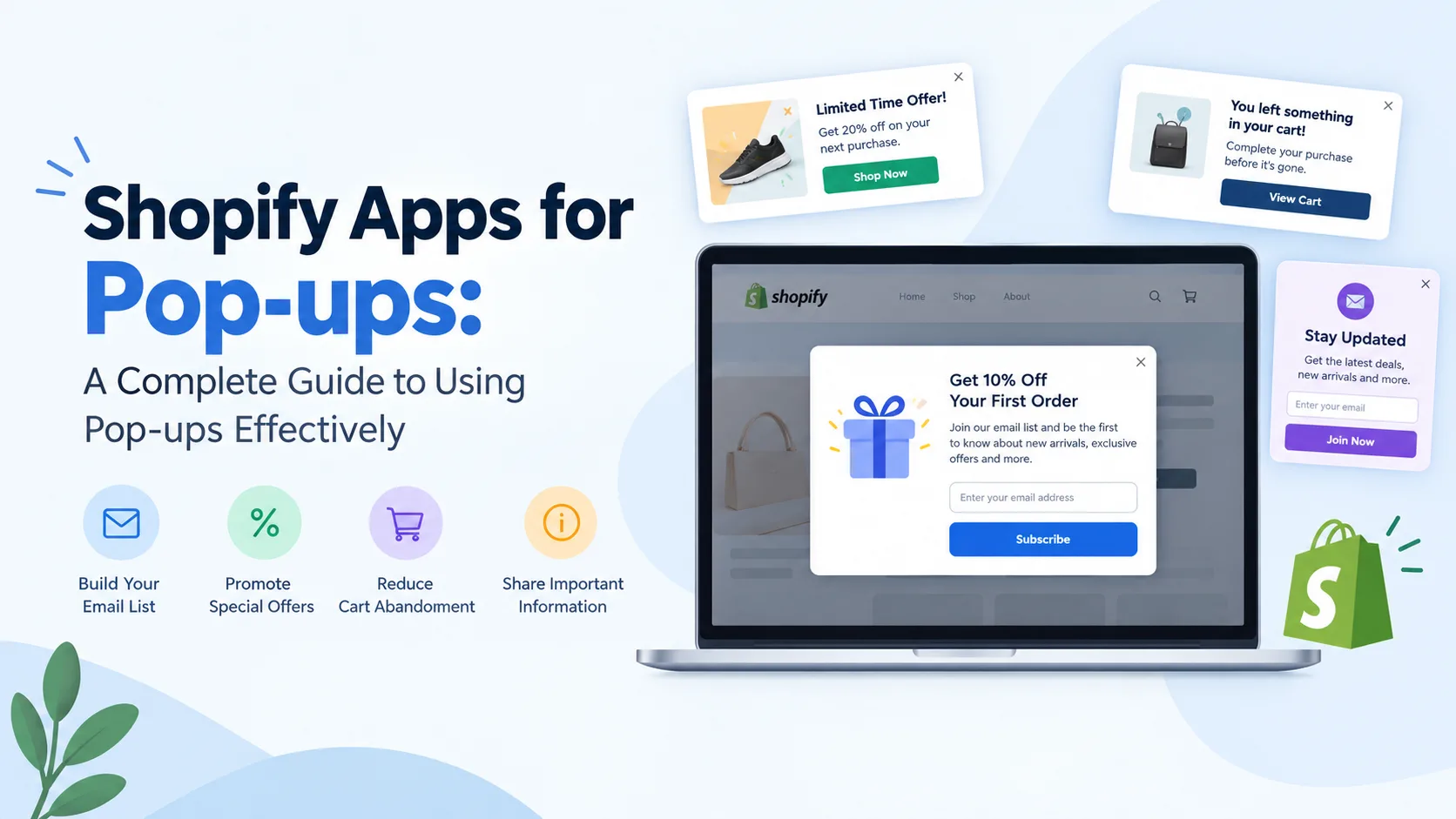
Pop-ups are a common feature in Shopify stores because they can help merchants communicate important information at the right moment. From collecting email addresses to announcing discounts, promoting products, and recovering abandoned purchases, pop-ups can serve several purposes across the customer journey.
However, simply adding a pop-up to a Shopify store does not guarantee better conversions. The design, timing, message, audience, and frequency all influence how visitors respond to it.
This guide explains how Shopify pop-ups work, what to consider when choosing a Shopify App for Popups, and how merchants can use pop-ups without creating a frustrating shopping experience.
What Are Shopify Pop-ups?
A Shopify pop-up is a small on-screen message that appears over a store's webpage based on a particular trigger or condition.
For example, a store might display a pop-up when:
- A visitor first arrives on the website
- Someone is about to leave the page
- A visitor has spent a certain amount of time on the site
- A customer scrolls through a specific percentage of a page
- A shopper clicks a particular button
- A customer adds an item to their cart
- A visitor qualifies for a particular offer
Pop-ups can contain text, images, forms, product recommendations, discount codes, or calls to action.
The goal should be to provide something relevant to the visitor rather than interrupting the shopping experience unnecessarily.
Why Do Shopify Stores Use Pop-ups?
Pop-ups can support different marketing and customer engagement activities.
1. Email List Building
One of the most common uses of pop-ups is collecting email addresses. A store can offer useful content or an incentive in exchange for a visitor's email address.
For example, an ecommerce store might use a signup form to invite visitors to receive:
- New product announcements
- Educational content
- Special offers
- Shopping guides
- Product updates
The quality of the offer and the timing of the pop-up are generally more important than simply displaying a signup form immediately.
2. Promoting Special Offers
Pop-ups can communicate temporary promotions without requiring shoppers to search for the information.
A store might use one to announce:
- Seasonal sales
- First-order discounts
- Limited-time offers
- Free shipping thresholds
- New product launches
The message should clearly explain the offer and any conditions associated with it.
3. Reducing Cart Abandonment
Some pop-ups are designed to engage shoppers who appear to be leaving a store before completing their purchase.
For example, a merchant may display a reminder about products remaining in the cart or provide information about shipping and returns.
These messages should be used carefully. Showing repeated offers to every visitor can make the experience feel aggressive rather than helpful.
4. Sharing Important Information
Pop-ups do not always need to be promotional.
They can communicate practical information such as:
- Shipping delays
- Store announcements
- Changes to operating hours
- Product availability
- Important policy updates
- Regional shopping information
In these situations, a simple and easy-to-close message can be more appropriate than a heavily designed promotional pop-up.
How to Choose a Popup Shopify App
There are many Shopify apps available for creating and managing pop-ups. When comparing options, merchants should look beyond the number of templates available.
Here are several factors worth considering.
Ease of Use
A good popup builder should allow store owners to create and edit campaigns without requiring extensive technical knowledge.
Look for features such as:
- Drag-and-drop editing
- Pre-designed templates
- Simple campaign settings
- Mobile editing
- Easy publishing and removal
The easier an app is to manage, the easier it becomes to test different approaches.
Targeting Options
A useful popup Shopify app should provide some level of targeting.
For example, merchants may want different messages for:
- New visitors
- Returning customers
- Existing subscribers
- Customers from specific locations
- Visitors viewing particular products
- Shoppers arriving from specific campaigns
Targeting allows merchants to make messages more relevant instead of displaying the same pop-up to everyone.
Trigger Controls
Timing can have a significant effect on how visitors perceive pop-ups.
Common triggers include:
Time delay:
The pop-up appears after a visitor spends a specific amount of time on a page.
Scroll percentage:
The message appears after someone has viewed a certain portion of the page.
Exit intent:
The pop-up appears when a visitor shows behavior indicating that they may leave the page.
Click-based triggers:
The pop-up opens after someone interacts with a particular element.
Using different triggers for different campaigns can help reduce unnecessary interruptions.
Should You Look for a Shopify Popup App Free of Cost?
Cost is naturally an important consideration, particularly for new Shopify stores.
A Shopify popup app free plan can be useful when a merchant wants to test basic functionality before committing to a paid subscription. However, free plans may have restrictions involving campaign numbers, monthly visitors, advanced targeting, analytics, integrations, or branding.
Before choosing a free option, check:
- Monthly visitor limits
- Number of active campaigns
- Available templates
- Targeting capabilities
- Analytics
- Integrations
- Mobile functionality
- Branding restrictions
- Customer support
A free plan can be sufficient for a small store with straightforward requirements, while a growing business may eventually need more advanced functionality.
Designing Effective Shopify Pop-ups
The design of a pop-up should support its purpose rather than compete with it.
Keep the Message Short
Visitors should understand the purpose of a pop-up within a few seconds.
Instead of using several paragraphs of text, focus on:
- A clear headline
- A short explanation
- One primary action
- An obvious close option
Use a Clear Call to Action
The action should tell visitors what happens next.
Examples include:
- Get the Guide
- Join the List
- View Products
- Claim the Offer
- Continue Shopping
Avoid using vague buttons when a more descriptive action is possible.
Optimize for Mobile
A pop-up that looks good on desktop can become difficult to use on a smartphone.
Before publishing, check:
- Text size
- Button size
- Form fields
- Image dimensions
- Screen coverage
- Close button visibility
Mobile visitors should be able to close or interact with the pop-up without difficulty.
Avoid Showing Too Many Pop-ups
One of the biggest mistakes merchants can make is using too many pop-ups at once.
Imagine a visitor arriving at a store and immediately seeing a discount pop-up, followed by a newsletter form, followed by another promotional message. Instead of increasing engagement, this can create friction.
A better approach is to establish rules for when campaigns should appear.
For example:
- Do not show the same campaign repeatedly
- Avoid displaying multiple pop-ups simultaneously
- Exclude customers who have already completed the desired action
- Limit campaign frequency
- Create different experiences for different visitor groups
Measuring Pop-up Performance
Installing a Shopify App for Popups is only the beginning. Merchants should monitor whether their campaigns are actually achieving their objectives.
Useful metrics may include:
View Rate
This measures how frequently visitors are exposed to the pop-up.
Conversion Rate
This measures the percentage of visitors who complete the desired action after seeing the pop-up.
Signup Rate
For email collection campaigns, signup rate can help determine how effective the form and offer are.
Close Rate
A high close rate may indicate that visitors are dismissing the message without taking action. However, this metric needs to be interpreted alongside the campaign's purpose and audience.
Revenue or Assisted Conversions
For ecommerce campaigns, merchants can also examine whether interactions with certain pop-ups are associated with purchases.
A/B Testing Shopify Pop-ups
Instead of assuming which design will work best, merchants can test different versions.
For example, a store could compare:
- Different headlines
- Button text
- Images
- Offers
- Timing
- Form length
- Pop-up placement
Only one or a small number of variables should be changed at a time when possible. This makes it easier to understand what influenced the result.
Where AiTrillion Fits Into Shopify Pop-up Marketing
For merchants looking beyond standalone pop-up functionality, AiTrillion includes pop-ups as part of a broader Shopify marketing and customer-engagement platform.
Its Smart Popups functionality can be used alongside other customer engagement activities such as email marketing, SMS, loyalty, and automation. This approach can be useful for merchants who want their pop-up interactions to connect with broader customer journeys rather than treating every campaign as an isolated message.
You can learn more about its approach to Shopify pop-ups in the guide on best Shopify popup apps.
The important consideration, however, is not which app has the longest feature list. Merchants should select functionality based on their store's audience, campaign objectives, technical requirements, and budget.
Best Practices for Shopify Pop-ups
Before launching a pop-up campaign, consider the following checklist:
- Define the purpose of the pop-up
- Choose an appropriate audience
- Select a relevant trigger
- Keep the message concise
- Use one primary call to action
- Make the close button easy to find
- Test the mobile experience
- Avoid showing the same campaign repeatedly
- Monitor conversion metrics
- Test different versions
- Remove campaigns that do not provide value
Final Thoughts
Shopify pop-ups can be useful tools for communication, lead generation, customer engagement, and ecommerce marketing when they are used thoughtfully.
The best Shopify Apps for Pop-ups are not necessarily those with the most templates or features. The right solution should make it possible to create relevant messages, control when they appear, understand how visitors respond, and connect campaigns with broader store objectives.
Whether you choose a standalone popup Shopify app or a broader customer-engagement platform, focus first on the visitor experience. A well-timed, relevant pop-up can provide value; an unnecessary or repetitive one can quickly become a distraction.


