Business reports often begin as simple dashboards built to answer a specific question. Over time, they become part of regular decision-making, influencing sales forecasts, budgets, inventory planning and operational reviews. As their importance grows, a new challenge emerges: how can teams improve reports without accidentally changing the information business users already rely on?
The answer is to separate development, review and published reporting into clearly defined stages. This approach creates a controlled process for making changes, checking calculations and releasing updates while keeping existing reports stable.
For organizations using Power BI, this is not just a technical consideration. It is a practical way to improve accountability, reduce reporting errors and build confidence in business intelligence.
Why should development and published reports be kept separate?
A development report is where analysts experiment with layouts, measures, data sources and business logic. A published report, in contrast, is intended for regular use by an approved audience.
Mixing these purposes creates unnecessary risk. For example, an analyst updating a sales dashboard might change a DAX measure to exclude cancelled orders. If the change reaches business users before it has been reviewed, the reported revenue may suddenly differ from previous figures.
The difference could be justified, but users need to understand why it occurred.
Separating environments helps teams:
- Test new calculations without disrupting established reporting.
- Review changes before they reach decision-makers.
- Maintain consistent definitions of business metrics.
- Identify who approved a change and when it was released.
- Roll back or correct a problematic update more systematically.
The objective is not to prevent experimentation. It is to make experimentation safe while preserving the reliability of reports already in use.
How can teams organize the development, review and production stages?
A practical reporting workflow uses three environments: Development, Test or Review, and Production. Power BI deployment pipelines can support this arrangement when available under the organization's licensing and workspace configuration.
1. Development
Build visuals, modify Power Query transformations, create DAX measures and test new requirements.
2. Review and testing
Validate calculations, compare totals, test filters, verify access controls and obtain stakeholder approval.
3. Published production
Release the approved version to business users, monitor refreshes and manage future updates through the same process.
Consider a retail company introducing a new regional profitability measure. The analyst first develops the measure using a controlled dataset. In the review environment, the finance team compares its results with agreed calculations and checks how it behaves under different filters. Once approved, the update is deployed to production.
This staged process makes it easier to distinguish unfinished work from a report that users can trust.
What should reviewers check before approving a report?
A review should go beyond checking whether charts look correct. A visually attractive report can still contain incorrect calculations, misleading filters or inappropriate access permissions.
A useful review checklist includes five areas.
Data accuracy: Compare key totals with an authoritative source, such as a reconciled finance extract or validated sales dataset. Investigate differences rather than assuming the report is correct.
Business logic: Confirm that measures use agreed definitions. Revenue, profit margin, active customers and other KPIs should have documented calculation rules.
Interaction behavior: Test slicers, drill-through pages, cross-filtering and date selections. A report may display the correct overall total but produce unexpected results when users filter by region or product.
Security: Verify row-level security (RLS) using appropriate test accounts or roles. A successful visual review does not establish that every user sees only the data they are authorized to access.
Performance and usability: Check loading time, visual responsiveness, page organization, labels and number formats. Remove unnecessary visuals if they make the report harder to navigate or slower to use.
Reviewers should also record defects, decisions and outstanding limitations. This provides a clear explanation of what was tested and what still needs attention.
How can teams publish updates without disrupting business users?
The release process should be predictable and repeatable. Before deploying an approved report, the team should identify the intended changes, verify dependencies and confirm that the target workspace is configured correctly.
A release checklist can cover the following steps:
- Confirm that the reviewed version matches the intended release.
- Check data source credentials, parameters and refresh configuration.
- Verify relationships, measures and required security roles.
- Deploy the approved changes to the production environment.
- Test the published report and confirm that intended users can access it.
- Document the release date, changes and any known limitations.
Power BI deployment pipelines can help move content between supported stages, but they do not automatically guarantee correct business logic or eliminate every deployment risk. Data source rules, permissions, semantic model dependencies and environment-specific settings still require attention.
Teams should also distinguish between publishing a report to a workspace and distributing it through an appropriate audience-facing experience, such as a Power BI app. Access depends on workspace roles, app permissions, licensing and organizational configuration.
For larger teams, version control and documented deployment procedures can further improve traceability. The right level of process depends on the report's business importance and the complexity of the environment.
What common mistakes undermine the reporting lifecycle?
Several avoidable mistakes can weaken an otherwise sound workflow.
One is allowing analysts to make unreviewed changes directly to production reports. This removes the opportunity to identify calculation errors before users encounter them.
Another is treating a successful deployment as proof of accuracy. A report can publish without technical errors while still containing an incorrect measure or an incomplete filter condition.
Teams may also overlook data refresh behavior. A report that works with yesterday's data might fail after deployment because credentials, gateway settings or source permissions differ between environments.
Finally, unclear ownership can leave reports without anyone responsible for approving changes, monitoring refresh failures or maintaining documentation.
Assigning clear responsibilities to report developers, reviewers and production owners helps prevent these gaps. Smaller teams may combine roles, but they should still separate the activities and document approvals for business-critical reports.
How can Power BI professionals build these skills in practice?
The best way to understand report lifecycle management is to work through a complete reporting scenario rather than focus exclusively on dashboard design.
A useful practice project is a sales performance report with regional targets, product-level profitability and role-based access. Build the initial version, introduce a new KPI, test its effect on existing visuals, document review findings and deploy the approved update to a separate production environment.
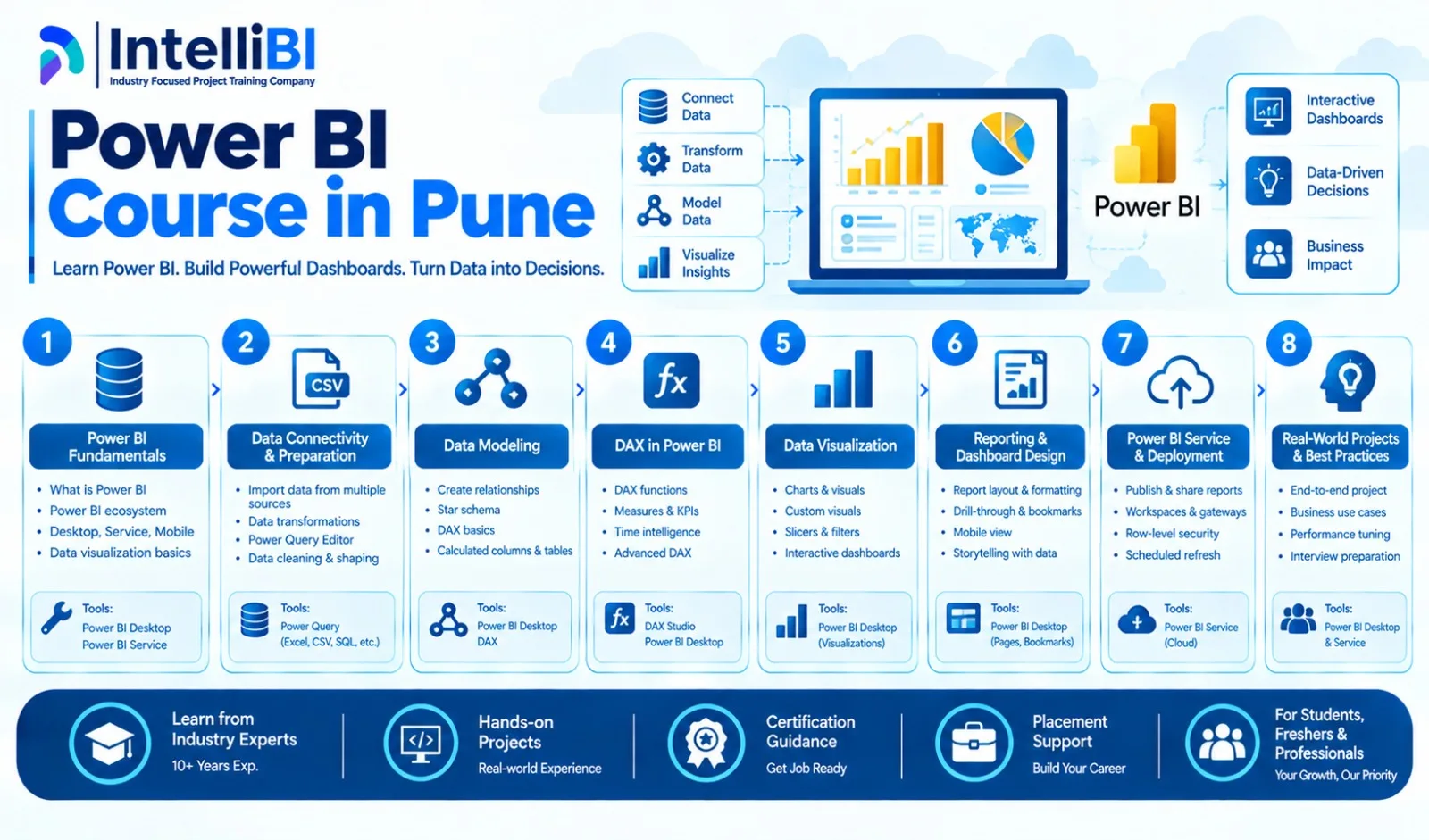
Learners exploring a Power BI Course in Pune can use this type of project to evaluate whether their training covers the Power BI Service, deployment workflows, data modeling, DAX validation, security and documentation alongside report creation. IntelliBI's Power BI course curriculum is one reference for exploring structured learning in the subject.
The important outcome is the ability to explain not only how a report was built, but also how its accuracy was checked, its changes were approved and its published version is maintained.
Conclusion
Separating development, review and published business reports creates a disciplined foundation for dependable reporting. It allows analysts to improve dashboards without exposing users to untested changes, gives reviewers a clear validation process and helps organizations maintain accountability.
When these stages are supported by documented business rules, appropriate permissions and repeatable deployment procedures, Power BI reports become easier to maintain and safer to use for everyday decisions.
IntelliBI Innovations Technologies
Email id: [email protected]
Contact Number: +91 74987 56891