
In today’s digital environment, remote access and flexible computing are no longer optional , they are essential. Whether you are running a business, managing online projects or simply need access to a reliable system from anywhere, RDP VPS hosting has become a popular solution. While the term might sound technical at first, the concept is actually quite straightforward once you break it down.
This article explains what RDP VPS hosting is, how it works, who can use it and why it has become a preferred choice for many users.
What is RDP VPS Hosting?
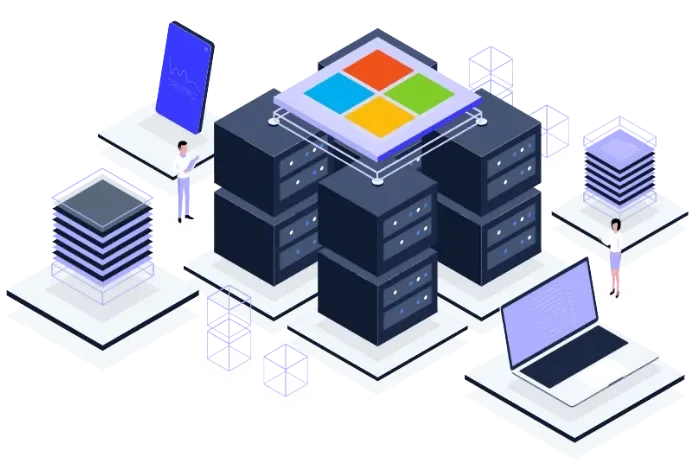
RDP VPS hosting is a service that lets you use a virtual server through a remote desktop connection. It gives you access to a separate computer running online. You can control it from anywhere. This sets up a VPS, that provides dedicated resources like CPU, RAM and storage. And it uses RDP so you can login and use that server just like your own desktop. Once connected you can run applications, store files and do tasks without depending on your personal device. So basically RDP VPS hosting gives you an always-on system you can access anytime, no matter where you are.
How Does RDP VPS Hosting Work?
Picture RDP VPS hosting step by step.
- First a hosting provider sets up a physical server in a data center.
- Then that server is split into several virtual environments using virtualization technology. Each virtual environment acts like its own server. It has its own operating system and its own resources.
- Once your VPS is created it gets a unique IP address and login info.
- Then you use an RDP client. Most operating systems, like Windows, include one. You type the IP and the credentials your host gave you.
- After the login is accepted a remote desktop session starts. You see a full desktop of the VPS on your screen.
- This experience is similar to working on a separate physical computer. Everything you do runs on the VPS. You can open files, install applications, and run software directly on the VPS . Your local device is just the display and the keyboard or mouse.
The VPS keeps running even when your personal computer is turned off. So it works well for things that need to run all the time, like automation or hosting services.
Who Can Use RDP VPS Hosting?
RDP VPS hosting isn't just for one kind of user. It's flexible and works for lots of people and organizations.
1. Businesses and Entrepreneurs
Companies use RDP VPS hosting to run operations remotely. Employees can log into the same system from different places and that makes collaboration easier. It also keeps a central workspace so you're not tied to a single device.
2. Developers and IT Professionals
Developers use VPS to test applications,run scripts and to manage projects. The server stays online, so you can deploy and test without touching your local machine.
3. Digital Marketers
Digital marketers use VPS to manage campaigns, automation tools, and analytics platforms efficiently . They also rely on automation tools. A stable remote environment cuts down on interruptions from local PC problems.
4. Traders
Online traders run trading platforms nonstop on VPS. Markets move across time zones, so having a system up 24/7 helps avoid missed opportunities.
5. Students and Learners
Students can use RDP VPS too, especially those learning programming or system administration. It gives a safe place to experiment without risking your personal computer.
Advantages of RDP VPS Hosting
RDP VPS hosting has a bunch of practical advantages. That’s why many people pick it over traditional setups.
1. Remote Accessibility
You can access your server from anywhere. Home, office, traveling. Just use an internet connection to connect to your VPS.
2. Continuous Operation
A VPS runs 24/7. Not like your PC that you shut off. Good when you need constant uptime. Hosting websites, running bots, managing apps.
3. Improved Performance
A VPS gives you dedicated resources. So performance stays more consistent than shared hosting. Other users won’t slow you down.
4. Enhanced Security
RDP VPS hosting can offer improved security when properly configured with firewalls, strong passwords, and access controls. Your data is isolated in its own virtual server. Many providers add things like firewalls and backups.
5. Cost-Effective Solution
Buying a physical server costs a lot and needs maintenance. A VPS can provide many of the benefits of a dedicated server at a lower cost. So small businesses or individuals can afford it.
6. Flexibility and Scalability
When your needs grow, you can upgrade your VPS plan to get more resources. Easy to scale without major disruptions.
7. Independence from Local Device
All the processing happens on the VPS. Your local device doesn’t need to be powerful. Even a basic laptop can access a high-performance server.
Things to Consider Before Choosing RDP VPS Hosting
While RDP VPS hosting offers many benefits it is also important to choose the right provider carefully. Initially consider the server location because nearby servers usually offer better speed and lower latency.
Then evaluate the resources such as CPU, RAM and storage based on your needs. Too little can slow performance,while too much may be unnecessary.
After that check the reliability, including uptime guarantee and support quality to ensure consistent access. At last review security features like protection against unauthorized access and regular backups.
For example providers like VPS9, offers RDP VPS hosting which focus on stable infrastructure to keep connections smooth and uptime consistent.
Final Thoughts
RDP VPS hosting is a reliable way to access a powerful system from anywhere. It combines a virtual server with remote desktop access, so you can work without depending on your personal device. Whether you’re a business owner, developer, marketer, trader, or student, it offers a good mix of performance, flexibility, and cost efficiency. As online work grows, it’s quickly becoming a practical necessity.
Understanding how it works and where it fits into your workflow can help you make better decisions and use it to its full potential.
Users should ensure compliance with applicable laws and service provider policies when using VPS services .
To Know More Information Visit Our page : https://www.vps9.net/vps/rdp-vps-hosting/