In today’s digital workplace, managing and securing company devices is more important than ever. Businesses that rely on Android tablets or smartphones for operations—like retail, logistics, or education—need a way to control how these devices are used. That’s where kiosk lockdown software and MDM software (Mobile Device Management) come into play. These tools help you lock down devices, manage apps, and ensure complete security across your organization.
1. What is Kiosk Lockdown Software?
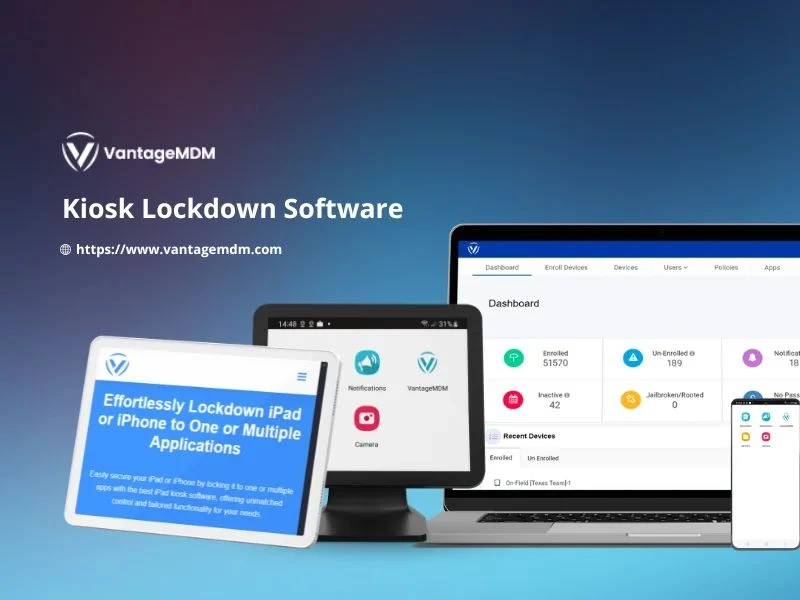
Kiosk lockdown software allows organizations to restrict a device to one or more specific apps or websites. This ensures employees use the device only for business-related tasks, minimizing distractions and potential security risks.
2. Why Businesses Need Kiosk Management Software
Companies use kiosk management software to:
- Prevent misuse of company-owned devices
- Reduce maintenance time and costs
- Ensure devices are always work-ready
- Simplify updates and troubleshooting remotely
Whether it’s for customer-facing kiosks or employee devices, kiosk mode creates a secure, focused environment.
3. Key Features of Effective Kiosk Lockdown Software
Look for these essential features when choosing your solution:
- Single-App and Multi-App Mode: Restrict device access to specific apps.
- Remote Management: Configure, monitor, and control devices from anywhere.
- Custom Branding: Add your company logo or theme for a professional look.
- Security Controls: Block unauthorized apps, USB usage, or settings access.
- Device Health Monitoring: Track battery status, connectivity, and location.
4. Role of MDM Software in Device Security
MDM software complements kiosk lockdown by offering centralized control over multiple devices. IT admins can:
- Enforce security policies
- Push updates remotely
- Wipe data in case of loss or theft
- Manage app permissions and network access
This integration ensures both usability and security, especially for enterprises with large device fleets.
5. Benefits of Using Kiosk and MDM Software Together
Combining kiosk management software with MDM solutions offers:
- Enhanced data protection
- Streamlined operations
- Improved employee productivity
- Real-time device visibility
- Simplified IT maintenance
6. Ideal Use Cases for Kiosk Lockdown Software
- Retail & POS Systems: Secure tablets used for billing and inventory.
- Healthcare: Manage patient registration or telemedicine kiosks.
- Education: Lock down tablets for digital learning.
- Transportation & Logistics: Control driver devices for route management.
7. How to Choose the Right Software
When selecting kiosk lockdown software, ensure it’s easy to deploy, supports your operating systems, offers remote management, and integrates with your existing IT setup.
Kiosk lockdown software is essential for businesses aiming to secure, monitor, and streamline their device usage. When paired with MDM software, it provides a complete ecosystem for managing Android devices efficiently. With the right solution, you can protect sensitive data, enhance productivity, and keep your operations running smoothly—all while maintaining full control over every company device.