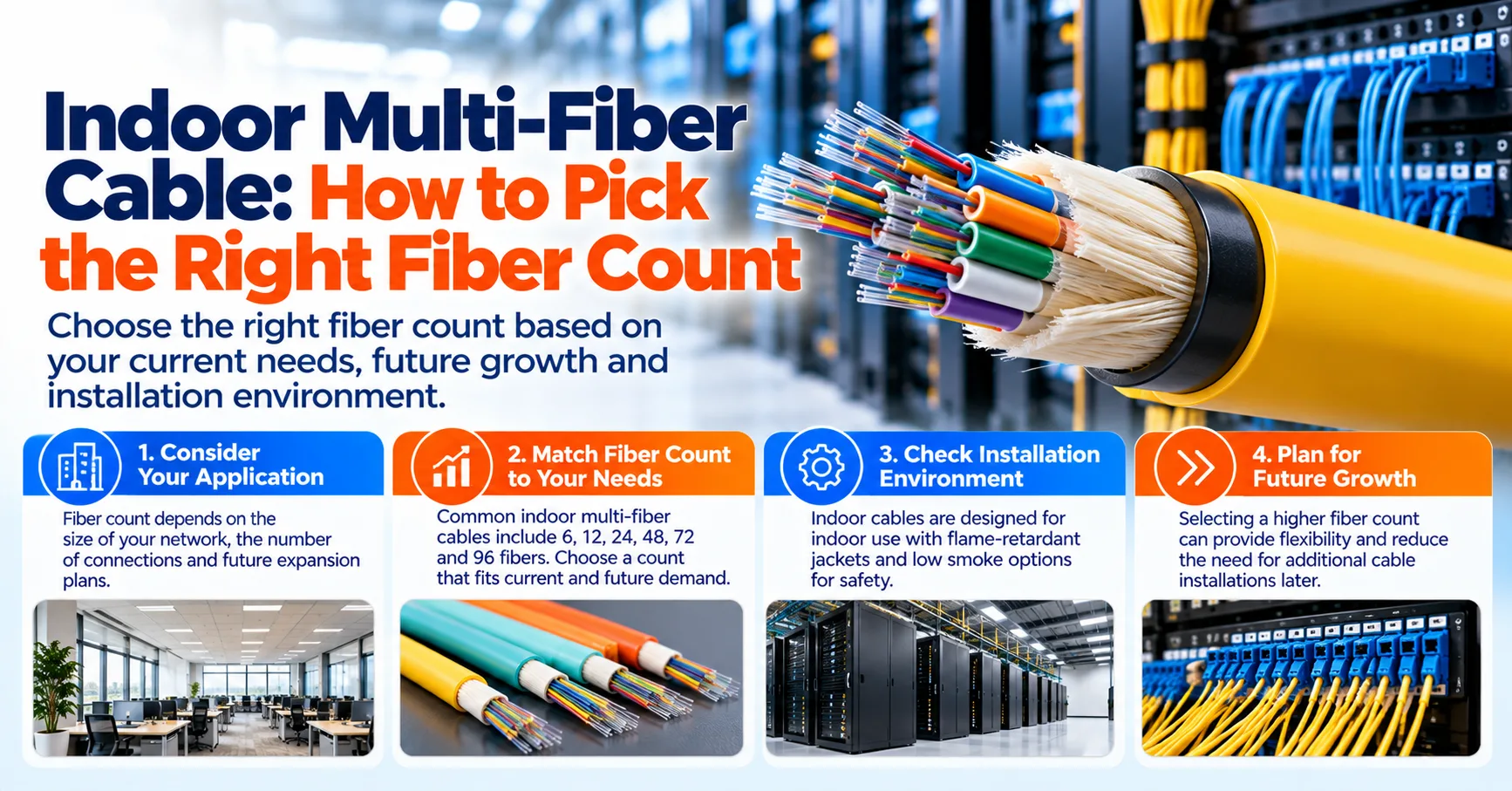
The right fiber count for an indoor multi-fiber cable comes from two numbers: the links you need to light today, plus a buffer of roughly 25% to 50% more strands for growth, backups, and testing. As a general rule of thumb, 2 to 12 fibers suit small rooms and single equipment links, 24 to 72 fibers suit office floors and building backbones, and counts above 72 tend to feed data center trunks. Your exact figure still depends on the equipment you run, the building layout, and how long you expect the cable to stay in service.
Getting this number right the first time saves real money, because pulling new cable through finished ceilings and risers usually costs far more than the extra glass. The Fiber Optic Association (FOA) points out that fibers are cheap compared with installing more cables, and that many users put in more fibers than they need on day one. Once you understand how a count is built, choosing between the common sizes becomes a quick and practical decision.
What Is an Indoor Multi-Fiber Cable?
An indoor multi-fiber cable bundles several optical fibers under one flame-retardant jacket, so a single pull can serve many connections inside a building. Most versions use tight-buffered fibers, where each fiber carries a protective coating of about 900 microns that makes it easier to handle and terminate. You will usually find these cables in risers between floors, in backbone runs between telecom rooms, and in horizontal paths toward work areas.
Two indoor styles show up most often, and each one affects how you plan the count. Distribution cable is the most popular indoor type because it is small and light, although its fibers typically need to be terminated inside a patch panel or enclosure for protection. Breakout cable wraps each fiber in its own sub-jacket so it can be connectorized directly, and the FOA notes it can be more economical when fiber counts and distances are modest.
Why Fiber Count Matters for Indoor Networks
Fiber count is one of the few cable decisions that is hard to change after installation. If you run short, adding capacity often means a new pull through walls, ceilings, and firestopped openings, which disrupts occupants and adds labor. If you buy far too many strands, you pay for a thicker, stiffer cable and larger termination hardware that may never be used.
The goal is a balanced number that covers current links, planned upgrades, and a sensible reserve. Indoor multi-fiber cables are commonly sold in steps such as 6, 12, 24, 48, 72, and 144, so your final figure usually rounds up to the next standard size. Because the TIA-598 color code identifies fibers in groups of 12, counts built in multiples of 12 also tend to be easier to label, splice, and trace.
How to Calculate the Fiber Count You Need
A simple count starts with the equipment at each end of the run, not with a cable catalog. List every device that needs a fiber link, note how many fibers each link uses, and add them up. From there, you apply a growth margin and round up to the nearest standard size.
- Count active links: Add up every switch uplink, server, camera cluster, or antenna unit the cable will serve.
- Multiply by fibers per link: Most duplex connections use 2 fibers, while parallel optics can use 8 or 16 per link.
- Add growth and spares: Many designers add roughly 25% to 50% for future devices, backup paths, and test fibers.
- Round up to a standard size: Move to the next common count, such as 12, 24, 36, 48, or 72.
Here is a quick example for one office floor. Suppose you need 10 duplex links today, which uses 20 fibers, and you add 50% for growth to reach 30 fibers. Rounding up points you to a 36-fiber or 48-fiber cable, so sketch every device location on your floor plan before you order and let that drawing guide the final choice.
Common Fiber Count Ranges and Where They Fit
Once you have a rough total, it helps to see how that number lines up with typical uses. The ranges in the table reflect general patterns seen in many commercial buildings, not strict rules. Your own design may land between two ranges, which is completely normal.
Fiber Count RangeTypical UseCommon Setting2 to 12 fibersSingle equipment links, small rooms, wall outletsSmall offices, retail spaces, security closets24 to 72 fibersFloor distribution, riser links, building backboneMulti-floor offices, schools, hospitalsAbove 72 fibersTrunks between rows, rooms, and main distribution areasData centers, large campuses
Treat the table as a starting point for a conversation with your network designer or installer. A small building with heavy camera or wireless use may need more strands than its size suggests. On the other hand, a large but lightly used space may be well served by a mid-range count.
Low Counts (2 to 12 Fibers) for Small Rooms
Low counts suit short runs where only a handful of devices need a connection. Examples include a link from a telecom closet to one conference room, a small group of security cameras, or a branch office rack. A 6-fiber or 12-fiber cable often gives these spaces a primary pair, a backup pair, and room for one or two later additions.
At this size, breakout cable is a practical option because each fiber can be terminated without extra hardware. Even small runs benefit from spare strands, since the FOA warns that a fiber or two can break during splicing or termination. Choosing 12 fibers instead of 6 often adds only a modest cost while giving you a much clearer upgrade path.
Medium Counts (24 to 72 Fibers) for Office Floors
Medium counts are common for backbone runs that connect a main equipment room to telecom rooms on each floor. These links often carry switch uplinks, wireless traffic, building systems, and sometimes separate networks for security or tenants. A 24-fiber or 48-fiber backbone is a frequent choice for mid-sized floors, while larger floors may push the count toward 72.
Distribution-style cable tends to fit well here because it stays compact even at higher counts. The fibers are usually terminated in a rack-mounted enclosure or wall box at each end, which protects them and keeps ports organized. According to the FOA, many users also add single-mode fibers to multimode backbone cables so the building can adopt longer-reach equipment later.
High Counts (Above 72 Fibers) for Data Center Trunks
High counts typically appear in data centers, large campuses, and main distribution areas where hundreds of links converge. Instead of terminating each fiber one by one, installers often use multi-fiber connectors that join 8, 12, 16, or 24 fibers in a single plug. Factory-terminated MPO fiber cables are a common way to deliver these counts, since they usually arrive pre-tested and ready to plug into cassettes or panels.
Fiber count at this scale is often shaped by transceiver design rather than by a simple device tally. Under the IEEE 802.3 Ethernet standards, 100GBASE-SR4 runs over four fiber pairs (8 fibers), and 400GBASE-SR8 uses eight pairs (16 fibers) of multimode fiber. Planning trunks in groups that match these lane counts can reduce unused strands and simplify future upgrades.
How Your Equipment Shapes the Count
Different devices use fibers in different ways, so the same number of connections can lead to very different totals. Standard duplex links, which cover most switch and server connections, need one fiber to transmit and one to receive. Parallel optics, bidirectional optics, and passive optical systems each change that math, which is why checking equipment data sheets before ordering is a smart habit.
Future equipment deserves as much attention as current gear. Network speeds tend to climb over a cable's service life, and faster optics may need more fibers per link than the ones in use today. Leaving headroom in the count is often the lowest-cost way to stay ready for that shift.
Wireless Access Points and Antenna Systems
Wireless coverage has become a major driver of fiber demand inside buildings. In a typical indoor multi-fiber cable access point layout, fiber feeds the telecom room switches that serve ceiling-mounted Wi-Fi units, and some newer designs extend fiber closer to the access points themselves. Counting every planned access point location early helps you avoid a short cable when the wireless plan grows.
Cellular coverage follows a similar pattern. A distributed antenna system spreads low-power antenna nodes across a building, and the FOA explains that fiber often links the head-end equipment to the remote units. An indoor multi-fiber cable antenna backbone should include enough fibers for every remote unit, plus spares for carriers or coverage zones added later.
Single-Mode or Multimode: How Fiber Type Affects the Count
Fiber type does not change how many links you need, but it can change how you split the total. Multimode fiber such as OM3 and OM4 is widely used for shorter in-building links, while single-mode OS2 fiber supports much longer distances. Some projects need both types, which effectively adds a second line item to the count.
A hybrid cable that carries multimode and single-mode fibers under one jacket can simplify installation when both are required. For example, a backbone might carry 24 multimode fibers for current switches and 12 single-mode fibers for future long-reach equipment. Each type should be planned with its own spares, since the two cannot be swapped for one another at the connector.
Match the Cable to the Building Path
Fire safety rules decide which jacket you can use before fiber count even enters the picture. In the United States, cable ratings come from Article 770 of the National Electrical Code (NFPA 70), and the FOA notes that every indoor cable should carry its rating marking. The most common options look like this:
- OFNP (plenum): For air-handling spaces, such as some areas above drop ceilings
- OFNR (riser): For vertical runs between floors
- OFN or OFNG (general purpose): For areas without plenum or riser requirements
- LSZH (low smoke zero halogen): A jacket type widely specified in many regions for occupied public buildings.
Plenum-rated cable can generally stand in for riser or general-purpose cable, but a lower rating typically cannot be used in a higher-rated space. Outdoor-only cable is usually limited to about 50 feet (15 m) inside a building, so runs that enter from outside often switch to an indoor-rated or indoor/outdoor design. Local rules can vary by country and project, so it is wise to confirm the requirement with your installer or building inspector.
Plan the Hardware at Each End
The fiber count you choose also sets the size of the termination hardware at both ends. A 48-fiber cable, for example, needs enough adapter ports, splice trays, or cassettes to land every strand, including spares you may not light for years. Sizing each indoor multi-fiber cable adapter panel to the full count, rather than just the active fibers, keeps unused strands protected and ready.
Where cable passes into walls, ceilings, or small rooms, an indoor multi-fiber cable access panel or wall-mount enclosure gives technicians a safe place to store slack and reach terminations. Leaving a neat service loop inside these panels makes future moves and repairs much easier. Clear labeling at every panel, ideally following an administration standard such as ANSI/TIA-606, helps the next technician find the right fiber quickly.
Installation and Testing Tips That Protect Your Spare Fibers
Good indoor multi-fiber cable installation practices help every strand you paid for stay usable. The FOA's general guidance keeps the long-term bend radius at no less than 10 times the cable diameter, and 20 times while the cable is under pulling tension, unless the manufacturer states otherwise. Pulling by the aramid strength members, rather than by the jacket or fibers, also lowers the risk of hidden damage.
Testing should cover all fibers, including spares, before the job is signed off. Clean and inspect every connector end face against the IEC 61300-3-35 criteria using tools such as fiber optic inspection scopes, then measure insertion loss with a light source and power meter. Recording these results gives you a baseline, so any spare fiber can be put into service later without guesswork.
Common Mistakes to Avoid When Choosing Fiber Count
Most counting errors come from planning only for day one. They are easy to miss during budgeting but hard to fix after the ceiling tiles go back. The following mistakes show up often on indoor projects:
- Counting devices but forgetting that each duplex link needs two fibers
- Leaving no spare strands for damage during termination or future repairs
- Overlooking higher-speed optics that may need 8 or 16 fibers per link
- Choosing the jacket by price instead of by the building's fire rating
- Sizing termination panels for active fibers only
Avoiding these errors rarely requires expensive tools, just a careful inventory and a conversation with the people who will run the network. A second review of the plan by an experienced installer can catch gaps early. Small adjustments at the design stage tend to cost far less than changes after installation.
Frequently Asked Questions
How many fibers do I need in an indoor multi-fiber cable?
Most projects need the number of active fibers plus roughly 25% to 50% extra, rounded up to a standard size. For a small room, that often means 6 to 12 fibers, while a floor backbone commonly lands between 24 and 72. The final figure depends on your equipment, building layout, and growth plans.
Is it worth buying more fibers than I need right now?
A modest surplus is usually a sound investment, because extra fibers cost far less than a second cable pull. Spares protect you against strands damaged during termination and leave room for new devices. Very large surpluses, however, can mean bulkier cable and bigger panels than the space can easily handle.
What is the difference between distribution and breakout fiber cable?
Distribution cable packs tight-buffered fibers under one jacket and is usually terminated inside a panel or enclosure. Breakout cable surrounds each fiber with its own sub-jacket, which allows direct connectorization without extra hardware. Distribution designs tend to be smaller and lighter, while breakout designs are sturdier and can save labor at lower counts.
Why do fiber counts often come in multiples of 12?
Fiber counts commonly follow multiples of 12 because the standard fiber color code identifies strands in sets of 12 colors. This grouping makes it easier to label, splice, and trace each fiber. It also lines up neatly with the 12-fiber MPO connectors used in many data centers.
Should I use single-mode or multimode fiber for indoor runs?
Multimode fiber such as OM3 or OM4 is common for shorter in-building links, while single-mode OS2 fiber supports much longer distances. Many backbones include both types in one cable to keep future options open. The right mix depends on link lengths and the transceivers your equipment uses.
Which jacket rating does an Indoor Multi-Fiber Cable need?
The jacket rating depends on where the cable runs, not on the fiber count. In the United States, OFNP suits plenum air-handling spaces, OFNR suits vertical risers, and OFN or OFNG suits general areas. Many other regions specify LSZH jackets, so confirming local code before ordering is a good habit.
Do spare fibers need to be tested during installation?
Testing spare fibers at installation is widely recommended, even if they will stay dark for years. Inspection and loss testing confirm that each strand is undamaged and create a baseline for later comparison. That record lets a technician put a spare into service quickly when a new link is needed.
Can I add more fibers later if I run out?
Adding fibers later usually means installing a new cable, which can be disruptive in finished spaces. Some buildings use spare empty pathways or air-blown fiber tubes to make future additions easier. Planning a generous count from the start is often the simpler and cheaper route.
Final Thoughts on Choosing Your Fiber Count
Picking the right fiber count comes down to an honest device inventory, a sensible growth margin, and a jacket that fits the building path. An Indoor Multi-Fiber Cable sized with those three factors in mind can serve a building well through several equipment upgrades. Rounding up to the next standard size and testing every spare gives you flexibility without guesswork.
Before you order, list every planned link on your floor plans, check how many fibers each device needs, and review the fire rating with your installer. If the numbers feel close, lean toward the larger standard count, since glass is cheaper than a second pull. Taking these steps now can save hours of rework and keep your network ready for faster equipment in the years ahead.