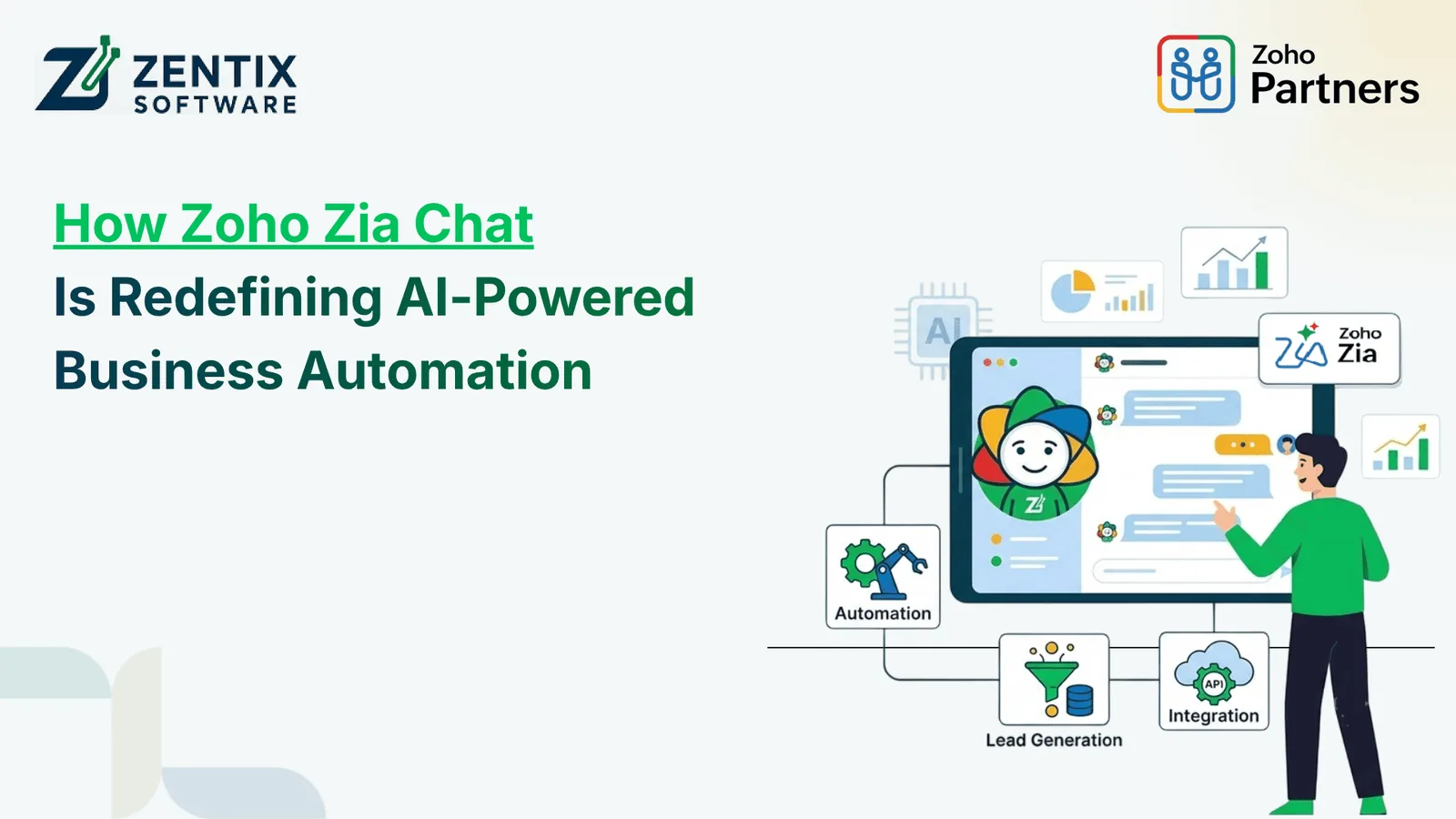
AI in business is no longer about chatbots or generating content. The real potential lies in using AI to see what is happening across the company and help teams actually complete their work. That’s where Zia Chat makes a difference.
Zia Chat was introduced by Zoho in September 2026. It works as an AI interface that pulls together information, from all Zoho apps. It lets employees ask questions in language and turns those questions into clear answers, smart insights and real actions. Of switching between different apps, people can just talk to Zia Chat and get the information they need from multiple systems at once.
For businesses using Zoho One this can make all the difference. Than seeing CRM, finance, support, projects and other tools as separate silos companies can now treat them as parts of one connected workspace. This means teams can work faster, make decisions and stay in sync - all from a single place.
What Is Zia Chat?
Zia Chat is an AI-powered conversational interface launched by Zoho in September 2026 to unify data, communications, and workflows across its entire suite of 55+ business applications.
For example, imagine a sales manager wants to understand which customers may be at risk of leaving.
Instead of checking:
- Customer records in CRM
- Open support tickets in Desk
- Outstanding invoices in Books
- Sales activity and related information
the manager can ask Zia Chat for the information in one conversation.
Zia Chat can bring together relevant context and help turn that information into something actionable. Zoho describes this as moving from simply understanding business information to actually getting work done.
Why Zia Chat Is Different From a Traditional AI Assistant
A typical AI assistant may answer questions or generate content. Zia Chat takes a broader approach by connecting AI with the operational data and applications businesses already use.
Traditional AI AssistantZia ChatMainly answers questionsAnswers, analyses and helps execute tasksOften works independentlyWorks across connected business applicationsLimited business contextUses business relationships and application contextMay require separate integrationsWorks natively across Zoho applicationsPrimarily supports individual tasksCan support multi-step business workflowsUsers still perform many follow-up actionsZia Agents can perform selected actions within permissionsThe important difference is context.
An AI assistant becomes considerably more useful when it understands the relationship between a customer, their purchase history, support tickets, invoices, sales activity, and other relevant business information.
That is the direction Zia Chat is taking.
Read Next: Zoho Announces Zia Chat and 7 Industry-Specific SaaS Solutions: What’s New?
How Zia Chat Supports Business Automation
The real value of AI-powered business automation is not simply reducing the number of clicks. It is reducing the amount of manual thinking and repetitive coordination required to complete a process.
Zia Chat can support this in several ways.
1. Ask Questions Across Multiple Applications
Businesses often store related information in different systems.
A customer may exist in CRM, have an open ticket in Desk, and have an unpaid invoice in Books.
Zia Chat can bring relevant information together so users can ask questions based on the wider business context.
For example:
“Which customers have open support issues and overdue invoices?”
Instead of manually checking multiple applications, the user can start with one question.
2. Turn Business Data Into Insights
Another important capability is analysis.
Managers can ask questions about sales performance, customer activity, support trends, inventory or business health and receive information in a conversational format.
This can help reduce the gap between having business data and actually using it to make decisions.
3. Help Execute Tasks
Zia Chat is not limited to providing answers.
With Zia Agents, users can delegate certain actions, such as updating records, drafting responses, assigning tasks, escalating tickets or running multi-step workflows. These actions operate within configured permissions and controls.
That makes the concept much closer to an AI-powered digital workforce than a traditional chatbot.
4. Reduce Application Switching
Constantly switching between applications can create friction for employees.
A typical workflow might involve:
- Opening CRM
- Checking customer information
- Opening Desk
- Reviewing support history
- Checking Books
- Looking at invoices
- Returning to CRM
- Writing a follow-up
Zia Chat aims to bring much of this interaction into a conversational experience.
Zoho's example shows a monthly renewal-risk workflow being reduced from roughly 45–60 minutes of manual work to under five minutes with Zia Chat.
Zia Chat and Zoho One: A Natural Combination
For companies using Zoho One, the concept becomes particularly interesting.
Zoho One brings together a broad collection of business applications covering areas such as sales, customer support, finance, HR, collaboration, marketing and operations. Zoho has positioned the platform as an integrated operating system for business since its launch.
Zia Chat can build on that connected environment.
Instead of asking:
“Which application should I open?”
employees can increasingly think:
“What do I need to get done?”
That shift could make business software much easier for employees who do not want to understand every application's individual interface.
Example: Sales Team
A sales manager could ask:
- Which deals closing this month have gone cold?
- Which of those customers have open support tickets?
- Are any of them overdue on payments?
- Which opportunities should the sales team prioritise?
Zia Chat can bring together information from applications such as CRM, Desk and Books to create a more complete picture.
Example: Operations Team
An operations manager might ask:
“Which products are likely to run out in the next 30 days?”
Zia Chat can use information from inventory, sales and analytics-related applications to help identify potential replenishment needs.
This is where AI starts becoming part of everyday operations rather than something employees use occasionally.
What Makes Zia Chat Useful for Growing Businesses?
Businesses do not necessarily need more software. Often, they need their existing software to work together more effectively.
Zia Chat can help businesses:
- Reduce repetitive information gathering
- Make business data easier to access
- Minimise application switching
- Improve decision-making
- Support faster customer follow-ups
- Automate selected multi-step processes
- Give teams a conversational way to interact with business systems
- Connect information across different departments
However, successful implementation still depends on how well the underlying Zoho environment is configured.
Poor data structures, unclear workflows or inappropriate permissions can limit the value of any AI system.
Why Work With a Certified Zoho Service Provider?
Implementing AI automation is not simply about turning on an AI feature.
Businesses first need to understand:
- Which processes should be automated
- Where data currently resides
- Which Zoho applications need to work together
- What permissions different users require
- Which workflows need human approval
- What information should remain restricted
- Where automation can produce measurable business value
A Certified Zoho Service Provider can help businesses assess these requirements and build a Zoho environment around their actual processes rather than forcing teams to adapt to a generic setup.
This becomes especially important when businesses want to combine Zoho One, CRM, finance, customer support, workflow automation and AI capabilities.
Is Zia Chat the Future of Business Automation?
Zia Chat represents an important change in how businesses may interact with software.
The traditional approach is:
Application → Menu → Module → Record → Action
The conversational approach is closer to:
Goal → Conversation → Context → Action
That does not mean every business process needs to be run by machines. Human supervision will still be necessary, especially when it comes to choices interactions with customers matters that involve following rules and other important decisions.
Artificial intelligence can handle a lot of the searching making summaries linking information and doing repetitive tasks that take up employees time.
Zoho also says that Zia Chat works inside the permission settings and does not use company data to teach AI models. Early access is available now while more details, about licensing will be shared when the product is fully released.
Final Thoughts
The biggest potential of Zia Chat is not that businesses can “chat with AI.” That capability is already common.
Its real potential lies in connecting conversation, business context and action.
When an AI system can understand information across CRM, finance, support, operations and other applications, employees can spend less time searching for information and more time acting on it.
For organisations already using Zoho One, this could make an integrated application ecosystem even more powerful. And for businesses considering Zoho automation, now is a good time to evaluate which processes could benefit from connected data, intelligent assistance and controlled automation.
Ready to Make Zoho Work Smarter?
Your business may already have the applications and data needed for smarter automation—the challenge is connecting them in the right way.
Zentix Software, a Certified Zoho Service Provider, can help businesses evaluate their Zoho environment, identify automation opportunities and build solutions around their actual workflows.
Book your live demo now and explore how Zoho One, Zia Chat and business automation can work together for your organisation.
Originally Posted On: How Zoho Zia Chat Is Redefining AI-Powered Business Automation
FAQs
1. What is Zia Chat?
Zia Chat is Zoho's AI interface designed to help users interact with business information conversationally across Zoho applications. It can answer questions, analyse information and support actions through Zia Agents.
2. How does Zia Chat help with business automation?
Zia Chat can reduce manual information gathering and help users automate or delegate selected multi-step tasks across connected Zoho applications.
3. Can Zia Chat work across multiple Zoho applications?
Yes. Zia Chat is designed to work across applications including CRM, Desk, Books, Mail, Projects, People, Analytics, Cliq and Inventory, among others.
4. Can Zia Chat perform actions?
Yes. Zia Chat can provide answers and analysis, while Zia Agents can perform actions such as updating records, drafting responses, escalating tickets, assigning tasks and running workflows within configured permissions.
5. Does Zia Chat replace employees?
No. Its purpose is to assist employees and automate selected tasks. Businesses can determine what work should be delegated to AI while retaining human oversight where required.
6. Can Zia Chat connect with systems outside Zoho?
Zoho states that external business systems can be connected through MCP, allowing organisations to bring additional business processes into the experience.
7. Is business data used to train AI models?
According to Zoho's current Zia Chat information, business data is not used to train AI models. Zia Chat processes the data needed to respond to requests.
8. Why should businesses work with a Certified Zoho Service Provider?
A Certified Zoho Service Provider can help businesses plan their Zoho architecture, configure applications, identify automation opportunities, manage integrations and implement workflows according to their business requirements.