
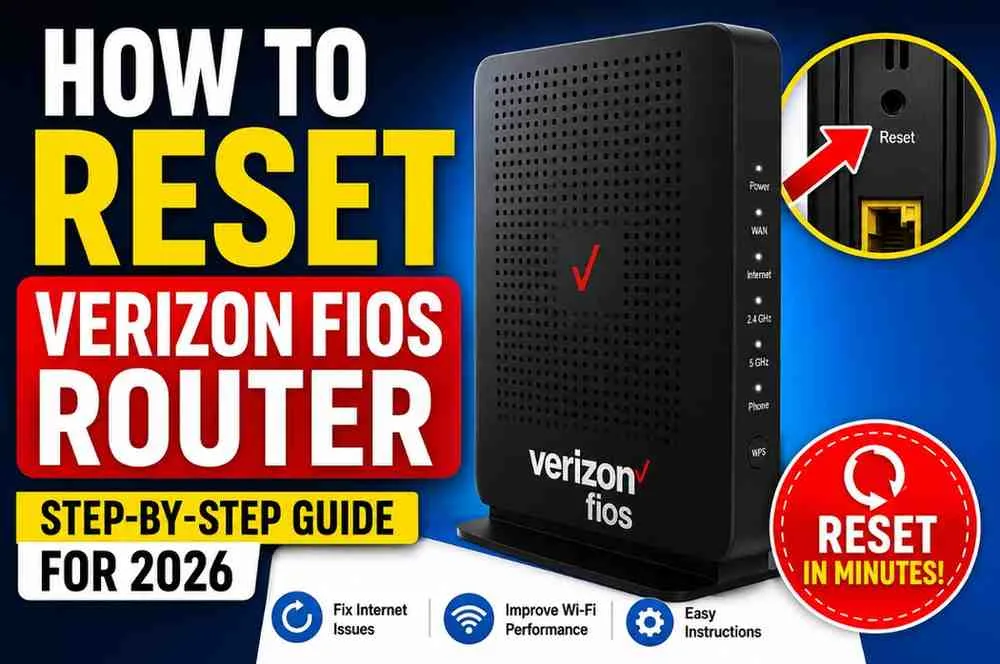
A Verizon Fios router reset is one of the fastest ways to fix internet issues such as slow Wi-Fi, connection drops, login problems, or devices that refuse to connect. In most cases, restarting or resetting the router restores normal performance within a few minutes.
This guide explains exactly how to reset your Verizon Fios router, when you should perform a soft reset instead of a factory reset, what happens after resetting, and how to reconnect your home network.
If your Verizon Fios router isn't working properly:
- Locate the Reset button on the back of the router.
- Press and hold it for 10–15 seconds using a paperclip.
- Wait 3–5 minutes while the router restarts.
- Reconnect your devices using the default Wi-Fi information or your saved settings.
For most internet problems, restarting the router first is recommended before performing a full factory reset.
When Should You Reset Your Verizon Fios Router?
A router reset should not be your first troubleshooting step. Many issues can be solved with a simple reboot.
You should consider resetting your Verizon Fios router if:
- Wi-Fi constantly disconnects
- Internet speed becomes unusually slow
- Router settings are corrupted
- You forgot the administrator password
- New devices cannot connect
- Firmware updates failed
- Network configuration errors continue after restarting
If your internet outage affects your neighborhood, resetting the router won't solve the problem. Check Verizon service status first.
Soft Reset vs Factory Reset
Many users confuse restarting with resetting.
FeatureSoft Reset (Restart)Factory ResetInternet SettingsKeeps settingsDeletes settingsWi-Fi NameRemains the sameReturns to defaultPasswordStays unchangedResets to factory passwordTime Required2 minutes5–10 minutesRecommended FirstYesOnly if neededA soft reset is safe and should always be tried before restoring factory settings.
How to Restart Your Verizon Fios Router
Restarting simply refreshes the router without deleting your settings.
Follow these steps:
- Turn off the router.
- Unplug the power cable.
- Wait 30–60 seconds.
- Plug the router back in.
- Wait until all status lights become stable.
- Test your internet connection.
Many temporary network issues disappear after a restart.
How to Factory Reset a Verizon Fios Router
If restarting doesn't fix the issue, perform a factory reset.
Step 1: Find the Reset Button
Look at the back or bottom of the router.
The reset button is usually recessed and labeled Reset.
Step 2: Hold the Button
Use a paperclip or SIM tool.
Press and hold the button for approximately 10 to 15 seconds.
Step 3: Wait for the Router to Restart
Release the button.
The router lights will blink during the reset process.
Wait several minutes.
Avoid unplugging the router while it is restarting.
Step 4: Connect Again
After the reset finishes:
- Connect to the default Wi-Fi network.
- Use the default password printed on the router label.
- Sign in to the router dashboard if needed.
Your router is now restored to factory settings.
What Happens After a Factory Reset?
A factory reset removes customized settings.
These include:
- Custom Wi-Fi name (SSID)
- Wi-Fi password
- Guest network settings
- Port forwarding rules
- Device priorities
- Firewall changes
- Parental controls
You'll need to configure these settings again after the reset.
How to Log Into Your Verizon Fios Router
After resetting the router:
- Connect to the network.
- Open your browser.
- Enter the router's management address.
- Sign in using the administrator credentials shown on the router label.
Once logged in, you can:
- Change the Wi-Fi password
- Rename the wireless network
- Update security settings
- Install firmware updates
- Configure parental controls
Common Problems After Resetting
Sometimes users experience additional issues after resetting.
Here are common fixes.
No Internet Connection
Check that:
- Ethernet cables are secure.
- The Optical Network Terminal (ONT) is powered on.
- Router lights indicate an active internet connection.
Wi-Fi Doesn't Appear
Wait several minutes.
Some Verizon routers take additional time to broadcast the wireless network after a factory reset.
Can't Log In
Use the administrator password printed on the router label.
If you've previously changed it, a factory reset restores the original credentials.
Slow Internet After Reset
Allow the router time to reconnect with Verizon's network.
Reconnect only a few devices first before testing speed.
How Often Should You Reset a Router?
Most users rarely need a factory reset.
Instead:
- Restart every few months if performance declines.
- Update firmware regularly.
- Keep the router in a well-ventilated area.
- Avoid unnecessary factory resets.
Routine maintenance helps maintain stable performance.
Tips for Better Verizon Fios Wi-Fi Performance
Resetting helps, but good placement improves coverage even more.
Try these recommendations:
- Place the router in a central location.
- Keep it away from metal objects.
- Avoid placing it inside cabinets.
- Position antennas correctly if adjustable.
- Reduce interference from other wireless electronics.
- Restart occasionally after firmware updates.
These simple habits often improve speed without additional equipment.
Saving Money on Verizon Fios Accessories
Many homeowners upgrade their home network with Wi-Fi extenders, Ethernet cables, mesh systems, or replacement power adapters. Before buying new equipment, check for a verizon fios discount code accessories that may help reduce the total cost of eligible accessories during promotional events.
Verizon Fios Discounts for Healthcare Workers
Verizon occasionally offers special savings programs for eligible professionals. If you work in healthcare, it's worth checking whether a verizon fios discount for nurses is available before starting a new internet service or making qualifying purchases, as promotions can change throughout the year.
Discounts Available for Educators
Teachers may also qualify for limited-time Verizon promotions depending on eligibility and current offers. Reviewing the latest verizon fios discount for teachers can help educators save on select Fios plans or related services when available.
Expert Tips Before Resetting
Keep these best practices in mind.
- Restart before factory resetting.
- Write down your Wi-Fi settings.
- Save custom network configurations.
- Update firmware after resetting.
- Test with one device before reconnecting everything.
- Change the default administrator password after setup.
- Enable WPA3 or WPA2 security if supported.
These steps reduce future network problems.
Common Mistakes to Avoid
Avoid these frequent errors.
- Holding the reset button too briefly.
- Unplugging the router during reset.
- Forgetting custom Wi-Fi settings.
- Ignoring firmware updates.
- Placing the router behind furniture.
- Connecting dozens of devices immediately after setup.
Small mistakes can make troubleshooting more difficult.
Frequently Asked Questions
Does resetting my Verizon Fios router delete everything?
A factory reset removes all custom settings, including your Wi-Fi name, password, and network configurations.
How long does a Verizon Fios router reset take?
The reset itself takes about 10–15 seconds, while the router usually becomes fully operational within 3–5 minutes.
Will resetting improve internet speed?
If slow speeds are caused by corrupted settings or software issues, resetting may improve performance. It won't increase the speed of your subscribed internet plan.
What is the difference between restarting and resetting?
Restarting simply reboots the router without deleting settings. Resetting restores factory defaults and removes all customized configurations.
Can I reset the router without internet access?
Yes. The reset button works even if your internet connection is offline.
Do I need Verizon support after resetting?
Most users can reconnect on their own. If the router still doesn't connect after resetting, contacting Verizon support may be necessary.
Final Thoughts
Resetting a Verizon Fios router is a simple but effective solution for many common internet problems. A quick restart often resolves temporary connection issues, while a factory reset can fix persistent configuration errors when other troubleshooting steps fail.
Before performing a factory reset, remember that all personalized network settings will be erased. If possible, note your Wi-Fi name and password beforehand to make reconnecting your devices easier.
For the best long-term experience, keep your router updated, place it in an open central location, and only perform a factory reset when it's truly necessary. Following these best practices will help maintain a fast, reliable, and secure Verizon Fios home network throughout 2026.