There's a noticeable difference between a MacBook Pro working hard on a demanding task and one that's genuinely overheating, and once you've experienced the latter it's hard to ignore. The fans spin up loudly and don't settle down, the bottom case becomes uncomfortably hot to the touch, performance noticeably slows as the system throttles itself to manage temperature, and in more severe cases the machine may shut down unexpectedly to protect its internal components. Overheating is one of the more common issues MacBook Pro owners encounter, particularly with models that pack significant processing power into a slim chassis, and while a degree of warmth during heavy use is completely normal, sustained excessive heat is a sign that something needs attention rather than something to simply live with.
What's Actually Causing Your MacBook Pro to Overheat
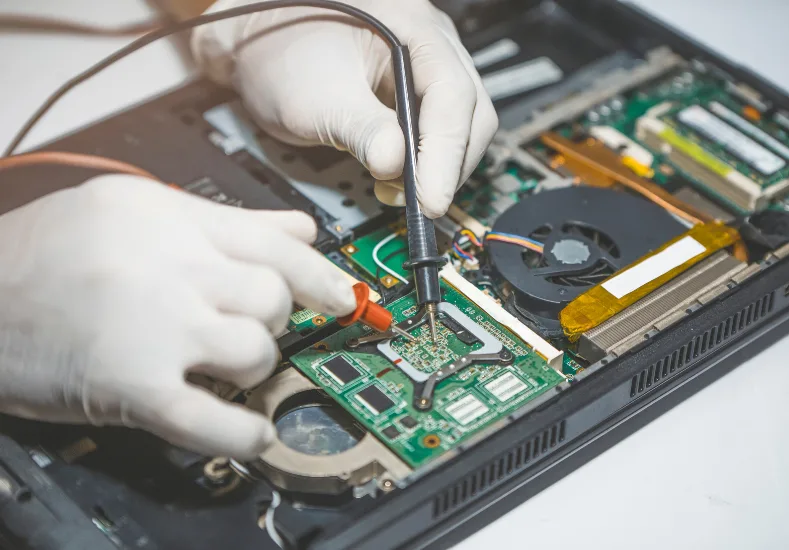
There are several common reasons a MacBook Pro runs hotter than it should, and identifying which one applies to your situation makes a real difference to how the problem gets resolved. Dust and debris accumulation inside the internal fans and heat sinks is one of the most frequent causes, particularly in machines that are a few years old and haven't been professionally cleaned, since dust restricts airflow and prevents heat from being properly dispersed away from internal components. Degraded thermal paste, the compound that sits between the processor and the heat sink to transfer heat efficiently, breaks down over time and becomes less effective, which is a normal part of a laptop's ageing process but one that significantly affects cooling performance once it occurs. Background processes and resource-heavy applications running without your awareness can also push the processor harder than expected, generating heat even when you think the machine is sitting relatively idle. Less commonly, a failing fan that's no longer spinning at full capacity, or blocked vents from being used on soft surfaces like beds or couches, can prevent adequate airflow regardless of how clean the internals are.
Steps to Try Before Seeking Professional Repair
There are some practical steps worth trying before assuming the issue requires professional intervention. Checking Activity Monitor for any applications or background processes consuming unusually high CPU resources is a sensible starting point, since closing or restarting a runaway process can sometimes resolve overheating immediately. Ensuring the MacBook Pro is used on a hard, flat surface that allows air to flow freely underneath rather than on bedding, cushions, or other soft surfaces that block the intake vents makes a meaningful difference for many users. Restarting the machine clears temporary processes and gives the system a clean slate, which occasionally resolves overheating caused by a stuck background task. If the overheating persists across multiple sessions and isn't tied to any particular heavy workload, it's a reasonable sign that the issue is sitting at the hardware level, and that's when seeking professional Mac Repairs Elsternwick becomes the more sensible path rather than continuing to monitor a problem that's likely to get worse with continued use.
What Our Elsternwick Customers Are Saying About Same Day Mac Repairs
"My MacBook Pro had been getting hotter and hotter over the last few months, to the point where the fans were constantly running loud and it was actually uncomfortable to use on my lap. I assumed it was just getting old and there wasn't much to be done about it. I brought it in to Same Day Mac Repairs and they opened it up to find years of dust built up around the fans and heat sink, along with thermal paste that had completely dried out. They cleaned everything thoroughly and reapplied fresh thermal paste, and the difference was honestly incredible. It runs cool and quiet now, even under heavy use, and feels like a completely different machine. Wish I'd brought it in sooner rather than putting up with it for so long."
— Hannah P., Elsternwick ⭐⭐⭐⭐⭐
When Overheating Points to a More Serious Underlying Issue
While dust buildup and dried thermal paste account for the majority of overheating cases, there are situations where the cause runs deeper. A failing internal fan that's no longer reaching full RPM can cause persistent overheating even in an otherwise clean machine, and this typically requires a proper fan replacement rather than just a clean. In rarer cases, a fault on the logic board itself can cause certain components to draw more power and generate more heat than they should, particularly following liquid exposure or after a previous repair that wasn't carried out to the correct standard. Battery swelling, while less commonly associated with overheating directly, can sometimes press against internal components and interfere with airflow, and any MacBook Pro with a swollen battery should be assessed promptly given the additional safety considerations involved.
Why Sustained Overheating Shouldn't Be Ignored
Beyond the immediate discomfort and performance slowdown, sustained overheating carries real risks for the long-term health of your MacBook Pro. Consistently high internal temperatures accelerate wear on the battery, often leading to reduced battery life and capacity well before it would otherwise be expected to decline. Prolonged heat exposure can also affect the longevity of other internal components over time, making what starts as an inconvenience into a more costly problem if left unaddressed for an extended period. Addressing overheating promptly, whether that's through a straightforward internal clean or a more involved repair, protects the overall lifespan of the machine rather than just resolving the immediate symptom.
Conclusion: Keeping Your Elsternwick MacBook Pro Running Cool and Reliable
A MacBook Pro that overheats is dealing with a restriction somewhere in its ability to manage and dissipate heat effectively, and the cause ranges from straightforward dust accumulation and degraded thermal paste through to failing fans or, less commonly, deeper hardware faults. Working through the simple checks first, including monitoring resource usage and ensuring proper airflow around the machine, is a sensible starting point that costs nothing and occasionally resolves the issue outright. When overheating persists despite these steps, getting the internals properly cleaned and serviced protects both your immediate comfort using the machine and its long-term component health. Same Day Mac Repairs can open up your Elsternwick MacBook Pro, identify exactly what's preventing proper heat dissipation, and carry out the appropriate clean or repair to get your machine running cool, quiet, and reliable again the way it's meant to.