Customers may use the same product in very different ways. An administrator may configure permissions, while an end user only needs to complete a daily task. A developer may require API details, while a new customer needs basic setup instructions.
If every customer receives the same support content, the result may be too technical for some audiences and too limited for others. However, creating a separate knowledge base for every segment can lead to duplicated information and difficult maintenance.
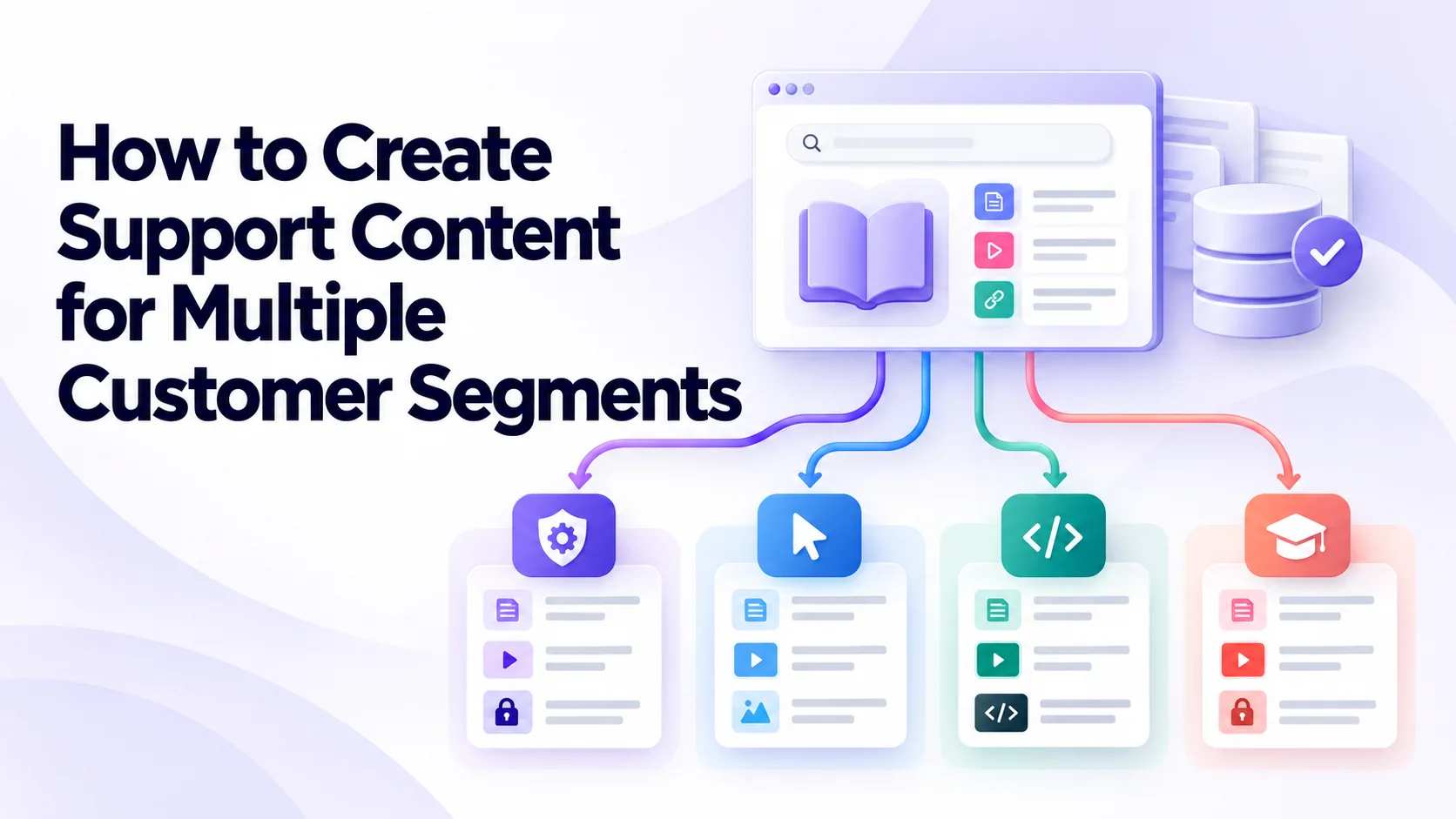
An effective approach combines shared source content with guidance tailored to the needs, access levels, and goals of each audience.
Identify Meaningful Customer Segments
Begin by identifying differences that affect the support answer. Useful segments may be based on customer role, subscription plan, product version, industry, region, language, or technical experience.
Do not create segments only because the marketing team uses them. Two buyer groups may require the same troubleshooting instructions, while two users within one account may need completely different guidance because they have different permissions.
Support tickets and search data can reveal practical distinctions. If administrators ask configuration questions while end users ask navigation questions, the content should reflect those separate needs.
Keep the number of segments manageable. Too many narrow groups can create unnecessary versions of the same information.
Understand the Goal of Each Audience
Each segment may approach the knowledge base with a different objective.
A new customer may want to complete initial setup. An experienced user may need a quick answer about an advanced feature. A support agent may need diagnostic checks and escalation rules that should not appear in a public article.
Document the main tasks, common problems, terminology, and preferred level of detail for every audience. This creates a practical basis for deciding what content to create.
The goal is not to change the facts for each segment. It is to present the same approved information in the most useful context.
Maintain One Approved Source
Creating a fully independent article for every segment can result in conflicting instructions.
Instead, establish one approved source for the core procedure. It should contain the confirmed requirements, steps, warnings, expected result, and escalation conditions.
Segment-specific content can then reference or adapt this source. An administrator version may include permission settings, while an end-user version omits controls that the audience cannot access.
Every variation should be connected to the main source through a shared identifier. When the procedure changes, content owners can find and update every related article, video, template, and translation.
Separate Shared Information From Segment-Specific Guidance
Most support topics contain information that applies to everyone and details that apply only to certain audiences.
The shared section might explain the problem, basic requirements, and expected result. A separate section can cover differences by role, plan, region, or product version.
For example, a file-upload article may provide the same basic instructions to all customers. Enterprise customers may have additional access controls, while administrators may also need information about file-retention settings.
This structure reduces duplication while keeping important differences visible. Customers should not have to compare several articles to determine which instructions apply to them.
Use Clear Audience Labels
Customers should be able to recognize whether a resource is relevant before reading or watching it.
Include the intended audience in the title, introduction, description, or visible label. Examples might include “For Workspace Administrators,” “For API Users,” or “For Customers Using the Legacy Interface.”
Avoid relying only on internal segment names. Customers may not understand labels such as “Tier B” or “Growth Cohort.” Use terms that reflect recognizable roles, plans, products, or tasks.
For video libraries managed through Cincopa, titles, descriptions, tags, and gallery organization can identify the intended audience. Consistent labels help prevent customers from opening a recording that shows features they cannot access.
Adjust the Level of Technical Detail
Different customers need different levels of explanation.
A beginner may need definitions, prerequisites, and a complete walkthrough. An advanced user may prefer a concise procedure with commands, configuration values, and links to reference documentation.
Avoid making beginner content unnecessarily technical. At the same time, do not oversimplify developer or administrator guidance to the point that it omits required detail.
Progressive disclosure can help. Begin with the essential answer and provide links to advanced configuration, technical references, or troubleshooting information for customers who need it.
Account for Permissions and Roles
Many support instructions depend on what the user is allowed to do.
A customer may follow a guide correctly but fail because only an administrator can complete one of the steps. If the content does not mention this requirement, the customer may assume the product is not working.
State the required role or permission near the beginning. Explain how users can confirm their access level and who they should contact if the necessary option is unavailable.
Create separate instructions when the workflow genuinely differs by role. Avoid showing administrative screens to general users unless the purpose is to explain why they need assistance from an account owner.
Address Differences Between Plans
Subscription plans may include different features, limits, or configuration options.
Support content should clearly identify when instructions apply only to a particular plan. This information should appear before customers invest time in following the procedure.
Where possible, keep the main workflow shared and explain plan-specific differences in a dedicated section. Creating a separate article for every plan may increase maintenance without improving clarity.
Plan information must remain aligned with current product access. Support content should not promise features based on outdated packaging or pricing.
Manage Product Versions Carefully
Customers may use different versions of a product, interface, mobile application, or integration.
Show the applicable version prominently. Screenshots and screen recordings should match the steps described in the text. If the old and new experiences are significantly different, provide separate resources.
Do not leave version details only inside the article. Include them in titles, descriptions, tags, and search metadata so customers can select the correct result before opening it.
Cincopa can be used to organize support recordings by product version or interface. Older videos may remain available for legacy users, but they should be kept separate from current guidance and labeled clearly.
Consider Regional and Language Differences
Support procedures may vary by region because of payment methods, legal requirements, product availability, date formats, or local integrations.
Translate the meaning of the instructions rather than only replacing words. Interface labels, screenshots, videos, examples, and search terms may also require localization.
Connect every translated or regional version to the same approved source. When the process changes, localization teams should be notified so outdated guidance does not remain available.
If the procedure itself is identical across regions, a translated article or caption track may be enough. Separate content is necessary only when the workflow or conditions are different.
Tailor Video Content to the Audience
Video can be useful for showing interface navigation and multi-step workflows, but one recording may not suit every segment.
A beginner video might explain where to find each setting and why it matters. An administrator video could focus on configuration and permissions. A developer recording may demonstrate an API request, response, and common error.
Teams can organize these resources through Cincopa galleries or customer-facing portals based on role, product area, or language. The video description should identify the audience, prerequisites, and applicable version.
Do not create a separate recording when a chapter or short written note can explain the difference. Every additional video creates another resource that must be reviewed when the product changes.
Keep Videos and Articles Connected
Customers may prefer different formats, but both should communicate the same approved process.
A written procedure can provide exact steps, commands, warnings, and links. A video can demonstrate where controls appear and what the completed process looks like.
Embed or link the relevant Cincopa video within the corresponding article. The video description should also link back to the written procedure.
When content varies by segment, verify that the article and recording have matching audience labels. An article for end users should not embed a video that demonstrates an administrator-only workflow.
Make Content Searchable by Customer Language
Internal terminology may not match the words customers use.
Administrators, developers, beginners, and industry specialists may describe the same problem differently. Titles, headings, descriptions, tags, and transcripts should include the language used by the intended audience.
For example, a developer may search for an “authentication failure,” while a general user searches for “cannot connect my account.” Both expressions may refer to related content but require different explanations.
Questions asked through VideoGPT or searches inside a Cincopa library can reveal how different audiences describe their problems. Repeated failed searches may indicate missing terminology, unclear labels, or content gaps.
Control Access to Restricted Content
Not every segment should be able to view every support resource.
Internal diagnostic procedures, customer-specific configurations, administrative workflows, and security instructions may require restricted access. Public discovery should not expose information intended only for employees, partners, or authorized account owners.
Cincopa galleries and portals can help separate video content by audience and permission level. Access controls should be reviewed regularly, especially when users change roles or customer relationships end.
Do not rely solely on the difficulty of finding a URL. The content itself should have appropriate access protection.
Avoid Excessive Duplication
Duplicating an article for every segment may appear simple at first, but the copies quickly become difficult to maintain.
Use shared sections, reusable content blocks, and links to common procedures where possible. Create a separate version only when the audience, workflow, risks, or expected outcome differs significantly.
If two articles contain nearly identical instructions, consider combining them and adding a clearly labeled section for each variation.
A smaller collection of accurate content is more useful than a large knowledge base filled with slightly different copies.
Include Segments in the Review Process
Content creators may not fully understand the needs of every audience.
Ask representatives from each important segment to test the guidance. A support agent can review the troubleshooting logic, an administrator can confirm the permission flow, and a developer can test code or API examples.
Customer-facing content should also be tested by people who were not involved in creating it. If they cannot identify which steps apply to them, the segmentation is not clear enough.
Create an easy way for customers and agents to report missing, inaccurate, or irrelevant guidance.
Build Updates Into Product Releases
Segmented content can become inconsistent when a product changes.
During release planning, identify every article, video, transcript, screenshot, template, and translation related to the affected feature. Review both the shared source and its audience-specific variations.
A small interface change may require updates only to screenshots and videos. A permissions change could affect administrator guidance, end-user instructions, and escalation rules.
Consistent metadata in Cincopa can help content teams locate recordings associated with a product area, audience, or version. Clear ownership is still required to ensure that the updates happen.
Measure Results by Segment
Overall content performance may hide problems affecting one audience.
Review searches, article feedback, video engagement, ticket volume, repeat contacts, and escalations for each important segment. Enterprise administrators may find the documentation useful while new users continue to struggle with the same procedure.
Cincopa analytics can show how different audiences engage with support videos when content is separated appropriately. Combine this information with help-center and support data to understand whether users reach the right resource and complete the task.
If one segment continues contacting support, examine whether its content is difficult to find, too technical, outdated, or missing an important variation.
Final Thoughts
Creating support content for multiple customer segments does not require building an independent knowledge base for every audience.
The core information should come from one approved source, while the presentation, detail, examples, and access can be adapted for each group. Clear labels, shared metadata, controlled permissions, and connected versions make this approach easier to maintain.
Cincopa can help teams organize, transcribe, search, share, and analyze audience-specific video resources. The wider support strategy must still define the segments, maintain the approved procedures, and keep every variation current.
Effective segmentation helps each customer reach the information that applies to their role and situation without forcing them to sort through irrelevant or conflicting guidance.