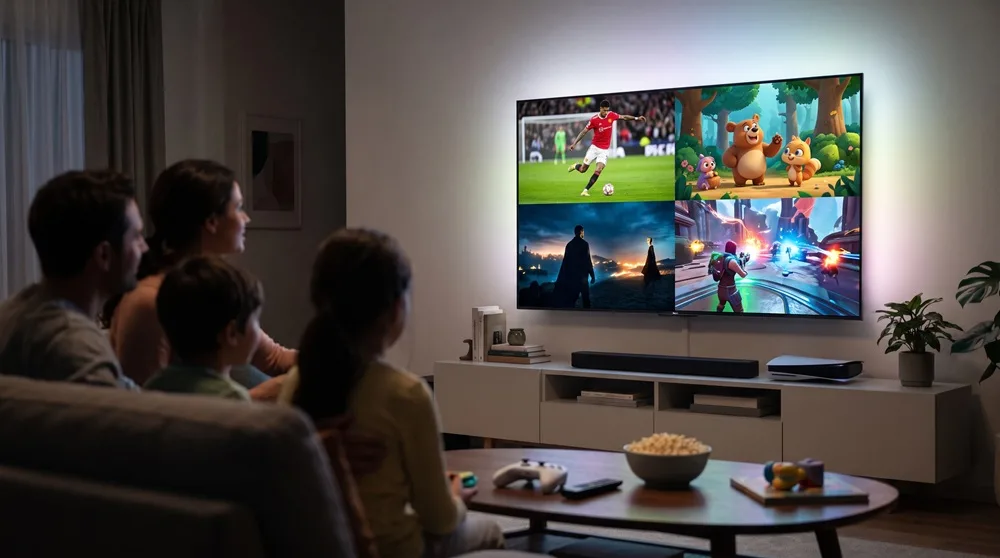
There is no such thing as a single "one-size-fits-all" TV. Throughout the day, the exact same screen is watched by a sports fan at noon, a kid binging cartoons in the afternoon, the whole family gathering for a movie at night, and a teenager firing up a gaming console. Each scenario has its own weak spots. Brands love to talk about where their TVs shine—I’m going to tell you where they usually fall short.
Step 1. Room First, Model Second
Screen Size
For a 4K screen, the sweet spot for seating distance is 1 to 1.5 times the screen's diagonal. Grab a tape measure, check the distance from your couch to the wall, and find your match in the table below:
- 1.3–1.9 m (4.3–6.2 ft): 50 inches works best;
- 1.4–2.1 m (4.6–6.9 ft): 55 inches works best;
- 1.7–2.5 m (5.6–8.2 ft): 65 inches works best;
- 1.9–2.9 m (6.2–9.5 ft): 75 inches works best;
- 2.2–3.2 m (7.2–10.5 ft): 85 inches works best.
If you are torn between two sizes, go with the bigger one: at 4K resolution, a large screen won't break down into visible pixels. The only exception is a tiny room where an oversized screen will literally force you to turn your head from side to side.
Lighting
A window directly opposite the screen causes glare, and no amount of advertised peak brightness will completely fix it. Position your TV so the window is to the side, put up blackout curtains or blinds on any window facing the screen, and when you're in the store, check how overhead lights reflect off the screen while it's turned off.
Viewers
If four people are sitting on the couch, the ones on the edges will get a washed-out picture—especially on LED TVs with a VA panel. Look for a panel with wide viewing angles, center your couch directly in front of the screen, or buy a swivel wall mount. When shopping in-store, take two or three steps to the side and see what happens to the image quality.
Step 2. What Actually Matters for Each Scenario
Sports
You need three things here: high brightness for daytime matches, crisp motion handling to track the ball, and wide viewing angles if you’re watching with a crowd. Lab tests consistently show that OLED panels offer the widest viewing angles. Many LED models with VA panels have narrow angles, meaning you have to sit dead center for the best picture. If you watch games during the day in a bright room, prioritize peak brightness over the number of local dimming zones.
Cartoons
For cartoons, practicality beats raw specs. The TV needs a sturdy stand, and setting up a kids' profile and parental controls on the Smart TV platform shouldn't take more than five minutes. Vibrant colors look great on almost any modern TV anyway. Pick a model that doesn't lag when launching apps—a sluggish interface will frustrate you much faster than an average panel.
Movies
This is where contrast ratio and deep blacks steal the show. For evening movie nights in a dark room, OLED is king. For a bright living room, a solid LED with local dimming will do the job well. Pro tip: it’s usually best to turn off "motion smoothing" for movies; otherwise, the picture gets that unnatural "soap opera effect."
Gaming Consoles
This is where you'll find the most hidden pitfalls.
- HDMI 2.1. This is what unlocks 4K at 120Hz, VRR (Variable Refresh Rate, which eliminates screen tearing), and ALLM (Auto Low Latency Mode). You’ll need an Ultra High Speed HDMI cable for this—your old cable won't cut it.
- The Catch. Many HDMI 2.1 features are actually optional under official certification standards, so manufacturers pick and choose which ones to include. An "HDMI 2.1" label next to the port doesn't guarantee the full feature set. Always read the detailed spec sheet, not just the sticker on the box.
- Port Count. If you own both a console and a soundbar (which takes up an eARC port), double-check how many ports actually support full-bandwidth HDMI 2.1.
- Input Lag. Experts recommend aiming for an input lag under ~20ms in Game Mode. Always enable Game Mode—it bypasses unnecessary background image processing for faster response times.
Display Technology Comparison
- Budget LED. For sports, it is decent in bright light, but the viewing angle is narrow, so it is best watched from directly in front. For cartoons, it is good enough. For movies, the contrast is weak. For game consoles, it works only if the TV has 120Hz and HDMI 2.1.
- Mini-LED and QLED. For sports, these are very bright and great for daytime viewing. For cartoons and movies, they perform well. For game consoles, they are an excellent choice.
- OLED. For sports, it offers the widest viewing angle and crisp motion. For cartoons, it is good. For movies, it has the best black levels. For game consoles, it is excellent thanks to its fast response time.
OLED Burn-In: Don’t Panic
Long-term torture tests by RTINGS show that the risk of permanent burn-in is real if you watch static content for hours on end: news channels with bright tickers, or the exact same game HUD every day. For a family with mixed viewing habits, it’s rarely a dealbreaker. If you do keep static images on screen for long periods, lowering the brightness helps reduce the risk—though it doesn't offer a 100% guarantee.
What People Often Overlook in Moldova
If you’re buying a TV in Chișinău to pair with a fiber contract from Moldtelecom, StarNet, or Orange, you can skip this part—IPTV apps or your provider’s set-top box will handle everything smoothly.
However, if you’re buying a TV for your parents in the countryside or for a summer house to use with a regular rooftop UHF antenna, keep this in mind: local over-the-air (OTA) television is digital, and the broadcast signal is encoded using the H.265 (HEVC) codec. Make sure to check the manual for the DVB-T2 + H.265 combo. Without it, you’ll get a black screen instead of channels, and you’ll end up having to buy an external tuner box.
The Bottom Line
The "perfect" TV doesn't exist, but there is definitely one that won't drive your family crazy. Planning on watching movies in the dark? Save up for an OLED. Putting a TV in a sun-drenched living room for daytime sports and cartoons? Grab a Mini-LED. And if console gaming is your top priority, forget about brand loyalty and scrutinize the HDMI 2.1 port specifications instead.