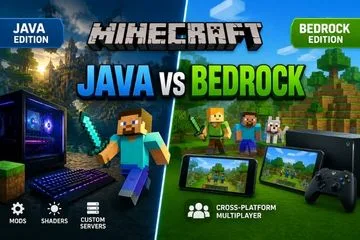
Buying Minecraft for the first time can be confusing, especially when you have to choose between the Java Edition and the Bedrock Edition. While both versions offer the core Minecraft experience, they differ significantly in terms of features, multiplayer support, modding, and platform compatibility.
If you're planning to purchase Minecraft, this guide will help you understand the differences between the two editions and choose the one that best fits your gaming style.
Java Edition vs Bedrock Edition: What's the Difference?
Although both editions share the same gameplay fundamentals, they are designed for different types of players.
Minecraft Java Edition
Minecraft Java Edition is available exclusively for Windows, macOS, and Linux computers.
It is the preferred choice for players who enjoy extensive customization, installing mods, joining community-run servers, and experimenting with advanced gameplay features.
Example: If you enjoy watching videos featuring realistic shaders or large modpacks and want to recreate that experience, Java Edition is the better option.
Minecraft Bedrock Edition
Bedrock Edition is available on Windows, Xbox, PlayStation, Nintendo Switch, Android, and iOS devices.
Its biggest advantage is cross-platform multiplayer, allowing players on different devices to join the same world and play together.
Practical Tip: If your friends play Minecraft on consoles or mobile devices, Bedrock Edition is the most convenient choice.
Minecraft Java Edition: Pros and Cons
Pros
- Access to thousands of free community-created mods
- Large selection of custom multiplayer servers
- Advanced Redstone mechanics
- Highly customizable gameplay
- Strong and active modding community
Cons
- Available only on PC
- Requires a reasonably capable computer for the best experience
- Installing mods can be challenging for beginners
Tip: If you own a gaming PC and enjoy customizing your games, Java Edition offers excellent long-term value.
Minecraft Bedrock Edition: Pros and Cons
Pros
- Cross-platform multiplayer support
- Optimized performance on low-end hardware
- Simple friend invitation system
- Built-in controller support
- Smoother gameplay on most devices
Cons
- Limited support for free mods
- Many Marketplace items require payment
- Some Java-exclusive features are unavailable
Example: If you regularly switch between your laptop and mobile device, Bedrock Edition provides a more seamless experience.
Gameplay Comparison
Graphics
Visually, both editions look very similar.
However, Java Edition supports a wider variety of shaders and community-made resource packs, giving players more freedom to customize the game's appearance.
Performance
Bedrock Edition is generally better optimized and runs smoothly on lower-end PCs, mobile devices, and consoles.
Java Edition performs well on modern PCs but may require more powerful hardware when using large modpacks or high-end shaders.
Multiplayer
Java Edition offers access to thousands of community-hosted servers with unique game modes.
Bedrock Edition focuses on a simple, user-friendly multiplayer experience with built-in cross-platform support.
Practical Example:
- If your friends play on mobile or consoles, choose Bedrock Edition.
- If your friends use PCs and enjoy mods, choose Java Edition.
Mods and Customization
Customization is one of the biggest differences between the two editions.
Java Edition
- Free community-created mods
- Shader packs
- Texture packs
- Massive modpacks
- Complete gameplay customization
Bedrock Edition
- Marketplace add-ons
- Limited customization options
- Simpler installation process
If you want complete control over your Minecraft experience, Java Edition is the clear winner.
Minecraft Java vs Bedrock: Feature Comparison
Both editions have their own strengths, and the right choice depends on your gaming preferences.
Platform Support
Java Edition is available only on Windows, macOS, and Linux PCs. Bedrock Edition supports Windows PCs, Android, iPhone, Xbox, PlayStation, and Nintendo Switch.
Tip: If you plan to play across multiple devices, Bedrock Edition offers much greater flexibility.
Multiplayer Experience
Java Edition excels with community-hosted servers and advanced multiplayer customization, while Bedrock Edition focuses on effortless cross-platform multiplayer.
Mods and Customization
Java Edition provides access to thousands of free mods created by the community. Bedrock Edition relies mainly on the Minecraft Marketplace, where some add-ons are paid.
Performance
Bedrock Edition delivers better optimization on most devices. Java Edition performs exceptionally well on capable PCs but benefits from stronger hardware when using mods or shaders.
Controller Support
Bedrock Edition includes native controller support. Java Edition typically requires third-party software or additional configuration to use controllers.
Overall Comparison
If customization, mods, and community servers are your priorities, Java Edition is the better choice. If you value cross-platform gaming, accessibility, and smooth performance, Bedrock Edition is the ideal option.
How to Buy Minecraft
Always purchase Minecraft through official sources to ensure you receive a genuine license and future updates.
- Visit the official Minecraft website or Microsoft Store.
- Sign in with your Microsoft account.
- Select the Minecraft edition you want to purchase.
- Complete the payment process.
- Download the Minecraft Launcher.
- Sign in and install the game.
Practical Tip: Avoid purchasing cheap activation keys from unknown websites, as they may be revoked or cause account-related issues.
Which Edition Should You Choose?
Choose Java Edition If:
- You primarily play on PC.
- You enjoy installing mods and shaders.
- You want access to community servers.
- You prefer maximum customization.
Choose Bedrock Edition If:
- Your friends play on different devices.
- You want cross-platform multiplayer.
- You prioritize smooth performance.
- You prefer a simple and beginner-friendly experience.
Common Mistakes to Avoid
Choosing Based Only on Price
Don't choose an edition solely because it appears cheaper. Consider your gaming needs first.
Ignoring Your Friends' Platform
If your friends play Bedrock and you purchase Java Edition, you won't be able to play together.
Not Considering Mod Support
Decide whether you want a heavily customized experience or a simple plug-and-play version before making your purchase.
Final Verdict
Both Minecraft Java Edition and Bedrock Edition offer an excellent gaming experience. The right choice depends on your device, preferred gameplay style, and the platform your friends use.
If you enjoy mods, community servers, and deep customization, Minecraft Java Edition is the best option. If you prefer cross-platform multiplayer, better optimization, and a more accessible experience, Minecraft Bedrock Edition is the better choice.
Conclusion
Before purchasing Minecraft, consider three important factors: the device you'll be playing on, the edition your friends use, and whether you want access to mods. Answering these questions will help you choose the edition that best matches your needs and avoid unnecessary disappointment later.