If you're planning to upgrade or buy a new device, understanding how HP laptops handle Windows 11 is essential — especially for Pakistani buyers who often compare specifications, features, and even HP laptop price in Pakistan before making a decision. Windows 11 brings a fresh interface, improved performance, and strong security upgrades, and HP has optimized most of its modern laptop lineup to deliver a smooth experience on this operating system.
1. Performance Improvements on Windows 11 with HP Laptops
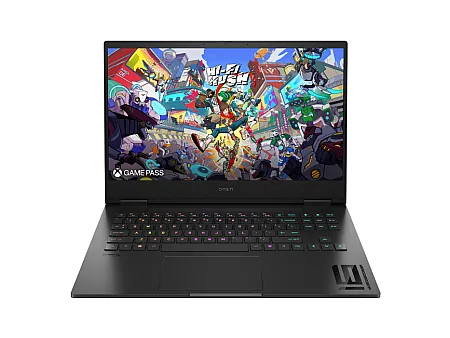
HP has fine-tuned its laptops, including Pavilion, Envy, Spectre, and OMEN models, to work seamlessly with Windows 11. Some key performance improvements include:
Better Resource Management
Windows 11 uses enhanced memory management, allowing HP laptops with 8GB or 16GB RAM to multitask more efficiently. Background applications are managed more intelligently, resulting in better responsiveness and battery performance.
Enhanced Gaming and Graphics
For HP laptops with Intel 12th, 13th, or 14th Gen processors or AMD Ryzen 5000/7000 series, Windows 11’s DirectStorage and Auto HDR features provide noticeable improvements in game loading times and overall graphical performance.
Faster Boot and App Launching
HP laptops with SSDs benefit from Windows 11's optimized startup system, offering faster boot times and quicker application launches.
2. Compatibility Across HP Models
HP ensures broad compatibility across most modern laptops.
Fully Compatible Series
- HP Pavilion (2021 and newer)
- HP Envy
- HP Spectre x360
- HP OMEN
- HP Victus
- HP ProBook and EliteBook
These models meet TPM 2.0, Secure Boot, and CPU requirements for Windows 11.
Partially Compatible or Upgrade with Caution
- Older HP Pavilion laptops with 7th Gen Intel or earlier
- Some HP 15 and HP 17 budget models
- Devices without TPM 2.0 or Secure Boot support
3. Windows 11 Updates on HP Laptops
Windows 11 updates are optimized for HP devices but may come with certain behaviors.
HP Optimized Drivers
Driver updates for BIOS, chipset, display, touchpad, and connectivity are released through HP Support Assistant, helping maintain smooth performance after major Windows 11 updates.
Feature Updates Tested for Stability
Before rolling out new Windows versions, HP tests compatibility to reduce issues like audio dropouts, Wi-Fi instability, or display bugs.
Firmware Improvements
Many HP laptops receive firmware patches to improve battery efficiency, regulate fan speeds, optimize thermals, and refine touchpad performance.
4. User Experience on Windows 11 with HP Laptops
Redesigned Interface
The modern interface of Windows 11, including the centered Start Menu and simplified layout, runs smoothly on mid-range and high-end HP laptops.
Useful Productivity Tools
Features such as Snap Layouts, widgets, and virtual desktops enhance productivity, especially on larger HP displays.
Improved Security
Windows 11 integrates stronger security features such as TPM 2.0 support, Windows Hello, and virtualization-based protection. HP laptops support these features effectively, especially business-oriented models.
5. Potential Challenges
Although Windows 11 runs well on HP laptops, some challenges may appear in certain configurations.
Touchpad Sensitivity Problems
Some users, particularly with Pavilion models, have reported touchpad delays. These issues are typically resolved through BIOS or driver updates.
Higher RAM Usage
Windows 11 uses more memory than Windows 10. Devices with only 4GB RAM may experience slow performance.
Occasional Update Bugs
Feature updates may temporarily cause Wi-Fi, display, or audio issues until driver patches are released.
6. Tips to Optimize Windows 11 on HP Laptops
- Keep HP Support Assistant updated.
- Use Balanced or Performance Mode depending on your usage.
- Disable unnecessary startup programs.
- Update BIOS regularly for stability.
- Calibrate the battery periodically for consistent performance.
Conclusion
HP laptops handle Windows 11 efficiently, offering strong performance, stability, and security features. With optimized drivers, broad compatibility, and solid hardware quality, HP provides a reliable Windows 11 experience across its lineup. Whether you use your laptop for work, study, or gaming, HP ensures smooth integration with Windows 11 as long as your model meets the basic hardware requirements.