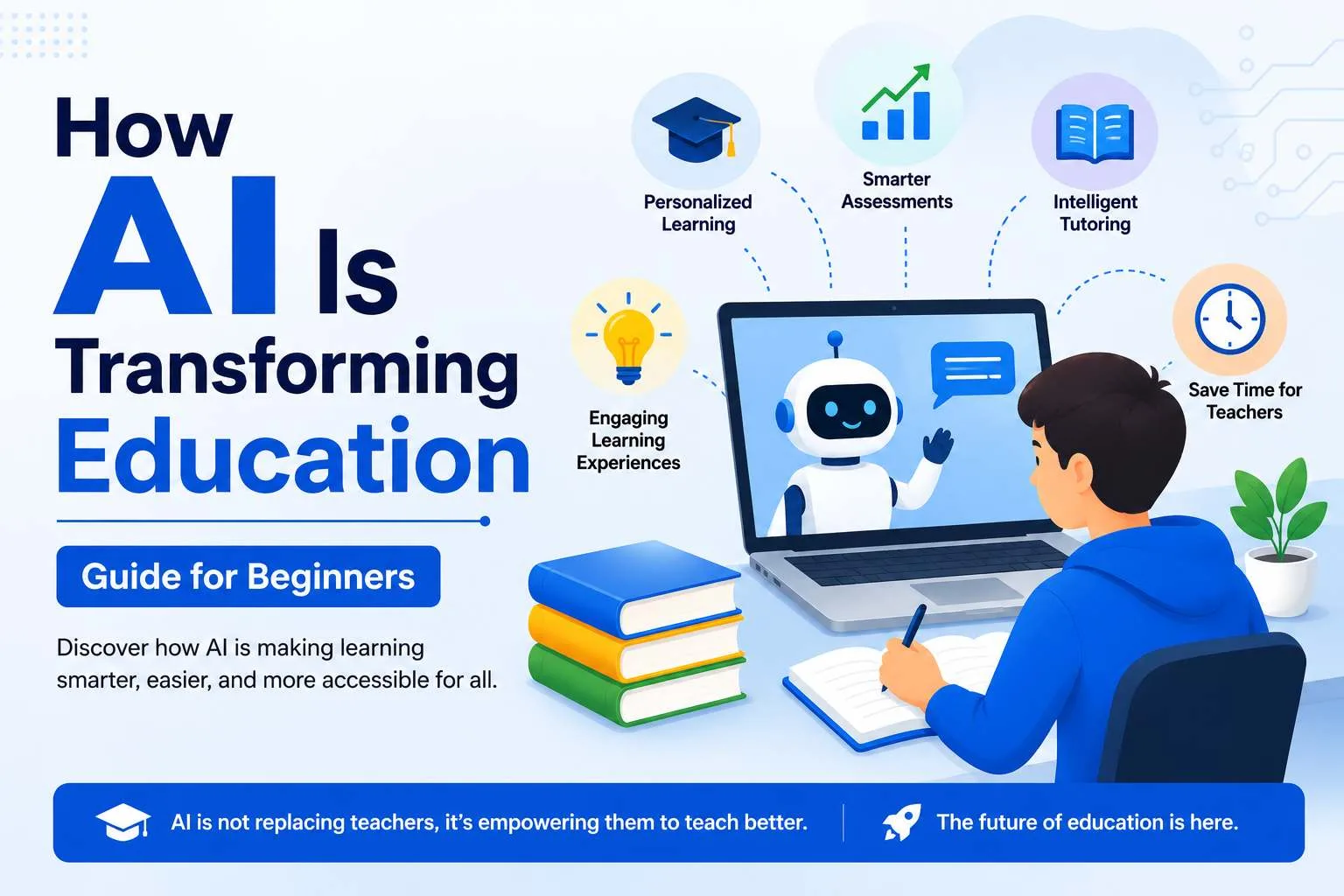
A few years ago, "studying with AI" sounded like something out of a science fiction movie. Today, it is just part of normal student life. Millions of students now use AI tools to understand hard topics, organise their notes, write better essays, and even prepare for job applications after graduation.
If you are new to this and not sure where to start, this guide is for you. We will walk through how AI is actually changing education, which tools are worth your time, and how to use them the right way without losing the skills you are supposed to be building in the first place.
Why AI Is Changing the Way Students Learn
Traditional learning has always relied on a mix of textbooks, lectures, and personal effort. That has not gone away, but AI has added something new: a tool that can explain the same concept ten different ways until it finally clicks, summarise a fifty-page reading in a few paragraphs, or quiz you on your weak spots at 2 a.m. before an exam.
This shift is happening in a few clear ways:
- Personalised learning. AI tools can adjust explanations based on how you learn best, instead of giving everyone the same generic answer.
- Faster research and note-taking. Long readings, lecture recordings, and dense PDFs can be turned into clear summaries in minutes.
- Better writing support. From outlining an essay to checking grammar and tone, AI can catch mistakes and suggest improvements before you submit anything.
- Round-the-clock help. Unlike office hours or tutoring sessions, AI tools are available whenever you actually sit down to study.
- Support beyond the classroom. AI is now helping students with practical life skills too, like building a resume or preparing for interviews.
None of this replaces real learning or critical thinking. What it does is remove a lot of the friction that used to eat up study time.
Best AI Tools for College Students
There is no single "best" AI tool for every student, because different tools are good at different jobs. The smartest approach is to build a small toolkit rather than relying on just one app. Here is a practical breakdown of the best AI tools for college students heading into a new semester.
1. ChatGPT - All-Round Study Assistant
ChatGPT is the most widely used AI tool among students, and for good reason. It is useful for brainstorming essay topics, explaining difficult concepts in plain language, drafting outlines, and even practising for interviews through simple conversation. It works well as a study partner, but it should be used to guide your work, not replace it.
2. Google Gemini - Built Into Everyday Student Tools
Gemini stands out because it is built directly into Google Docs, Sheets, and Slides, which most students already use for assignments. Many universities now offer free student access to Gemini through a school email address, which includes extra features like deeper research tools and expanded cloud storage. If you are already living inside Google's ecosystem, Gemini fits naturally into your workflow.
3. Anthropic Claude AI - Best for Serious Writing and Long Documents
Anthropic Claude AI has become a favourite among students who need to work with long documents, dense readings, or detailed writing projects. It is particularly strong at handling long pieces of text at once, so you can paste in a full draft of an essay or thesis chapter and get thoughtful, specific feedback rather than a generic "this looks good" response. Many students use Claude for the drafting and editing stage of a project, after ChatGPT or Gemini has been used for early brainstorming.
4. NotebookLM - Turning Lecture Notes Into a Study Guide
NotebookLM lets you upload lecture slides, PDFs, and readings, then ask direct questions about them. Instead of scrolling through pages of notes before an exam, you can ask it to summarise a chapter or explain a theory in simple terms, and it answers based only on the material you gave it.
5. Grammarly - Cleaning Up Your Writing
Grammarly checks grammar, punctuation, tone, and clarity in real time. It is especially useful for polishing an assignment after the actual writing is done, since it catches small mistakes that are easy to miss when you have read your own work too many times.
6. Perplexity - Research With Sources You Can Trust
Perplexity works like a search engine powered by AI. Instead of just generating an answer, it pulls information from current web sources and shows you exactly where it came from. This makes it a strong choice for research assignments where you need to back up your claims with real citations.
A smart student workflow in 2026 usually looks something like this: brainstorm with ChatGPT or Gemini, research with Perplexity, organise readings with NotebookLM, draft and refine long writing with Claude, and do a final grammar pass with Grammarly. No single tool does everything well, but together, they cover almost every part of student life.
ChatGPT vs Gemini Comparison: Which One Should Students Use?
This is one of the most common questions beginners ask, so it is worth a closer look. A simple ChatGPT vs Gemini comparison comes down to a few practical differences.
ChatGPT is generally more flexible for open-ended conversations, brainstorming, and step-by-step explanations. It has a huge base of plugins, custom tools, and community-built resources, which makes it useful outside of just schoolwork too.
Gemini has the advantage of being built directly into Google Workspace. If your university already uses Google Docs, Sheets, and Slides for assignments, Gemini can work inside those documents without you needing to copy and paste anything. It also tends to have stronger access to current, real-time information because of its connection to Google Search and Maps.
In practice, most students do not need to pick just one. Many use ChatGPT for general brainstorming and quick explanations, and Gemini for tasks that happen directly inside a Google Doc or Slide deck. If your school offers free access to either tool through a student email, that is usually the easiest way to decide where to start.
ChatGPT Resume Builder Guide: Using AI for Your Job Search
AI is not just useful for coursework. As graduation gets closer, a growing number of students are turning to AI tools to prepare for the job market, and one of the most common uses is building a resume. This simple ChatGPT resume builder guide covers the basics.
Step 1: Gather your information first. Before opening ChatGPT, list out your work experience, internships, projects, skills, and education details. AI can organise and improve your writing, but it cannot invent real achievements for you.
Step 2: Ask for a structure, not a finished resume. Instead of asking ChatGPT to "write my resume," ask it to suggest a clear format based on your field, such as a chronological layout for a marketing internship or a skills-based layout for a first tech job.
Step 3: Turn your experience into strong bullet points. Paste in a rough description of what you did in a job or project, and ask ChatGPT to turn it into a clear, results-focused bullet point. For example, turning "helped organise a college event" into a specific line that highlights the number of people involved, the skills used, and the outcome.
Step 4: Tailor it to each job. Paste the job description alongside your draft resume and ask ChatGPT to highlight which of your skills and experiences match what the employer is looking for. This is one of the most useful parts of using AI for resumes, since manually tailoring a resume for every application is time-consuming.
Step 5: Proofread and personalise. Always read through the final version yourself. AI-generated resumes can sound repetitive or slightly generic if you do not edit them in your own voice. Run it through Grammarly for a final grammar and tone check before sending it out.
Used this way, AI becomes a genuinely useful editor and structure guide for your resume, while the actual experience and achievements stay authentically yours.
Using AI Responsibly as a Student
AI tools are powerful, but using them well means knowing where the line is. A few guidelines worth keeping in mind:
- Check your institution's rules. Most schools allow AI for research, brainstorming, and revision, but restrict it for graded essays or exams. Always check your specific academic integrity policy before using AI on a graded assignment.
- Use AI to support your thinking, not replace it. The strongest use of AI is as a tutor or editor, not an answer machine. Relying on it to write everything for you weakens the skills you are in school to build.
- Verify what AI tells you. AI tools can occasionally get facts wrong or present outdated information confidently. Double-check anything important, especially for research-based assignments.
- Protect your personal information. Avoid pasting sensitive personal or financial details into AI tools, and stick to platforms from reputable providers.
Final Thoughts
AI has genuinely changed what it means to be a student. Tasks that used to take hours, like organising research, drafting essays, or preparing a resume, can now be done in a fraction of the time with the right tools. Tools like ChatGPT, Gemini, and Anthropic Claude AI each bring something different to the table, and learning to use them well, rather than relying on just one, is what actually gives students an edge.
Used responsibly, AI is not a shortcut around learning. It is a genuinely useful study partner, a writing coach, and now, a resume-building assistant, all rolled into a handful of free or low-cost tools that any beginner can start using today.