

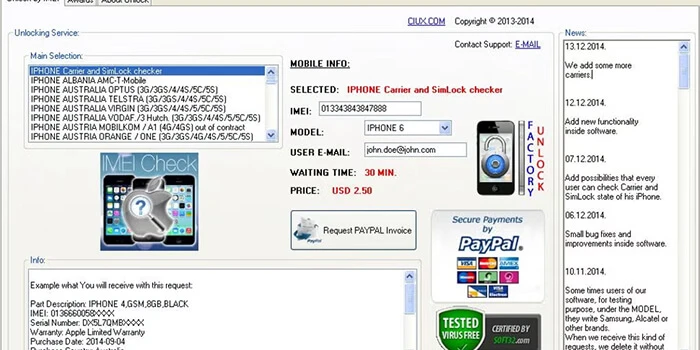
Cracking down on your smartphone is an issue of paramount importance in the modern smartphone era. Does the fact that you are an AT&T customer or that you bought a phone on the AT&T network lead you to have questions about the procedure and advantages of carrier unlocking?
What is Carrier Unlocking?
Carrier unlocking is a process of removing network restrictions from a smartphone. Phones purchased through carriers such as AT&T are frequently locked and will not work with other carriers. Locking may enable the use of the device with the help of other compatible networks, both within and outside the country. To take an example, an AT&T-locked phone will not accept a Verizon, T-Mobile, or international SIM card until the phone is unlocked. The unlocking of the carrier allows flexibility, especially on the part of the traveller, the user changing networks, or one who plans to sell the phone.
Why Consider Unlocking Your AT&T Phone?
There are several reasons why unlocking your AT&T device is a smart move:
- Network Freedom: Unlocked models will allow you to use any compatible network without any limitations.
- International Travel: You can make use of local SIM cards when traveling abroad and save a lot of money of roaming charges.
- Higher Resale Value: The customers prefer to purchase unlocked phones since they are not tied to one network.
- Upgrade Flexibility: Should you decide that you want to change service providers, then having an unlocked phone means you will be able to do so without the need to buy a new phone.
- No Long-term Commitment: Unlocking frees you from being tied to a specific carrier’s plans or promotions.
Eligibility Criteria for AT&T Unlock
AT&T carrier unlock has set specific requirements to ensure that the device can be safely and legitimately unlocked. Here’s what you need to know:
- Device Must Be Active: The phone should be active on the AT&T network for at least 60 days.
- Account Status: The account associated with the device must be in good standing with no outstanding balances.
- Phone Condition: Phones reported as lost, stolen, or involved in fraud cannot be unlocked.
- Contract & Installment Plans: Devices on installment plans may require full payment before unlocking.
- Device Limit: AT&T allows a limited number of unlock requests per account in 12 months.
Ensuring that your device meets all eligibility requirements is crucial before initiating the unlock process to avoid rejection or delays.
How to Request an AT&T Carrier Unlock
AT&T provides multiple options for requesting a carrier unlock. Follow these steps for a smooth process:
1. Online Unlock Portal:
- Visit AT&T’s official device unlock portal.
- Enter your IMEI number (unique to your phone).
- Provide your account details and device information.
- Submit the unlock request.
2.Customer Support:
- Call AT&T customer service and request an unlock.
- Provide necessary account verification details and device information.
- The representative will guide you through the process.
3. AT&T Store Visit:
- Visit a local AT&T store with your device.
- Present proof of purchase or account information.
- Store representatives can initiate the unlock process.
Once the request is submitted and approved, AT&T usually provides an unlock code (for older phones) or remotely unlocks the device (for newer devices). The process typically takes 1-2 business days.
Step-by-Step Guide to Unlock Your AT&T Phone
After approval, follow these steps to complete the unlock:
- Insert a Non-AT&T SIM Card: Power off the device, remove the AT&T SIM, and insert a SIM from a different carrier.
- Enter the Unlock Code (if required): Some devices may prompt for an unlock code provided by AT&T. Enter it carefully.
- Restart Your Device: Power it on after inserting the new SIM.
- Confirm Unlock: Check network connectivity. If the device connects to the new carrier’s network, the unlock was successful.
If you experience issues, AT&T customer service is available to help troubleshoot the problem.
Benefits of an Unlocked AT&T Phone
Unlocking your phone provides significant advantages:
- Freedom to Switch Carriers: Easily move to another network without changing your device.
- Cost Savings: Use local SIM cards abroad to avoid international roaming fees.
- Device Longevity: Your phone can serve you longer as it is compatible with multiple networks.
- Higher Resale Value: Unlocked phones fetch better prices on resale platforms.
- Convenience: Flexibility in choosing prepaid or postpaid plans with different carriers.
Considerations Before Unlocking
While unlocking has many benefits, consider these factors:
- Warranty: Unlocking does not void the manufacturer's warranty, but always check your phone’s policy.
- Carrier Services: Some AT&T-specific features, such as Visual Voicemail, may not work on other networks.
- Network Compatibility: Ensure the device supports the frequencies and bands of the new carrier.
- Third-party Unlock Services: Avoid unauthorized services promising faster unlocks, as they may be scams.
Common Issues and Troubleshooting
Sometimes, unlocking may not go smoothly. Common issues include:
- IMEI Not Recognized: Verify your IMEI and check if the phone is eligible.
- Unlock Request Denied: Confirm that the account is in good standing and the device meets all requirements.
- SIM Card Error: Ensure the new SIM is active and compatible with the device.
- Software Updates: Some devices may need software updates to complete the unlock.
If problems persist, contacting t mobile unlock support is the safest solution.
Unlocking vs Jailbreaking
It’s important to distinguish between carrier unlocking and jailbreaking:
- Carrier Unlock: Legally removes network restrictions, allowing use on other networks.
- Jailbreaking: Modifies the phone’s operating system to bypass software restrictions, which can void warranties and expose the phone to security risks.
Carrier unlocking is safe, legal, and supported by AT&T, whereas jailbreaking is not recommended for casual users.
Always ensure your device meets iphone carrier unlock requirements, follow the official request process, and confirm network compatibility before switching. With a properly unlocked phone, you gain flexibility, convenience, and long-term value.
Q1. What is an AT&T carrier unlock?
An AT&T carrier unlock is a process that removes network restrictions from your phone, allowing it to work with other carriers, both domestically and internationally.
Q2. How do I know if my AT&T phone is eligible for unlocking?
Your phone must meet AT&T’s eligibility requirements: active for at least 60 days, account in good standing, fully paid if on an installment plan, and not reported as lost or stolen.
Q3. How long does it take to unlock an AT&T phone?
Most requests are processed within 1–2 business days, but it can take longer depending on the device type and verification process.
Q4. Can I unlock my AT&T phone for free?
Yes, if your phone meets AT&T’s eligibility requirements, unlocking is free. Unauthorized third-party services may charge fees but are not recommended.
Q5. Will unlocking my phone void the warranty?
No. Carrier unlocking does not void the manufacturer’s warranty. However, jailbreaking your phone may void the warranty.
Q6. Will all AT&T phones work on other carriers after unlocking?
Most modern smartphones are compatible with multiple networks, but you should confirm that the phone supports the frequency bands of the new carrier.


