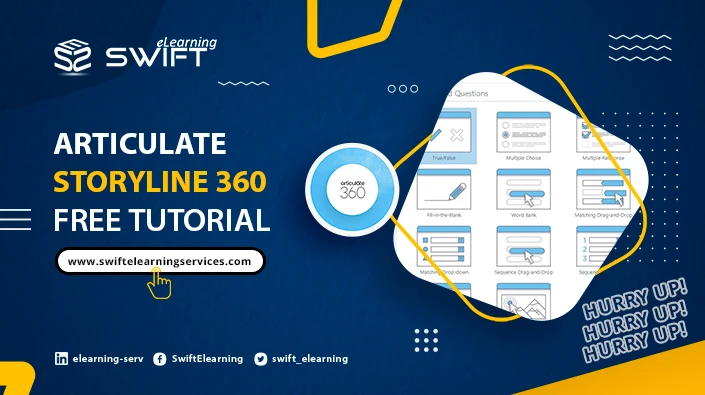
A common challenge in corporate training is transforming static content into engaging learning experiences without extending development timelines. The articulate storyline 360 free tutorial offers a structured way to build interactive modules that balance speed, quality, and learner engagement. For professionals exploring hands-on guidance, this detailed articulate storyline 360 free tutorial demonstrates how to create quizzes and dynamic interactions that resonate with modern learners.
Whether you are redesigning compliance training or building onboarding programs, understanding how to leverage Storyline 360’s capabilities can significantly elevate learning outcomes.
Modern instructional design relies heavily on interactive learning experiences built using tools like Storyline 360. A free tutorial focused on quizzes and interactions teaches professionals how to design scenario-based learning, knowledge checks, and responsive modules that improve engagement, retention, and measurable training performance.
What makes Storyline 360 effective for interactive learning design?
Storyline 360 stands out because it bridges the gap between design creativity and technical simplicity. Instructional designers can build sophisticated interactions without heavy programming.
Key capabilities include:
- Slide-based interface similar to PowerPoint
- Built-in triggers, states, and layers for interaction design
- Pre-designed templates for quizzes and assessments
- Responsive player for multi-device learning
For organizations, this translates into faster development cycles and consistent learning experiences across teams.
How can you design scenario-based quizzes in Storyline 360?
Scenario-based quizzes are essential for applying knowledge in real-world contexts. Instead of testing recall, they simulate decision-making environments.
A practical approach:
- Start with a workplace scenario (e.g., handling a customer complaint)
- Use branching logic to create multiple decision paths
- Provide immediate, contextual feedback
- Reinforce correct behaviors with explanations
For example, a sales training module might include:
- A conversation simulation with a client
- Multiple response options
- Consequences that unfold based on learner choices
This method improves retention because learners actively engage in problem-solving rather than passive consumption.
Why are triggers and layers critical for building interactions?
Triggers and layers are the backbone of interactivity in Storyline 360. They control how elements behave and respond to learner actions.
Triggers define actions:
- Show a layer when a button is clicked
- Jump to another slide based on user input
Layers allow:
- Pop-up feedback
- Additional content without leaving the slide
- Interactive storytelling
When used effectively, these features create immersive learning environments. Instructional designers often use them to simulate workflows or demonstrate processes step by step.
How do you create engaging knowledge checks without overwhelming learners?
One common mistake in corporate training is overloading learners with complex assessments. Effective knowledge checks should be simple yet meaningful.
Best practices include:
- Use micro-assessments after short content sections
- Limit question types to maintain clarity
- Provide instant feedback instead of delayed scoring
- Incorporate visuals or icons to support understanding
A well-designed module doesn’t feel like a test—it feels like part of the learning journey.
Organizations like Swift eLearning Services often emphasize this approach when developing corporate learning programs, ensuring assessments align with real job tasks rather than abstract knowledge.
What are the best ways to use variables for personalization?
Variables in Storyline 360 allow designers to personalize learning experiences based on user input.
Use cases include:
- Displaying learner names dynamically
- Tracking quiz scores across slides
- Creating adaptive learning paths
- Unlocking content based on performance
For instance, a compliance course could:
- Redirect high performers to advanced scenarios
- Offer additional support to learners who struggle
This level of personalization enhances learner engagement and ensures content relevance.
How can Storyline 360 improve corporate eLearning outcomes?
Organizations investing in digital learning expect measurable results. Storyline 360 contributes by enabling:
- Faster course development cycles
- Consistent branding across training modules
- Data tracking through LMS integration
- Higher learner engagement through interactivity
A strong example is how companies redesign legacy training into interactive modules. Instead of long presentations, they use clickable elements, simulations, and quizzes to improve completion rates.
To understand how structured digital learning ecosystems support such transformations, this guide on building interactive corporate eLearning solutions with Storyline 360 provides useful context on aligning tools with business goals.
What common mistakes should you avoid in Storyline 360 projects?
Even experienced designers can fall into common traps when working with Storyline 360.
Avoid:
- Overusing animations that distract from learning objectives
- Creating overly complex navigation
- Ignoring mobile responsiveness
- Designing quizzes that focus only on recall
Instead, prioritize clarity, usability, and alignment with learning outcomes.
A simple, well-structured course often performs better than a visually complex but confusing one.
How do you ensure your quizzes align with real business goals?
The effectiveness of quizzes depends on how well they connect to workplace performance.
To ensure alignment:
- Map each question to a specific learning objective
- Use real-life scenarios instead of theoretical questions
- Measure outcomes such as decision-making accuracy
- Collect learner data to refine future modules
For example, in safety training:
- Replace generic questions with hazard identification scenarios
- Simulate real workplace risks
- Provide corrective feedback tied to company policies
This approach ensures training is not just completed—but applied.
Conclusion
Interactive eLearning is no longer optional for organizations aiming to build skilled, adaptable workforces. Tools like Storyline 360 empower instructional designers to create meaningful learning experiences that go beyond static content.
By following a structured articulate storyline 360 free tutorial, professionals can design quizzes and interactions that reflect real-world challenges, improve learner engagement, and deliver measurable outcomes.
As digital learning continues to evolve, the focus will shift further toward personalization, adaptive learning, and immersive experiences. Organizations that invest in these capabilities today will be better positioned to meet tomorrow’s workforce demands—where learning is continuous, contextual, and deeply interactive.