A security flaw found after launch costs far more than one found a week before it. You lose user trust, you scramble to ship a patch and you may face a store review or a data complaint on top of it. Most of those flaws are not exotic. They are small, common mistakes that a careful pre-launch review would have caught.
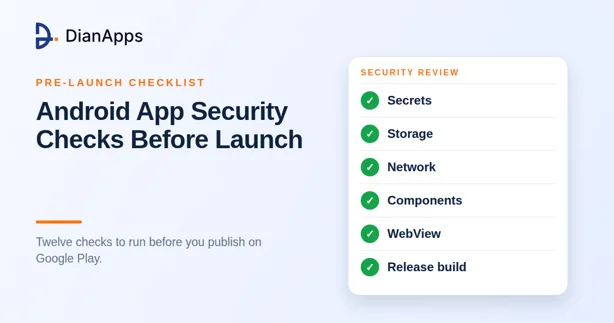
This guide gives you twelve checks to run before your Android app goes live. It is written for founders, product owners and developers who want a practical list, not a security textbook. Use it as a review tool for your own team or as a checklist when you question an outside partner.
Why a pre-launch security review is worth the time
Android is the most widely used mobile operating system in the world, with about 67.6 percent of the global market in August 2026 (StatCounter, August 2026). That reach makes it a steady target for attackers, who look for easy wins such as exposed keys, unprotected components and weak network settings.
The good news is that Android gives developers strong tools. The OWASP Mobile Application Security Verification Standard, known as MASVS, gives a clear baseline of what a secure app should do (OWASP MASVS). Google's own documentation covers the platform features that back it up (Android Developers documentation, 2026). The checks below put both into plain language.
Check 1: Agree on what you are protecting
Start with a short list of what matters most in your app. It might be payment details, health records, location history or login tokens. Then write down who might want it and how they could get it.
This takes an hour and shapes everything else. An app that handles card payments needs a stricter review than a simple content reader. Share the list with your android app development company or in-house team so everyone tests against the same risks.
Check 2: Keep secrets out of the app
Anything you place inside an APK can be pulled out by someone with the right tools. That includes API keys, passwords, private tokens and signing credentials.
Search your code and build files for hard-coded keys before release. Move sensitive calls to your own server, which holds the secret and returns only the result. If a key must live on the device, store it with the Android Keystore system, which keeps cryptographic material in protected hardware where the device supports it (Android Developers documentation, 2026).
Check 3: Protect data stored on the device
Assume that a lost or rooted phone can be read. Do not store passwords, tokens or personal data in plain text in shared preferences, files or logs.
Encrypt anything sensitive with keys held in the Keystore. Turn off automatic backup for data you do not want copied to the cloud by setting the right flags in your manifest. Clear caches and clipboard content that may hold private data, and check that your debug logs never print personal details.
Check 4: Lock down network traffic
All traffic should use HTTPS with current TLS. Modern Android versions block cleartext traffic by default for apps that target recent API levels, but older settings or third-party libraries can quietly turn it back on.
Use a network security configuration file to state exactly which domains the app can talk to and to block anything else. For high-risk apps such as banking or healthcare, consider certificate pinning, but plan for certificate rotation so a routine renewal does not lock every user out.
Check 5: Make login and sessions hard to abuse
Never trust the app alone to decide who is logged in. The server must check every sensitive request.
Use short-lived access tokens with refresh tokens stored securely. Add rate limits and lockouts on the server to slow down guessing. For quick, safe sign-in, use the BiometricPrompt API instead of building your own fingerprint or face flow. Make sure sessions end on logout, and check that old tokens stop working.
Check 6: Review exported components and permissions
Activities, services, broadcast receivers and content providers can be reached by other apps when they are marked as exported. Since Android 12, any component with an intent filter must declare its exported status explicitly (Android Developers documentation, 2026), which forces a decision. Make that decision on purpose.
Export only what must be public and protect the rest. Then audit your permissions. Ask for the minimum, request them at the moment of use and drop any that your features no longer need. Excess permissions raise both your risk and your drop-off rate.
Check 7: Harden every WebView
A WebView that loads untrusted content is a common entry point. Turn off JavaScript unless the page truly needs it. Disable file access, restrict which URLs can load and never expose native functions to pages you do not control.
If your app is mostly web content inside a shell, run these checks twice. Weak WebView settings undo much of the work you did elsewhere.
Check 8: Harden the release build
A release build should look very different from a debug build. Confirm that the debuggable flag is off, that test endpoints and test accounts are gone and that log statements are stripped.
Turn on R8 to shrink and obfuscate your code. It will not stop a determined attacker, but it raises the effort needed to read your logic. Use Play App Signing so Google protects your signing key, and store your upload key in a safe place with limited access.
Check 9: Verify the device and app with Play Integrity
For actions that matter, such as payments, high-value rewards or account recovery, ask whether the request comes from a genuine app on a genuine device. The Play Integrity API returns signals about the app, the device and the account, and it replaces the older SafetyNet service (Android Developers documentation, 2026).
Always check the verdict on your server, not in the app. Decide in advance what happens when the check fails. Often the best answer is to limit the sensitive action rather than block the user entirely.
Check 10: Audit your libraries and SDKs
Most apps ship more third-party code than first-party code. Every library is a path into your app.
List every dependency, remove the ones you do not use and update the rest. Run a dependency scanner in your build pipeline so known vulnerabilities fail the build. Read what each analytics, advertising and payment SDK collects, because their behavior becomes your responsibility in the eyes of users and regulators.
Check 11: Meet Google Play requirements
A secure app can still be rejected for policy reasons, so check these early. New apps and updates must target Android 16 (API level 36) from August 31, 2026, with an extension available to November 1, 2026 (Google Play Console Help, 2026). You must also complete the Data safety form accurately, publish a privacy policy and justify any sensitive permissions.
New personal developer accounts need a closed test with 12 testers for 14 days before release to production (Google Play Console Help, 2026). Build that time into your plan.
Check 12: Test like an attacker, then release in stages
Automated tools are a good start. Run static analysis on your code and dynamic testing on a running build. Then have someone who did not write the app test it by hand, ideally against the MASVS checklist. A fresh pair of eyes will find things the original team no longer sees.
When you are ready, use a staged rollout in Play Console. Release to a small share of users first, watch crash and security signals and expand only when things look healthy. Keep a plan ready for pushing a fix quickly.
How to get this done without slowing your launch
You do not need a large security team to run these checks. You need them built into the process from the start. Security is far cheaper when it is part of design and code review than when it is added in the last week.
Many teams that provide android application development services now build these checks into every sprint, and it is fair to ask for that. If you do not have the skills in-house, you can hire Android developers who already build with these checks as standard practice. Our guide on how to hire developers for a startup lists the questions to ask about security, testing and code ownership. For the technical basics behind the platform, our primer on Android app development fundamentals is a useful starting point, and our breakdown of app development costs shows where testing and security fit in a budget.
Choosing a partner you can trust
When you compare an Android app development agency or any android development company, ask direct questions. Do they follow a recognized standard such as MASVS? Who reviews code for security? Can they show how they handle secrets, tokens and updates? Can they explain a past issue they found and fixed? Clear answers matter more than a long list of logos.
DianApps offers Android app development services that cover strategy, design, development in Kotlin and Java, API integration and software testing, along with the option to hire dedicated Android developers. If you need custom Android app development services for a product that handles payments, personal data or both, you can explore our Android app development service and talk to the team about a security-first build. As an Android application development company with offices in the USA, Canada, Australia, UAE and India, DianApps supports startups and established brands from first release to long-term updates.
Final thoughts
Security is not a feature you add at the end. It is a habit you build into every sprint. Run these twelve checks, fix what they uncover and release in stages. You will launch with fewer surprises and give your users a good reason to trust the app.