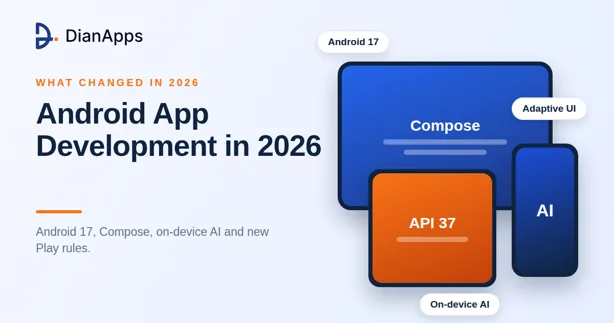
If you built an Android app three years ago and open the project today, a lot will feel unfamiliar. The platform has a new major version, the UI toolkit has changed, AI tools sit inside the editor and Google Play has stricter rules on what you can publish.
This guide explains what has changed in android app development in 2026 and what each change means for founders, product owners and the mobile app developers who build for them. Every point is tied to an official Google announcement, so you can check it yourself.
The short version
Android 17 is out and brings real behavior changes. Jetpack Compose is now the default way to build screens. AI features run on the device and agents can call into apps. Large screens are no longer optional. Google Play requires newer target versions. Together, these shifts change how mobile application development is planned and priced on Android.

Android 17 is here, and it changes behavior
Google released Android 17 (API level 37) on June 16, 2026 for supported Pixel devices (Android Developers Blog, June 2026). Apps that target the new level must handle several rule changes.
Memory limits are stricter and based on the RAM of the device, so a leaky app can now be ended by the system. Local network access needs its own runtime permission. SMS one-time codes are delayed for apps that are not the intended recipient, so teams should move to the SMS Retriever or User Consent APIs. Native libraries loaded at runtime must be read-only, and CameraX must be on version 1.5.2 or 1.6.0 or higher to avoid a crash.
None of this is dramatic on its own. Together, it means every existing app needs a testing pass before it targets API 37. If you work with a mobile app development company, ask when that pass is scheduled.
Compose is now the standard
At Google I/O 2026, Google said Compose is the standard for future guidance and libraries, and that Views and the View-based Jetpack libraries are now in maintenance mode (Android Developers Blog, May 2026). New APIs will be Compose-only.
That does not mean old apps stop working. It means new screens should be written in Compose, and old screens should move over in steps. Teams get less code, faster previews and better support for different screen sizes. When a vendor pitches android application development for a new product, a View-based plan is a red flag.
Large screens are no longer optional
Phones are not the only Android devices people use. Tablets, foldables and laptops count too. In Android 17, apps that target API 37 can no longer opt out of orientation and resizability rules on screens with a smallest width of 600dp or more (Android Developers Blog, June 2026). Games are exempt.
In practice, a portrait-only layout that is stretched across a tablet will look broken, and users will notice. The fix is adaptive design, which means layouts that respond to window size using Compose and Jetpack Navigation 3. It is far cheaper to plan this at the start than to retrofit it before a deadline.
AI is built into the platform and the workflow
Two kinds of AI now matter to Android teams. The first is AI inside the app. Google announced a Gemini Nano 4 preview for on-device tasks and hybrid inference in Firebase AI Logic, which lets an app choose between on-device and cloud models (Android Developers Blog, May 2026). The second is agents that use your app. AppFunctions lets an app expose actions to on-device agents, though it is still in an early stage.
AI also changes how developers work. Android CLI is now stable, so coding agents can handle Android tasks. Google AI Studio can generate a native Compose app from a prompt, and the Migration Assistant in Android Studio can port an iOS, React Native or web app to native Android. These tools speed up first drafts. They do not replace design decisions, testing or security review.
If you want to see how agent-style features work in practice, our guide on AI agents vs chatbots is a good start.
Google Play rules got tighter
From August 31, 2026, new apps and updates on Google Play must target Android 16 (API level 36) or higher, and eligible apps could request an extension to November 1, 2026 (Android Developers, 2026). Google Play is also adding Gemini-based app discovery and Gemini-generated store listings in Play Console.
The lesson is to treat store compliance as a standing task. Someone on the team should own target versions, data safety forms and release notes every quarter. Our overview of Android app development fundamentals covers the basics for newer teams.
Android is still where the audience is
Android held about 67.6 percent of the global mobile operating system market in August 2026, against about 32.4 percent for iOS (StatCounter, August 2026). If your users are in India, Southeast Asia, Africa, Latin America or most of Europe, Android is usually the first platform to build for.
That share does not mean Android alone is always right. Many products launch on both. Our comparison of Flutter vs React Native helps you decide when a shared codebase makes sense, and our primer on what mobile application development involves covers the full process.
How to move an existing app forward
If you already have an Android app, you do not need to rebuild it. Start with an audit: which API level it targets, how much of the interface is still View-based, how it behaves on a tablet and which libraries are out of date. Then fix in this order, store compliance first, crashes second, Compose migration third and AI features last. That order protects your listing and your users while the bigger upgrades happen in steps.

What to ask your Android team in 2026
Before you sign anything, ask five plain questions. Which API level will the app target, and when? Will new screens use Compose? How will the app behave on tablets and foldables? Where will AI features run, on the device or in the cloud? Who owns Play Console compliance after launch?
A good app development agency answers these without a long pause. If you plan to bring in outside help, our guide to choosing an AI mobile app development company gives you a full checklist, and our notes on IT staff augmentation explain a fast route when you need to hire mobile app developers for a short build.
Why the right partner matters now
More moving parts means more ways for a project to slip. Android 17 testing, adaptive layouts, Compose, AI features and Play rules all need to be handled together. Strong mobile app development services combine design, engineering, QA and release under one plan, and wider application development services cover the backend and data that the app depends on.
At DianApps, we build Android apps with Kotlin and Compose, and we also work with Flutter and React Native when a shared codebase fits better. As a mobile app development company, we plan API targets, large-screen support and AI features from day one. If you are scoping a product, explore our custom mobile app development or send us your brief, and we will tell you which of these changes affect your roadmap.
The takeaway
Android app development in 2026 is more capable and more demanding. Build new screens in Compose, design for every screen size, add AI where it solves a real problem and keep a close eye on Play rules. Do that, and the platform changes work for you instead of against you.