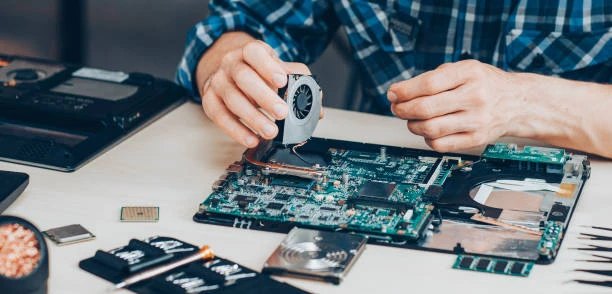
Tablets have become essential devices in everyday life, combining portability with powerful functionality. However, like any electronic device, they can encounter issues that disrupt their performance. Tablet repair is a crucial service that helps extend the lifespan of these devices by addressing common problems and restoring their functionality. Understanding what tablet repair entails can save time, money, and frustration.
Common Tablet Issues
One of the most frequent reasons for tablet repair is screen damage. Cracked or shattered screens occur easily due to drops or impacts. Other typical issues include battery problems, such as reduced battery life or failure to charge. Additionally, tablets may suffer from software glitches, unresponsive touchscreens, malfunctioning buttons, or faulty charging ports. Recognizing these problems early can prevent further damage.
Diagnosing the Problem
Proper diagnosis is the foundation of effective tablet repair. This process involves carefully inspecting both hardware and software components. For instance, if a tablet fails to power on, the technician will check the battery health, charging system, and internal circuitry. Software issues might require system resets, firmware updates, or virus removal. Accurate diagnosis ensures the repair targets the actual problem, avoiding unnecessary parts replacement.
Screen Replacement and Repair
Screen replacement is one of the most common repair services for tablets. Since the display and digitizer are integrated in most models, any crack or malfunction typically requires replacing the entire assembly. Skilled technicians use specialized tools to disassemble the tablet without damaging internal components. After replacement, calibration ensures the touchscreen functions smoothly. This repair is delicate but essential for restoring usability.
Battery Replacement and Power Issues
Battery degradation is inevitable over time, leading to shorter usage periods or unexpected shutdowns. Tablet repair often involves replacing worn-out batteries with new ones that meet manufacturer specifications. Additionally, issues with the charging port or power management circuits can cause charging failures. Repairing or replacing these components helps restore the tablet's ability to hold and receive charge effectively.
Software Troubleshooting and Updates
Sometimes tablet issues stem from software rather than hardware. Software troubleshooting can include removing malware, clearing corrupted files, or resolving operating system bugs. Firmware updates can improve performance and security. In some cases, a factory reset may be necessary to restore the tablet to its original state, but backing up data beforehand is critical to avoid loss.
Importance of Professional Tablet Repair
Attempting to repair tablets without proper knowledge or tools can lead to further damage. Professional repair services bring expertise, quality parts, and warranty coverage. This reduces risks associated with self-repair attempts, such as damaging fragile components or voiding warranties. Moreover, professionals can provide advice on device maintenance to prevent future problems.
Preventive Care Tips
Preventing tablet damage is better than repair. Using protective cases and screen protectors significantly reduces the chance of physical damage. Avoiding exposure to moisture and extreme temperatures also helps maintain device health. Regular software updates and cautious app installations reduce software-related problems. Proper charging habits can extend battery life as well.
Conclusion
Tablet repair is a valuable service that ensures the longevity and functionality of these versatile devices. From screen replacement and battery fixes to software troubleshooting, understanding the scope of repairs helps users make informed decisions. Professional repair services offer safe and reliable solutions, while preventive care reduces the need for future repairs. Investing time in maintenance and repair ultimately saves money and keeps tablets running smoothly.