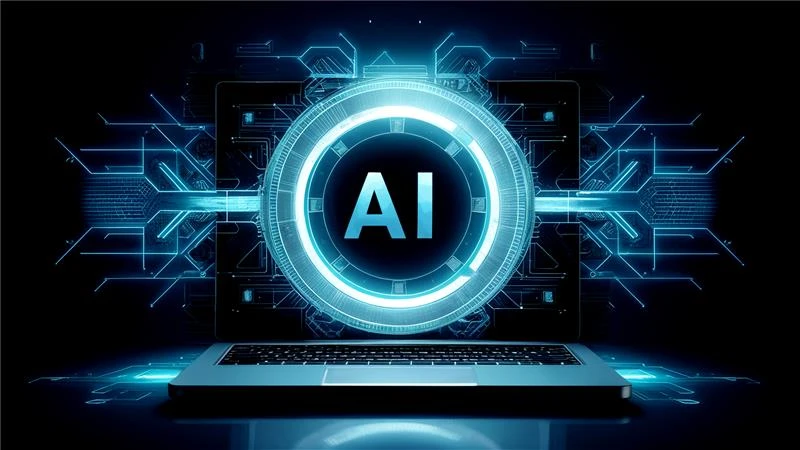
The world of personal computing just took a massive leap forward. You might think your current laptop is fast, but modern AI PCs are a different breed entirely. These machines do not just follow instructions anymore. They actually understand what you need before you even ask for it. This shift happens because of a special chip called an NPU. This Neural Processing Unit handles heavy AI tasks without slowing down your main processor. This evolution makes your daily work much smoother and faster. Everyone from office workers to creative artists will feel this massive performance boost.
Get ready to explore how these smart system improvements redefine your entire digital life and your future productivity.
1. NPUs Revolutionize Your Processor Speed
Standard laptops often struggle when you run too many apps at once. Modern AI PCs solve this problem with dedicated hardware for Artificial Intelligence. The NPU takes over all the background AI tasks. This leaves your CPU and GPU free to handle your main work. You will notice that your system stays cool even during intense video calls. The best AI PCs use NPUs to process AI workloads locally, delivering faster performance, lower power consumption, and smoother multitasking across demanding applications.
Dedicated Silicon for Smarter Tasks
The NPU acts like a specialized brain for your machine. It focuses entirely on machine learning patterns. This hardware shift means your battery lasts much longer, too. You get high performance without sacrificing your mobility throughout the workday.
2. Battery Life Hits New Record Highs
We all hate searching for a power outlet in the middle of a project. AI PCs use smart power management to extend your unplugged time. The system tracks which apps you use the most. It then cuts power to the software you are not touching. This proactive approach saves energy without you lifting a finger.
Intelligent Power Delivery Systems
Your AI PC learns your schedule and optimizes your charging cycles. It knows when you are likely to be away from a desk. This internal logic keeps your device ready for action at all times. You can finally leave your heavy charger at home during short trips.
Smart power management is just the start of the personalization journey. This intelligence also helps your computer understand your voice and your environment.
3. Crystal Clear Communication in Every Call
Online meetings are now a staple of our professional lives. Background noise, like barking dogs or traffic, used to ruin these calls. AI PCs use advanced noise cancellation to fix this. The system identifies your voice and filters out every other sound. You sound like a pro, even if you are working from a busy coffee shop.
Studio Quality Sound Without Extra Gear
The AI also improves your video quality in low light. It centers your frame automatically if you move around the room. These features happen locally on your device for total privacy. Your colleagues will see and hear a much better version of you.
4. Generative AI Tools Work Right on Your Desk
Most people use cloud-based tools for generating images or text. AI PCs change this by running those models locally. This means you do not need an internet connection to use powerful creative tools. Local processing also keeps your sensitive data much safer. You get instant results without waiting for a server to respond.
Speeding Up Your Creative Workflow
Local AI allows for much faster iterations on your projects. You can generate high-quality drafts or edit photos in seconds. This local power turns your laptop into a portable creative studio. It also helps with organizing the massive amount of data we handle every day.
As we move towards a more smart era of computing, AI PCs are going to be a frontrunner. As per a report, AI PCs will account for more than 55% of the total PC share in 2026.
5. Smart File Search Saves You Hours
Finding a specific document from last year is usually a nightmare. Modern AI PCs index your files based on actual context. You can search for "that chart about sales from the summer" and find it instantly. The system understands the meaning behind your words rather than just matching text. This improvement turns your messy hard drive into a searchable library.
Contextual Understanding of Your Digital Assets
Your computer scans your images and PDFs to categorize them. It recognizes faces and objects within your personal photo gallery. The background system maintains automatic organizational processes at this level. Your time spent on folder searching activities decreases while your productive work time increases.
6. Security Features Stop Threats Before They Start
Cybersecurity is a major concern for everyone today. AI PCs use behavioral analysis to spot weird activity on your system. They do not just look for known viruses like old antivirus software did. The AI notices if a program starts acting in a suspicious way. It can lock down your data before a hacker even gets a chance to move.
Real-Time Protection Against New Malware
The system monitors your hardware for any physical tampering. It uses facial recognition to ensure only you can access your files. These security layers operate without slowing down your computer's speed. You get peace of mind knowing your machine is always on guard.
7. Predictive Performance Speeds Up App Launches
Waiting for a heavy app to open is a waste of your time. AI PCs watch which apps you open at specific times of the day. If you always check your email at 9 AM, the system reads that app for you. This makes your most-used software feel like it opens instantly. It creates a snappy experience that feels tailored to your specific routine.
Anticipating Your Daily Digital Needs
The PC allocates memory to the tasks you are about to start. This predictive logic reduces the lag you see during multitasking. Your computer becomes an extension of your own thought process. This feels much more natural than waiting for a machine to catch up.
8. Adaptive Interfaces Fit Your Specific Style
Everyone uses their computer differently. The best AI PCs adjust their menus and shortcuts based on your clicking habits. If you use certain tools often, they move to the front of your screen. This adaptive layout reduces the number of clicks needed to finish a task. Your operating system literally grows and changes alongside your career.
Customizing the User Experience Automatically
The screen brightness and color temperature also adjust to your surroundings. The AI knows if you are working late at night or under bright sunlight. These tiny changes reduce eye strain and keep you comfortable.
Conclusion
Investing in an AI PC is about more than just a hardware upgrade. It is about changing how you interact with technology forever. You get more speed and better security, along with incredible battery life. These eight improvements are just the beginning of a brand new era. Your computer is finally becoming as smart as you need it to be. Stop fighting with your technology and let it start working for you.