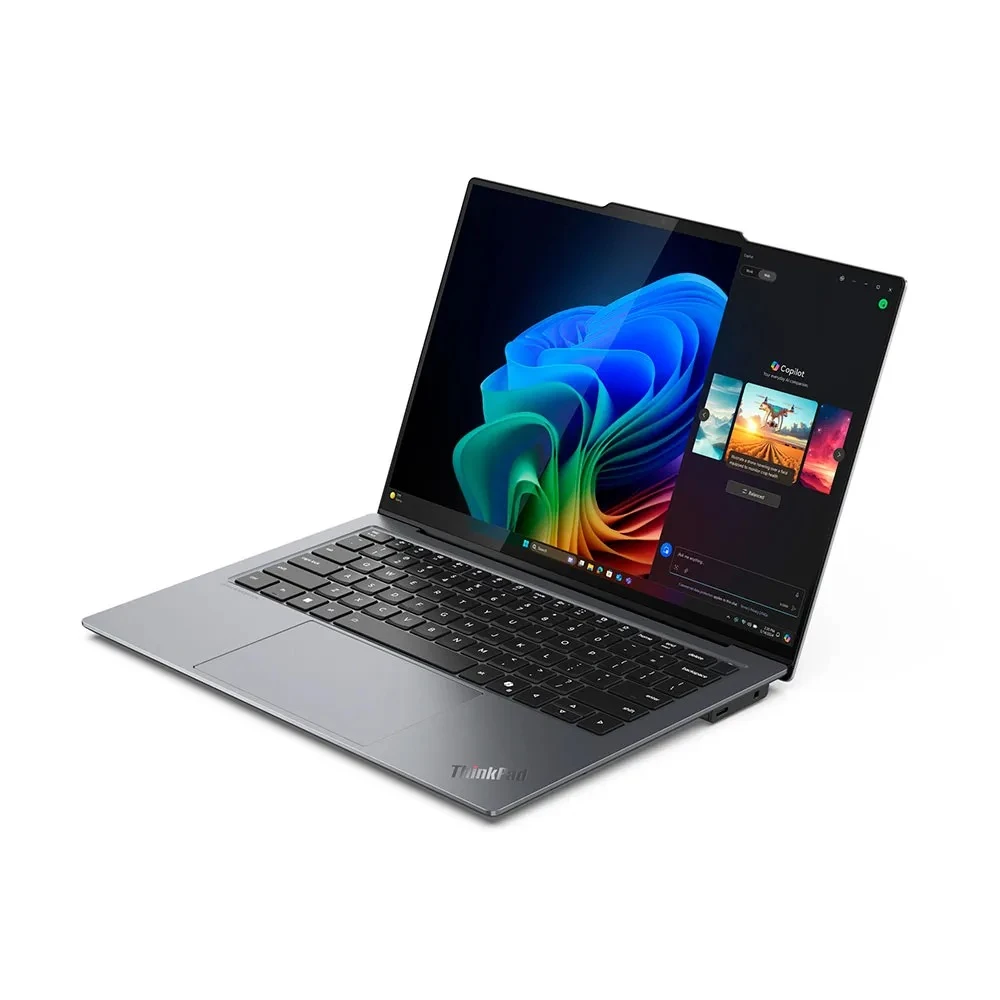
Your AI PC is more than just a work device; it’s a reliable digital partner designed to simplify tasks, enhance productivity, and simplify your daily routine. It can help you draft content faster, manage meetings with ease, and locate files without the usual searching and sorting.
Yet most users are not familiar with what these advanced devices can genuinely offer. With a few intentional habits, you can unlock significant value while keeping your system efficient, secure, and long-lasting.
We have outlined seven practical actions you can incorporate into your everyday workflow. Each step requires only a few minutes, but together they create a noticeable improvement in speed, comfort, and overall performance.
Whether you’re working remotely, meeting clients on the go, or managing a busy office schedule, these habits help you get the most from the best AI PCs, ensuring your device works in sync with the demands of your day.
1. Start your day with a quick update check
When your AI system stays up to date, it works more efficiently and makes better decisions for you. Updates bring new features and also fix small bugs that can slow work or break key apps. A short check each morning keeps your AI PC ready for a full day of tasks.
First, open your best AI PCs settings and look for updates to your main apps and your system. Next, check your AI assistant or AI control center and download new models or packs when they show up. These short steps help your device think smarter and also keep your data safer.
Daily update steps:
- Open system settings and check for system updates before you start work.
- Refresh your AI assistant or control panel so it loads any new features.
2. Train your AI assistant with real work
Your AI PC learns from what you do every day. When you guide it with clear examples, it can answer in your style and save you many small steps. This habit turns a basic smart device into a real work partner.
Start by feeding it real tasks from your day. Share your usual email tone and the way you like to explain things to clients or teammates. When it gives a result that feels close but not perfect, adjust the answer and save that change so the system learns your taste.
Over time, your AI assistant will write drafts that sound more like your voice and suggest actions that fit your role. The best AI PCs do this very well, so each week your experience feels more personal and less generic. With steady training, you spend less time fixing and more time moving work forward.
3. Use AI for cleaner and smarter meetings
Meetings can drain energy when sound breaks, screens freeze, or notes go missing. Your AI PC often includes smart features that reduce noise, track key points, and clean your video so you look sharp and clear.
Before a call, open your meeting app settings and turn on noise removal and background blur or replacement. Many AI laptops also offer auto framing that follows your face when you move. During the call, you can switch on live transcripts so you can focus on people instead of racing through notes.
Meeting features to turn on:
- Noise removal that cuts keyboard taps and street sounds during calls.
- Auto framing and light balance so your face stays bright and clear.
- Live captions or transcripts that help you capture tasks and next steps.
When you use these intelligent features each day, your calls feel calm and more human, even when you work from a busy home or shared space.
4. Let AI handle search and file chaos
Hunting for one lost file can waste ten minutes and break your focus. Modern AI PCs often include smart search features that look through documents, chats, and emails with one simple request. This saves time and also lowers stress during busy hours.
Start by keeping your files with clear names that include client, topic, and date. Then use your AI search bar to ask for what you need in plain language. You might type a request like a short question, and the system will scan text inside files, not just file names.
Over days and weeks, your AI PC learns which projects matter most and will bring those first. You can also ask it to group items for a task, such as a meeting pack or report folder. This habit gives you a feeling of control even when work piles up.
5. Use AI to protect privacy and security
Your AI PC does more than speed up tasks. It can also watch for danger while you stay focused on work. Smart security capabilities check links, files, and login attempts in the background and warn you when something looks wrong.
Open your security dashboard and turn on real-time protection and AI-based threat checks. Many systems can spot strange behavior before you feel a problem. Also, use your PC health system to scan for risky apps and remove ones you do not trust or use anymore.
Simple daily security habits:
- Check your security panel once a day for alerts or warnings.
- Use face or fingerprint unlock instead of only a simple password.
- Close work apps when you walk away so no one can see private data.
When you follow these steps, your AI PC stays strong, and your own mind rests easier during and after the workday.
6. Match AI performance modes to your day
Some days you run heavy tasks like video edits and large data sheets. On other days, you handle mail, documents, and calls only. Your AI PC often includes smart performance modes that balance speed, heat, and battery for each type of day.
Each morning, think about the kind of work you plan to do. For long travel days, choose an energy-saving mode that slows the processor a little but keeps the battery steady. For design or coding sprints, switch to a high-performance mode so your apps stay fast and smooth.
Many of the best AI PCs can even auto-sense what you do and adjust power on the fly. Still, a quick manual check gives you more control and helps you avoid slowdowns or dead batteries at the wrong moment. This habit keeps your device feeling ready for your pace instead of the other way around.
7. Pair AI with healthy work habits
A fast AI PC helps most when your own body and mind feel good. Long hours at a screen can strain eyes, neck, and focus. Small daily habits that link your device to your health can make a big difference over time.
Look for wellness settings in your system that remind you to take short breaks. Some AI laptops can suggest stretch moments or eye rest based on how long you stay at the keyboard. You can also tweak screen brightness and color so your eyes feel less tired by the end of the day.
Gentle habits to protect your energy:
- Follow short break reminders and stand or move for a few minutes.
- Keep the screen at eye level to reduce neck and shoulder pain.
- Use a warm screen tone later in the day to keep your sleep cycle healthy.
When you honor these small cues, your AI PC turns into a partner that cares about your long-term comfort, not only your daily output.
Conclusion
When you build these seven actions into your normal rhythm, your AI PC starts to feel like part of your team. You guide it with real work, it learns your style, and together you handle tasks with more calm and confidence. Small steps like updates, smart search, and wellness checks may look simple on their own, yet they shape every hour you spend with your device.
The best AI PCs shine when people treat them as living systems that grow smarter with care and use. Your choices today teach your laptop how to support your work tomorrow. With a few mindful habits, you not only protect your investment, but you also protect your time and energy.