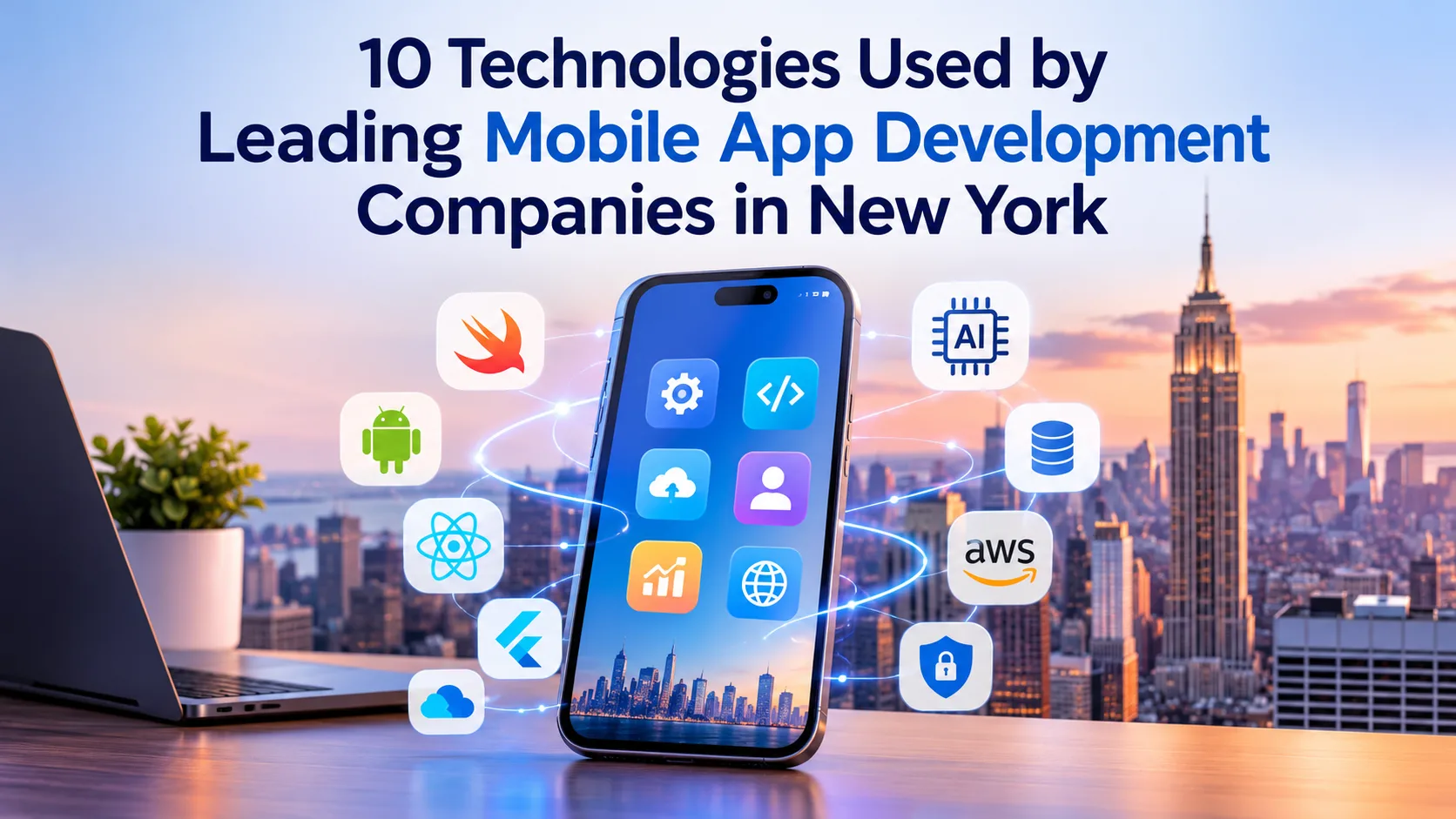
What makes one mobile app feel intelligent and easy to use while another struggles to get the basics right? A lot of it comes down to the technology behind the screen. AI now influences everything from product recommendations and voice searches to fraud detection and automated customer support. If you’re evaluating a Mobile App Development Company in New York, understanding the technologies its developers work with can give you a much clearer idea of what they’ll be able to build.
Let’s look at 10 AI technologies and development tools shaping modern mobile applications, along with where they make a real difference.
1. Generative AI and Large Language Models (LLMs)
Generative AI has changed what users expect from mobile applications. Instead of navigating several menus or searching through long help pages, users can simply ask a question and get a relevant response. Models such as GPT, Claude, and Google’s Gemini make these conversational experiences possible.
Developers are integrating LLMs into banking applications, educational platforms, productivity tools, and customer support systems. Picture a banking app that can explain your monthly spending habits or help you understand an unfamiliar transaction through a simple conversation.
A skilled Mobile App Development Company in New York can connect these models through APIs, fine-tune prompts, integrate company-specific information, and introduce safeguards to improve response quality. Technologies such as retrieval-augmented generation (RAG) also help models work with information beyond their original training data.
The bigger opportunity isn’t simply adding a chatbot. It’s making an application genuinely more helpful.
2. Machine Learning Frameworks Like TensorFlow and PyTorch
Machine learning is what allows an application to recognize patterns in user behavior and make useful predictions based on data. Frameworks such as TensorFlow and PyTorch give developers the tools to train, test, and deploy models for different business requirements.
You’ve probably seen machine learning at work without thinking about it. Shopping apps suggest products based on your browsing history, streaming platforms recommend content, and fitness applications identify changes in your activity patterns.
These features rely on models that analyze relevant data and improve their predictions as more information becomes available.
For mobile deployment, developers can also use TensorFlow Lite and its newer LiteRT runtime options to run optimized models on supported devices. This reduces dependence on constant server communication for certain tasks.
For businesses, the practical benefit is personalization. Your application can respond to individual preferences instead of giving every user the same experience.
3. Natural Language Processing (NLP) and Speech Recognition
Typing isn’t always the easiest way to interact with an application. Someone driving, working, or dealing with a complicated form may prefer speaking instead. Natural Language Processing (NLP) and speech recognition help mobile apps understand these interactions.
Technologies such as Google Cloud Speech-to-Text, Apple Speech, and transformer-based NLP models can convert speech into text, identify user intent, extract relevant information, and process everyday language.
Consider a healthcare application where patients can dictate appointment notes, search for information using conversational queries, or interact with a voice assistant. The application needs to understand what the person means, not just recognize individual words.
NLP also supports multilingual interfaces, intelligent search, automated customer service, and voice-based navigation.
For businesses serving different customer groups, these features can make an application easier to access and more comfortable to use. That’s particularly useful when your audience includes people with different language preferences or accessibility needs.
4. Computer Vision and Image Recognition
Your smartphone camera can do much more than capture photographs. With computer vision, applications can analyze images and videos, identify objects, scan documents, and recognize visual patterns.
Developers commonly use OpenCV, Google ML Kit, and specialized deep-learning models to build these capabilities into mobile products.
Retail is an obvious example. A customer could point their camera at an item to find similar products or identify something they want to purchase. Banking and insurance applications can use document recognition to extract information from uploaded forms. Healthcare platforms may also incorporate image analysis into specific clinical workflows, provided the technology is appropriately validated and professionally supervised.
The implementation needs careful attention, though. Image quality, lighting, camera performance, and model training all affect recognition accuracy.
A development team must account for these practical conditions rather than assuming the model will perform perfectly in every environment.
5. AI-Powered Chatbots and Virtual Assistants
Remember the old chatbots that kept giving you the same three answers no matter what you asked? Modern AI assistants are considerably more capable.
Platforms such as Dialogflow CX and Microsoft Bot Framework, along with LLM-powered conversational systems, allow developers to create assistants that understand context, retrieve information, and guide users through specific tasks.
An e-commerce application, for example, could let customers check an order, request a return, compare products, or ask for recommendations without jumping between different sections. An enterprise application might use a virtual assistant to retrieve company information or help employees complete routine processes.
The difference between a useful assistant and an annoying chatbot is often integration. It needs access to the right backend services, databases, and user permissions to provide meaningful answers and complete supported actions.
When done well, these assistants can reduce repetitive support requests and give customers a quicker way to get things done.
6. Cloud AI Platforms and Infrastructure
AI models can demand considerable computing power, particularly when processing large datasets or handling complex requests. Running everything directly on a smartphone isn’t always practical. Cloud infrastructure gives developers another option.
Platforms such as Amazon Web Services (AWS), Google Cloud, and Microsoft Azure provide services for model hosting, machine learning, data processing, and AI integration. Firebase is also widely used in mobile projects for authentication, analytics, cloud messaging, and application infrastructure.
Here’s how it might work: a user submits a request through your mobile app, selected information travels to a secure cloud environment, an AI model processes it, and the result comes back to the application.
This architecture can support applications with growing user bases and demanding workloads. Developers can also update backend services and AI models without asking users to reinstall the application every time something changes.
The right setup depends on your product, though. Cloud costs, response times, data protection, and expected traffic should all influence infrastructure decisions.
7. Retrieval-Augmented Generation (RAG) and Vector Databases
One limitation of generative AI is that a language model doesn’t automatically know your company’s internal information. It may not have access to your latest product catalogue, customer policies, technical documentation, or private business records.
Retrieval-Augmented Generation (RAG) helps solve this problem. It connects an AI model to an external knowledge source, retrieves relevant information, and uses that material to generate a more context-aware response.
Vector databases such as Pinecone, Weaviate, and Milvus help make this possible. They store information in vector form and support similarity-based searches, allowing applications to retrieve content based on meaning rather than relying entirely on exact keyword matches.
Imagine building an employee application where staff can ask questions about company policies or training documents. RAG can retrieve the relevant passages and provide them to the language model before it responds.
For businesses, this opens up practical AI use cases involving internal knowledge, customer assistance, technical documentation, and specialized information retrieval. Access controls and source quality still matter, of course. A model is only as useful as the information it receives.
8. AI Agents and Workflow Automation
AI agents are moving applications beyond answering questions. They can work toward a particular goal by selecting tools, retrieving information, making decisions within defined limits, and carrying out permitted actions.
Frameworks such as LangGraph help developers coordinate multi-step workflows involving language models, external tools, and decision-making processes.
Consider a travel application. A user might ask an assistant to organize a business trip. The agent could retrieve travel preferences, compare available options through connected services, prepare an itinerary, and ask the user to approve a booking before proceeding.
Businesses can apply similar workflows to appointment scheduling, customer support, document processing, and internal operations.
Of course, giving an AI agent the ability to take action requires more care than allowing it to generate a response. Developers need to establish permissions, approval steps, action limits, and error-handling procedures. Sensitive systems should never be left open to unrestricted automated access.
9. On-Device AI and Edge Computing
Not every AI feature needs a cloud connection. On-device AI allows certain models to run directly on a smartphone, which can make applications faster and reduce the amount of information sent to external servers.
Apple Core ML and Google’s LiteRT are two technologies developers can use to deploy optimized machine learning models on supported mobile devices. Modern smartphone processors also include hardware designed to accelerate certain AI workloads.
Think about predictive text on your keyboard, real-time camera recognition, or a fitness application analyzing movement patterns. These features can work without sending every request to a remote server.
There are some clear advantages. On-device processing can reduce response times, help control cloud expenses, and keep selected information on the user’s phone. It can also make certain features available when internet connectivity is limited.
The trade-off is device capacity. Developers need to optimize model size, memory usage, battery consumption, and processing requirements so the application performs well across different smartphones.
10. AI Security, Fraud Detection, and Biometric Authentication
A mobile application can have impressive AI features and still fail if users don’t trust it with their information. Security needs to be part of the development plan, particularly for applications handling payments, financial records, personal details, or business data.
Machine learning can help identify unusual transaction patterns, flag suspicious login attempts, and detect activity that doesn’t match normal user behavior. Businesses can implement custom anomaly-detection models or use specialized fraud detection services to support these workflows.
Biometric authentication adds another layer to the experience. Apple’s Face ID and Android’s BiometricPrompt allow applications to use supported device authentication mechanisms rather than relying entirely on passwords.
For example, a financial application could combine biometric authentication with transaction risk analysis to identify potentially unauthorized activity.
A reliable Mobile App Development Company in New York should also account for encryption, secure API communication, access controls, audit logs, and applicable privacy requirements. AI-based security tools are useful, but they don’t replace sound security architecture.
How to Choose a Mobile App Development Company in New York for AI Projects
Knowing the names of popular AI technologies is one thing. Finding a team that can use them effectively is another.
A development company’s website might mention GPT, TensorFlow, AWS, and computer vision, but that alone tells you very little about its actual engineering capabilities. Ask how its developers have used these technologies and what problems they solved with them.
Look for practical experience with AI integration, mobile frameworks, backend development, API architecture, and cloud infrastructure. If you’re building an application that handles sensitive information, ask how the team approaches data privacy, model security, and user permissions.
It’s also worth discussing what happens after launch. AI models need monitoring, applications need updates, and user expectations change. A development partner should have a clear approach to testing, maintenance, performance improvements, and future feature releases.
Most importantly, don’t choose technology just because it’s popular. A recommendation engine, for example, may be more valuable to your business than an expensive generative AI integration. The right team will help you make that distinction.
Want to know how much app development costs in New York? Read our latest blog to explore the pricing, key cost factors, and budgeting insights.
How Much Does Mobile App Development Cost in New York? (2026–27 Guide)
Why Choose Code Brew Labs?
If you’re putting together a shortlist, Code Brew Labs is one company worth considering. Its work spans mobile app development, AI-powered applications, and custom software solutions, making it a relevant option for businesses looking to build more than a basic mobile application.
With over 13 years of technology experience and more than 2,000 digital products delivered, the company brings experience across different types of digital projects. Its team supports the broader product development journey, from idea validation and UI/UX design to development, deployment, and ongoing support.
Services Offered by Code Brew Labs
- iOS App Development: Custom applications for Apple’s iPhone and iPad platforms.
- Android App Development: Android applications designed around business requirements and user needs.
- Cross-Platform App Development: Flutter and React Native solutions for businesses targeting multiple platforms.
- AI and Machine Learning Development: AI-powered applications, intelligent automation, predictive analytics, and machine learning integrations.
- Generative AI Development: LLM integration, AI chatbots, virtual assistants, and AI-powered business applications.
- UI/UX Design: User research, wireframing, prototyping, and intuitive interface design.
- Custom Software Development: Tailored software solutions built around specific operational and business requirements.
- Enterprise App Development: Business applications designed to support complex workflows and enterprise operations.
- Backend and API Development: Backend architecture, database management, and third-party system integrations.
- App Maintenance and Support: Ongoing updates, bug fixes, performance improvements, and technical assistance.
Another area worth exploring is its experience with emerging technologies. Businesses planning applications involving intelligent automation, machine learning, or complex third-party integrations may find this particularly relevant.
Of course, don’t make your decision based on company credentials alone. Ask to see projects related to your requirements, discuss your technical expectations, and get a clear understanding of the proposed timeline and deliverables. That’s the best way to determine whether Code Brew Labs is the right fit for your project.
Final Thoughts
AI is changing what mobile applications can do, but building a useful product isn’t about squeezing every available technology into one app. Some projects need machine learning and predictive analytics. Others benefit more from conversational AI, image recognition, or automated workflows.
Start with the problem you’re trying to solve. Then choose the technologies that make the application faster, more useful, secure, and easier to maintain.
When speaking with prospective developers, ask them to explain their recommended tech stack, how each technology fits your requirements, and what support they’ll provide after launch.