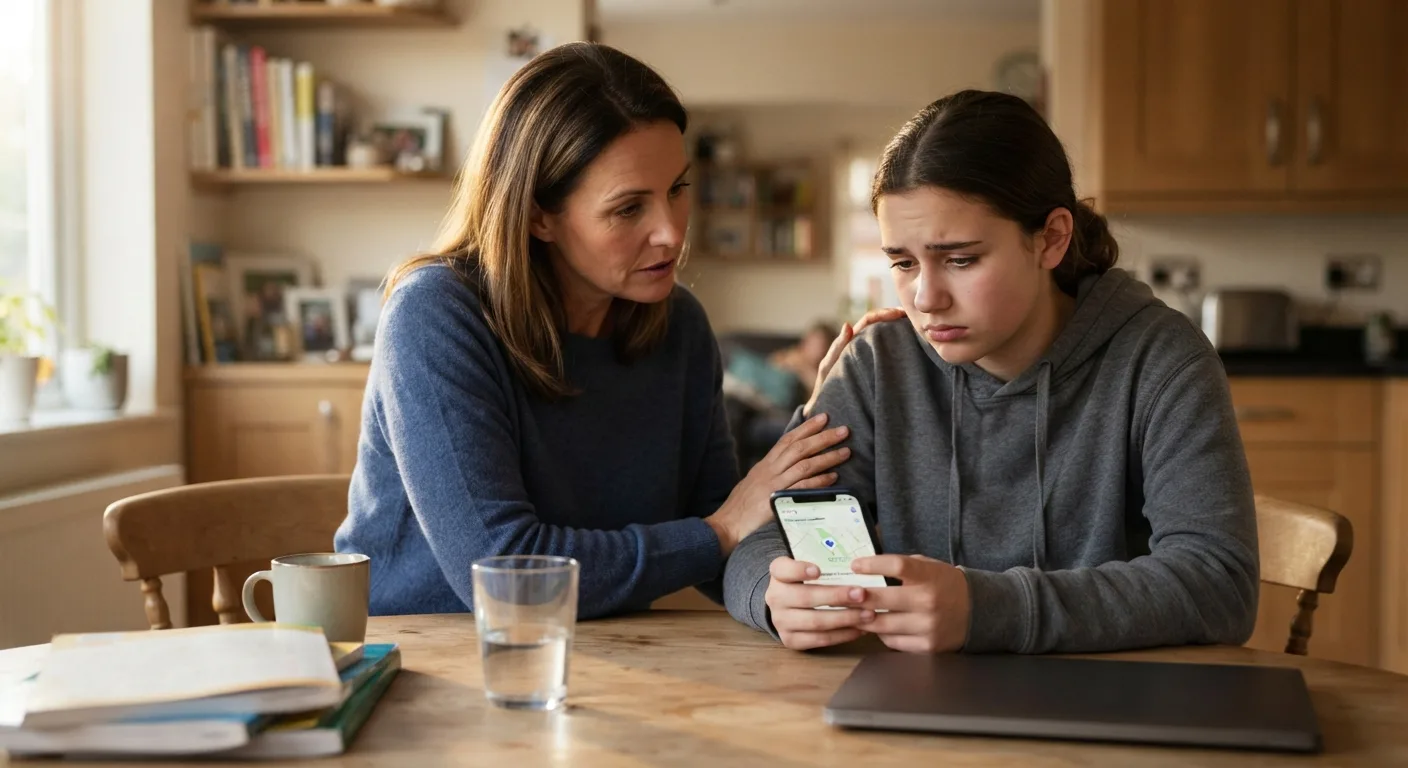
It usually starts with a quiet moment. Your teen comes to you, or you notice something on their face, and the story comes out. They shared their live location on WhatsApp with someone. Maybe a person they met online. Maybe a group chat that turned out to have strangers in it. Maybe an ex-friend they no longer trust. Now they feel uneasy and are not sure what to do.
How you respond in the next few minutes matters a great deal. Handled calmly, this becomes a useful lesson and a moment of trust between you. Handled with panic or anger, it may become the last time your teen tells you about something like this.
This article walks through what to do, step by step, starting with how to stop WhatsApp live location sharing straight away.
Step 1: Stay calm and thank them
Before anything technical, take a breath. If your teen came to you, that was a brave thing to do. Tell them so.
"Thank you for telling me. Let's sort it out together."
That sentence does a lot of work. It tells your teen they are not in trouble, that you are on their side, and that the problem is solvable. Questions about why it happened can wait.
Step 2: Stop the share immediately
The first practical job is to end the live location share. On Android, this is quick:
1. Open WhatsApp and go to the chat where the location was shared.
2. Find the live location message.
3. Tap stop sharing and confirm.
Many versions of WhatsApp also have a list of all active live location shares in the privacy settings. Check this list to make sure nothing else is still running. If there are other shares your teen does not need, stop those too.
Live location on WhatsApp has a built-in timer of 15 minutes, one hour, or eight hours, so the share may already have ended. Even so, check and stop it manually to be sure.
Step 3: Check other apps too
If your teen shared on WhatsApp, they may also be sharing location elsewhere. While you are at it, look at:
⦁ Google location sharing, which can be found in Google Maps or the Google account settings. You can see exactly who can view their location and remove anyone with a couple of taps.
⦁ Social media apps, some of which have map features or location tags on posts
⦁ Other messaging apps, which may have their own live location features
⦁ App permissions, in Android's settings, to see which apps can access location in the background
This is not about inspecting everything on your teen's phone. It is about closing any doors that should not be open. Do it with them, not behind their back.
Step 4: Work out what was seen
Next, gently find out what the other person could have learned. Questions to ask calmly:
⦁ How long was the location shared for?
⦁ Where were you during that time?
⦁ Did it show your home, school, or anywhere you go regularly?
⦁ Has the person said anything about where you were?
WhatsApp describes live location as end-to-end encrypted, which means only people in that chat should have been able to see it. But stopping the share does not erase what those people already saw. If the location showed your home or school, the other person may now know those places.
This is not a reason to panic. Most people who see a shared location do nothing with it. But it does help you decide what comes next.
Step 5: Look at the relationship, not just the setting
Sharing location is often a symptom, not the main issue. Ask about the person:
⦁ How does your teen know them?
⦁ How long have they been talking?
⦁ Has the person asked for location, photos, or personal details before?
⦁ Has anything about them felt pushy, secretive, or uncomfortable?
If the person is a stranger met online, an older person, or someone who has been putting pressure on your teen, that is the bigger concern. Signs worth taking seriously include requests to keep things secret, requests to meet in person, gifts or offers of money, or messages that make your teen feel scared or guilty.
Step 6: Block, save, and report if needed
If the person is someone your teen does not want contact with, help them block the contact on WhatsApp. If there have been any worrying messages, save them first by taking screenshots, before blocking. These may be useful if you need to report the person later.
WhatsApp lets users report contacts and messages from within the app. If the messages involve threats, harassment, or anything sexual involving a young person, contact your local police and keep all evidence. Many countries also have online safety helplines for parents who are unsure what to do.
If the person is a known peer, such as someone from school, the school may also be able to help, especially if the situation involves bullying.
Step 7: Think about practical safety
If the shared location revealed your home or a regular place, and the person is someone you are genuinely worried about, take a few sensible steps:
⦁ Make sure your teen is not walking alone to and from places the person may know about, at least for a while
⦁ Let the school know if there are concerns about the person approaching your teen there
⦁ Keep an eye on new friend requests, follows, or messages from accounts linked to the person
⦁ Reassure your teen that you are taking it seriously and they are not on their own
In most cases, these steps are precautions rather than responses to a real threat. That is fine. Feeling safe is part of being safe.
For a broader look at how families can set up and manage location features on WhatsApp, this guide to managing WhatsApp location sharing safely is a helpful next read.
Step 8: Talk about what happened, later
Once the urgent steps are done, give it some time. Later that day or the next, have a calmer conversation about what happened and what your teen learned.
Keep it open and non-judgmental:
⦁ "What made you decide to share it at the time?"
⦁ "Looking back, what would you do differently?"
⦁ "What could we agree on for next time?"
Teens often know exactly where things went wrong once the pressure is off. Your role is to help them turn that into a few simple habits, such as sharing only with real-life friends, using the 15-minute option, and checking who is in a group before sharing.
A real example
Here is an illustrative example of how this might play out in an ordinary family.
Maya is fifteen. She joined a large WhatsApp group for fans of a band she likes. Someone in the group asked where everyone was going on Saturday, and she shared her live location for eight hours so friends could find her at the shopping center. Later, a person she did not know messaged her privately: "Saw you were at the food court, what were you eating?" It felt creepy.
Maya told her dad that evening. He thanked her, and together they opened the group chat and confirmed the share had already expired. They checked her privacy settings and found no other active shares. They looked at the private messages, took screenshots, and blocked the contact. Maya left the group.
They talked about it briefly at dinner. Maya decided she would only share a live location with three close friends in future, and only for an hour at most. Her dad agreed not to bring it up again unless she wanted to.
Nothing bad happened. But Maya learned how to protect herself, and she learned that telling her dad was safe. That is a good outcome.
When to get outside help
Most situations like this can be handled at home. But some need outside support. Reach out for help if:
⦁ The other person is an adult who has been contacting your teen in a secretive way
⦁ Messages contain threats, sexual content, or requests for images
⦁ The person has turned up, or says they will turn up, somewhere your teen goes
⦁ Your teen is very distressed and struggling to cope
Local police, your teen's school, and national child safety helplines can all advise. You do not need to be certain something is wrong before asking for guidance.
What not to do
Some reactions are understandable but tend to make things worse:
⦁ Taking the phone away as punishment. This teaches your teen that telling you leads to losing their phone. Next time, they may not tell you.
⦁ Secretly monitoring them afterward. Hidden tracking erodes trust and, if discovered, can damage your relationship for a long time. Any family location setup should be open and agreed.
⦁ Overreacting in front of others. Keep the conversation private and calm.
⦁ Blaming them for the other person's behavior. If someone has been manipulative or threatening, that is on them, not your teen.
Turning it into a family habit
Once things settle, this can be a good moment to agree on a few family rules for live location:
1. Only share with people you know in real life
2. Use the shortest time that works
3. Check who is in a group before sharing there
4. Know how to stop WhatsApp live location in seconds
5. If something feels wrong, tell a parent straight away
Write them down, perhaps as a pinned message in the family chat, and revisit them every few months.
Keep the door open
The most important outcome is not that the share was stopped. It is that your teen came to you, and the experience showed them that telling you was the right choice. Thank them again once things are sorted.
Teens will make mistakes online, just as they do offline. What protects them most is having a parent they trust enough to tell. Every calm, supportive response makes that trust a little stronger.