
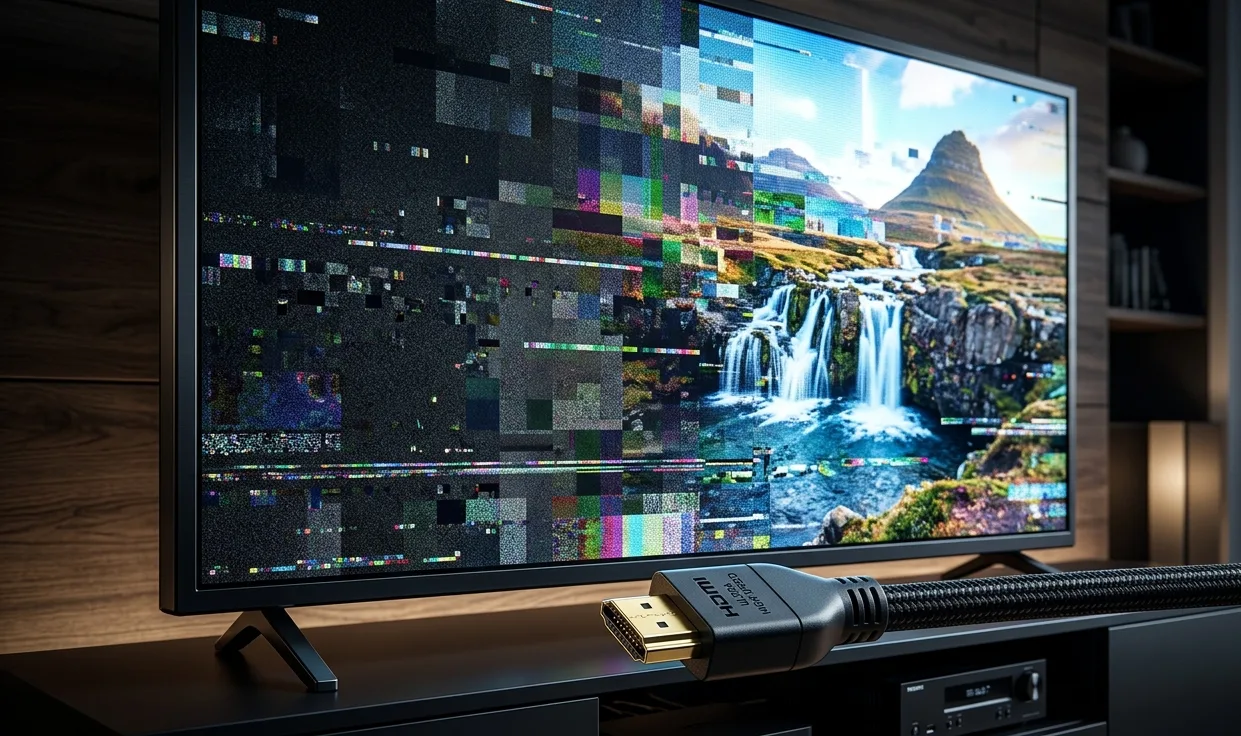
You spent a serious amount of money on a 4K or 8K TV. You picked up a new streaming device or gaming console. You hooked everything together, sat back, and expected to be blown away. Instead, you're staring at a picture that looks blurry, washed out, or weirdly compressed or worse, the screen is flickering and dropping signal every few minutes.
Before you blame the TV, the source device, or your streaming service, there's one thing most people never think to check: the HDMI cable running between them.
It sounds too simple to be the problem. But in a surprising number of cases, it is exactly the problem.
The HDMI Version You're Using Changes Everything
Not all HDMI cables are built the same. The standard has gone through several major revisions over the years, and each version raised the ceiling on what the cable can actually handle in terms of data, resolution, and frame rate.
HDMI 1.4 was the standard for years, and it works perfectly fine for 1080p content. It can technically push 4K video, but only at 30 frames per second.
HDMI 2.0 raised the bandwidth significantly, enabling 4K at 60 frames per second along with HDR support. For most people with a modern 4K setup, a proper HDMI 2.0 cable covers the bases well.
HDMI 2.1 supports 4K at 120 frames per second, 8K at 60fps, and introduces features like Variable Refresh Rate (VRR) and Enhanced Audio Return Channel (eARC). If you own a PlayStation 5, Xbox Series X, or a high-end gaming PC and you're plugging it into an HDMI 2.1 port with an older cable, you're physically blocking the device from delivering its full output. The hardware is ready. The cable is the bottleneck.
Bandwidth Is the Real Story
The reason HDMI versions matter so much comes down to bandwidth how much data the cable can carry per second.
- HDMI 1.4: 10.2 gigabits per second
- HDMI 2.0: 18 gigabits per second
- HDMI 2.1: 48 gigabits per second
When you're dealing with 8K content, uncompressed 4K HDR, or high frame rate gaming, you are pushing enormous amounts of data through that cable every second. If the cable can't carry all of it, something has to give. Usually what gives is picture quality colors get compressed, detail gets lost, or the signal drops out entirely.
This is why two setups with identical TVs and identical source devices can look completely different from each other. One person is running the right cable and seeing the picture as it was intended. The other person is running an old or low-quality cable and unknowingly watching a degraded version of the same content.
The "Premium" Label Doesn't Always Mean What You Think
Walk into any electronics store and you'll see HDMI cables ranging from a few dollars to several hundred.
The most important thing to look for is the cable's certification level, not the price tag.
For HDMI 2.1 performance, you want a cable that is certified as Ultra High Speed HDMI. This certification means the cable has been independently tested and confirmed to handle the full 48 gigabits per second bandwidth that HDMI 2.1 requires.
For HDMI 2.0 performance, you want a cable labeled as Premium High Speed HDMI. This certification covers the 18 gigabits per second bandwidth needed for 4K at 60fps with HDR.
Standard High Speed HDMI covers HDMI 1.4 and is suitable for 1080p and basic 4K at 30fps use cases.
The problem is that many cables on the market claim to support 4K or 8K without actually meeting the certification requirements. The connector physically fits and the cable works well enough to pass basic signal, but under the load of real 4K HDR or 8K content, it quietly degrades the image.
Cable Length Matters More Than People Expect
HDMI signals degrade over distance. For shorter runs, most decent cables handle the job fine. But as you push past 15 or 25 feet, maintaining signal integrity becomes significantly harder, especially at higher bandwidths.
If you need a long run of HDMI and you're trying to push 4K or 8K content, a standard copper HDMI cable will often struggle. This is where active HDMI cables come in they have built-in signal boosters that compensate for the loss over distance.
For very long runs, fiber optic HDMI cables are an even better solution, as fiber carries the signal optically rather than electrically and can cover distances of 50 feet, 100 feet, or more without any degradation.
Symptoms of an Underperforming HDMI Cable
If you're wondering whether your cable is the issue, here are the signs to watch for:
- Intermittent signal loss or a black screen that comes back after you wiggle the cable.
- Flickering, sparkling, or small bright dots scattered across the image.
- A picture that looks noticeably duller or less sharp than expected, especially when HDR is supposed to be active.
- Audio dropouts or the loss of surround sound formats like Dolby Atmos.
Final Thoughts
If you're running a 4K system with HDR, use a certified Premium High Speed HDMI cable. If you have an HDMI 2.1 source and display a new gaming console, a high-end graphics card, or an 8K TV use a certified Ultra High Speed HDMI cable. If your run is longer than 15 feet, consider an active or fiber optic cable rather than passive copper.
Check what you currently have. If the cable came in the box with an older device, or if you've had it for more than five years, there's a real chance it's holding your picture back. Replacing it is one of the cheapest upgrades you can make to a high-end home theater or gaming setup, and the difference can be immediately visible.
Your TV is doing its job. Make sure the cable is doing its job too.
Original Article :- https://semasocial.com/blog/why-your-hdmi-cable-might-be-ruining-your-4k-or-8k-picture-quality