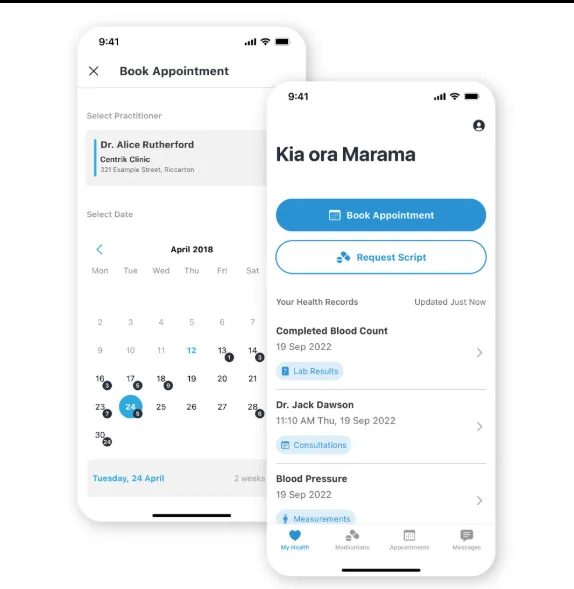
Digital access has become a standard expectation in American healthcare, yet many provider organizations still see uneven portal enrollment and limited repeat use. The problem is rarely a lack of features. Most patient portals already allow people to view records, request appointments, read test results, refill prescriptions, and exchange secure messages. Adoption often stalls because those functions are difficult to find, poorly explained, or disconnected from the moments when patients need them most.
Are Patients Given a Clear Reason to Enroll?
Patients are more likely to activate an account when staff connect enrollment to an immediate benefit. A generic invitation sent after a visit can feel like another administrative task. A text explaining that the portal can be used to complete forms before an appointment, review care instructions, or ask a follow-up question gives the patient a practical reason to register.
Successful Patient Portals in Healthcare are introduced as part of the care experience rather than as optional technology. Front-desk employees, nurses, and clinicians can reinforce this value at different points in the journey. A short explanation from a trusted care team member may be more effective than a detailed brochure because it shows how the tool supports the patient’s current needs.
Does the Experience Work for Every Patient?
Complicated passwords, confusing navigation, small text, and medical jargon can discourage even confident technology users. For patients with limited digital skills, disabilities, or limited English proficiency, these barriers may make the portal unusable. Mobile-responsive design, accessible color contrast, screen-reader compatibility, plain-language instructions, and multilingual content should be treated as essential requirements.
Organizations should also consider proxy access for caregivers and parents. A well-designed workflow lets authorized representatives help manage care without sharing credentials or creating uncertainty about privacy. Effective Patient Health Portals balance convenient access with clear permissions, identity verification, and understandable consent controls.
Are Portal Features Connected to Daily Care?
A portal becomes valuable when it reduces friction. Patients should be able to move smoothly from an appointment reminder to scheduling, from a new result to an explanation, or from a bill notification to a secure payment page. Integrating these activities with the electronic health record helps ensure that information remains current and minimizes duplicate work for staff.
Communication also requires thoughtful expectations. If secure messages are available, patients need to know which questions belong in the portal, when they can expect a response, and where to go for urgent help. Automated confirmations and routing rules can provide reassurance while directing each request to the appropriate team.
How Can Providers Improve Long-Term Engagement?
Enrollment numbers reveal only part of the story. Providers should examine whether patients return, which tasks they complete, where they abandon a workflow, and whether certain populations face greater difficulty. Surveys, support requests, and usability testing can reveal problems that analytics alone may miss.
The strongest patient portals are continuously improved using patient and staff feedback. Providers can begin with high-value functions, simplify the most common journeys, and teach patients how the portal fits into their care. When digital access feels convenient, inclusive, and trustworthy, it becomes more than a record-viewing tool. It becomes a dependable connection between patients and their care teams.
Can Staff Workflows Support the Experience?
Patient adoption can expose operational weaknesses if requests arrive without clear ownership. Teams should define where appointment questions, refill requests, record corrections, billing messages, and clinical concerns are routed. Service expectations and escalation paths help patients receive consistent responses while preventing inboxes from becoming unmanageable.
Training should show employees how portal activity fits into existing work rather than treating it as an extra channel. Automated acknowledgments can confirm receipt, but they should never imply that an urgent concern has been clinically reviewed. Clear emergency guidance and message categories help patients select the appropriate path.
Conclusion
Portal adoption grows when usefulness is immediate, access is inclusive, and the supporting workflows are dependable. By simplifying enrollment, connecting high-value tasks, and improving the experience with real feedback, providers can turn patient portals into trusted tools that support communication and participation throughout the care journey.