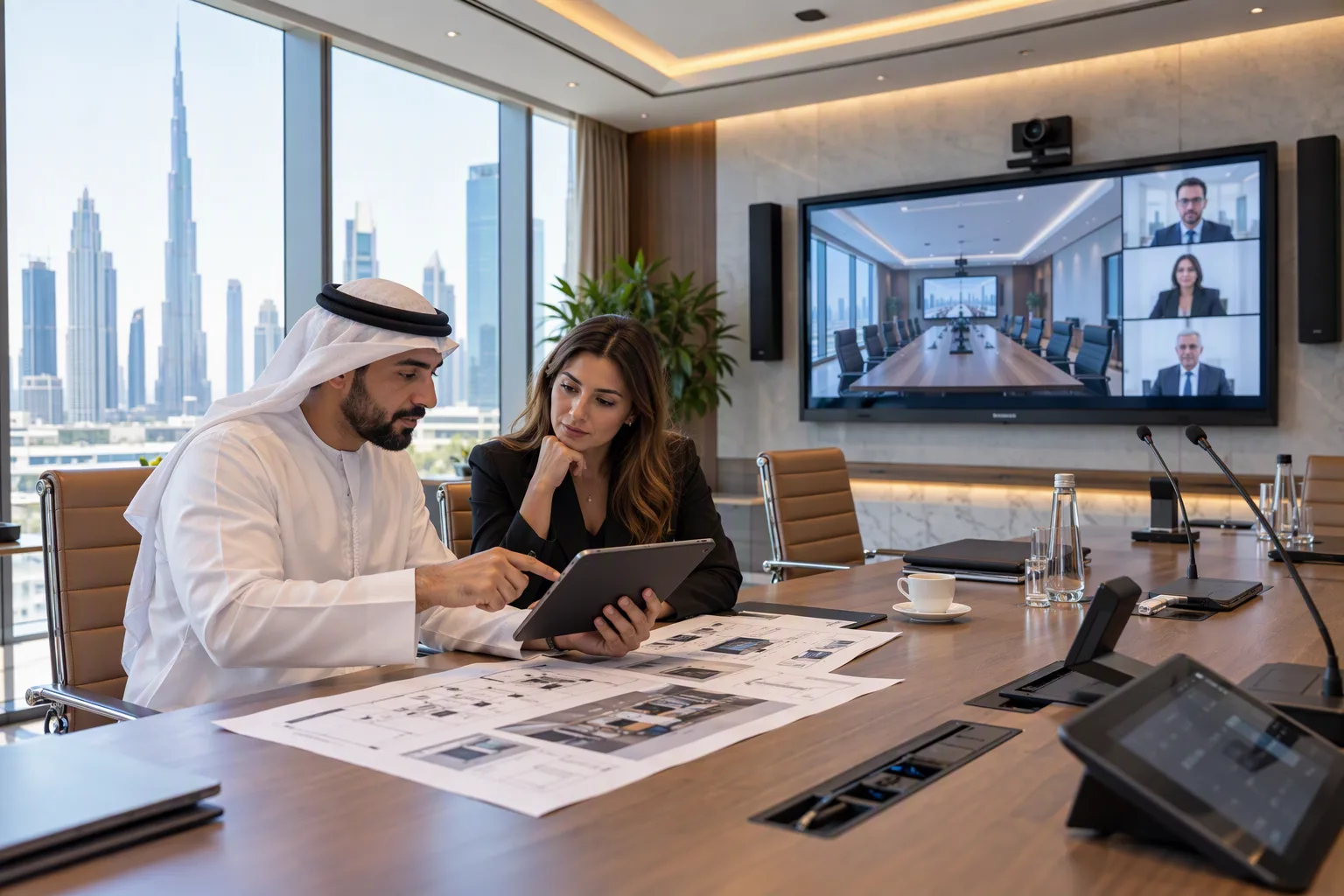
Meeting rooms need clear sound, sharp video, and simple controls to support daily communication. Best AV Integration Services involve bringing different audio and video devices together so they work as one system. However, even good equipment may not perform well if the room layout, connections, or settings are not suitable. Understanding the factors that affect performance can help businesses plan meeting rooms that support presentations, video calls, and team discussions.
1. Room Size and Layout
The size and shape of a meeting room affect how audio and video equipment should be arranged. A small room may need only one display, a microphone, and a camera. A large conference room may need several displays, multiple microphones, and additional speakers.
The position of tables and chairs also matters. If people sit too far from the camera or microphone, they may be difficult to see or hear during a meeting. A display that is too small for the room can make presentations hard to read.
Before installing equipment, measure the room and consider how many people will use it. Plan the location of screens, speakers, cameras, and microphones according to the seating arrangement.
2. Room Acoustics and Sound Quality
Sound quality is one of the most important parts of a meeting room AV system. Echoes, background noise, and sound reflections can make conversations difficult to follow.
Rooms with glass walls, hard floors, and empty surfaces may create more sound reflections. Curtains, carpets, acoustic panels, and suitable furniture can help manage these problems.
Microphone placement is also important. A microphone placed too far from speakers may pick up more room noise than speech. In larger rooms, several microphones or a suitable ceiling microphone system may be needed.
Speakers should be placed so that sound reaches the audience evenly. The volume should be clear without being too loud or causing feedback. Testing the system with people seated in different parts of the room can help identify sound problems.
3. Display Quality and Room Lighting
Display performance depends on screen size, resolution, brightness, and viewing distance. A screen that works well in a small meeting room may not be suitable for a large conference space.
Lighting can also affect what people see. Direct sunlight or bright lights reflected on a screen can reduce visibility. This can make text, charts, and presentations difficult to read.
When planning the display, consider where people will sit and how far they will be from the screen. Place the display at a comfortable viewing height and avoid locations where windows create strong reflections.
For rooms used for video calls, lighting should also make participants easy to see. Balanced front lighting can help cameras capture clear images without strong shadows.
4. Camera Position and Video Quality
The camera affects how clearly remote participants can see people in the meeting room. A camera placed too high, too low, or too far away may create an uncomfortable viewing angle.
For small rooms, a single camera may cover the table. Larger rooms may need a camera with zoom, automatic framing, or other suitable features.
Camera quality also depends on lighting, resolution, connection speed, and software settings. Even a high-quality camera may produce poor video if the room is too dark or the network connection is unstable.
Before choosing a camera, consider the number of participants, the room dimensions, and the type of meetings held there. Test the camera from the same positions where people will normally sit.
5. Network Connection and Bandwidth
Video conferencing systems depend on a stable network connection. Slow internet, network congestion, or weak wireless coverage can cause frozen video, delayed audio, and dropped calls.
A meeting room may share its network with computers, cloud applications, security devices, and other connected equipment. When several activities happen at once, the available bandwidth may become limited.
Network planning should consider the number of devices, expected video quality, and the needs of conferencing platforms. A wired connection can provide more consistent performance for fixed equipment when compared with an unreliable wireless connection.
Network settings and equipment should also be checked regularly. Testing calls during busy working hours can help reveal problems that may not appear during quiet periods.
6. Equipment Compatibility and Integration
Meeting rooms often use displays, microphones, cameras, speakers, computers, control panels, and conferencing software from different manufacturers. These devices must be compatible to work together correctly.
For example, a display may support certain connection types, while a laptop may require a suitable adapter. A microphone may need a compatible audio interface or processor to connect with the conferencing system.
Check supported connections, software requirements, audio formats, and control options before selecting equipment. Compatibility should be confirmed for the complete system rather than for each device separately.
A well-planned design can also make the room easier to operate. Users should be able to start a meeting, select a source, adjust volume, and share content without dealing with many separate controls.
7. Cable Management and Power Supply
Cables and power connections can affect system reliability. Loose connections, damaged cables, and incorrect cable lengths may cause displays to lose signals or audio devices to stop working.
Long cable runs may require suitable cables or signal extenders to maintain reliable performance. Cables should be selected according to the distance, connection type, and equipment requirements.
Good cable management also makes maintenance easier. Clearly arranged and labelled connections help technicians identify problems without disturbing the entire system.
Power requirements should be checked before installation. Equipment may need suitable power outlets, protected connections, or dedicated circuits, depending on the system. Installation should follow applicable electrical safety requirements.
8. System Configuration and Regular Maintenance
Correct configuration helps all devices work as expected. Audio levels, camera settings, display resolution, control panels, and conferencing software should be set up for the room's needs.
Incorrect settings can cause problems even when the equipment is working properly. For example, a microphone may be muted, the wrong display input may be selected, or the camera may use an unsuitable framing mode.
Regular maintenance helps identify these issues before they interrupt an important meeting. Check cables, update supported software, test microphones and speakers, and confirm that conferencing applications work correctly.
It is also useful to provide basic instructions for employees. Simple guidance can reduce common operating errors and help users solve minor problems quickly.
9. Planning for Future Meeting Needs
Meeting room requirements may change as a business grows or adopts new communication tools. A room that currently supports small team meetings may later need video conferencing for larger groups or presentations across several displays.
When planning an AV system, consider whether additional microphones, displays, cameras, or connection points may be needed later. Check whether the design can support these changes without requiring major installation work.
Future planning does not mean buying unnecessary equipment. It means choosing a system that meets current needs while allowing practical upgrades when required.
Businesses comparing Best AV Integration Services should consider room layout, sound quality, display visibility, network performance, compatibility, and maintenance needs together. Reviewing these factors helps create a meeting room system that is easier to use and more reliable for everyday communication.