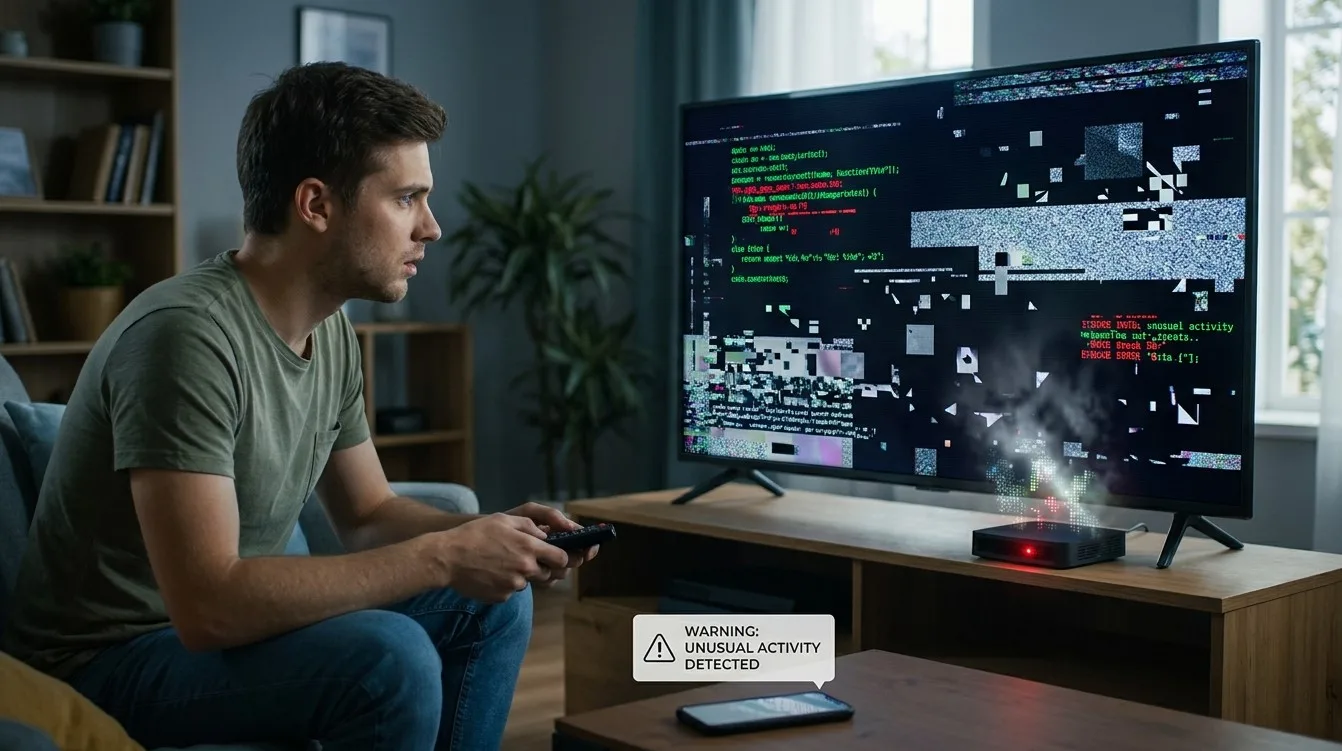
Streaming boxes and smart TVs connect to the internet, run applications, and may store account information, making them useful targets for cybercriminals. Although security problems are not common on every device, suspicious activity should never be ignored. Unexpected advertisements, unfamiliar applications, unusual account activity, or unexplained changes to device settings may indicate a security issue.
Knowing the warning signs can help you respond before your personal information or online accounts are affected. Whether you use IPTV India services or an Indian IPTV Box, following basic security practices can help protect your streaming setup.
Table of Contents
- Common Signs Your Streaming Device May Be Compromised
- What Can Cause Security Problems?
- How to Secure Your Streaming Box or Smart TV
- What to Do If You Suspect a Compromise
- Frequently Asked Questions
1. Common Signs Your Streaming Device May Be Compromised
Not every unusual behavior indicates hacking. However, several warning signs deserve attention.
Unknown Applications Appear
If you notice applications you do not remember installing, investigate them. Unwanted software may have been installed through an untrusted download or unauthorized access.
Unexpected Pop-Ups and Advertisements
Frequent advertisements outside normal application activity, browser redirects, or suspicious promotional messages may indicate unwanted software.
Unusual Account Activity
You may receive unexpected login alerts, password-reset emails, or notifications about changes you did not make. These could indicate that your account credentials have been exposed.
Settings Change Without Your Permission
Unexpected changes to network settings, application permissions, default launchers, or security options deserve investigation.
Device Performance Changes Suddenly
A compromised device may become unusually slow, overheat, restart unexpectedly, or use more network data than usual. However, ordinary software problems, updates, and background processes can cause similar symptoms.
Unknown Network Connections
If your router shows unfamiliar devices connected to your home network, investigate them. Remember that the device name may not always clearly identify the equipment.
Security Warnings Appear
Warnings about suspicious downloads, unsafe applications, or disabled security protections should not be ignored. Avoid dismissing repeated warnings without understanding their cause.
2. What Can Cause Security Problems?
Several habits and technical weaknesses can increase the risk of a compromised streaming device.
- Unofficial applications: Apps downloaded from unknown websites may contain unwanted or malicious software.
- Outdated software: Older operating systems may have security weaknesses that manufacturers have already addressed in newer updates.
- Weak passwords: Reusing passwords across multiple accounts increases the consequences of a data breach.
- Unnecessary permissions: Some applications request access to information or device features they do not need.
- Untrusted accessories or downloads: Unknown USB devices, modified firmware, and unofficial installation files can introduce security risks.
- Insecure networks: Poorly protected Wi-Fi networks can expose connected devices to additional threats.
3. How to Secure Your Streaming Box or Smart TV
Take these steps to improve your device's security.
Step 1: Review Installed Applications
Check your installed apps and remove unfamiliar or unnecessary applications. Use official app stores whenever possible.
Step 2: Update the Operating System
Install official firmware and security updates provided by your device manufacturer. Updates often fix known vulnerabilities.
Step 3: Review App Permissions
Check which applications have access to your microphone, camera, storage, location, or accessibility features. Remove permissions that are unnecessary.
Step 4: Change Important Passwords
If you suspect account access has been compromised, change your passwords using a trusted device. Start with your email, streaming accounts, and Google or other linked accounts.
Step 5: Secure Your Router
Use a strong Wi-Fi password, modern encryption such as WPA2 or WPA3 where supported, and updated router firmware. Review the list of connected devices.
Step 6: Consider a Factory Reset
If suspicious behavior continues, a factory reset may remove unwanted applications and settings. Back up important information first and reinstall only trusted applications afterward.
4. What to Do If You Suspect a Compromise
If you believe your streaming device has been compromised:
- Disconnect it from the internet if suspicious activity is ongoing.
- Use another trusted device to secure your important accounts.
- Review account login activity and sign out unfamiliar sessions where possible.
- Contact your device manufacturer or service provider for assistance.
- Check payment accounts if financial information was stored on the device.
- Reset the device if necessary and install official software updates.
If you notice unauthorized financial transactions, contact your bank or payment provider immediately.
Frequently Asked Questions
1. Can a smart TV get hacked?
Yes. Smart TVs run software and connect to networks, so vulnerabilities or malicious applications can create security risks.
2. Does a slow streaming box mean it has a virus?
Not necessarily. Low storage, outdated software, overheating, and background applications can also cause slow performance.
3. Can unofficial IPTV applications compromise my device?
Applications from untrusted sources may contain malicious or unwanted software. Use official sources and verify the developer before installation.
4. Will a factory reset remove malicious software?
A factory reset can remove many unwanted applications and settings, but it is not a guaranteed solution for every type of compromise. Install official firmware and seek manufacturer support if problems continue.
5. How often should I check my streaming device's security?
Review installed applications, permissions, account activity, and available updates regularly. Checking these areas every few weeks is a useful habit.
Conclusion and Call to Action
Unexpected applications, suspicious account activity, unauthorized setting changes, and unusual device behavior can be warning signs that your streaming box or smart TV needs a security check. Although these symptoms do not always mean your device has been hacked, investigating them early can help protect your accounts and personal information.
Keep your software updated, use trusted applications, secure your home network, and review device permissions regularly. For more streaming guidance, explore IPTV India and learn more about choosing and maintaining a compatible Indian IPTV Box for a safer home entertainment experience.