In the fast-paced digital age, businesses must stay ahead of the competition by providing excellent customer service, seamless communication, and timely support. With messaging apps like WhatsApp taking center stage in customer communication, it's no surprise that WhatsApp Business Web has become a game-changer for businesses of all sizes. While the WhatsApp Business app is perfect for mobile devices, the web version brings enhanced functionality, allowing businesses to manage communication from a desktop or laptop. This article dives into how WhatsApp Business Web can help you boost customer engagement, improve operational efficiency, and harness powerful tools like WhatsApp Business API, automation chatbots, and WhatsApp sales funnels to supercharge your business operations.
1) What is WhatsApp Business Web?
WhatsApp Business Web is the desktop counterpart to the WhatsApp Business app, providing a browser-based platform for managing customer interactions. It syncs seamlessly with your mobile WhatsApp Business account, allowing you to access and manage conversations, respond to customer queries, and share media directly from your desktop or laptop.
This web-based version mirrors the functionality of the mobile app, with additional advantages for businesses handling a large volume of customer messages. By offering a broader interface with the convenience of a full-sized keyboard, WhatsApp Business Web helps streamline business operations such as customer support, sales communication, and marketing.
Moreover, the WhatsApp Business Web platform integrates with the WhatsApp Business API, enabling businesses to leverage advanced tools such as automation chatbots and WhatsApp sales funnels to enhance customer experiences and improve sales conversions.
2) Is WhatsApp Business Web Secure?
Security is a top priority for any business, especially when handling sensitive customer data. WhatsApp Business Web ensures your communication remains private and secure by implementing end-to-end encryption. This means that messages are encrypted from the sender to the recipient, ensuring no unauthorized third party can access or read your conversations.
Additionally, WhatsApp Business Web supports two-factor authentication (2FA). This extra security layer requires users to confirm their identity with a secondary verification code sent to their mobile device, reducing the chances of unauthorized access to your account.
With these robust security measures, businesses can confidently use WhatsApp Business Web to manage customer interactions without compromising data security.
3) Can I Use My WhatsApp Business Account on WhatsApp Web?
Absolutely! You can use your existing WhatsApp Business account on WhatsApp Business Web. Setting up is simple and only takes a few steps:
- Download WhatsApp Business App: Ensure the WhatsApp Business app is installed on your mobile device and set up your business profile with the necessary details.
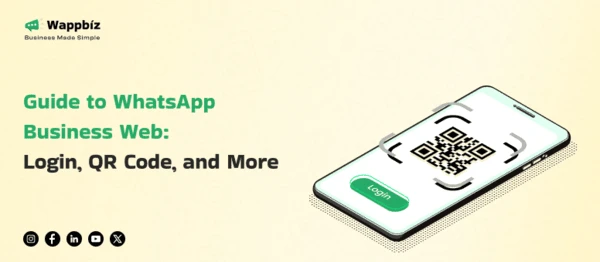
- Go to WhatsApp Business Web: Open a browser on your desktop and visit web.whatsapp.com. A QR code will appear on the screen.
- Link Your Mobile Device: Open the WhatsApp Business app on your phone, go to Settings, and tap Linked Devices. From there, scan the QR code on your desktop screen.
- Start Using WhatsApp Business Web: After scanning the QR code, your mobile account will sync with the web version, allowing you to manage messages from your desktop.
By linking your mobile account with WhatsApp Business Web, you can easily manage customer conversations and enhance your team's productivity.
4) How to Use WhatsApp Business Web in 4 Easy Steps
Here’s how you can get started with WhatsApp Business Web in four simple steps:
- Step 1: Install the WhatsApp Business App – Download the app on your mobile device from the Google Play Store or Apple App Store. Set up your business profile with your name, business details, and hours of operation.
- Step 2: Open WhatsApp Web on Your Computer – On your desktop, open a web browser and visit web.whatsapp.com. A QR code will appear on your screen.
- Step 3: Link Your Mobile Device – Open WhatsApp Business on your phone, go to Settings > Linked Devices, then tap Link a Device. Scan the QR code from your computer screen with your phone.
- Step 4: Start Managing Messages – Once linked, your WhatsApp Business account will sync, and you can begin managing messages, responding to customers, and sharing files directly from your desktop.
5) 4 Key Reasons to Use WhatsApp Business Web
WhatsApp Business Web brings several advantages to businesses, making it a must-have tool for improving communication and operations. Here are four reasons to use WhatsApp Business Web:
- Boost Efficiency and Productivity: Managing customer conversations via mobile can be slow and cumbersome, especially when handling multiple chats. WhatsApp Business Web offers a larger screen and a full keyboard, enabling your team to respond quickly and efficiently to customers, improving overall productivity.
- Enhance Customer Service: WhatsApp Business Web enables your team to respond to customers in real-time. The platform also offers features like labels to organize conversations, which helps prioritize important messages and ensures no customer query is overlooked.
- Automate with Chatbots: Integrating the WhatsApp Business API allows you to implement automation chatbots to handle routine inquiries, send automatic responses, and even schedule appointments. This ensures customers get timely responses 24/7, freeing your team to focus on more complex tasks.
- Set Up WhatsApp Sales Funnels: WhatsApp Business Web facilitates the creation of effective sales funnels that engage customers at different stages of their buying journey. You can send tailored messages, follow-up offers, and promotions to help close more sales and increase conversions.
6) WhatsApp Business Web vs. WhatsApp Business Desktop: Key Differences
While both WhatsApp Business Web and WhatsApp Business Desktop allow businesses to manage conversations from a computer, there are notable differences between the two:
- Platform Compatibility: WhatsApp Business Web works across any operating system (Windows, macOS, Linux) as long as you have a web browser and an internet connection. WhatsApp Business Desktop, however, is a downloadable application for Windows and macOS only.
- Offline Functionality: WhatsApp Business Web requires your mobile device to be online for the web version to function. If your phone disconnects, WhatsApp Web won’t work. On the other hand, WhatsApp Business Desktop offers better offline functionality, allowing continued usage even if the phone is disconnected.
- User Experience: WhatsApp Business Desktop is generally more stable and provides a more responsive interface, especially when dealing with high message volumes. It also offers desktop notifications for more convenient management.
7) Conclusion
WhatsApp Business Web is an invaluable tool for businesses looking to improve customer service, enhance team productivity, and streamline communication processes. With advanced features like end-to-end encryption, two-factor authentication, and integration with the WhatsApp Business API, businesses can manage customer interactions securely and efficiently.
By leveraging automation chatbots, WhatsApp sales funnels, and real-time customer support, businesses can take their operations to the next level. Whether you're looking to enhance your customer service, drive sales, or automate your workflow, WhatsApp Business Web is a powerful platform for businesses of all sizes.