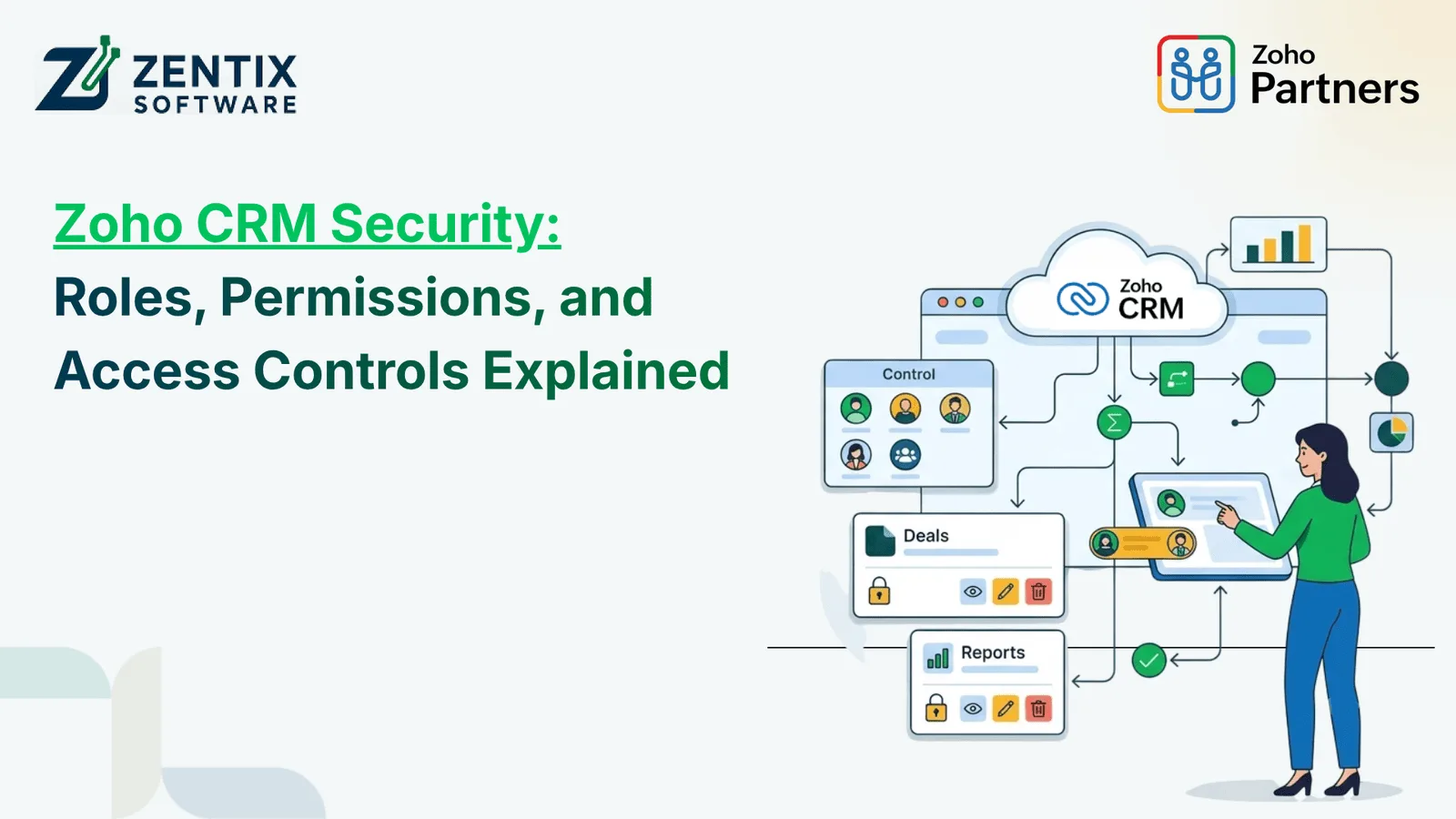
Businesses use customer relationship management software to keep customer details safe to track sales work to handle leads and to coordinate messages between teams. As more workers read this data it is more important to control who can see, change or share business data.
Zoho CRM offers security controls that help businesses set user access based on job duties. By setting up roles, profiles, permissions and sharing rules companies can stop access while still letting workers do their daily tasks without delay.
Knowing these controls is key, to keeping Zoho safe and protecting customer data. Whether a company is installing its CRM for the time or fixing an old setup a clear access plan can lower security risks and help manage data better.
Why Is Security Important in Zoho CRM?
Customer data is a valuable business asset. It may include contact information, sales records, customer interactions, quotations, and other confidential details. If every employee has unrestricted access, businesses may face unnecessary data exposure, accidental changes, or unauthorized sharing.
A properly configured CRM security structure helps businesses:
- Protect sensitive information: Restrict access to customer and business records according to user responsibilities.
- Improve accountability: Assign appropriate access levels to employees, managers, and administrators.
- Reduce accidental changes: Limit editing and deletion permissions where they are not required.
- Support team collaboration: Allow authorized users to access the information needed for their work.
- Maintain better control: Review user access as teams, responsibilities, and business processes change.
Security is not just about preventing unauthorized access. It also involves ensuring that employees have the right permissions to complete their tasks without accessing unnecessary information.
Understanding Roles, Profiles, and Permissions in Zoho CRM
Roles, profiles, and permissions serve different purposes in Zoho CRM. Understanding how they work together makes it easier to create an effective access management structure.
1. Roles: Define the Data Access Hierarchy
Roles help establish an organizational hierarchy and influence which records users can access based on their position in that hierarchy and the CRM's sharing configuration.
For example, a sales representative may primarily work with assigned leads and deals, while a sales manager may need visibility into records owned by team members.
A typical role structure could include:
- Sales Representative
- Sales Manager
- Department Head
- CRM Administrator
Businesses should design roles around their actual reporting structure rather than assigning every employee the same role.
However, a role hierarchy alone does not determine every aspect of record access. Organization-wide defaults, sharing rules, record ownership, and other configured settings can also affect visibility.
2. Profiles: Control What Users Can Do
Profiles define the functions and actions users are permitted to perform within Zoho CRM. These permissions can apply to modules, records, and specific operations.
For example, an employee may be allowed to view contacts and create leads but may not be permitted to delete records or change administrative settings.
Profile configuration can help businesses manage permissions related to:
- Viewing, creating, editing, and deleting records
- Accessing particular modules
- Importing or exporting data, where supported
- Using administrative functions
- Accessing specific CRM features
The available permissions depend on the product edition, configuration, and features enabled. Reviewing profiles regularly helps ensure that users have the access they actually need.
3. Permissions: Define Specific Access Rights
Permissions decide what actions users can take and what information they can see. In life permissions are set up using profiles and other access options, based on the specific feature being used.
Imagine a company that has sales and finance teams. Sales people might need to change customer details and deal information while finance people might need to look at billing related records.
A set up permission system allows each team to do their jobs without giving everyone the same amount of access.
Read Next: Low-Code Development in 2026: Why Businesses Choose Zoho Creator
How to Configure Access Controls in Zoho CRM
An effective access control strategy starts with understanding the organization's users, responsibilities, and information requirements.
Step 1: Review Existing Users and Roles
Start by reviewing the active users in your CRM. Identify their departments, job responsibilities, reporting relationships, and information requirements.
Remove or deactivate access for users who no longer require it, following your organization's account management procedures.
Step 2: Create Appropriate Profiles
Set up profiles according to the tasks different users need to perform. Avoid granting administrative permissions to regular employees when those permissions are unnecessary.
For example, a sales representative may need lead management capabilities, while a CRM administrator may require broader configuration access.
Step 3: Configure Record Visibility
Review organization-wide sharing settings, role hierarchy, record ownership, and sharing rules. These settings help determine which records users can see beyond their own assigned data.
Test the configuration with representative user accounts to confirm that the intended access boundaries work as expected.
Step 4: Review Sensitive Data Access
Identify information that requires additional protection, such as confidential customer details or commercially sensitive records.
Where supported, use field-level permissions and other applicable controls to restrict access to specific information. Also review data exports, integrations, and external sharing options that could expose information outside the CRM.
Step 5: Test and Review Permissions Regularly
After making changes, verify that employees can complete their assigned tasks and cannot access information outside their intended permissions.
Review access whenever employees change roles, leave the organization, or take on new responsibilities. Regular reviews help prevent outdated permissions from accumulating over time.
Zoho CRM Security Best Practices for Businesses
Implementing access controls is only one part of a broader security strategy. Businesses should also establish processes for maintaining and reviewing their configurations.
Follow the principle of least privilege. Give users only the permissions required for their responsibilities. Avoid broad access simply because it is convenient during setup.
Strengthen account security. Use strong passwords, enable multi-factor authentication where available, and apply appropriate account security policies.
Review administrator access. Limit the number of users with extensive administrative privileges and periodically verify that those privileges remain necessary.
Monitor relevant activity. Use available audit logs and security-related features to review important changes and investigate unexpected activity.
Manage integrations carefully. Connected applications, APIs, and third-party tools may access CRM data. Review their permissions, authentication methods, and continued business need.
Maintain a regular access review process. Schedule periodic reviews of users, roles, profiles, sharing rules, and connected applications to keep access aligned with current business requirements.
These practices help make Zoho security part of everyday operations rather than a one-time configuration task.
Read Next: From Legacy to Low-Code: Zentix Software’s Approach to Zoho Creator App Development
When Do Businesses Need Zoho App Development or Customization?
Standard CRM settings can work well for access management needs. Some companies have more complicated processes. They might need features, special approval steps, custom ways to handle data or connections with other business tools.
In these situations, Zoho app development can help. It allows businesses to extend their processes using the Zoho apps, custom functions, integrations and automated workflows. For example, a company might need a step where managers approve changes to records. They might need a custom app, for a specific team. They might need to link their CRM system with their finance software.
Custom development should support, not take the place of, the built-in security features. Developers should use coding methods. They should always check user permissions. They must keep their credentials safe. They need to make sure that integrations do not let data get exposed to people who shouldn’t see it.
Before starting any custom solution companies should clearly write down their needs. They should identify which data is sensitive. They should check if standard settings can handle their requirements. This helps avoid building things that are not needed. It also keeps the security system simpler and easier to manage over time.
Conclusion
Managing roles, profiles and permissions properly helps companies keep customer information safe while making sure work flows smoothly. Zoho CRM offers access controls that can be changed. Those controls work best when they fit the way the company is set up and what data is needed.
By checking who has access, stopping permissions testing how records are seen and keeping an eye on integrations companies can create a more reliable way to keep things secure. When the basic settings don't do the job, custom changes and adding tools can make things better without breaking the rules, about who can access what.
The key is to treat CRM security as an ongoing process that evolves with the business. Book Your Live Demo Now With Zentix Software and let your business run on automation.
Originally Posted On: Zoho CRM Security: Roles, Permissions and Access Controls Explained
Frequently Asked Questions
1. What is Zoho CRM security?
Zoho CRM security refers to the controls and practices used to protect CRM data and manage access. These include user authentication, roles, profiles, record-sharing settings, and other available security features.
2. What is the difference between roles and profiles in Zoho CRM?
Roles primarily help define the organizational hierarchy and influence record visibility. Profiles define the functions and actions users are allowed to perform. Both work together to manage access.
3. Can I restrict access to specific records in Zoho CRM?
Yes. Record visibility can be managed through settings such as organization-wide defaults, role hierarchy, record ownership, and sharing rules. The exact configuration depends on your requirements and CRM setup.
4. How can I prevent users from deleting CRM records?
You can restrict deletion through the relevant profile permissions and review other access settings that may grant elevated privileges. Test the configuration to confirm that users cannot delete records without authorization.
5. Can different departments have different permissions in Zoho CRM?
Yes. Businesses can configure suitable profiles and roles for different departments, then apply appropriate record-sharing settings. This allows teams to access the functions and information required for their responsibilities.
6. How often should Zoho CRM permissions be reviewed?
Permissions should be reviewed periodically and whenever employees change positions, leave the organization, or receive new responsibilities. The frequency should reflect the sensitivity of the data and the organization's security requirements.
7. Can Zoho CRM integrate with other applications securely?
Yes. Integrations can be configured using supported authentication methods and appropriate access scopes. Businesses should review connected applications, credentials, permissions, and data flows to minimize unnecessary exposure.
8. When should a business consider Zoho app development for security-related requirements?
Consider custom development when standard configuration cannot meet a documented business requirement, such as a specialized approval workflow or custom application. The solution should follow secure development practices and preserve appropriate access restrictions.