Every small business I write about has the same origin story for its payroll. One spreadsheet. One person who "knows how it works." Payday arrives, the numbers get checked twice, and everyone gets paid.
Then the team grows by a handful of people, and something subtle changes. Payday stops being a task and starts being an event, the kind the whole office quietly dreads.
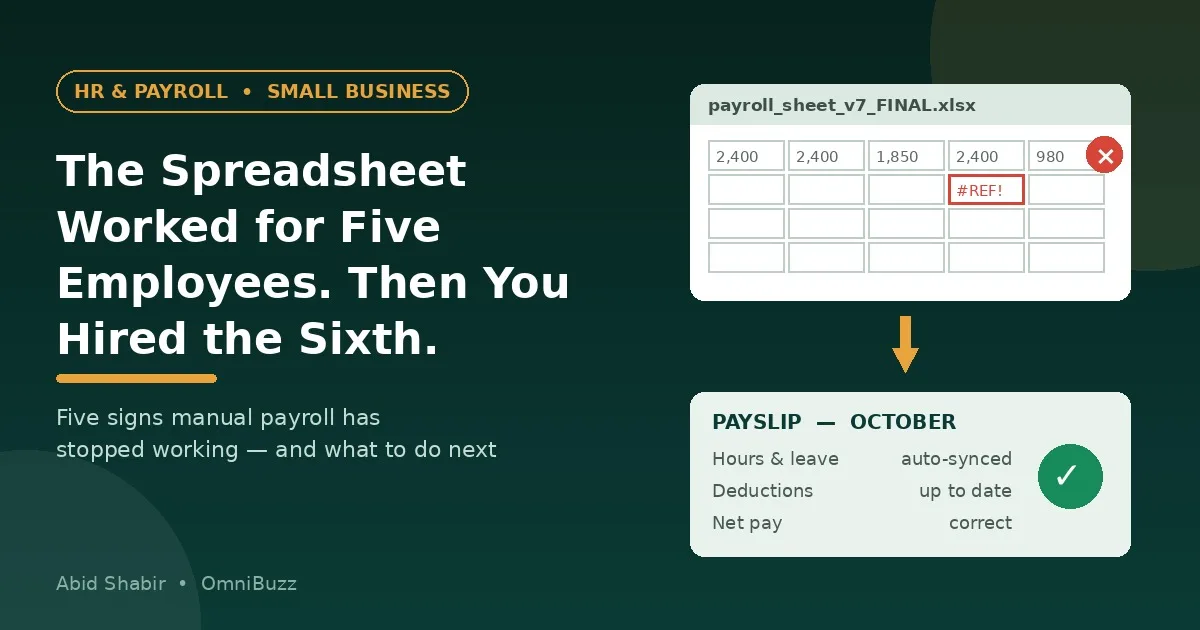
Nobody made a mistake you can point to. The system simply outgrew the tool, and spreadsheets are polite about failing. They do not crash. They just start producing small, expensive errors that nobody notices until an employee does.
Why Spreadsheets Feel Fine at First
It is worth being honest about this, because most advice on the topic pretends spreadsheets were always a bad idea. They were not.
With five employees on similar salaries, a spreadsheet is genuinely good enough. It is free. It is flexible. The person running it understands every formula because they wrote every formula. Leave is tracked in the same file, overtime is a quick phone call to confirm, and if something looks wrong, you can walk over and ask.
The problem is not the spreadsheet. The problem is that every one of those advantages depends on the team staying small, stable, and in one place. Growth breaks all three assumptions at the same time, usually in the same quarter.
The Five Breaking Points
1. One person becomes the entire system
When only one employee knows which tab is the real one, which column is manual, and why row 14 is different from the others, you do not have a payroll process. You have a person, and people take holidays, get sick, and resign.
If payday knowledge cannot survive one person's two-week leave, it is not a process yet.
2. Leave, overtime, and deductions stop fitting in one file
At five people, approving leave is a conversation. At twenty, it is a chain: a request in a chat, an approval in an email, an absence nobody recorded, and a payroll run that pays someone for days they were not there, or docks someone who was.
Each error is small. The trust damage is not. Employees forgive a slow laptop. They remember a wrong payslip.
3. Pay stops being one shape
Growth rarely adds five identical employees. It adds a part-timer, a contractor, someone on commission, someone in a different city with different rules. A spreadsheet handles each exception with another tab, another formula, another chance for the wrong rate to be copied down a column.
Complexity does not announce itself. It accumulates one "quick fix" at a time.
4. Rules change and the file does not
Tax bands, statutory deductions, and reporting requirements change on schedules that have nothing to do with your business. A spreadsheet has no way of knowing. It will keep calculating last year's rules with complete confidence, and the error will look exactly like a correct number until an audit or a complaint proves otherwise.
5. There is no audit trail, and no real security
Who changed that figure, and when? A spreadsheet usually cannot tell you. The same file holding everyone's salary, bank details, and personal information also tends to be the file that gets emailed around, saved to personal laptops, and left in shared folders.
That is not a hypothetical risk. Payroll data is among the most sensitive information a small business holds, and it is often the least protected.
What Manual Payroll Actually Costs
Run the arithmetic on a modest example. A business with 20 employees pays monthly. The owner or office manager spends roughly half a day each month collecting hours and leave, fixing the sheet, calculating, paying, and then answering questions about the results. That is six working days a year on payroll alone.
Then add the corrections. One underpaid employee takes an hour to investigate and fix properly. One wrong filing takes considerably longer, and may come with a penalty attached.
The software subscription people hesitate over is usually smaller than the cost of the time they are already spending. They just never see that cost as one number, because it leaks out in half-hours across the whole month.
What Actually Changes With One Connected System
The important shift is not "software instead of spreadsheet." It is where the data lives.
When an employee's contract, leave record, hours, and pay all sit in one record, payroll stops being a monthly reconstruction project. The figures are not re-typed from three other places, so the most common errors, the copying errors, largely disappear. Leave approved is leave deducted. Hours recorded are hours paid.
That joined-up way of working is what people mean by cloud based hr and payroll: one employee record, updated once, that everything else reads from, accessible to the people who need it and protected from the people who do not.
Two practical benefits matter most to small teams. First, calculations and rule updates are maintained in the system rather than in one person's memory, so payday does not depend on who is in the office. Second, employees can usually see their own payslips, balances, and records themselves, which quietly removes a whole category of "quick questions" that interrupt whoever runs payroll.
How to Move Without Breaking Payday
The fear that stops most businesses switching is a rational one: a failed migration lands on payday, in public. The way around it is to treat the move like accountants treat a year-end, carefully and in parallel.
Step 1: Clean the data before you move it
Do not import a messy spreadsheet and expect order. Reconcile every employee's salary, start date, leave balance, and bank details against source documents first. This is the least exciting step and the one that decides whether the switch works.
Step 2: Run one pay cycle in both systems
For a single month, run the old spreadsheet and the new system side by side and compare every line. Differences are not failures, they are the point. They show you exactly where your old process was quietly guessing.
Step 3: Switch at the start of a period, never mid-cycle
Start the new system at the beginning of a fresh pay period, ideally a fresh tax period. Mid-cycle switches create two half-records of everything and a reconciliation nobody enjoys.
Step 4: Tell the team what is changing, before payday
Employees do not need a feature tour. They need to know where their payslip will be, where to request leave now, and who to ask if something looks wrong. One short message, sent before the first run, prevents most of the anxiety.
When You Should Not Switch Yet
A fair counter-argument deserves space here. If you have three employees, all full-time, all on fixed salaries, all in one location, and the person running payroll enjoys it and documents it properly, a system may be more than you need today.
Set a trigger instead of a date. When any two of these become true, it is time: a second person needs to run payroll, pay gains a variable element like overtime or commission, or the team spreads across locations. Triggers stop you buying too early and, more importantly, stop you waiting until after the first serious error.
The Takeaway
Payroll rarely breaks in a dramatic moment. It erodes, in small corrections, quiet workarounds, and knowledge that lives in one person's head.
So do not ask whether your spreadsheet still works. Ask whether it would still work if your team doubled and your payroll person took a month off. If the honest answer is no, you are not looking at a software decision. You are looking at a deadline you have not been given yet, and it is much cheaper to meet it early.