
Small businesses need every advantage possible to remain competitive. For companies dependent on field service operations—HVAC repair, plumbing, landscaping, and IT support—keeping operations efficient and ensuring customer satisfaction are crucial. Here is where field service software becomes imperative. The right software can streamline operations, enhance communication, and increase productivity. But how do you choose the right one for your small business with so many available? Here are some features that must be included in field service software.
10 Must-Have Features in FSM Software for Small Enterprises
Here are the top must-have features in FSM Software for small enterprises. Let’s have a look:
Scheduling and Dispatching
Efficient scheduling and dispatching are the backbone of any field service business. Look for software that offers:
- Drag-and-drop scheduling: Easily assign jobs to technicians with a user-friendly interface.
- Automated dispatching: Automatically assign jobs based on technician availability, location, and skill set.
- Real-time updates: Keep everyone in the loop with instant updates on job assignments and changes.
Mobile Accessibility
Field service technicians are always on the go, so your software should be too. A mobile app or mobile-friendly platform is essential for:
- Technicians can view schedules, customer information, and job requirements on their smartphones or tablets.
- Real-time updates from the field keep the office and customers informed.
- Streamline the checkout process by allowing technicians to collect payments and signatures on-site.
Customer Management
Happy customers are the lifeblood of any small business. Field service software should include tools to help you manage customer relationships effectively:
- Store important details like contact information, service history, and preferences.
- Send automated appointment reminders, follow-ups, and service updates.
- Gather customer feedback to improve your services and build loyalty.
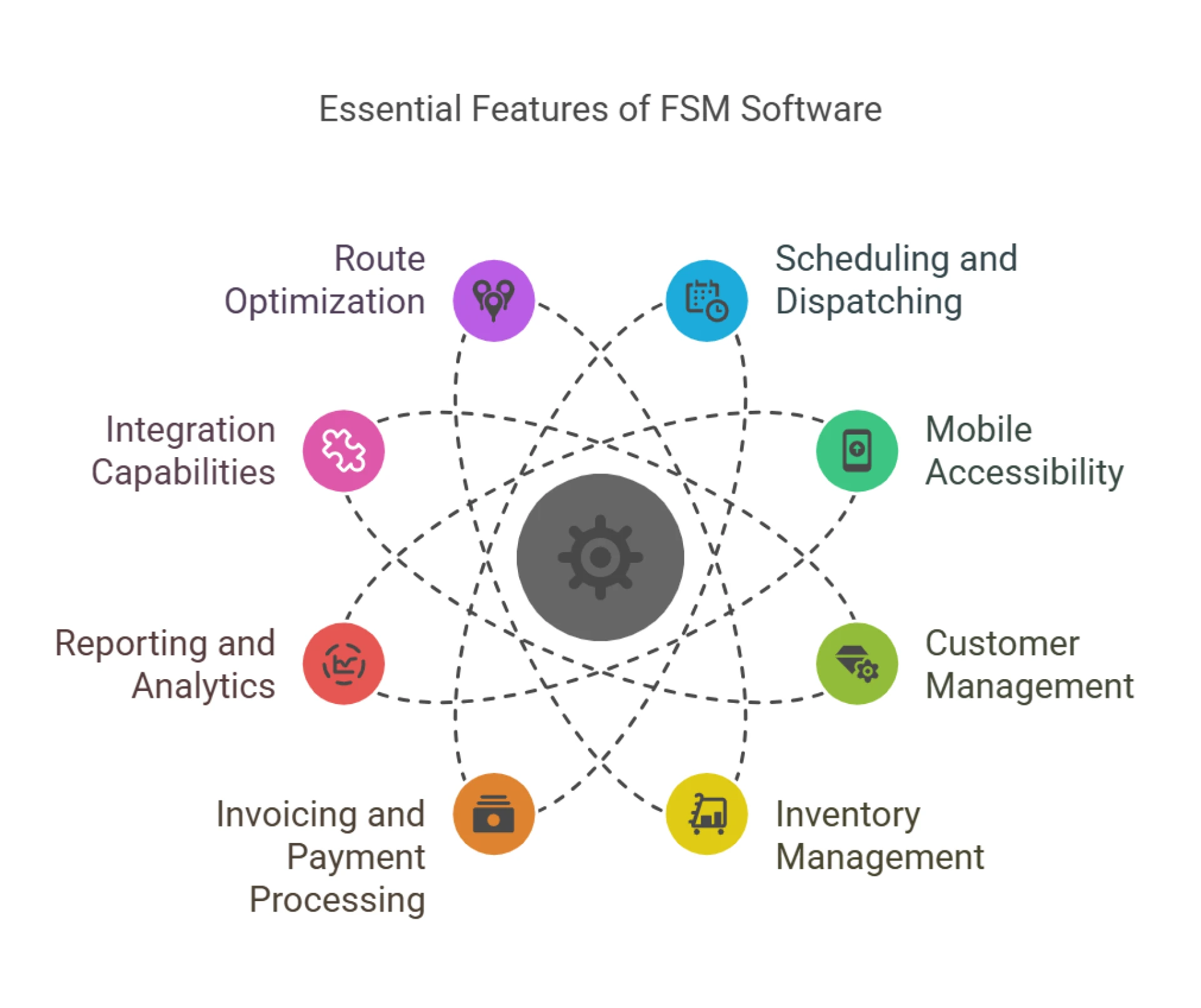
Inventory Management
For businesses that rely on parts and equipment, inventory management is crucial. Look for software that allows you to:
- Track inventory levels: Know what’s in stock and what needs to be reordered.
- Manage parts usage: Track which parts are used for each job to ensure accurate billing and inventory control.
- Integrate with suppliers: Automate reordering processes to avoid stockouts.
Invoicing and Payment Processing
Streamlining the billing process is essential for maintaining cash flow and keeping customers satisfied. Key features to look for include:
- Customizable invoices: Create professional invoices that reflect your brand.
- Online payments: Allow customers to pay via credit card, ACH, or other digital methods.
- Integration with accounting software: Sync data with tools like QuickBooks or Xero for seamless financial management.
Reporting and Analytics
Data-driven decision-making is critical for small businesses. Field service software should provide:
- Analyze key metrics like job completion rates, technician performance, and revenue.
- Get a snapshot of your business’s performance immediately.
- Identify patterns and make informed decisions to optimize operations.
Integration Capabilities
Your field service software shouldn’t operate in a silo. Look for solutions that integrate with other tools you use, such as:
- Sync customer data for a unified view of your interactions.
- Simplify financial management with seamless data transfer.
- Automated follow-ups and promotional campaigns.
Route Optimization
For businesses with multiple technicians on the road, route optimization can save time and fuel. Key features include:
- Monitor technician locations in real time.
- Automatically calculate the fastest routes based on traffic and job locations.
- Set up virtual boundaries to receive alerts when technicians enter or leave specific areas.
- Route optimization helps reduce travel time and fuel costs, improving overall efficiency.
Customization Options
Every business is unique, so your software should be able to adapt to your specific needs. Look for:
- Create custom software to capture the data that matters most to your business.
- Create custom workflows to streamline repetitive tasks.
- Add your logo and colors to invoices, reports, and customer communications.
Scalability
As your business grows, your software should grow with you. Choose a solution that:
- Accommodate more technicians, jobs, and customers without compromising performance.
- Scale up or down based on your needs.
- Add functionality as your business evolves.
Wrap Up
Choosing the best field service software for small business can greatly improve operational efficiency, boost customer satisfaction, and promote growth. Choose the one with features that relate most closely to your own business aims and workflows. A scheduling tool, mobile capability, customer management, inventory tracking, invoicing, reporting, integrations, route optimization, customizations, and scalability are among the functions you would like to consider taking your field service operations to the next level. Take the free trials or demos that allow trying out the solution that best fits your business. With selected software, your small business can excel in the field service-industry competition.